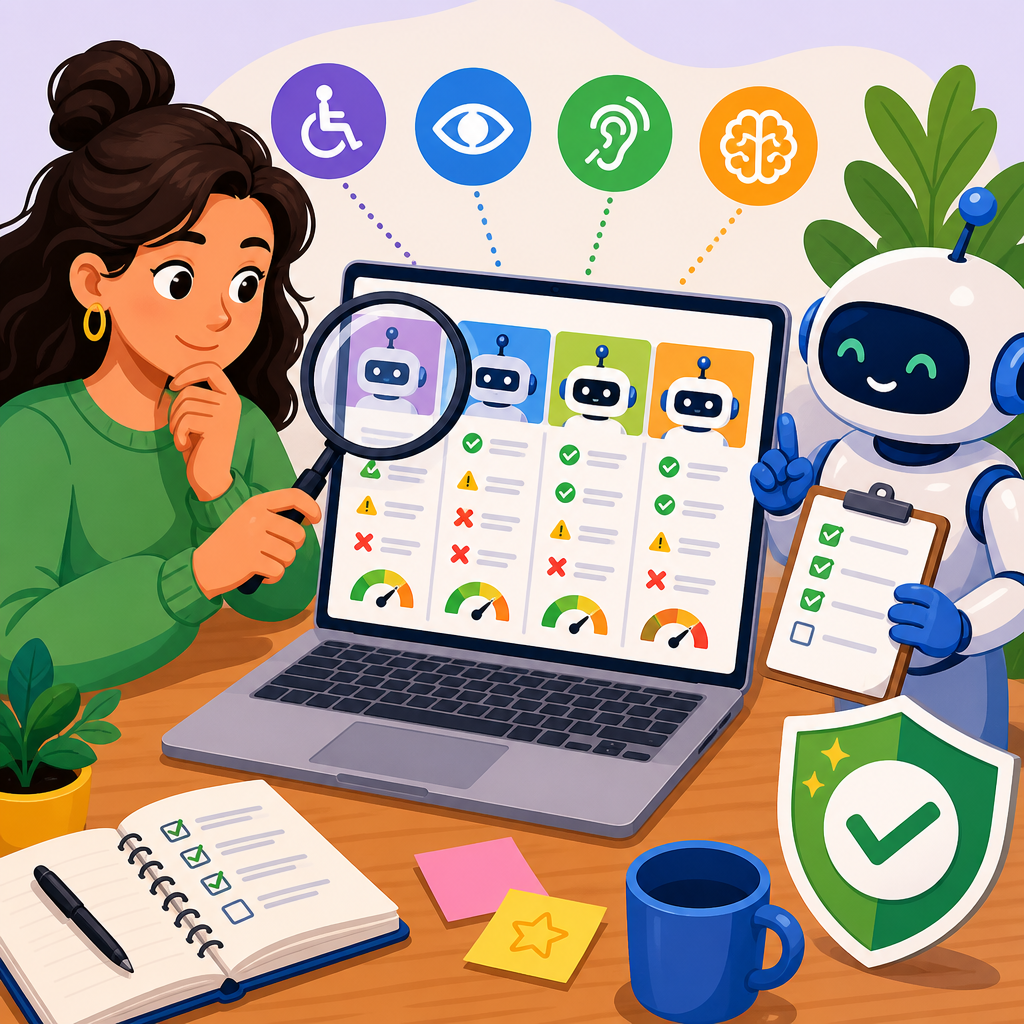
How to vet automated accessibility tools before you buy starts with understanding what these products actually do, what they miss, and where they fit inside a broader accessibility program. In procurement meetings, I have seen teams treat an automated scanner like a complete compliance solution, only to discover later that the tool caught color contrast issues but missed broken keyboard flows, inaccessible modals, and confusing screen reader announcements. That gap matters because automated accessibility tools can accelerate testing, prioritize defects, and support ongoing monitoring, but they cannot replace expert review, user testing, or governance.
Automated accessibility tools are software products that scan websites, apps, documents, or design systems for barriers against standards such as the Web Content Accessibility Guidelines, commonly called WCAG. Depending on the product, they may run as browser extensions, continuous integration checks, enterprise crawlers, mobile SDKs, or document remediation platforms. ADA support in practice means more than buying software. It includes policy, training, vendor management, legal awareness, peer networking, and escalation paths when issues affect real users. Advanced ADA support and networking brings those elements together so organizations can solve difficult accessibility problems with both technology and people.
This topic matters because accessibility failures create legal exposure, customer frustration, and avoidable rework. The U.S. Department of Justice has repeatedly affirmed that digital experiences can fall under disability nondiscrimination obligations, and courts increasingly expect organizations to demonstrate active effort, not passive intent. At the same time, teams are under pressure to ship quickly across web, mobile, and third-party platforms. A well-vetted automation tool can reduce manual effort, surface regressions early, and give leadership measurable reporting. A poorly vetted tool can waste budget, flood teams with low-value alerts, and create a false sense of compliance. This hub article explains how to evaluate these tools rigorously while building the support network needed for sustainable results.
Start with scope, standards, and the problems you need to solve
Before comparing vendors, define your accessibility scope in plain operational terms. Ask which properties the tool must cover: public marketing sites, authenticated applications, native mobile apps, PDFs, videos, kiosks, or emails. Clarify which standards matter most for your organization, usually WCAG 2.1 or 2.2 at Level A and AA, plus any internal design system rules. If you work in higher education, healthcare, finance, or government contracting, your reporting and remediation obligations may be broader than a generic commercial website. A crawler that only scans static pages is not enough if your core user journey sits behind authentication or depends on dynamic components rendered after login.
I usually begin vendor vetting with a short requirements matrix built from actual user journeys. For example, an ecommerce team may need homepage, search, product detail, cart, and checkout coverage across desktop and mobile. A university may need support for learning management systems, embedded video players, PDFs, and departmental sites created by decentralized editors. This approach prevents a common procurement mistake: selecting a platform based on dashboard polish instead of test coverage. A tool is only useful if it can reach the states, components, and content patterns that generate risk in your environment.
You also need a clear definition of success. For some teams, success means preventing accessibility regressions through GitHub or GitLab checks. For others, it means enterprise-scale monitoring with issue trends by business unit, executive reporting, and ticket creation in Jira or Azure DevOps. If your legal and procurement teams expect evidence of due diligence, ask how the vendor documents methodology, rule mapping, false-positive handling, and exceptions. Buying without these answers leads to tool sprawl and weak accountability.
Evaluate technical coverage, detection quality, and workflow fit
The strongest automated accessibility tools are valuable because they combine standards-based rules with practical integration options. During evaluation, look past marketing claims like “full compliance” or “AI-powered accessibility.” No automated tool can verify every requirement. It can reliably detect some issues, partially infer others, and miss anything that depends on human judgment, meaningful sequence, context, quality of alternative text, caption accuracy, or task completion ease. A credible vendor will say this clearly. If they promise total coverage, treat that as a red flag.
Test technical coverage with a proof of concept using your own properties, not a sample website prepared by the vendor. Include templates with known issues and edge cases: custom dropdowns, single-page application route changes, modal dialogs, lazy-loaded images, icon-only buttons, complex data tables, accordions, embedded forms, and third-party widgets. Measure whether the tool detects duplicate IDs, missing form labels, heading structure errors, focus traps, insufficient contrast, missing language declarations, inaccessible iframe titles, and ARIA misuse. Then compare the findings against manual checks using tools such as axe DevTools, WAVE, Accessibility Insights, NVDA, JAWS, VoiceOver, TalkBack, and keyboard-only testing. The question is not whether automation finds issues. The question is whether it finds the right issues with acceptable noise.
| Evaluation Area | What to Ask | Strong Signal | Warning Sign |
|---|---|---|---|
| Rule Coverage | Which WCAG success criteria are directly testable? | Clear rule mapping with limitations documented | Claims of complete compliance detection |
| Authenticated Scanning | Can it test logged-in flows and role-based states? | Supports scripting, cookies, or test accounts | Only scans public pages |
| CI/CD Integration | Does it work in build pipelines and block regressions? | Native GitHub, GitLab, Jenkins, or API support | Manual-only workflow |
| Issue Management | Can findings sync with Jira or Azure DevOps? | Deduplication, severity tuning, ticket automation | CSV export only |
| Noise Level | How are false positives handled? | Rule suppression, review states, evidence capture | No tuning controls |
| Mobile and Documents | Does it cover iOS, Android, and PDFs if needed? | Separate modules or partners with clear methods | Web-only product sold as universal |
Workflow fit matters as much as detection quality. Developers need fast, actionable feedback in their existing tools. Content teams need understandable guidance, not cryptic error codes. Program managers need dashboards showing issue age, severity, trend lines, and ownership. Security and infrastructure teams may require single sign-on, role-based access control, audit logs, and data residency options. In one enterprise rollout I supported, a scanner with decent accuracy still failed because it produced thousands of duplicate alerts each week and did not map findings to component owners. Teams stopped trusting it. Another platform with narrower but cleaner detection achieved adoption because it fit the delivery process.
Scrutinize vendor credibility, support model, and accessibility maturity
When you buy an accessibility tool, you are also buying a support relationship. Evaluate the vendor the same way you would evaluate an accessibility consultant. Ask who writes and maintains the rule engine, how often rules are updated for WCAG 2.2 changes, and whether accessibility specialists review detections. Request sample reports, release notes, service-level commitments, and references from organizations with similar complexity. If the vendor says they serve higher education, ask for a higher education reference. If they claim mature mobile coverage, ask how they test native components, gestures, and platform semantics.
Vendor credibility is strongest when the company demonstrates accessibility in its own products and operations. Check whether the dashboard is keyboard accessible, screen-reader friendly, and documented with a current accessibility conformance report using the Voluntary Product Accessibility Template format. Review training materials, onboarding resources, and escalation paths. A vendor that cannot explain its own accessibility limitations clearly is unlikely to help you manage yours. I have ruled out products after basic demos because the interface trapped keyboard focus or charts lacked text alternatives. That is not a minor irony. It reveals a weak internal discipline.
Support quality becomes especially important in advanced ADA support and networking because difficult issues rarely stay inside one team. You may need legal context, engineering triage, procurement pressure on third parties, or introductions to specialists for captions, documents, or assistive technology compatibility. Ask whether the vendor provides office hours, remediation coaching, benchmarking, or community access. Some of the most useful vendor relationships include customer councils, product advisory groups, and peer forums where practitioners compare patterns and policies. Those networks help teams solve recurring issues faster than isolated troubleshooting.
Build a decision process that includes manual testing, peer input, and total cost
A strong buying decision combines automation results with expert validation and stakeholder review. Run a pilot with clear success criteria for at least two candidate tools. Score each on coverage, accuracy, usability, integration, reporting, and support. Include developers, QA, design system owners, content leaders, compliance stakeholders, and at least one experienced accessibility specialist. If your organization has an employee resource group focused on disability inclusion, ask for input there as well. Their perspective often improves prioritization because they see where policy language and lived experience diverge.
Total cost should include more than license price. Add implementation time, training, API usage, authenticated scanning setup, remediation labor created by findings, and any premium modules for mobile, PDFs, or monitoring. Compare that cost against measurable outcomes: faster issue discovery, reduced production regressions, cleaner procurement reviews, and better reporting to leadership. In some cases, a lower-cost browser extension plus scheduled expert audits is the right answer for a small organization. In larger environments, enterprise crawlers with workflow integrations, policy templates, and governance support can justify a higher price because they prevent duplicated effort across many teams.
Peer networking is a practical part of vetting, not an optional extra. Accessibility leaders in associations, Slack communities, local meetups, and conference groups often share candid feedback that never appears in sales calls. Ask what tool they replaced, where they still rely on manual review, how they handle false positives, and whether the vendor responds well during urgent incidents. This hub exists to support that broader networked approach: technology decisions improve when they are informed by standards, experience, and trusted peers rather than feature checklists alone.
Use this hub to strengthen advanced ADA support and networking
Automated accessibility tools are useful when you treat them as part of an operating model, not a shortcut. Vet products against your real scope, verify detection quality with hands-on testing, and demand transparent limits. Choose vendors that integrate with your workflows, document their methods, and support your teams after purchase. Then reinforce the tool with manual audits, assistive technology testing, governance, and peer networks that help you solve exceptions quickly and responsibly.
For organizations building advanced ADA support and networking, the main benefit is durability. You move from reactive cleanup to repeatable prevention. Procurement gets clearer standards, developers get better feedback, leadership gets credible reporting, and users get fewer barriers. Use this hub as your starting point for the deeper articles in this subtopic, then turn what you learn into a structured evaluation checklist, pilot plan, and support network that will still serve you a year from now.
Frequently Asked Questions
What should I evaluate first when vetting an automated accessibility tool?
Start by defining exactly what you need the tool to do, because that determines whether a product is a good fit or just a polished distraction. An automated accessibility tool is not a universal compliance solution. It is typically designed to identify a subset of detectable issues, such as missing alt text, low color contrast, duplicate IDs, empty links, or certain ARIA misuse. That means the first question is not “How many checks does it run?” but “Where does it fit in our accessibility program?”
From there, evaluate the tool against your actual environment. Ask whether it supports the technologies your teams use, including your CMS, design system, JavaScript framework, mobile applications, PDFs, authenticated user flows, and dynamic components such as modals, menus, accordions, and form validation patterns. A tool that works well on static marketing pages may perform poorly in a single-page application or in complex enterprise workflows behind a login. You should also confirm whether it scans rendered content, handles state changes, and can test content loaded after user interaction.
It is also important to assess the quality of the reporting. Strong tools do more than list errors. They prioritize findings by severity, map issues to WCAG success criteria, explain why a problem matters for disabled users, and provide remediation guidance that developers can act on. If the reports are vague, noisy, or overloaded with false positives, adoption will suffer. Finally, look at workflow fit. A useful tool should support the way your organization works through integrations with CI/CD pipelines, issue trackers, browser extensions, and role-based dashboards for developers, QA, designers, and compliance stakeholders.
Can an automated accessibility tool make my website or app fully compliant with WCAG or legal accessibility requirements?
No. That is one of the most important truths to establish before you buy. Automated tools can be valuable, but they cannot verify full WCAG conformance or guarantee legal compliance on their own. Accessibility includes many issues that require human judgment, task-based testing, and direct evaluation of the user experience. A scanner may flag detectable code-level problems, but it cannot reliably determine whether link text is meaningful in context, whether focus order supports efficient keyboard use, whether instructions are understandable, whether error handling is clear, or whether a screen reader user can complete a critical workflow without confusion.
This limitation matters in procurement because some products are marketed in ways that imply broader coverage than they can actually deliver. A tool may catch surface-level issues while missing the problems that most deeply affect real users, such as inaccessible modal dialogs, broken keyboard traps, drag-and-drop interactions with no alternative, or status messages that are never announced to assistive technology. If decision-makers assume the tool equals compliance, they may underinvest in manual audits, user testing, staff training, and accessibility governance.
The better approach is to treat automation as one layer in a broader program. Use it to scale routine detection, monitor regressions, and help teams catch common issues earlier in development. Then pair it with expert manual review, assistive technology testing, and usability testing with disabled people whenever possible. When a vendor claims their platform “ensures compliance,” ask them to be specific about what is tested automatically, what requires manual verification, and what percentage of WCAG criteria their product can meaningfully support. The most credible vendors are clear about those boundaries rather than trying to blur them.
How can I tell whether a tool has strong detection capabilities and not just a long checklist of features?
Do not rely on marketing feature grids alone. A long list of checks or integrations does not necessarily mean the tool is effective in real-world environments. The best way to evaluate detection quality is through hands-on testing using your own pages, components, and user flows. Build a pilot that includes both simple and complex content: forms, modals, custom dropdowns, media players, navigation menus, error states, tables, carousels, and pages that update dynamically after interaction. Include known accessibility issues if possible so you can see whether the tool catches them consistently.
As you review results, pay attention to four things: coverage, accuracy, prioritization, and clarity. Coverage tells you what categories of issues the tool can actually detect. Accuracy includes both false negatives, where the tool misses real problems, and false positives, where it flags items that are not truly failures. Prioritization matters because teams need help focusing on what most affects users and business risk. Clarity matters because reports should explain the issue, identify the affected element, reference the relevant standard, and provide practical remediation guidance.
You should also test how the tool performs in modern front-end conditions. Can it evaluate rendered DOM output rather than just source code? Does it detect issues after JavaScript execution? Can it navigate states and interactions, or does it only scan the first page load? Does it support authenticated sessions and staged environments? If your organization ships mobile apps, documents, or embedded third-party widgets, examine those areas too. A strong vendor should be willing to walk through real examples, discuss known limitations openly, and help you interpret pilot results instead of hiding behind generic scoring claims.
What questions should I ask vendors during demos and procurement reviews?
Ask questions that force specificity. The goal is to move beyond general claims and understand how the product behaves in your environment, with your workflows, and against your risk profile. Start with scope: What standards does the tool map to, such as WCAG 2.1 or 2.2? Which checks are automated, and which requirements must still be reviewed manually? Can the vendor provide a transparent breakdown of coverage by success criterion rather than broad promises about compliance?
Next, ask about technical fit. How does the tool handle single-page applications, custom components, shadow DOM, authenticated flows, iframes, native mobile interfaces, and content that appears after user interaction? Does it support browser-based testing, API access, command-line execution, CI/CD integration, and issue tracker synchronization? Can it be configured for enterprise governance, such as role-based access, reporting by business unit, and audit trails for remediation progress?
Then move to signal quality and usability. How does the vendor reduce false positives? How are issues prioritized? What does remediation guidance look like for developers, designers, and content authors? Can reports be filtered by severity, template, page type, or WCAG criterion? Ask for examples of how the tool has been used to reduce recurring defects, not just generate reports. Finally, ask what the tool does not do well. That question often tells you more than the polished demo. A trustworthy vendor will explain limitations around manual testing, assistive technology validation, and subjective user experience criteria without hesitation.
How should an automated accessibility tool fit into a broader accessibility program after purchase?
The most successful organizations use automated tools as operational support, not as a substitute for accessibility strategy. Once purchased, the tool should be embedded into the software development lifecycle so teams can catch issues early and often. That usually means developers use browser extensions and local testing during implementation, QA teams run scans in test environments, and engineering pipelines include automated checks before release. Over time, dashboards and scheduled scans can help monitor regressions across templates, products, and business units.
But automation alone is not enough. To create real accessibility improvement, pair the tool with clear policies, ownership, training, and manual evaluation. Designers need guidance on accessible patterns before code exists. Developers need component-level standards and remediation examples. QA needs test cases for keyboard access, focus behavior, screen reader announcements, and error recovery. Product owners need a way to prioritize accessibility defects alongside other quality risks. Accessibility specialists should still conduct periodic manual audits and review high-impact workflows, especially for checkout, account management, forms, media, and support experiences.
The strongest programs also use tool data intelligently. Instead of chasing a vanity score, look for patterns. Which templates produce the most recurring issues? Which teams need more training? Which components in the design system create defects across multiple products? When tool output is combined with manual findings and user feedback, it becomes much more valuable. That is how automation contributes to a mature accessibility program: by improving visibility, reducing preventable errors, and supporting continuous progress while human expertise handles the areas software cannot judge on its own.


