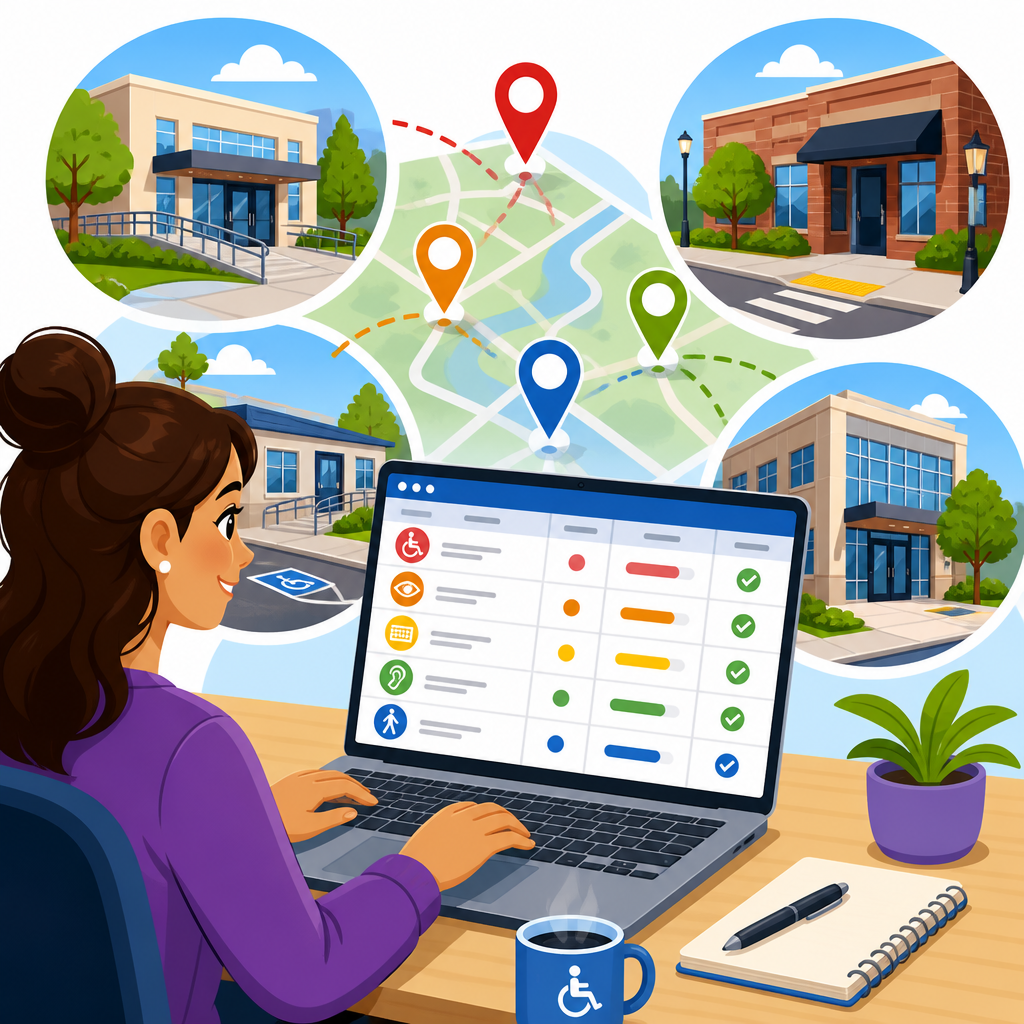
Maintaining an accessibility issue log across multiple locations is one of the most practical ways to turn compliance goals into a repeatable operating system. An accessibility issue log is a structured record of barriers, complaints, audit findings, remediation tasks, verification steps, and supporting evidence tied to physical sites, digital properties, or both. When an organization operates several offices, stores, campuses, clinics, hotels, or mixed-use facilities, the challenge is not merely finding issues. The real challenge is documenting them consistently, assigning ownership, tracking deadlines, preserving proof, and showing steady progress location by location.
In my work with distributed organizations, I have seen the same pattern repeatedly: one site manager keeps a spreadsheet, another uses email, a third relies on a vendor portal, and leadership assumes there is a single source of truth when none actually exists. That fragmentation creates missed deadlines, duplicated site visits, inconsistent terminology, and weak evidence if a regulator, plaintiff, insurer, or executive asks what was known, when it was discovered, and what was done about it. A well-built accessibility issue log solves that problem by standardizing records and creating an audit trail.
This matters because accessibility obligations are operational, not theoretical. In the United States, organizations may need to align facility work with the ADA Standards for Accessible Design, local building codes, and policy commitments, while digital teams may track conformance issues against WCAG success criteria. Even when legal requirements vary by jurisdiction, the documentation discipline is similar: record the barrier, identify the affected location, cite the applicable standard, rate severity, assign corrective action, preserve evidence, and confirm closure. For organizations managing documentation, records, and evidence across many sites, the issue log becomes the hub that connects audits, maintenance, budgets, training, and legal readiness.
Define the purpose, scope, and record structure
The first step is deciding what the log is for. A useful accessibility issue log should answer six questions quickly: what is the barrier, where is it located, who is responsible, what standard applies, what is the current status, and what proof shows resolution. If the log cannot answer those questions in minutes, it will fail under pressure. I recommend defining scope in writing before selecting software. Some organizations need one master log for physical accessibility only. Others need an integrated log covering built environment barriers, website defects, mobile app issues, kiosk problems, and service process obstacles such as inaccessible intake forms or missing captioning.
Each record should include a stable issue ID, location ID, property name, address, region, issue category, date identified, source of identification, applicable standard, description of barrier, impact on users, interim mitigation, owner, target completion date, status, verification method, date closed, and evidence links. Where possible, use controlled vocabularies rather than free text. For example, set categories such as parking, route, entrance, restroom, signage, communication, website navigation, color contrast, keyboard access, and PDF accessibility. Standard fields make portfolio reporting possible and reduce arguments about whether two managers are describing the same problem differently.
The record structure should also distinguish between observations, confirmed nonconformities, and improvement opportunities. That distinction matters. A customer complaint about a heavy door is a reported issue. After inspection, the team may confirm that the opening force exceeds policy or code. Separately, replacing an acceptable but aging operator could be logged as a proactive improvement. Treating all three as identical obscures risk and inflates numbers. Good logs preserve nuance without becoming complicated.
Standardize severity, ownership, and workflow across locations
Once the fields are defined, standardize how issues move through the system. Without a common workflow, one location will mark an item complete when the contractor is booked, another when work finishes, and another only after reinspection. That inconsistency makes enterprise reporting unreliable. A practical workflow usually includes new, triaged, assigned, in progress, pending verification, closed, deferred, and accepted risk. These statuses reflect real operational decisions and create a defensible history.
Severity ratings should be tied to user impact and legal exposure, not just repair cost. In practice, I use a matrix that weighs safety, essential service access, frequency of use, and whether an alternative method exists. An inaccessible main entrance at a clinic is high severity because it affects primary access to care. A sign mounted slightly too high in a low-traffic storage area may be lower severity, though still worth fixing. Digital examples follow the same logic: a checkout button that cannot be reached by keyboard is critical, while a decorative image with poor alt text may be lower priority unless it conveys important information.
Ownership should sit with a named role and a named person. “Facilities” is not enough. “Regional Facilities Manager, North Division” is better, and “Jordan Lee, Regional Facilities Manager, North Division” is better still. For cross-functional issues, create primary and secondary owners. A hotel website booking barrier may belong primarily to digital product, with legal and customer service listed as supporting stakeholders. Clear ownership prevents the familiar stall in which everyone assumes someone else is handling the issue.
| Field | Why it matters | Example |
|---|---|---|
| Issue ID | Creates a permanent reference for audits, invoices, and reinspection | PHX-ENT-0042 |
| Location ID | Links the issue to one site in a multi-location portfolio | Store-117 |
| Applicable standard | Shows the basis for remediation and helps validate closure | 2010 ADA Standards 404.2.5 |
| Severity | Supports prioritization, budgeting, and escalation | High |
| Owner | Establishes accountability | Jordan Lee |
| Evidence link | Preserves proof of conditions before and after work | Photo set and work order PDF |
Choose a system that preserves evidence, not just tasks
Many organizations start with spreadsheets because they are fast and familiar. For a small portfolio, that can work if governance is strict. Across multiple locations, however, spreadsheets often break down under version control, attachment handling, and permission management. A stronger option is a centralized system such as Microsoft Lists, Airtable, Smartsheet, ServiceNow, Jira, Asana, Monday.com, or a dedicated compliance platform. The best choice depends on whether the organization needs workflow automation, API integrations, geotagged assets, mobile inspections, or legal hold capabilities.
The decisive requirement is evidence management. An accessibility issue log is not just a to-do list. It is a record of fact. That means the system should store or link date-stamped photos, videos, measurements, inspection notes, customer complaints, vendor proposals, permits, invoices, training records, exception approvals, and closure verification. I prefer systems that separate the issue record from the evidence repository while keeping a durable link between them. SharePoint, Box, Google Drive, or a document management platform can house files, while the log tracks metadata and workflow. This reduces duplicate uploads and makes retention policies easier to apply.
Access controls matter as much as features. Site managers may need to update status and upload photos, while legal, risk, and accessibility leads may need portfolio-wide visibility. Vendors should usually have limited permissions. If the system allows broad editing without logs, you lose trust in the record. Audit trails that show who changed a due date or status are essential. In sensitive matters, especially after a complaint or demand letter, the ability to preserve records without accidental deletion becomes critical.
Create intake channels for audits, complaints, and day-to-day operations
An effective multi-location log needs structured intake from several sources. Formal audits are only one source of truth. Other valuable inputs include employee observations, customer complaints, maintenance rounds, renovation punch lists, procurement reviews, usability testing, call center feedback, and litigation or settlement obligations. Each intake path should feed the same master record framework, even if different teams submit information through different forms.
For physical sites, mobile inspection forms work well. An assessor can capture the location, asset type, measurements, photos, and standard reference on site. For digital properties, issue intake should capture page URL or screen name, browser or assistive technology context, steps to reproduce, affected component, WCAG reference, and user impact. If a support team receives a complaint such as “I could not complete the appointment booking,” the intake form should require enough detail to reproduce the problem and classify it correctly.
I have found that duplicate detection is one of the most overlooked controls. When several locations report the same kiosk software issue or multiple auditors flag the same restroom condition on different dates, the log should support linking incidents to a parent issue without erasing local evidence. That preserves the local record while showing that one systemic fix may resolve many site-level entries. This is especially useful for chain retail, healthcare networks, and hospitality brands where one template, fixture, or software release can create repeated barriers at scale.
Use governance rules for updates, retention, and portfolio reporting
Even the best platform fails without governance. The organization should publish clear rules for who can create records, who can edit required fields, how quickly new issues must be triaged, how evidence should be named, and when closed items can be archived. I recommend a data dictionary and a short operating procedure document that every region uses. This reduces local improvisation and keeps reports comparable.
Retention rules should align with legal, compliance, and records management requirements. Closed issues should not disappear when a manager leaves or a vendor contract ends. Keep before-and-after evidence, decision memos for deferrals, and verification notes long enough to support trend analysis and dispute response. If the organization is under a settlement agreement or internal remediation program, preserve milestone reports and approvals in the same ecosystem. A missing closure photo or absent inspection note can undermine an otherwise strong remediation story.
Portfolio reporting should focus on decision-making, not vanity metrics. Useful dashboards show open high-severity issues by region, average age of issues, closure rate, recurring issue types, location risk ranking, and evidence completeness. A national restaurant group, for example, may discover that accessible parking signage deficiencies close quickly, while restroom hardware issues remain open because they require procurement changes. That insight guides budget and policy fixes. If reporting only counts how many items were closed this quarter, leaders miss the bottlenecks that matter.
Connect the issue log to remediation, budgeting, and verification
The strongest accessibility issue logs do not end at documentation. They connect directly to work execution. Each issue should map to a remediation path: maintenance, capital project, digital sprint, policy update, training, or vendor correction. Linking the log to work orders, project management tickets, and purchase approvals turns evidence into action. It also helps finance teams understand whether barriers can be fixed through routine maintenance or require planned capital expenditure.
Verification is the step organizations skip most often. A contractor may invoice for a repaired ramp handrail, or a developer may mark a code ticket done, but closure should require proof that the barrier was actually resolved. For facilities, that may mean a reinspected measurement, new photos, or commissioning notes. For digital issues, it may mean retesting with keyboard navigation, screen reader checks, automated scans using tools such as axe, WAVE, or Lighthouse, and manual confirmation by QA. Closure without verification weakens the integrity of the entire log.
This page serves as the hub for documentation, records, and evidence within compliance and implementation because every related practice ties back to the issue log. Audit documentation defines findings, complaint records reveal lived impact, maintenance records show action, policy exceptions document justified delays, vendor files support accountability, and closure evidence proves outcomes. When those records are linked by a disciplined log structure, multi-location accessibility management becomes measurable and defensible instead of reactive.
To maintain an accessibility issue log across multiple locations, build one standard record model, one clear workflow, and one evidence discipline that every site follows. Use named standards, fixed fields, accountable owners, and verification before closure. Choose a system that preserves documents and audit trails, not just task lists. Then connect the log to audits, complaints, remediation budgets, and reporting so leaders can see risk and progress across the portfolio.
The benefit is straightforward: better accessibility decisions, faster remediation, and stronger proof that the organization is acting responsibly. If your current records live in scattered spreadsheets, emails, and vendor folders, start by defining the required fields and governance rules for a single master log. Then pilot it at a few locations, refine the workflow, and scale it across the rest of the organization.
Frequently Asked Questions
What should an accessibility issue log include when you manage multiple locations?
An effective accessibility issue log should be detailed enough to support action, verification, and long-term reporting across every location you manage. At a minimum, each entry should include a unique issue ID, the site or property name, the exact location of the barrier, the date the issue was reported, who reported it, and whether it applies to a physical environment, a digital experience, or both. For example, a single organization may need to track a parking access barrier at one clinic, an inaccessible online booking form for a hotel group, and signage concerns at several retail stores. A structured log makes those differences visible without losing consistency.
Beyond the basics, strong logs also capture the issue category, severity or risk level, applicable accessibility standard or internal policy, a clear description of the barrier, photos or screenshots, and the potential impact on users. It is also helpful to record the business owner responsible for remediation, the target completion date, the current status, interim measures if a full fix is delayed, and the method used to verify resolution. In multi-location operations, standardization matters. If one team records issues by building and another by department, reporting becomes difficult. Using a common template ensures you can compare trends, prioritize recurring barriers, and demonstrate a disciplined compliance process over time.
How do you keep accessibility issue tracking consistent across offices, stores, campuses, or other sites?
Consistency comes from governance, not just software. The most successful organizations create a standard issue taxonomy and require every location to use it. That means defining the same fields, status labels, severity levels, evidence requirements, and closure criteria everywhere. For instance, if one location marks an issue as “resolved” after assigning a contractor, while another only uses “resolved” after final verification, your reports will be unreliable. A central policy should define exactly what each status means and what supporting documentation is required at each stage.
It also helps to assign clear roles. Local teams should be responsible for identifying and updating issues specific to their sites, while a central accessibility lead or compliance team oversees quality control, prioritization, and reporting. Regular training is essential so staff understand how to describe issues accurately, attach useful evidence, and connect each problem to a recognized standard or operational requirement. Many organizations improve consistency by using drop-down menus, predefined categories, and required fields in their tracking system. Routine audits of the log itself are equally important. If entries are incomplete, outdated, or coded differently by location, the log will stop functioning as a reliable management tool. In practice, consistency depends on clear ownership, standardized workflows, and ongoing review.
How should you prioritize accessibility issues across multiple locations?
Prioritization should be based on user impact, legal risk, operational importance, and feasibility of remediation. Not every issue carries the same urgency. A broken accessible entrance, an inaccessible patient intake process, or a barrier affecting emergency egress should usually move to the top of the list because it can directly prevent access to essential services or create significant safety concerns. By contrast, lower-risk issues such as noncritical formatting inconsistencies or minor wayfinding problems may still need correction, but they can often be scheduled within a broader remediation plan.
Organizations with multiple locations should use a shared scoring model so similar issues are ranked the same way regardless of where they appear. A practical system often considers severity, frequency, number of people affected, whether the issue has already triggered a complaint, whether a legal or regulatory standard is clearly implicated, and whether the barrier exists in multiple locations due to a common design or procurement decision. That last factor is especially important. If the same inaccessible self-service kiosk or website template appears in ten locations, fixing the root cause centrally can deliver more value than addressing isolated lower-impact issues one by one. Good prioritization does not mean ignoring smaller issues. It means using a repeatable method to direct resources where they reduce risk and improve accessibility most effectively.
What is the best way to document remediation and prove that issues were actually resolved?
The best approach is to treat closure as a documented verification process, not just a status change. Each issue should show what action was taken, who completed it, when it was completed, and what evidence supports the fix. For physical locations, that evidence might include dated photographs, contractor invoices, updated floor plans, inspection notes, or a sign-off from facilities leadership. For digital assets, it may include before-and-after screenshots, code changes, testing notes, vendor confirmations, accessibility evaluation results, or user acceptance testing records. The goal is to create an auditable trail showing that the issue was identified, assigned, remediated, and verified using a defined process.
Verification should ideally be performed by someone other than the person who made the change, especially for higher-risk barriers. That extra step improves accuracy and helps avoid premature closure. It is also wise to record whether the fix was fully resolved, partially resolved, or resolved with ongoing monitoring required. In multi-location settings, some issues may be corrected at one site but still exist elsewhere, so the log should distinguish between local closure and enterprise-wide closure. Detailed remediation records are useful not only for compliance discussions, but also for budgeting, vendor accountability, internal audits, and pattern recognition. Over time, they help organizations learn which fixes are sustainable and which problems keep returning.
Which tools and reporting practices work best for maintaining an accessibility issue log across multiple locations?
The best tool is one that supports structured data, accountability, attachments, filtering, and reporting at both the local and portfolio level. For some organizations, that may be a well-designed spreadsheet with controlled fields and naming conventions. For others, a ticketing platform, facilities management system, governance-risk-compliance tool, or dedicated accessibility management platform will be more appropriate. The key requirement is not complexity for its own sake, but the ability to capture standardized issue data, assign ownership, monitor deadlines, store evidence, and generate reports by location, issue type, status, and risk level. If your organization handles both physical and digital accessibility, the system should allow those records to be connected without forcing them into separate silos.
Reporting should be designed for decision-making. Local managers need views that show open issues, aging tasks, upcoming deadlines, and barriers affecting day-to-day operations. Central leadership needs dashboards that reveal trends across regions, recurring categories, common root causes, closure rates, overdue high-priority items, and locations requiring additional support. Monthly or quarterly review cycles are often effective, especially when paired with escalation rules for overdue or high-severity issues. Strong reporting turns the issue log into more than a recordkeeping exercise. It becomes a management system that helps allocate resources, identify systemic failures, support continuous improvement, and demonstrate that accessibility is being managed in a disciplined, measurable way across the entire organization.





