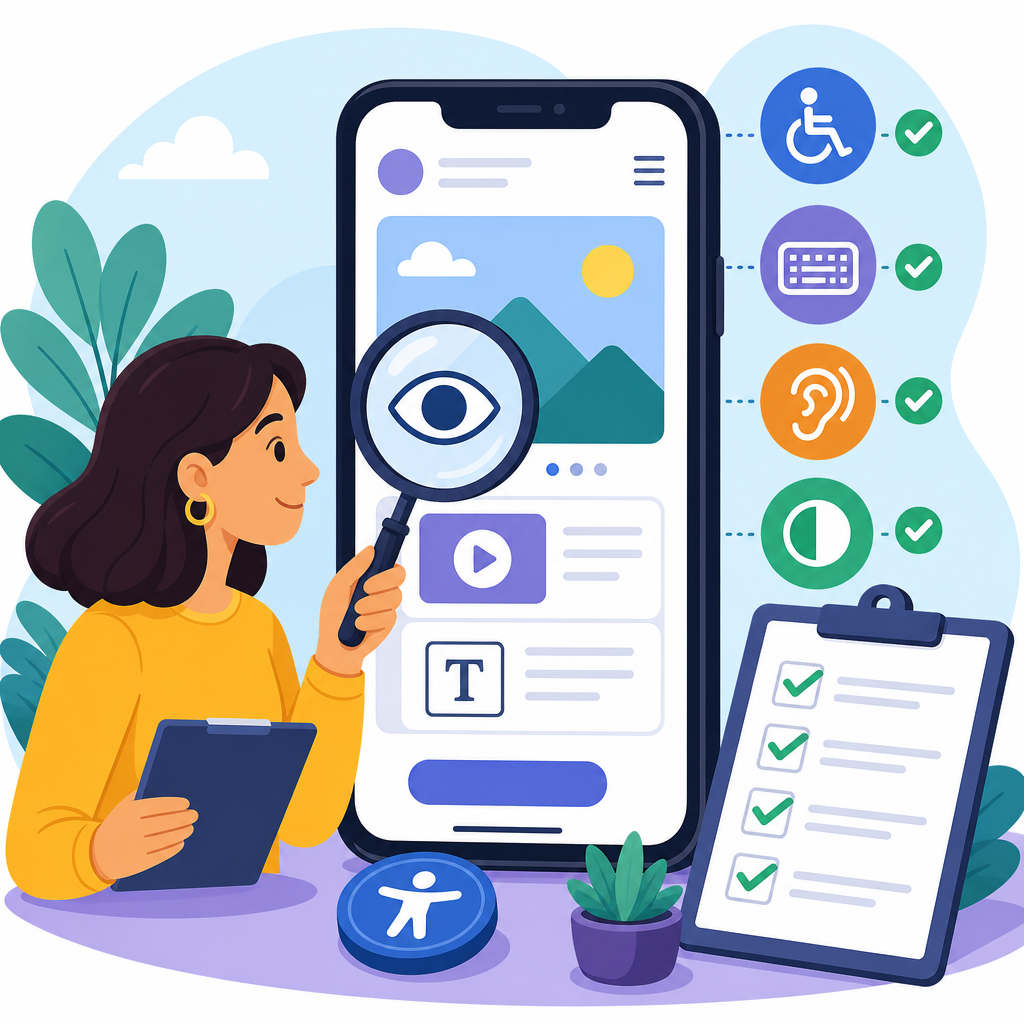
Auditing a mobile app for WCAG 2.1 AA means systematically testing whether every screen, interaction, and piece of content can be used by people with disabilities at the success-criterion level defined by the Web Content Accessibility Guidelines. Although WCAG was written for web content, it is the most widely used benchmark for accessible mobile software because its principles—perceivable, operable, understandable, and robust—map well to iOS and Android patterns. In practice, a strong audit does more than create a defect list. It shows product teams how design systems, code choices, QA habits, and release processes affect real users who rely on VoiceOver, TalkBack, Switch Control, captions, zoom, high contrast settings, and external keyboards.
This matters for three reasons. First, mobile is now the primary interface for banking, healthcare, retail, travel, and internal workforce tools. If the app fails accessibility checks, users are blocked at critical moments such as logging in, paying a bill, scanning a document, or confirming a ride. Second, WCAG 2.1 AA is commonly referenced in procurement standards, settlement agreements, and accessibility policies, so an audit supports compliance and reduces legal risk. Third, an app audit is one of the most efficient ways to advance accessible technology across an organization because mobile apps expose nearly every accessibility discipline at once: content strategy, interface design, engineering, quality assurance, analytics, and governance.
Over the years, I have found that teams often approach mobile accessibility too narrowly. They run an automated scanner, fix a few missing labels, and assume they are close to AA. That is rarely true. A proper audit examines semantics, focus order, gesture alternatives, dynamic type behavior, color contrast, error prevention, timeouts, media, authentication, and cross-platform differences. As a hub for implementing and advancing accessible technology, this guide explains the audit process end to end and connects it to the larger work of building sustainable accessibility into product operations.
Scope the audit around user journeys, platforms, and WCAG interpretation
The first step is defining scope precisely. For mobile apps, I recommend auditing by user journey, not just by screen inventory. A journey-based scope reveals whether users can complete meaningful tasks from start to finish. Typical flows include onboarding, sign-in, password reset, search, filtering, checkout, account settings, document upload, notifications, chat, and support. Include authenticated and unauthenticated paths, error states, empty states, loading states, and any embedded web views. If the app uses third-party SDK components for payments, identity verification, maps, or media playback, include them as separate audit targets because they often introduce inaccessible controls that teams overlook.
Platform coverage also matters. Native iOS and Android apps can diverge significantly even when product features look identical. UIKit, SwiftUI, Jetpack Compose, and legacy Android Views expose different accessibility APIs and defaults. A control that announces correctly in iOS may have a missing role or state on Android. Gestures, focus navigation, rotor behavior, and keyboard support can also differ. Document supported OS versions and device classes, including phones and tablets where layouts change. If the app supports landscape, split screen, or foldables, include those modes because reflow, clipping, and focus traps frequently appear there.
WCAG interpretation for mobile requires judgment. Some criteria translate directly, such as 1.4.3 Contrast Minimum, 2.4.3 Focus Order, 3.3.1 Error Identification, and 4.1.2 Name, Role, Value. Others need mobile-specific application. For 2.5.1 Pointer Gestures, any multipoint or path-based gesture, such as pinch or drag, needs a simple alternative. For 1.4.4 Resize Text and 1.4.10 Reflow, the practical test is whether users can increase system text size or display size without losing content or functionality. For 2.1.1 Keyboard, mobile teams sometimes assume it does not apply; yet external keyboards, switch devices, and directional navigation make keyboard operability essential. State these interpretations in the audit plan so findings are consistent and defensible.
Use the right testing stack: manual review, assistive tech, and code inspection
No single tool can audit a mobile app for WCAG 2.1 AA. Effective audits combine automated checks, manual review, assistive technology testing, and code inspection. On iOS, I rely on Accessibility Inspector, VoiceOver, Switch Control, full keyboard access, color filters, and dynamic type settings. On Android, the core stack includes TalkBack, Accessibility Scanner, Switch Access, keyboard navigation, display size and font size settings, and color contrast evaluation. Browser-based tools are still useful for embedded web views, where Axe DevTools, WAVE, or Lighthouse can reveal defects in HTML content rendered inside the app.
Automation is valuable but limited. Scanners can catch unlabeled buttons, low contrast in some contexts, small touch targets, and missing form hints. They cannot reliably determine whether labels are meaningful, whether announcements are confusing, whether focus moves predictably after a modal opens, or whether an error message actually helps someone recover. I have seen apps pass scanners while remaining unusable because custom carousels trapped screen reader focus, drag-and-drop interactions lacked alternatives, and biometric login screens failed to expose state changes. Manual testing is what turns a technical checklist into a real accessibility audit.
Code inspection adds another layer of certainty. Review whether native components are used where possible, whether custom views expose accessibilityLabel, accessibilityHint, traits, contentDescription, accessibility heading, state, and actions correctly, and whether developers are suppressing platform defaults that would have helped users. Examine whether design tokens define accessible color pairs and text styles, whether the app honors reduced motion settings, and whether analytics can segment accessibility usage patterns. This is where an audit becomes a broader hub for accessible technology implementation: the findings point not only to bugs, but to reusable fixes in component libraries, linting rules, QA scripts, and developer training.
Test core criteria that commonly fail in mobile apps
Certain WCAG 2.1 AA requirements fail repeatedly in mobile products, so they deserve structured attention. Start with semantic exposure. Every actionable element needs an accessible name, role, and state. A heart icon must announce as “Save item, button,” not “image.” Toggle controls must communicate whether they are on or off. Headings, tabs, links, alerts, progress indicators, and dialogs all need correct semantics so assistive technologies can interpret the interface. If a custom control behaves like a button, expose it as a button; if it behaves like a slider, expose current value, minimum, maximum, and adjustable actions.
Focus order and screen reader behavior are equally critical. Test whether swipe navigation follows the visual and logical order, whether focus enters and exits modals correctly, whether hidden elements are skipped, and whether context changes are announced. Common failures include focus landing behind a bottom sheet, repeated announcements from decorative icons, and unreadable composite cards that merge title, price, rating, and action buttons into one confusing node. On Android in particular, accessibility focus and input focus can diverge, so test forms carefully when validation errors appear.
Visual presentation should cover contrast, text scaling, spacing, orientation, and non-text contrast. Many apps meet brand requirements but fail at 4.5:1 contrast for body text or 3:1 contrast for icons and control boundaries. Dynamic type often breaks layouts in edge cases: clipped headings, truncated prices, hidden helper text, overlapping chips, and buttons pushed off screen. Audit at the largest supported text sizes, not just intermediate levels. For forms, verify clear labels, persistent instructions, explicit error identification, and suggestions for correction. For motion-rich interfaces, ensure animations can be reduced and flashing thresholds are not exceeded. For gesture-heavy interfaces, provide alternatives for swipe-only carousels, drag-to-reorder lists, and signature capture workflows.
| Area | What to test | Common failure | Example fix |
|---|---|---|---|
| Names and roles | Buttons, fields, toggles, tabs, sliders | Icon-only controls announced without purpose | Add explicit accessible name and state |
| Focus order | Screen reader swipe sequence, modals, dialogs | Focus moves behind overlays or skips errors | Manage focus on open, close, and validation |
| Text scaling | Largest font and display size settings | Clipped text and hidden actions | Allow wrapping and flexible container heights |
| Contrast | Body text, placeholders, icons, boundaries | Light gray text on white backgrounds | Use tokenized color pairs that meet ratios |
| Gesture alternatives | Swipe, drag, pinch, long press interactions | Task requires complex gesture only | Add visible buttons or menu actions |
Run realistic task-based sessions with assistive technologies
A standards-based review should be paired with task-based testing that mirrors real use. Ask direct questions: Can a new user create an account without vision? Can a motor-impaired user dismiss a modal, choose a date, and submit a claim using switch input? Can a deaf user understand onboarding videos with captions? Can a low-vision user complete checkout at maximum text size without horizontal scrolling or hidden controls? These scenarios uncover blockers that isolated screen reviews miss.
When I conduct mobile audits, I script tasks with success conditions, then execute them on both platforms using native assistive tech. For VoiceOver and TalkBack, I note each spoken announcement, gesture required, focus move, and state change. For keyboard and switch testing, I confirm reachability, visible focus, and escape routes. For zoom and display scaling, I record whether content reflows or whether users must pan constantly. Capturing this evidence matters because developers can reproduce it quickly. A vague note such as “screen reader issue on payment screen” slows remediation; a precise finding such as “After selecting expiry month, accessibility focus returns to page top instead of moving to year field, blocking efficient completion” is actionable.
Include user impact severity in every issue. I typically rate blockers, serious issues, moderate issues, and minor issues based on task failure, workaround burden, and frequency. A missing label on the primary purchase button is a blocker. Low contrast in a secondary timestamp may be moderate. Severity should also reflect business criticality; a defect in authentication or two-factor enrollment deserves more urgency than the same defect in a rarely used preference screen. This prioritization helps teams move from auditing to implementing accessible technology at scale, because remediation roadmaps align with both user harm and product risk.
Turn audit findings into fixes, governance, and long-term accessibility maturity
An audit creates value only when findings are translated into durable improvements. Start by writing issues in a format product teams can use immediately: WCAG criterion, affected platform, affected screen, user impact, reproduction steps, expected behavior, actual behavior, severity, and recommended fix. Where possible, tie fixes to platform-specific APIs and design components. For example, recommend using UIButton or Material components before building custom controls, applying semantic heading traits to section titles, exposing error text through live region equivalents, or moving validation summaries to the top of a form while preserving field-level messaging.
Then look for system-level patterns. If twenty findings stem from inconsistent button labeling, the problem is not twenty isolated bugs; it is a design system and code review gap. If text scaling breaks every card component, update the layout primitives, spacing tokens, and QA regression suite. If teams repeatedly ship inaccessible third-party SDKs, add accessibility checks to procurement and vendor acceptance. This is how a single mobile app audit becomes the hub for implementing and advancing accessible technology across a portfolio. It informs component libraries, content guidelines, “definition of done” criteria, release gates, training plans, and executive reporting.
Finally, re-test after fixes and establish ongoing monitoring. Accessibility is not a one-time certification, especially in agile mobile environments with monthly releases. Add scanner checks to CI where practical, but keep manual regression tests for high-risk flows such as login, checkout, forms, and media. Include accessibility acceptance criteria in user stories. Schedule periodic audits when major redesigns, framework migrations, or OS updates occur. If your organization publishes related guidance, connect this hub to deeper resources on mobile design patterns, accessible forms, captions and transcripts, color systems, inclusive user research, and procurement reviews. A disciplined WCAG 2.1 AA audit improves usability for everyone, reduces avoidable risk, and gives teams a concrete roadmap for building technology that more people can use. Start with one critical journey, document evidence carefully, fix systemic patterns first, and make accessibility part of every release.
Frequently Asked Questions
What does it mean to audit a mobile app for WCAG 2.1 AA?
Auditing a mobile app for WCAG 2.1 AA means evaluating the app screen by screen and interaction by interaction to determine whether people with disabilities can use it successfully at the AA conformance level defined by the Web Content Accessibility Guidelines. Even though WCAG was originally written for web content, it is widely used as the practical benchmark for accessible mobile apps because its core principles apply directly to native and hybrid experiences. In other words, the audit is not limited to visual design. It examines whether content is perceivable, whether controls are operable with assistive technology and alternative input methods, whether behavior is understandable and predictable, and whether the app works reliably with platform accessibility features.
In a thorough audit, reviewers typically test navigation, forms, custom controls, gestures, labels, focus order, error handling, orientation support, color contrast, text resizing, screen reader output, and compatibility with iOS and Android accessibility settings. They also look at whether users can complete meaningful tasks such as signing in, searching, making a purchase, updating account information, or submitting a form. The goal is not simply to produce a pass-fail checklist. A strong audit identifies barriers, maps them to specific WCAG 2.1 AA success criteria, documents their impact on real users, and provides actionable remediation guidance so design, development, QA, and product teams can fix issues efficiently.
Why is WCAG 2.1 AA used for mobile apps if it was created for websites?
WCAG 2.1 AA is used for mobile apps because it provides the most recognized, structured, and widely accepted framework for measuring digital accessibility, including on iOS and Android. The principles behind WCAG—perceivable, operable, understandable, and robust—translate well to mobile environments. For example, text alternatives apply to icons and images in an app, keyboard accessibility maps to external keyboard and assistive navigation support, and focus order is just as important in a mobile screen reader experience as it is on a web page. Mobile-specific concerns such as orientation, reflow-related readability, pointer gestures, motion actuation, and input modalities are also addressed more explicitly in WCAG 2.1 than in earlier versions.
From a compliance and risk perspective, WCAG 2.1 AA is also the standard most organizations, accessibility professionals, procurement teams, and legal frameworks refer to when defining acceptable accessibility. That makes it useful not only for technical testing, but also for governance, documentation, and vendor accountability. While app teams may also need to consider platform-specific guidance such as Apple Human Interface Guidelines, Android accessibility recommendations, or regional legal requirements, WCAG 2.1 AA remains the common baseline that helps teams evaluate accessibility consistently across products, platforms, and user journeys.
What should be included in a thorough mobile app accessibility audit?
A thorough mobile app accessibility audit should include both automated and manual testing, multiple devices and operating systems, and validation with platform assistive technologies. At minimum, the scope should cover all high-value user flows, all major screen templates, authentication, navigation systems, forms, media, transactional steps, error states, settings, and any custom components. Testing should include VoiceOver on iOS and TalkBack on Android, along with checks for screen magnification, larger text settings, color and contrast visibility, reduced motion preferences, switch access, external keyboard behavior where relevant, and orientation changes. If the app supports landscape mode, dark mode, dynamic type, or tablet layouts, those variations should also be reviewed.
Just as important, the audit should document issue severity, affected screens, reproduction steps, user impact, related WCAG success criteria, and recommended fixes. Strong audits do not stop at saying something is inaccessible; they explain why it matters and how to correct it in code, design, or content. Ideally, findings are prioritized so teams can address blockers first, such as unlabeled controls, inaccessible form validation, broken focus movement, gesture-only actions, or insufficient contrast on critical text and buttons. A well-scoped audit creates a clear path from discovery to remediation, making it much easier for stakeholders to improve accessibility in a measurable way.
What are the most common WCAG 2.1 AA issues found in mobile apps?
Some of the most common issues in mobile app audits involve accessibility labels, focus management, color contrast, touch target usability, and form behavior. For example, icon-only buttons may have no meaningful accessible name, custom components may not expose the correct role or state to assistive technologies, and swipeable or drag-based interfaces may not offer an accessible alternative. Screen reader users often encounter problems when focus lands in an illogical sequence, when modal dialogs do not trap focus properly, or when content changes are not announced. Forms can become especially difficult when placeholders are used instead of labels, required fields are not clearly identified, or error messages are displayed visually but not programmatically associated with the relevant fields.
Other frequent findings include text that does not scale well with larger font settings, content that becomes clipped or overlaps at increased text sizes, low-contrast text on colored backgrounds, instructions that rely only on color, and interactions that require complex gestures without simple alternatives. Teams also commonly overlook orientation support, status message announcements, and consistency across iOS and Android implementations. These issues matter because they can prevent users from completing basic tasks independently. Identifying them early in an audit helps teams focus on the patterns most likely to affect real-world usability for people with visual, motor, auditory, cognitive, and speech-related disabilities.
How often should a mobile app be audited for WCAG 2.1 AA compliance?
A mobile app should be audited regularly, not just once before launch. Accessibility can degrade quickly as new features, design refreshes, third-party SDKs, and operating system updates are introduced. A best-practice approach is to conduct a baseline audit before or during major development, validate accessibility again before release, and perform recurring audits after significant feature additions or structural changes. For apps with active release cycles, many teams also add lighter regression testing into each sprint and schedule a more comprehensive audit quarterly, biannually, or annually depending on risk, scale, and regulatory exposure.
The most effective strategy is to treat accessibility as an ongoing quality process rather than a one-time certification exercise. That means combining periodic expert audits with continuous design review, developer checks, QA validation, and accessibility acceptance criteria in the product lifecycle. If your app supports essential services, high transaction volume, public sector obligations, or a large customer base, more frequent auditing is especially important. Regular testing helps catch issues before they become deeply embedded, reduces remediation costs, and builds confidence that the app remains usable as the product evolves. In practice, the strongest teams make accessibility part of release readiness, not an afterthought added only when problems are reported.


