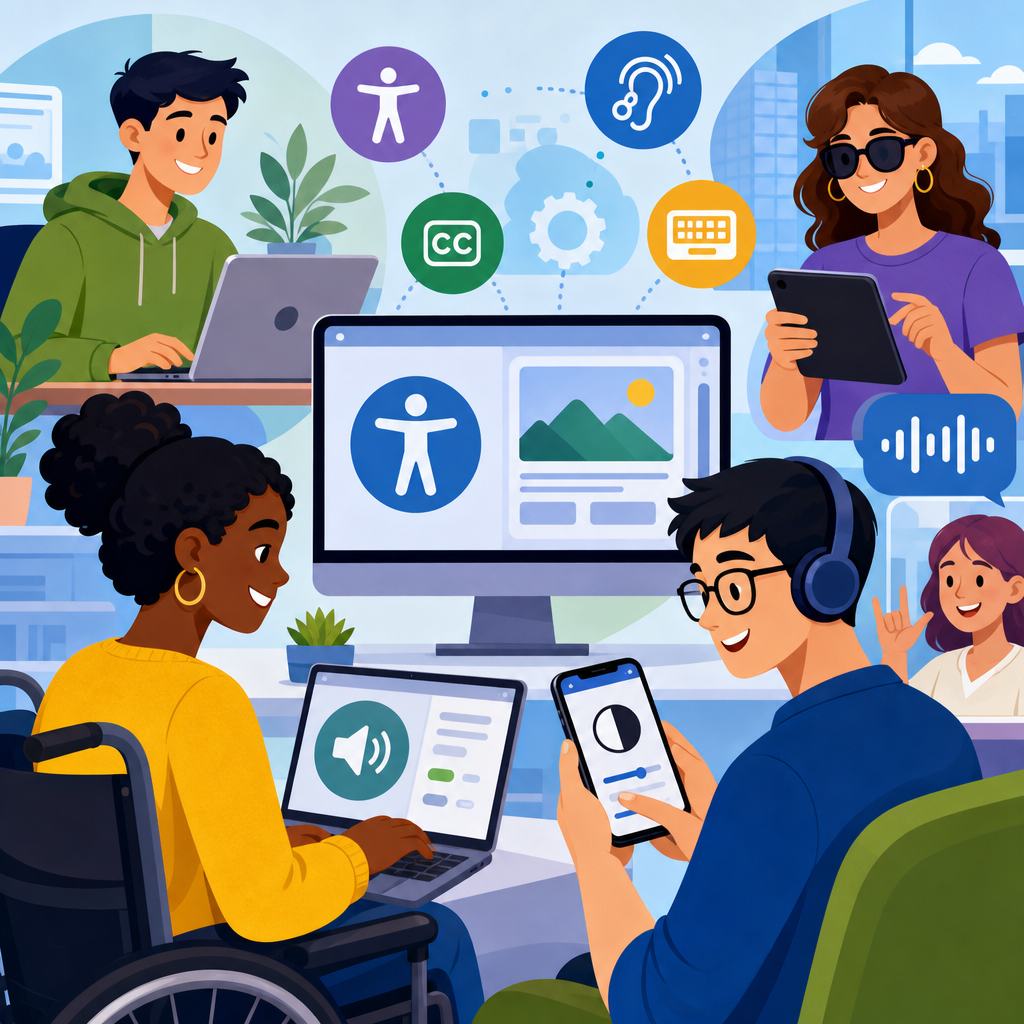
The Americans with Disabilities Act now reaches far beyond ramps, elevators, and parking spaces; in the digital age, it shapes how websites, mobile apps, software platforms, kiosks, and connected devices are designed, tested, and maintained. When people discuss ADA compliance in technology, they are usually talking about whether a digital product gives people with disabilities equal access to information, services, communication, and transactions. That includes users who rely on screen readers, captions, keyboard navigation, voice control, magnification, switch devices, braille displays, reduced motion settings, or plain language content. For organizations, technology accessibility is no longer a niche concern handled after launch. It is a core operating requirement tied to legal exposure, customer trust, procurement standards, and product quality.
I have worked on accessibility reviews for public websites, software rollouts, and content migrations, and the same lesson repeats in every project: accessibility problems rarely start with code alone. They start with decisions. A design team chooses a low-contrast color palette. A product manager ships a checkout flow that times out too fast. A vendor buys a kiosk with no headphone jack or tactile controls. A video team publishes tutorials without captions. Each choice can exclude users, and when exclusion affects access to employment, education, healthcare, banking, or government services, the stakes become serious quickly. Digital accessibility matters because technology now mediates basic participation in modern life.
As a hub for technology and accessibility, this article explains the essentials and grounds them in case studies. It covers the legal context around the ADA, the technical standards most teams use, the barriers people actually face, and the practical methods organizations use to improve access. It also connects the topic to related areas such as accessible web design, mobile app accessibility, document remediation, software procurement, assistive technology compatibility, and accessibility testing workflows. If you need a clear foundation for exploring the basics of technology and accessibility, start here: the central principle is simple, but demanding in practice. Digital experiences must be perceivable, operable, understandable, and robust for real users in real conditions.
What the ADA Means for Digital Technology
The ADA is a civil rights law enacted in 1990, before modern websites and smartphones existed, yet its non-discrimination principles apply naturally to digital services. Title I covers employment, Title II covers state and local government, and Title III covers places of public accommodation. Courts and regulators have increasingly treated websites and apps as covered when they are integral to public-facing services. The U.S. Department of Justice has repeatedly stated that businesses, governments, and organizations should provide accessible digital experiences. While the ADA itself does not prescribe a single technical checklist, enforcement actions and settlement agreements consistently point organizations toward established accessibility standards.
In practice, the standard most teams use is WCAG, the Web Content Accessibility Guidelines, developed by the World Wide Web Consortium. WCAG 2.1 Level AA remains the most widely adopted benchmark in contracts, policies, and remediation programs, though WCAG 2.2 adds newer criteria around focus visibility, dragging actions, and target size. Section 508 also matters for U.S. federal agencies and vendors selling to them, because it incorporates accessibility requirements for information and communication technology. EN 301 549 plays a similar role in Europe. These standards matter because they translate legal obligations into testable requirements: text alternatives for images, captions for video, sufficient contrast, keyboard access, clear labels, predictable navigation, and compatibility with assistive technologies.
A useful way to understand digital accessibility is to think of it as preventing avoidable mismatch between user needs and system behavior. A blind user cannot interpret an unlabeled button in a banking app if a screen reader announces only “button.” A deaf user cannot follow a product demo with no captions. A user with Parkinson’s disease may struggle with small targets that require precise motion. A user with dyslexia may abandon a dense page with jargon-heavy instructions. Accessibility is not one feature. It is a quality layer across content, interface design, engineering, QA, procurement, and support.
Core Areas in Technology and Accessibility
Technology and accessibility spans several connected disciplines. Websites must support semantic structure, alt text, keyboard focus order, form labels, error identification, and responsive layouts that work under zoom. Mobile apps need proper accessibility labels, dynamic type support, focus management, gesture alternatives, and compatibility with VoiceOver and TalkBack. PDFs, slide decks, and office documents require tagged structure, heading hierarchy, reading order, table headers, and meaningful link text. Video and audio media need captions, transcripts, and where appropriate, audio description. Hardware interfaces such as kiosks, ATMs, and ticketing terminals require tactile input, audio output, reach-range consideration, and screen privacy controls.
Teams often underestimate the importance of procurement. Many of the most expensive accessibility failures I have seen started when organizations bought inaccessible third-party platforms for HR, learning management, telehealth, event registration, or customer service. Once a platform is deeply integrated, remediation becomes slow and politically difficult. That is why mature programs ask vendors for a VPAT, review conformance claims carefully, run independent testing, and write accessibility commitments into contracts. Procurement is where accessibility shifts from reactive troubleshooting to risk prevention.
| Technology area | Common barrier | Practical accessibility fix |
|---|---|---|
| Website navigation | Menu unusable by keyboard | Ensure logical tab order, visible focus, and semantic controls |
| Mobile app forms | Fields lack accessible names | Add programmatic labels and clear error messaging |
| Video training | No captions or transcript | Provide synchronized captions and downloadable text |
| PDF documents | Untagged structure | Use heading tags, reading order, and alt text for figures |
| Self-service kiosk | Touch-only interaction | Add tactile keys, audio guidance, and accessible height |
This hub also points toward adjacent topics that deserve deeper treatment. Accessible design systems help teams standardize compliant components before products scale. Content accessibility governs writing quality, heading structure, plain language, and descriptive links. Usability testing with disabled participants reveals issues no automated scanner can catch. Accessibility statements, feedback channels, and governance processes make compliance sustainable. Together, these areas form the operational backbone of technology accessibility.
Case Studies: Where Accessibility Fails and How It Improves
One common case involves online retail. A national e-commerce brand redesigned its site with custom JavaScript controls, animated overlays, and image-based buttons. Sales looked strong on desktop for sighted mouse users, but customer support complaints rose. Screen reader users could not identify add-to-cart controls, promo modals trapped keyboard focus, and checkout errors appeared only in color and disappeared before users could review them. The company faced legal pressure, but the bigger issue was revenue leakage. After an accessibility audit, the team rebuilt controls with native HTML where possible, added programmatic labels, corrected focus behavior, and rewrote error handling. Conversion improved not only for disabled users, but also for mobile users and older customers who benefited from clearer interaction patterns.
A second case comes from higher education. Universities moved aggressively toward digital learning platforms, especially after widespread remote instruction. In one remediation program I observed, lecture recordings lacked captions, scanned PDFs were unreadable to screen readers, and course registration tools broke under keyboard navigation. Students using assistive technology spent hours requesting alternative formats, often after deadlines. The institution responded by standardizing caption workflows, training faculty to create accessible documents in Word and PowerPoint before export, and requiring platform vendors to address WCAG gaps. The result was not perfection overnight, but a measurable reduction in accommodation delays and support tickets. Accessibility became part of instructional design rather than an emergency service.
Healthcare provides an even sharper example because inaccessible technology can compromise outcomes. Patient portals now handle appointment scheduling, lab results, medication refills, intake forms, and telehealth visits. When these systems are inaccessible, patients can miss care. In one hospital network assessment, date pickers were unusable by keyboard, PDF discharge instructions were image-only scans, and telehealth controls were not labeled for screen readers. The remediation effort focused on high-risk tasks first: log in, schedule, consent, message, and attend a video visit. That prioritization model is effective because accessibility teams should always fix critical user journeys before polishing low-impact pages. Equal access is most meaningful when it protects essential functions.
Public sector technology has produced some of the clearest ADA lessons. Local governments increasingly deliver tax payments, permit applications, meeting agendas, emergency alerts, and public records through digital channels. When these services are inaccessible, residents may effectively lose access to civic participation. I have seen city websites with inaccessible GIS maps, unlabeled payment forms, and council meeting videos posted without captions. Stronger programs addressed these issues by adopting enterprise policies, inventorying digital assets, assigning page owners, and setting publishing rules for documents and media. The lesson from government case studies is straightforward: accessibility cannot depend on one specialist fixing broken pages after complaints. It requires governance, budget, and accountability.
How Organizations Build Accessible Technology
Successful accessibility programs start early and distribute responsibility. Product teams define accessibility requirements during discovery, not after development. Designers work from accessible component libraries and test color contrast, focus states, zoom behavior, and reading order in wireframes and prototypes. Engineers use semantic HTML, ARIA only when necessary, and platform accessibility APIs correctly. QA teams run keyboard-only passes, screen reader checks, mobile assistive technology tests, and regression suites. Content teams write descriptive headings, links, instructions, and alt text. Procurement teams vet vendors. Legal and compliance teams align policies with operational reality. This is what mature accessibility looks like: not a heroic audit at the end, but repeatable controls throughout the lifecycle.
Testing should combine automation and manual review. Tools such as axe, WAVE, Accessibility Insights, Lighthouse, and browser developer tools can rapidly detect missing alt text, empty buttons, low contrast, and structural issues. They are valuable, but they cannot determine whether alt text is meaningful, whether a task is understandable, or whether focus order makes sense in context. Manual testing fills those gaps. On web projects, I typically verify keyboard navigation first, then test with NVDA on Windows and VoiceOver on macOS or iOS, because those combinations reveal labeling, announcement, and interaction problems quickly. For Android apps, TalkBack is essential. Real user testing with disabled participants remains the strongest signal because it exposes practical friction that technical conformance may miss.
Training also matters more than many leaders expect. Most accessibility defects are introduced by ordinary production habits: designers using placeholder text as labels, marketers embedding text in images, developers replacing native controls with inaccessible custom widgets, or document authors exporting scanned PDFs. Short, role-specific training prevents far more defects than broad awareness campaigns alone. The best programs pair training with checklists, templates, linting rules, and review gates. Accessibility improves when the easiest way to ship is also the accessible way.
Standards, Limits, and the Business Case
Accessibility standards provide direction, but organizations should not confuse checklist compliance with actual usability. A site can technically pass many automated checks and still frustrate users with cognitive disabilities, poor error recovery, or confusing navigation. Conversely, a legacy system may have some known defects while still being navigable for important tasks. That nuance matters in remediation planning. Prioritize barriers by user impact, legal risk, frequency, and task criticality. Document decisions, publish contact channels, and maintain an accessibility roadmap. Transparent progress is more credible than vague promises.
The business case is strong and concrete. According to the Centers for Disease Control and Prevention, about one in four U.S. adults lives with a disability. Add temporary impairments, situational limitations, and aging populations, and the number of users who benefit from accessible design becomes much larger. Captions help people in noisy environments. Good contrast helps users outdoors. Keyboard efficiency benefits power users. Clear forms reduce abandonment for everyone. Accessible code is often cleaner, more interoperable, and easier to maintain. Organizations that treat accessibility as product quality usually see benefits in SEO performance, support costs, and customer satisfaction, even though those gains should never be the only justification.
For teams exploring the basics of technology and accessibility, the clearest takeaway is that the ADA in the digital age is not an abstract legal theory. It is a practical design, engineering, and governance discipline that determines whether people can participate equally in modern services. The strongest organizations use recognized standards such as WCAG, test with assistive technologies, include accessibility in procurement, and learn from case studies instead of repeating them. They understand that websites, apps, documents, kiosks, and media are all part of the accessibility landscape, and that each one can either remove barriers or reinforce them.
If this article is your starting point for the broader Technology and Accessibility topic, use it as a hub: map your digital assets, identify high-impact user journeys, review your tools and vendors, and build accessibility into everyday workflows. Begin with the experiences that matter most to your users, then expand systematically. In digital accessibility, steady operational discipline beats one-time fixes, and the payoff is simple: more people can use what you create.
Frequently Asked Questions
1. How does the ADA apply to websites, mobile apps, and other digital products?
The ADA’s core principle is equal access, and in today’s environment that principle extends well beyond physical spaces into the digital tools people use every day. For businesses, schools, healthcare providers, retailers, financial institutions, and public-facing organizations, that means websites, mobile apps, online forms, customer portals, self-service kiosks, and even connected devices may all fall under accessibility expectations. In practice, ADA compliance in technology usually centers on whether a person with a disability can access the same information, complete the same tasks, and receive the same services as someone without a disability.
Although the ADA itself does not list technical coding rules for every digital experience, courts, regulators, and accessibility professionals commonly look to the Web Content Accessibility Guidelines, or WCAG, as the benchmark for accessible design and development. A website that cannot be used with a keyboard, a mobile app that does not work with screen readers, or a checkout process that depends entirely on visual cues can create barriers that are functionally similar to an inaccessible entrance in the physical world. The legal and business takeaway is straightforward: if a digital product is central to how an organization communicates, sells, schedules, informs, or serves the public, accessibility is not optional. It is part of providing equal access.
2. What are some real-world examples of digital accessibility issues that can lead to ADA risk?
Case studies in tech accessibility often reveal that the most serious problems come from everyday design decisions that unintentionally exclude users. A common example is an e-commerce website with product images that lack meaningful alternative text, making it difficult or impossible for screen reader users to understand what is being sold. Another frequent issue is a form that shows errors only in red text or only after a mouse hover, which can prevent users with low vision, color blindness, or keyboard-only navigation from completing a purchase, application, or registration. These failures are not just usability problems; they can directly block access to goods and services.
Mobile apps present similar risks. For example, a banking app may include unlabeled buttons that a screen reader announces only as “button,” leaving users unsure whether they are transferring money, depositing a check, or canceling a transaction. A healthcare portal may require timed actions that expire before a user with motor or cognitive disabilities can respond. Video content without captions can exclude users who are deaf or hard of hearing, while podcasts without transcripts limit access for people who cannot hear the audio. Public-facing kiosks can also create barriers if they lack tactile navigation, audio output, headphone jacks, sufficient color contrast, or accessible height and reach ranges. What these examples show is that ADA exposure often grows out of routine digital workflows, not edge cases. When accessibility is not considered from the start, ordinary tasks become exclusionary.
3. What can businesses learn from tech accessibility case studies?
The biggest lesson is that accessibility is rarely solved by a quick patch after launch. Case studies consistently show that organizations that treat accessibility as an afterthought end up facing higher remediation costs, slower development cycles, customer complaints, reputational damage, and in some cases legal action. By contrast, teams that build accessibility into product planning, design systems, content workflows, coding standards, and quality assurance processes are better positioned to prevent barriers before they reach users. Accessibility works best when it is operationalized across the product lifecycle rather than delegated to a single audit or compliance check.
Another key lesson is that automated scans alone are not enough. Automated tools are valuable for catching issues such as missing alt text, color contrast failures, and certain structural errors, but they cannot fully evaluate whether a user journey is understandable, whether link text makes sense out of context, or whether a screen reader user can complete a complex transaction without confusion. Strong case studies usually involve a combination of manual testing, assistive technology testing, and direct feedback from people with disabilities. Businesses also learn that accessibility must be maintained over time. A site or app may pass a review one quarter and become inaccessible the next after new content, plugins, templates, or features are introduced. Sustainable compliance requires governance, training, documentation, and ongoing monitoring.
4. Which accessibility barriers are most commonly overlooked in digital products?
Some of the most overlooked barriers are the ones that seem minor to non-disabled users but are critical for assistive technology users. Poor heading structure is a good example. A page may look visually organized, yet if the code does not use headings correctly, screen reader users lose the ability to navigate efficiently. The same is true for vague link text such as “click here” or “learn more,” which offers little context when links are read aloud or reviewed in a list. Another frequently missed issue is keyboard accessibility. Many users rely on a keyboard rather than a mouse, and if menus, dialogs, calendars, filters, or carousels cannot be operated without a pointer device, the experience becomes unusable.
Teams also often overlook accessible names and labels for buttons, icons, and form controls; focus indicators that show users where they are on a page; error messages that clearly explain what went wrong and how to fix it; and compatibility with zoom and reflow for users with low vision. In multimedia, organizations may remember captions but forget audio descriptions, speaker identification, or transcript accuracy. In software platforms and apps, dynamic content updates can create serious problems if status messages, modal windows, and live alerts are not announced properly to assistive technologies. These issues matter because accessibility is not just about making content technically detectable. It is about making interactions understandable, predictable, and fully usable from start to finish.
5. What are the best next steps for improving ADA-related digital accessibility?
The most effective starting point is an honest accessibility assessment of the digital properties that matter most to customers and users. That typically includes public websites, mobile apps, account portals, transaction flows, PDFs, video libraries, kiosks, and any essential third-party integrations. From there, organizations should prioritize high-impact user journeys such as signing in, requesting services, making payments, completing applications, communicating with support, and accessing core information. If users with disabilities cannot complete those tasks independently, the accessibility risk is both practical and legal. A structured audit based on recognized standards such as WCAG can help identify what needs to be fixed first.
After the audit, improvement should move into process, not just remediation. That means adopting accessible design patterns, setting coding standards, requiring accessibility reviews during design and development, training internal teams, and testing with assistive technologies such as screen readers, keyboard navigation, voice control, and screen magnification. It also means establishing accountability with vendors and procurement partners so that accessibility is built into purchased software and services, not addressed only after deployment. Organizations that do this well treat accessibility as part of quality, customer experience, and risk management all at once. In the digital age, ADA readiness is not simply about avoiding complaints. It is about creating technology that more people can use with confidence, independence, and dignity.


