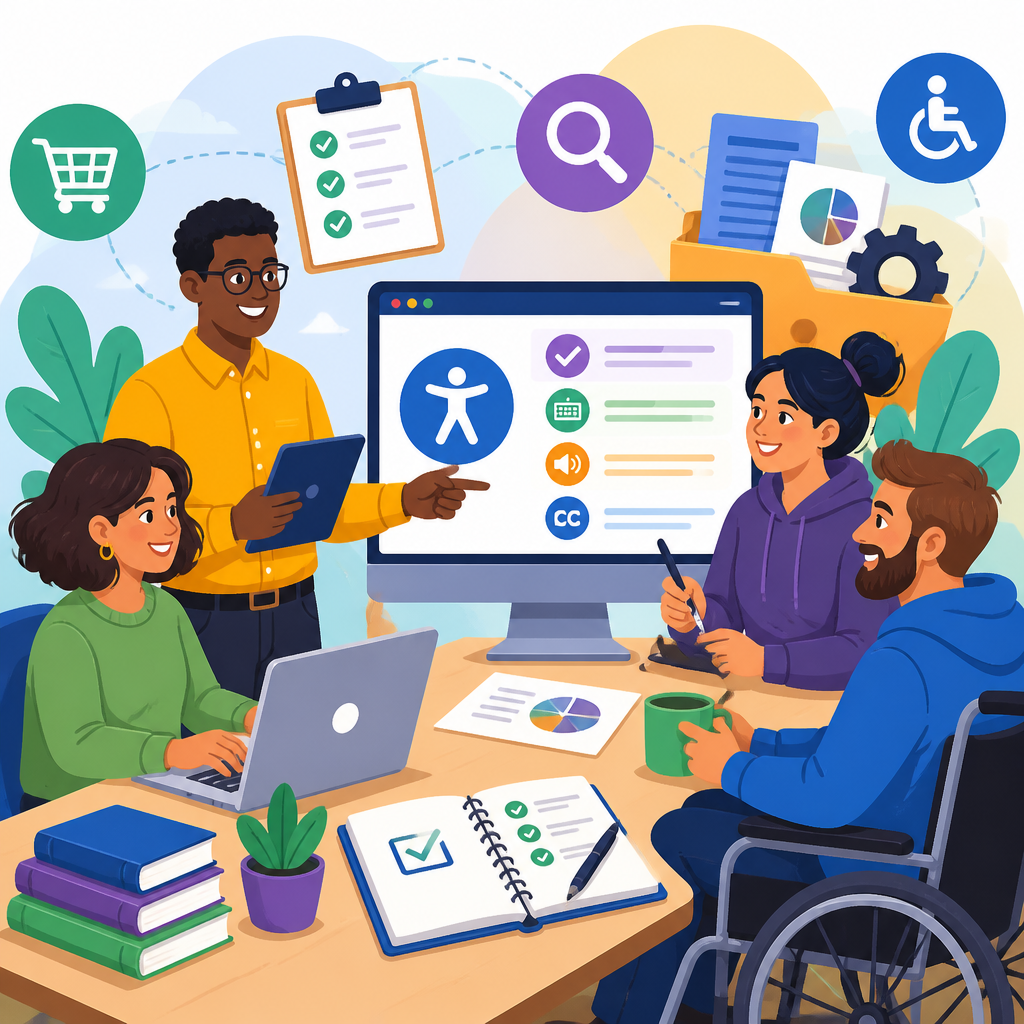
Accessibility procurement resources help software buyers evaluate digital products for usability by people with disabilities before contracts are signed. In practical terms, these resources include vendor questionnaires, accessibility conformance reports, contract clauses, test scripts, policy templates, remediation workflows, and governance guidance that support compliant and inclusive purchasing. For organizations buying software under pressure from legal, security, and operational requirements, accessibility procurement is not a side task. It is a purchasing discipline that affects risk, adoption, implementation cost, and whether employees and customers can actually use the product.
When teams ask what accessibility means in software buying, the clearest answer is this: accessibility is the degree to which people with disabilities can perceive, understand, navigate, and interact with a digital product using assistive technology or alternative input methods. In procurement, the standard reference point is usually the Web Content Accessibility Guidelines, commonly called WCAG, along with Section 508 requirements for U.S. federal purchasing and the Americans with Disabilities Act as a civil rights framework that shapes expectations for equal access. Depending on sector and geography, buyers may also need to consider EN 301 549 in Europe, state-level rules, or industry obligations in education, healthcare, and financial services.
This topic matters because buying inaccessible software creates expensive downstream work. I have seen procurement teams approve a platform based on features, price, and security only to discover during rollout that keyboard navigation fails, screen reader labels are missing, PDFs are unreadable, or color contrast blocks low-vision users. At that stage, leverage is lower, implementation deadlines are fixed, and remediation becomes reactive. Strong accessibility procurement resources move those questions earlier, when buyers still have options to compare vendors, request fixes, negotiate commitments, and document decisions. That improves user experience while reducing legal exposure, support burden, and replacement costs.
As a hub for specialized ADA resources and support, this article explains the full toolkit software buyers need. It covers the standards that shape buying decisions, the documents to request from vendors, the questions to ask in demonstrations, the contract terms that protect the buyer, and the internal process needed to sustain accessible procurement across departments. If your organization purchases learning platforms, HR systems, customer portals, collaboration tools, healthcare applications, or enterprise software, these accessibility procurement resources provide the structure for better decisions.
Core standards and legal references that guide software accessibility procurement
Every software buyer needs a baseline set of standards and legal references. The most common technical benchmark is WCAG 2.1 Level AA, and many organizations now evaluate against WCAG 2.2 because it adds success criteria that improve focus visibility, target size, and authentication usability. WCAG is organized around four principles: perceivable, operable, understandable, and robust. In procurement practice, that translates into questions such as whether images have text alternatives, forms expose labels to assistive technology, interactive controls work by keyboard alone, error messages are programmatically associated with fields, and content remains usable at 200 percent zoom.
For U.S. public sector buyers and organizations aligned with federal requirements, Section 508 remains a key procurement reference. Section 508 incorporates accessibility standards and drives a formal documentation culture around conformance. Many private-sector buyers use the same methods because they provide a repeatable structure. The ADA is broader and does not operate as a technical checklist for software, but it is highly relevant because inaccessible digital systems can create barriers in employment, education, and public accommodation contexts. Courts and enforcement actions increasingly treat digital access as part of equal access, which is why procurement cannot rely on informal vendor assurances.
International and sector-specific obligations can also matter. Higher education institutions often align their purchasing rules with disability services obligations and campus technology standards. Healthcare buyers should assess patient portals, intake forms, telehealth tools, and document workflows because inaccessible systems can interfere with care access. European procurement often references EN 301 549, which maps to many of the same technical expectations while addressing ICT procurement more broadly. The point for buyers is simple: choose a standard, define your threshold, and require vendors to show evidence against that threshold instead of making general claims.
Essential accessibility procurement documents and evidence to request from vendors
The most useful accessibility procurement resources are concrete documents. Start with an Accessibility Conformance Report based on the Voluntary Product Accessibility Template, usually called a VPAT. A VPAT is the template; the completed output is the Accessibility Conformance Report. Buyers often use the terms interchangeably, but the distinction matters because what you need is the completed report with product-specific details. A credible report should identify the exact product version, testing date, evaluation methodology, applicable standards, and remarks explaining where support is full, partial, or absent.
Do not stop at the report. Request supporting evidence. That includes recent manual test results, automated scan summaries, issue logs, remediation roadmaps, and a public accessibility statement. Ask who performed the evaluation and whether testing included screen readers such as JAWS, NVDA, or VoiceOver; speech input tools such as Dragon; keyboard-only navigation; magnification; and mobile accessibility checks on iOS and Android. If the vendor claims conformance but cannot produce artifacts, treat the claim cautiously. In my experience, the strongest vendors can explain known gaps clearly, name target fix dates, and show how accessibility is built into release management.
Buyers should also request product roadmaps and support policies that affect accessibility after purchase. For example, if a vendor releases major interface changes every quarter, you need to know whether regression testing is built into those releases. If the platform allows customer-generated content, ask what accessible templates, authoring controls, and admin settings are available. For document-heavy systems, request samples of exported PDFs, reports, and email templates because accessible interfaces do not guarantee accessible outputs. These specialized ADA resources and support materials provide a more realistic picture of actual usability than a single checklist ever could.
How to evaluate vendor claims during demos, trials, and technical reviews
A live demonstration is where many accessibility claims either hold up or collapse. Ask vendors to complete specific tasks without using a mouse. Common test tasks include logging in, opening navigation menus, completing forms, filtering records, downloading reports, submitting support tickets, and adjusting settings. Watch whether focus indicators remain visible, whether modal dialogs trap focus correctly, whether dropdowns announce state changes to screen readers, and whether error messages are read aloud in context. If the vendor insists on using a mouse for basic functions, that is already useful evidence.
Trials and sandbox access are even better because your team can test real workflows. Accessibility specialists, QA staff, disability services personnel, and actual end users with disabilities should participate where possible. A procurement review gains credibility when observations come from people who use assistive technology every day rather than from assumptions about compliance. In one enterprise review I supported, a platform’s report said partially supports for form labels, but the deeper issue during testing was that dynamic validation errors never reached screen readers. That caused users to loop through failed submissions without understanding what had gone wrong. The VPAT hint was useful, but direct testing revealed the actual operational impact.
Questions should be plain and specific. Which screen readers are part of your regression suite? How do you test drag-and-drop alternatives? Can all settings be reached by keyboard? Are captions and transcripts supported for embedded media? Does the product preserve heading structure when content is exported? How quickly are accessibility defects triaged compared with security defects? Precise questions signal that your organization takes accessibility seriously, and they help separate mature vendors from those relying on marketing language.
Building an internal accessibility procurement process across teams
Accessible software buying works best when it is built into procurement operations rather than treated as an exception. The internal process should define triggers, owners, review steps, escalation paths, and approval criteria. Procurement manages intake and documentation; legal reviews terms; security validates technical risk; IT assesses integration; accessibility specialists evaluate evidence; business owners confirm critical workflows; and disability or accommodation teams add real-world perspective. Without this structure, accessibility gets asked too late or by the wrong people.
A practical model is to classify purchases by risk. Low-risk items might include tools with limited user exposure or nonessential internal features. Medium-risk items may affect broad staff use but not critical transactions. High-risk items include employee systems, student-facing tools, patient portals, ecommerce paths, applicant tracking systems, and customer account functions. The higher the risk, the stronger the evidence threshold should be. For high-risk purchases, require a current Accessibility Conformance Report, hands-on testing, remediation commitments, and executive sign-off if major gaps remain.
| Procurement stage | Accessibility action | Primary owner | Typical evidence |
|---|---|---|---|
| Requirements | Define standard and critical user journeys | Business owner and accessibility lead | RFP language, use cases, success criteria |
| Vendor screening | Request conformance report and policy documents | Procurement | ACR, accessibility statement, roadmap |
| Evaluation | Test demos and sandbox workflows | Accessibility, QA, end users | Test notes, defect log, severity ratings |
| Contracting | Negotiate remediation and reporting obligations | Legal and procurement | Contract clauses, SLA terms, milestones |
| Implementation | Verify configured environment and outputs | IT and business team | UAT results, accessible templates, training |
| Renewal | Review updates, incidents, and unresolved gaps | Vendor manager | Updated ACR, release notes, remediation status |
This kind of workflow turns accessibility procurement resources into repeatable governance. It also creates internal linking between procurement policy, vendor management, accommodation support, and digital accessibility programs, which is essential for scale.
Contract terms, remediation planning, and post-purchase accountability
Contracts are where accessibility expectations become enforceable. If a product has known issues but is still the best available option, the agreement should document those gaps, define remediation milestones, require progress reporting, and specify consequences if commitments are missed. Useful clauses address compliance with named standards, delivery of updated conformance reports, cooperation in accessibility testing, timely correction of defects, notice before material UI changes, and escrow or termination remedies for unresolved critical barriers. Procurement teams routinely negotiate security addenda with this level of detail; accessibility deserves the same treatment.
Service levels matter too. Not every accessibility issue is equally urgent. A typo in alt text is different from an inaccessible login flow that blocks all users of screen readers. Establish severity definitions and expected timelines. For example, a critical barrier in authentication, checkout, or application submission may require a workaround immediately and a permanent fix within a defined period. Medium-severity issues might follow a standard release cycle. The key is to avoid vague language such as vendor will use reasonable efforts. Specific commitments produce better outcomes.
Post-purchase accountability is often overlooked. Configuration choices, custom templates, third-party integrations, and content uploads can introduce barriers even when the core platform tests well. That is why implementation teams should run accessibility checks during user acceptance testing and again after major updates. Training also matters. Administrators need to know how to create accessible forms, upload captioned media, preserve heading structures, and avoid color-only instructions. The most effective specialized ADA resources and support do not end at signature; they continue through rollout, operations, and renewal.
Common mistakes software buyers make and how to avoid them
The first common mistake is treating accessibility as a yes or no question. Real products have nuanced support levels, and a partially conformant feature may still be acceptable if it is noncritical and backed by a near-term fix. The second mistake is accepting an outdated VPAT. Reports more than a year old, especially for fast-moving SaaS products, can be misleading. The third is evaluating only the public website rather than the authenticated product where most workflows occur. Buyers should assess the actual experience users will depend on.
Another mistake is separating accessibility from procurement timing. If the question appears only after shortlist selection, teams may feel trapped. Embed accessibility requirements in the request for proposal, scorecard, and demo script from the beginning. Also avoid relying solely on automated scanning tools. Products such as axe, WAVE, and Lighthouse are useful for catching detectable issues, but automated methods cannot fully evaluate focus management, reading order logic, meaningful alternative text, or task completion with assistive technology. Manual testing remains essential.
Finally, do not ignore the human impact. Inaccessible software can block job applicants from applying, prevent employees from completing time sheets, frustrate students trying to submit coursework, or keep patients from accessing instructions. That is why accessibility procurement resources should be framed as operational quality tools, not just legal defense. Better buying decisions create better participation.
Accessibility procurement resources for software buyers are most effective when they combine standards, evidence, process, and accountability. Use WCAG and related procurement rules as your technical foundation. Request detailed Accessibility Conformance Reports, but verify them with demos, sandbox testing, and real workflow reviews. Build an internal process that assigns ownership across procurement, legal, IT, accessibility, and business teams. Then put expectations into contracts so remediation and reporting continue after the purchase is approved.
The main benefit is straightforward: accessible procurement helps organizations buy software that more people can use from day one, while reducing legal risk, support costs, and expensive retrofits. It also strengthens trust with employees, customers, students, patients, and the public by showing that equal access is a purchasing requirement, not an afterthought. As the hub for specialized ADA resources and support, this page should guide your next steps into vendor questionnaires, contract templates, VPAT review methods, testing checklists, and remediation planning.
If you manage software selection, start with one action today: add accessibility evidence requirements to your next intake or RFP. That single change will improve vendor conversations immediately and create a stronger foundation for every future purchase.
Frequently Asked Questions
What are accessibility procurement resources, and why do software buyers need them?
Accessibility procurement resources are the practical tools, documents, and review processes organizations use to assess whether a software product can be used by people with disabilities before a purchase is approved. In most buying environments, these resources include accessibility questionnaires for vendors, Accessibility Conformance Reports such as VPAT-based documentation, contract language that defines accessibility obligations, test scripts for internal validation, remediation workflows, policy templates, and governance guidance for procurement and legal teams. Together, they help buyers move accessibility from a vague aspiration to a documented requirement that can be evaluated, negotiated, and enforced.
Software buyers need these resources because accessibility risk does not disappear after implementation. If a product is inaccessible, the consequences often affect multiple parts of the organization at once: users may be blocked from performing essential tasks, IT teams may inherit expensive workarounds, legal teams may face compliance exposure, and procurement leaders may discover too late that the vendor cannot remediate serious barriers on a realistic timeline. Accessibility procurement resources reduce that risk by creating a repeatable process for asking the right questions early, collecting usable evidence, and making accessibility part of selection criteria rather than an afterthought.
These resources are especially valuable when organizations are balancing legal, security, operational, and timeline pressures. Buyers are often asked to make decisions quickly, but speed without structure can lead to costly mistakes. A strong procurement toolkit helps teams compare vendors more consistently, distinguish between marketing claims and actual conformance evidence, and identify where additional testing or contractual protection is needed. In short, accessibility procurement resources help organizations buy software more responsibly, more efficiently, and with fewer downstream surprises.
Which accessibility procurement documents are most important during software evaluation?
The most important documents typically include a vendor accessibility questionnaire, an Accessibility Conformance Report, internal evaluation criteria, sample contract clauses, and a documented remediation process. Each serves a different purpose. A questionnaire gathers foundational information about the vendor’s accessibility practices, such as whether they test against recognized standards, involve disabled users in research, maintain an accessibility roadmap, or have a designated accessibility lead. It helps procurement teams understand the maturity of the vendor’s program, not just the status of a single product.
An Accessibility Conformance Report is one of the most commonly requested artifacts because it provides a structured statement of how the product aligns with standards such as WCAG and, in some sectors, Section 508 or EN 301 549-related requirements. However, buyers should treat this report as evidence to review, not as automatic proof of full accessibility. The quality of the report matters. A detailed, recent, product-specific report prepared through a credible testing process is far more useful than a vague or outdated document that simply marks most items as supported without explanation.
Contract clauses are equally important because they define what happens after the selection decision. Good clauses can require the vendor to maintain a certain level of accessibility, disclose known issues, provide updated conformance reports, remediate material defects within agreed timelines, and cooperate if accessibility complaints arise. Without these provisions, organizations may have limited leverage once the contract is signed. Internal test scripts and scorecards also matter because they allow buyers to validate critical user journeys independently, especially for products that will be widely used by employees, customers, students, patients, or the public.
Finally, policy templates and governance guidance connect all of these documents into a durable process. They clarify who reviews accessibility evidence, when escalation is required, what exceptions are allowed, and how accessibility is weighed against other procurement criteria. For many organizations, the strongest procurement program is not built around a single perfect document, but around a set of coordinated resources that support consistent decision-making from intake through contract execution.
How should buyers evaluate a vendor’s accessibility claims before signing a contract?
Buyers should evaluate a vendor’s accessibility claims by combining documentation review, targeted questioning, risk-based testing, and contractual follow-through. The first step is to request clear evidence. That usually means asking for an up-to-date Accessibility Conformance Report, details about the standards used, the date of the last evaluation, the scope of the review, the assistive technologies considered, and any known gaps. Buyers should also ask whether the evaluation covered the live product, mobile apps, embedded documents, user-generated workflows, and administrative interfaces, because accessibility issues often appear outside the vendor’s main marketing demo.
The second step is to examine the depth and credibility of the vendor’s responses. Strong vendors can usually explain their testing methods, release processes, remediation approach, and internal ownership model. Weak responses often rely on generic statements such as “we strive to be accessible” without naming standards, dates, defects, or accountable teams. Buyers should look for signs of program maturity, including recurring audits, defect tracking, accessibility training for product teams, and a roadmap for unresolved issues. The goal is not to find a vendor claiming perfection, but one that demonstrates transparency, competence, and a realistic commitment to improvement.
Whenever the software is business-critical or high-impact, buyers should supplement vendor materials with their own validation. That may involve running basic keyboard-only checks, screen reader spot tests, color contrast reviews, form and error-handling checks, and task-based testing for core workflows. Internal accessibility specialists, external consultants, or cross-functional review teams can help determine whether the vendor’s documentation matches the actual user experience. Even limited testing can reveal whether there are blockers that would create unacceptable barriers for users with disabilities.
Before signing the contract, buyers should also translate the evaluation into negotiated obligations. If issues are found, the contract should address them directly through remediation commitments, reporting requirements, service levels where appropriate, and language covering accessibility updates or regressions. This is a critical point: a vendor’s claim is most meaningful when it is backed by verifiable evidence and reflected in enforceable terms. That combination gives the buyer a stronger foundation for both compliance and long-term usability.
What should be included in accessibility contract clauses for software purchases?
Accessibility contract clauses should clearly define the vendor’s obligations, the standards that apply, the evidence the buyer may request, and the remedies available if barriers are identified. At a minimum, the contract should specify the accessibility standard or benchmark expected for the product, such as relevant WCAG success criteria and any sector-specific requirements the organization must meet. It should also state that the vendor has disclosed known accessibility issues and provided accurate conformance documentation. This helps prevent misunderstandings about whether accessibility was merely discussed or actually required.
Effective clauses often require the vendor to maintain accessibility over time, not just at the moment of sale. Software changes constantly, and a product that performs well during evaluation can become less accessible after updates if accessibility is not built into the vendor’s release process. For that reason, buyers should consider requiring updated Accessibility Conformance Reports upon major releases, notice of significant regressions, and cooperation in investigating complaints or incidents related to disability access. Contracts can also require reasonable support for accommodations, alternative formats, and customer testing where necessary.
Remediation language is another essential element. If material accessibility defects are discovered, the agreement should define what happens next: how issues are reported, how quickly the vendor must respond, what remediation timelines apply, whether temporary workarounds are acceptable, and what rights the buyer has if remediation does not occur. Depending on the organization’s risk profile, clauses may include cure periods, escalation pathways, credits, termination rights, or obligations to provide an accessible equivalent solution. The right approach depends on the software’s role and the consequences of inaccessibility for end users.
It is also wise to align accessibility clauses with procurement, legal, and operational realities. Overly vague language may be unenforceable, while unrealistic guarantees may not survive negotiation. The strongest clauses are specific enough to create accountability and flexible enough to support practical implementation. When drafted well, they turn accessibility from a general expectation into a measurable supplier obligation that protects both the organization and the people who rely on the software.
How can organizations build a repeatable accessibility procurement process instead of handling requests case by case?
Building a repeatable accessibility procurement process starts with defining accessibility as a standard part of software intake, not a special review triggered only when someone raises a concern. Organizations typically begin by setting a procurement policy that explains when accessibility review is required, which product categories are in scope, and what documentation vendors must provide. This policy should be supported by templates and workflows so teams are not reinventing the process for every purchase. Standard questionnaires, evidence checklists, risk tiers, contract clauses, and exception forms make the process easier to follow and easier to scale.
Cross-functional governance is equally important. Accessibility procurement works best when responsibilities are clearly assigned across procurement, legal, security, IT, product owners, compliance teams, and accessibility specialists. For example, procurement may collect required vendor documents, accessibility reviewers may assess conformance evidence, legal may insert contractual protections, and business owners may decide whether a known risk is acceptable based on the software’s importance and available alternatives. A documented escalation path helps teams handle situations where products are urgently needed but have unresolved accessibility issues.
Organizations should also use risk-based decision-making rather than applying the exact same level of scrutiny to every tool. A low-impact internal utility may warrant a lighter review than a customer-facing platform, employee HR system, learning system, or healthcare application. Risk factors can include the size of the user population, the importance of the tasks supported, whether the software is public-facing, whether there is an accessible alternative


