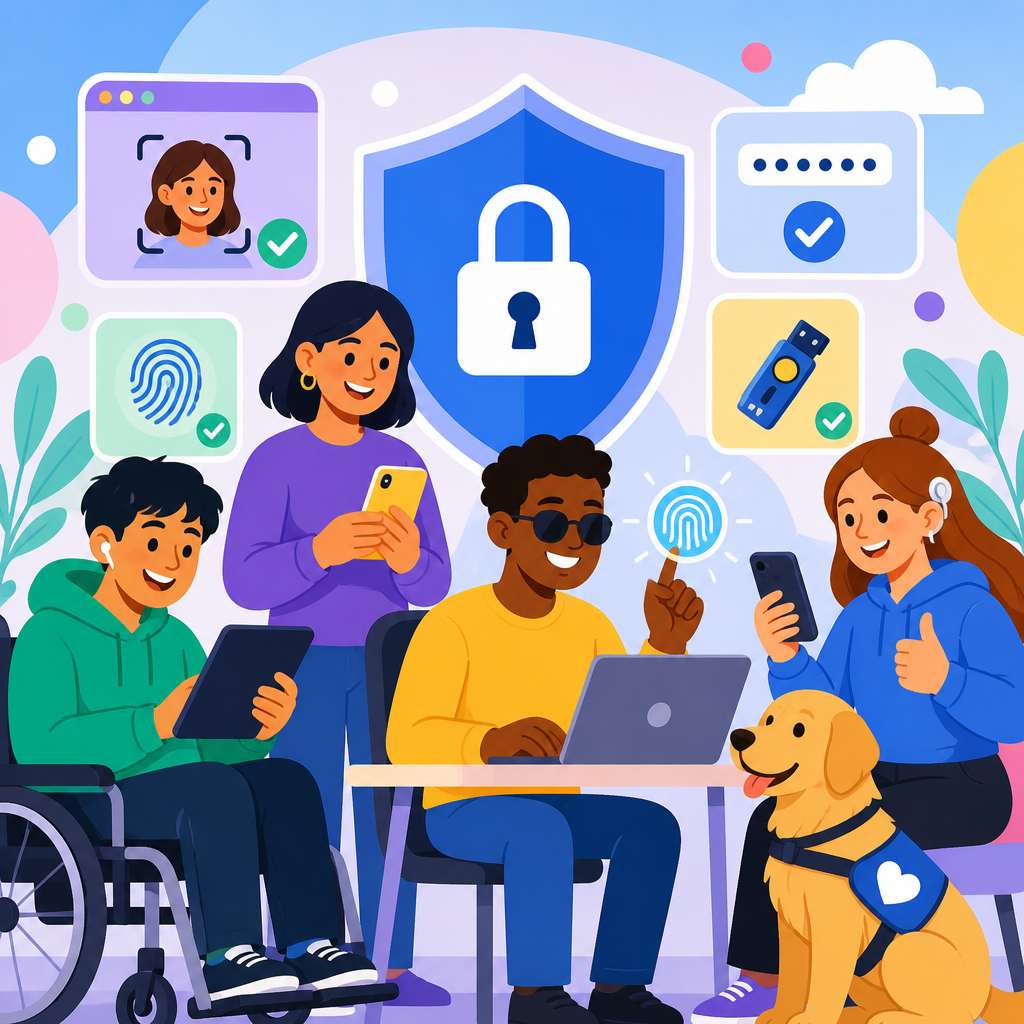
Accessible authentication and security tools in 2026 sit at the center of digital inclusion because every login, identity check, password reset, and fraud screen is now a gateway to work, banking, healthcare, education, and government services. When those gateways are not usable by people with disabilities, organizations do more than create friction; they block essential participation. In my accessibility reviews of customer portals, mobile banking apps, and employee systems, authentication is still one of the most common failure points because security teams often optimize for threat models without testing for screen reader flow, keyboard access, cognitive load, low-vision readability, speech input compatibility, or alternative verification paths.
Accessible authentication means identity and account protection methods that people with visual, hearing, motor, cognitive, speech, and neurological disabilities can complete independently, securely, and with reasonable effort. Security tools include password managers, passkeys, multifactor authentication, CAPTCHA alternatives, identity proofing services, fraud detection workflows, biometric systems, and recovery processes. In 2026, this topic matters more than ever because legal expectations, platform standards, and user behavior have all shifted. The Web Content Accessibility Guidelines 2.2 introduced Success Criterion 3.3.8, Accessible Authentication, which directly addresses cognitive function tests in login flows. Regulators, procurement teams, and enterprise buyers increasingly expect conformance evidence, while major platforms such as Apple, Google, and Microsoft continue to normalize passwordless sign-in.
This article serves as a hub for ADA developments in technology and accessibility by explaining the practical changes reshaping authentication design, the compliance implications, and the implementation patterns that work in production. It also connects the policy conversation to the tools teams actually deploy. If your organization publishes updates on accessible design systems, compliant procurement, kiosk accessibility, AI interfaces, or mobile app remediation, this hub should anchor those related resources because authentication cuts across all of them. Security controls are no longer separate from accessibility strategy. They are a core part of product quality, risk management, and equal access.
The 2026 accessibility and compliance landscape for authentication
In 2026, the biggest shift is that accessible authentication is no longer treated as a niche usability enhancement. It is increasingly interpreted as a baseline expectation under disability law, digital service policy, and enterprise governance. In the United States, ADA risk continues to extend into websites, apps, self-service systems, and customer account journeys. While the ADA does not prescribe a specific technical standard for every digital interaction, organizations commonly use WCAG as the operational benchmark for reasonable accessibility. That matters because WCAG 2.2 Success Criterion 3.3.8 requires that users not be forced to complete a cognitive function test, such as remembering a password, solving a puzzle, or transcribing characters, unless an alternative is provided.
That requirement has immediate implications for common security practices. Traditional CAPTCHAs, knowledge-based security questions, and password complexity rules that rely on recall create predictable barriers. I have seen institutions spend heavily on modern identity platforms while leaving in place inaccessible account recovery screens that ask users to remember formatting, decode distorted text, or wait for a timed SMS prompt that expires before a screen reader finishes announcing instructions. Those patterns are now harder to defend because the standards discussion has matured. Buyers ask vendors for VPAT documentation, public sector contracts include accessibility clauses, and plaintiffs increasingly focus on transactional barriers rather than homepage errors alone.
Technology policy is also pushing vendors toward interoperable, device-assisted sign-in. FIDO2, WebAuthn, and passkey ecosystems have moved from early adoption to mainstream deployment across finance, retail, and enterprise software. This change can improve accessibility when implemented well, because users can sign in with biometrics or device unlock methods they already use successfully. But it does not remove responsibility. A passkey option that lacks clear labels, fallback paths, or cross-device instructions can still fail users. The 2026 standard is simple: secure access must be inclusive from first login through recovery and support.
Passwordless authentication, passkeys, and where accessibility improves
Passwordless authentication is the most important technical development in accessible security because it reduces dependence on memory, typing accuracy, and repeated error correction. Passkeys, built on public key cryptography through FIDO2 and WebAuthn, allow users to authenticate with a device-based credential unlocked by a fingerprint, face recognition, PIN, or operating system login. For many users with cognitive disabilities, dyslexia, limited dexterity, tremors, low vision, or screen reader fatigue, this is materially easier than recalling a long password with mixed characters. In user testing I have run, success rates improve most when organizations present passkeys as the primary option rather than burying them behind advanced settings.
The accessibility gain comes from shifting the challenge from recall to recognition and from web form interaction to familiar device interaction. A user who already unlocks an iPhone with Face ID or an Android device with a fingerprint can often complete sign-in faster than they can type a password into a web form with masked characters. Desktop experiences also benefit when a platform credential manager clearly announces prompts through assistive technology. Microsoft, Google, Apple, 1Password, Dashlane, and enterprise identity providers have all expanded support, which means users increasingly encounter the same patterns across services instead of relearning each login flow.
Still, passwordless does not automatically equal accessible. Some users cannot or do not want to use biometrics for disability, privacy, religious, or workplace reasons. Others use shared devices, locked-down enterprise hardware, or older browsers. The best implementations therefore offer multiple equivalent methods, maintain keyboard operability, and explain what will happen before the browser prompt appears. They also avoid vague labels such as “Continue” when the action should read “Sign in with passkey.” Clear naming, predictable focus order, and recovery options determine whether passwordless becomes a genuine accessibility advance or just another layer of confusion.
Multifactor authentication, one-time codes, and safer alternatives to SMS
Multifactor authentication remains essential in 2026, but the accessible form of MFA looks different from the default patterns of a few years ago. SMS codes are still common, yet they are often the weakest user experience and one of the less secure factors due to SIM swapping, message delays, and dependence on cellular reception. They also create barriers for users who rely on screen readers, use separate devices, have memory limitations, or cannot quickly switch between an app and a text message. Time-based one-time password apps can be better, but six-digit codes that expire in thirty seconds still create stress and failure for many users.
The more accessible and secure approach is to prioritize phishing-resistant factors. Push approval with clear device context, platform authenticators, security keys, and passkeys generally outperform SMS both for usability and account protection. Where codes are necessary, teams should support copy-and-paste, auto-fill, generous time windows, and explicit announcements that a new code was sent. Voice call fallback can help some users, though it must be designed carefully for deaf and hard-of-hearing users who need non-audio alternatives. Email links, when tied to session protection and rate limits, can also reduce friction for lower-risk use cases.
| Authentication method | Accessibility strengths | Common barriers | Best use in 2026 |
|---|---|---|---|
| Passkeys | Low memory demand, familiar device unlock, strong phishing resistance | Confusing setup language, limited support on older systems | Primary sign-in for consumer and workforce accounts |
| Authenticator app codes | Works offline, avoids SMS dependency | Short expiration windows, app switching burden | Fallback when passkeys are unavailable |
| SMS codes | Broad reach, familiar to users | Delay, interception risk, reading and timing friction | Last-resort fallback, not default |
| Security keys | Very strong protection, simple tap interaction | Physical possession required, procurement cost | Admins, high-risk roles, regulated environments |
From an ADA and accessibility perspective, the critical principle is choice without penalty. Users should be able to select a method they can actually complete, without being forced into a weaker support experience. Security teams sometimes worry that too many options increase attack surface. In practice, the answer is not to remove accessible options indiscriminately but to align them to risk, monitor abuse, and harden recovery. Accessibility and strong authentication can coexist when controls are designed as layered, intelligible systems rather than one-size-fits-all checkpoints.
CAPTCHA alternatives, identity proofing, and reducing cognitive burden
CAPTCHA remains one of the clearest examples of a control that often fails both accessibility and user trust. Distorted text, image selection grids, and audio challenges can block people with low vision, blindness, dyslexia, attention differences, hearing loss, and motor limitations. Even when an accessible alternative exists, it is frequently slower, less reliable, or hidden. In 2026, better practice is to minimize visible challenge mechanisms by relying on passive bot detection, rate limiting, device signals, behavioral analysis, proof-of-work tuning, and network reputation. Cloudflare Turnstile, hCaptcha Enterprise configurations, Arkose Labs workflows, and proprietary fraud engines can all reduce dependence on explicit user puzzles when deployed thoughtfully.
Identity proofing creates another set of barriers. Uploading an ID, aligning a face inside a moving frame, or recording a liveness video can be difficult or impossible for users with blindness, low vision, limited mobility, speech differences, facial differences, or certain neurological conditions. It can also produce disparate outcomes due to camera quality, lighting, or algorithm bias. The solution is not to abandon identity verification in regulated contexts; it is to build equivalent paths. Manual review, trusted referee processes, document verification with human assistance, and branch or call-center escalation can preserve security while maintaining access. Financial services and healthcare organizations already use these alternatives where customer risk justifies additional review.
Cognitive burden is the thread connecting these issues. Users fail security steps not only because a control is technically inaccessible but because the sequence demands too much memory, too much context switching, or too much interpretation under time pressure. Good accessible authentication reduces decisions, keeps instructions adjacent to the action, uses plain language, and confirms progress. If a user is asked to retrieve a code, the interface should say where it was sent, how long it remains valid, and what to do if it does not arrive. Small content changes often produce measurable gains in completion rates.
Implementation patterns that make security tools usable in the real world
The most successful teams treat accessible authentication as a systems problem, not a widget problem. Start with journey mapping: registration, sign-in, MFA enrollment, remembered-device prompts, account recovery, suspicious-activity review, profile changes, and support escalation. Then test each step with keyboard-only navigation, screen readers such as NVDA, JAWS, and VoiceOver, zoom at 200 percent and 400 percent, speech input, reduced motion settings, and mobile assistive technology. In audits I have led, defects often appear not in the core login form but in modal dialogs, timeout warnings, embedded vendor SDKs, and edge-case recovery pages that received little design attention.
Content and semantics matter as much as cryptography. Every field needs a persistent label, every error needs text that identifies the problem and the fix, and every state change should be announced appropriately to assistive technologies. Do not rely on color alone to show failure. Do not hide password requirements until after submission. Support password managers through proper autocomplete attributes, and avoid blocking paste into password or code fields because that punishes secure behavior. If there is a timeout for security reasons, allow users to extend the session before data is lost. These are practical patterns, not theoretical ideals, and they consistently reduce abandonment.
Governance closes the gap between policy and product. Accessibility requirements should appear in security architecture reviews, procurement checklists, design system components, bug severity models, and vendor contracts. Product teams need a named owner for authentication accessibility, with defect tracking tied to release criteria. Support teams should know how to assist users without steering them into insecure workarounds. Finally, publish clear help content that explains available sign-in methods, device compatibility, and recovery steps. As organizations modernize under the broader umbrella of ADA developments in technology and accessibility, accessible authentication is one of the fastest places to improve both compliance posture and customer trust.
Accessible authentication and security tools in 2026 are defined by one principle: the strongest protection is useless if legitimate users cannot get through it. The organizations making real progress are replacing memory-heavy logins, inaccessible CAPTCHAs, and brittle recovery flows with passkeys, phishing-resistant MFA, clear instructions, and equivalent alternatives for people with different disabilities. They are also recognizing that ADA developments in technology and accessibility now reach deeply into identity systems, not just page templates or media players.
For this sub-pillar hub, the key takeaway is that authentication is the practical meeting point of accessibility law, product design, and cybersecurity operations. It affects every downstream topic in updates and developments, from mobile apps and AI interfaces to procurement standards and enterprise software modernization. When teams test real journeys, align to WCAG 2.2, demand accessible vendor behavior, and measure completion rather than assumptions, they create safer systems that more people can use independently.
If you manage digital products, security programs, or compliance strategy, use this page as your starting point for reviewing every sign-in and verification touchpoint your organization controls. Audit your current flows, prioritize high-friction barriers, and build accessible authentication into the next release cycle. That work delivers a direct benefit: better security with fewer users left behind.
Frequently Asked Questions
1. What makes authentication and security tools truly accessible in 2026?
In 2026, accessible authentication means much more than adding a screen-reader label to a login form. It requires every step of the identity and security journey to be usable by people with a wide range of disabilities, including users who are blind or low vision, Deaf or hard of hearing, have mobility impairments, cognitive disabilities, speech disabilities, neurodivergent conditions, or temporary impairments. That includes account creation, sign-in, multifactor authentication, password resets, suspicious activity checks, CAPTCHAs, device verification, biometric prompts, and recovery workflows. If even one of those steps fails, the whole experience becomes exclusionary.
Truly accessible tools provide multiple ways to complete the same security task. For example, a person should not be forced to use only a visual puzzle CAPTCHA, only a voice call, only facial recognition, or only a one-time code sent to a device they cannot easily access. Strong systems offer equivalent alternatives such as passkeys, authenticator apps, accessible email verification, hardware security keys, TOTP codes, support-assisted recovery, and clearly explained fallback options. Choice is essential because no single authentication method works well for everyone.
Accessible authentication also depends on clarity and predictability. Instructions must be plain-language, error messages must explain what went wrong and how to fix it, and time limits must be reasonable or extendable. Focus order, keyboard access, visible labels, status announcements, and compatibility with assistive technologies are baseline requirements. On mobile devices, controls must be large enough to activate, biometrics must not be the only option, and operating-system accessibility features must remain fully supported. In practical terms, accessible security tools are those that preserve both security and independence without forcing disabled users to rely on someone else just to prove who they are.
2. Why is accessible authentication such a critical issue for digital inclusion?
Authentication is now one of the most important accessibility checkpoints in digital life because it controls entry to essential services. People do not just log in for convenience anymore; they log in to access paychecks, medical records, school systems, tax services, insurance portals, public benefits, and workplace platforms. When the authentication layer is inaccessible, users are blocked before they can reach any of the supposedly accessible content behind it. That makes authentication a front-door accessibility issue, not a minor technical detail.
This is especially important because many organizations have improved the accessibility of their websites or apps while overlooking the identity and fraud-prevention systems connected to them. A portal may have accessible navigation, readable forms, and good semantic structure, but if the user encounters an inaccessible CAPTCHA, a timeout they cannot extend, a drag-and-drop puzzle, or a biometric prompt with no alternative, the experience still fails. In accessibility audits, authentication often appears as the point where otherwise usable systems break down.
There is also a dignity and privacy dimension. When authentication is inaccessible, disabled users may be forced to disclose private information, share credentials, or ask another person to complete sensitive steps on their behalf. That undermines independence and can create real security risks. Accessible authentication supports equal participation by allowing people to verify identity, recover access, and respond to fraud protections on their own terms. In 2026, digital inclusion cannot be taken seriously unless authentication and security tools are designed as core accessibility infrastructure.
3. What are the most common accessibility failures in login, MFA, password reset, and identity verification flows?
Some of the most common failures appear in areas organizations treat as security-critical and therefore too often exempt from usability and accessibility testing. CAPTCHAs remain a major problem when they rely on distorted text, image recognition, audio that is difficult to understand, or interaction models that are not keyboard accessible. Another frequent issue is MFA that assumes every user can easily read a small code on a second device, respond quickly to a push notification, hear a voice call, or use facial recognition. Systems that provide only one verification method often exclude users immediately.
Password reset flows also fail in predictable ways. Common problems include form fields without proper labels, unclear requirements, inaccessible strength meters, session timeouts with no warning, error messages that are not announced to screen readers, and security questions that are difficult to understand or remember. Identity verification vendors may add another layer of difficulty by requiring users to align an ID card inside a moving camera frame, perform head movements, record speech, or scan visual prompts without offering accessible alternatives. These workflows can be especially hard for users with low vision, limited dexterity, speech disabilities, cognitive disabilities, or those using older assistive technology.
Another frequent failure is inconsistency between platforms. A desktop flow may be keyboard accessible, while the mobile version traps focus or hides the recovery option. Fraud alerts may appear in modal windows that are not announced correctly, and lockout messages may provide no next step. The underlying pattern is that many teams design for an “average” user under ideal conditions. Accessible authentication in 2026 requires designing for real-world variability: users with disabilities, users under stress, users on assistive technology, users with intermittent connectivity, and users who need more time, clearer instructions, or a different verification method.
4. How can organizations improve security without creating barriers for users with disabilities?
The most effective approach is to stop treating accessibility and security as competing goals. In reality, flexible authentication is often both more inclusive and more resilient. Organizations can start by offering layered options rather than a single mandated method. Passkeys, authenticator apps, email links, accessible one-time codes, hardware security keys, and trusted-device controls can work together so users can choose the method that fits their needs and context. What matters is that each option is implemented accessibly and that alternatives are clearly available when one method is not usable.
Teams should also build accessibility into threat modeling, procurement, and QA. If a company buys an identity verification service or fraud-prevention tool from a vendor, that tool should be reviewed for keyboard operability, screen-reader support, zoom compatibility, plain-language instructions, captioning, error recovery, timeout handling, and non-biometric alternatives. Security teams, designers, engineers, legal teams, and accessibility specialists should review user flows together rather than handing accessibility off at the end. Organizations that wait until after deployment usually discover barriers only after users are locked out of critical services.
Usability under stress is another major factor. Security events happen when users are tired, rushed, worried, or afraid their account has been compromised. Accessible design in those moments means concise instructions, clear headings, status updates that are announced properly, visible and persistent recovery paths, and support channels that do not assume phone-only communication. It also means allowing enough time, warning before expiration, and preserving user input where possible. Strong security does not require confusion. In fact, systems that are understandable, flexible, and well tested tend to reduce abandonment, support costs, and unsafe workarounds such as credential sharing or repeated lockouts.
5. What should teams evaluate when auditing authentication and security tools for accessibility in 2026?
An effective audit should examine the full account-access lifecycle, not just the login screen. That includes registration, account confirmation, password creation, sign-in, MFA enrollment, MFA challenge steps, passkey setup, recovery and reset flows, suspicious-login checks, fraud warnings, device registration, lockout handling, support escalation, and account deletion or re-verification. Every branch matters because users often encounter edge cases only when something has gone wrong. A journey that seems accessible during routine sign-in may fail completely during recovery or identity proofing.
From a technical standpoint, teams should review conformance with current accessibility standards and also test real usability with assistive technologies. That means checking semantic structure, visible focus, keyboard access, screen-reader announcements, proper labels and instructions, error identification, contrast, reflow, zoom support, target size, and compatibility across browsers and mobile platforms. But technical checks alone are not enough. Teams should test with people who use screen readers, screen magnifiers, switch devices, voice control, captions, braille displays, and cognitive supports. Authentication is highly interactive, so real user testing often reveals barriers that automated tools and code inspection miss.
Audits should also evaluate policy choices, not just interface code. Are users forced into biometrics? Is there a nonvisual and nonspeech alternative? Are timeouts adjustable? Are CAPTCHA alternatives truly equivalent? Can a user recover an account independently if they lose a device? Is customer support reachable through accessible channels such as chat, relay-compatible communication, or email? Are instructions understandable without specialized security knowledge? In 2026, the strongest audits connect accessibility, privacy, fraud prevention, and customer experience. The goal is not merely to avoid compliance failures; it is to ensure that every legitimate user can securely access essential services with confidence, autonomy, and dignity.


