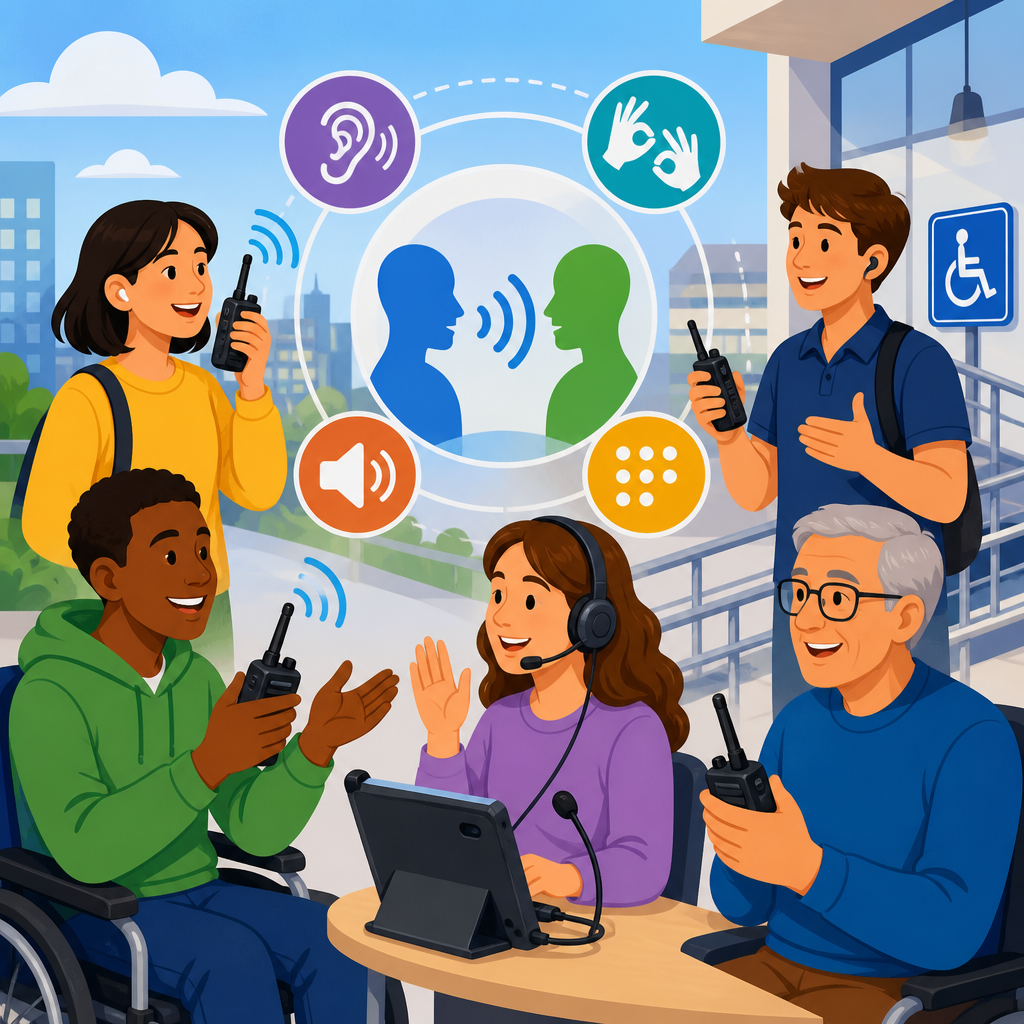
Accessible two-way communication systems sit at the center of modern inclusive design because they let people request help, share information, and participate independently across buildings, transportation networks, workplaces, schools, and digital services. In practical terms, a two-way communication system is any setup that allows a person to send and receive messages in real time or near real time, whether through voice, text, video, symbols, or integrated alerts. In accessibility work, that definition usually includes emergency call stations, area-of-refuge intercoms, video relay platforms, accessible entry systems, nurse call solutions, customer service kiosks, and unified communication tools that connect mobile apps with physical devices.
The subject matters more now because standards have evolved from basic audibility and reach range to a broader expectation of equitable use. The Americans with Disabilities Act sets civil rights obligations, the International Building Code and NFPA 72 shape life-safety communication in buildings, and WCAG 2.2 influences digital interfaces tied to physical communication endpoints. In my work reviewing facilities and technology rollouts, the biggest failures rarely come from a missing speaker or button. They come from systems built for one sensory channel, one language level, or one mode of operation. A wall intercom that works only by voice excludes many users. A touchscreen directory without tactile cues or screen-reader support creates the same barrier in a newer form.
Modern standards treat accessibility as performance, not decoration. People must be able to perceive the signal, understand the options, operate the controls, and receive confirmation that the system worked. That means visible indicators, intelligible audio, tactile features, captioned video, logical workflows, reliable backup power, and staff procedures that match the hardware. It also means planning for temporary disabilities, aging populations, noisy environments, limited literacy, and nonnative language use. This hub article explains the main system types, the standards that govern them, the technologies improving access, and the practical decisions that make communication systems usable in the real world.
What modern standards require from accessible two-way communication systems
Modern standards require more than simply installing an intercom at an accessible height. The baseline expectation is equivalent communication: a person with a disability must be able to achieve substantially the same outcome, with comparable privacy, timeliness, and independence, as any other user. For built environments, that often starts with the ADA Standards for Accessible Design, ICC A117.1, the IBC, and local code amendments. For emergency communication, NFPA 72 provides detailed requirements for emergency communications systems, intelligibility, supervision, and survivability. For digital interfaces attached to these systems, WCAG 2.2 supplies practical criteria for contrast, keyboard access, captions, focus order, labels, and error prevention.
In clear terms, accessible communication has four pillars. First, input must be possible through more than one method, such as tactile buttons plus speech recognition or text entry plus video assistance. Second, output must be available in more than one format, such as spoken instructions paired with visual text and status lights. Third, controls must be physically reachable and cognitively understandable, with consistent labels and simple prompts. Fourth, the system must remain reliable under stress, including during power loss, network congestion, or emergency conditions. If any one of these pillars fails, accessibility often collapses at the exact moment a user needs the system most.
A useful rule I apply during assessments is simple: if a person cannot detect, locate, initiate, maintain, and conclude the interaction without outside interpretation, the system is not fully accessible. That test reveals design gaps quickly. For example, an area-of-refuge station may technically connect to security, but if its confirmation light is too dim to notice in smoke or low vision conditions, the user cannot verify contact. Likewise, a video help point may have excellent captioning, but if glare makes the screen unreadable outdoors, effective access still fails.
Core system types and where accessibility breaks down
Accessible two-way communication spans several categories, each with different risk profiles. Emergency area-of-refuge and elevator lobby systems support life safety during evacuation or shelter-in-place events. Entry intercoms and video door stations control secure access to multifamily housing, offices, and campuses. Transit help points connect riders to operations centers. Healthcare nurse call and patient engagement systems allow symptom reporting and care coordination. Service counters and kiosks link customers with remote agents. Workplace collaboration platforms integrate telephony, messaging, captioning, and conferencing across devices.
Most accessibility breakdowns are predictable. Emergency systems often fail through poor intelligibility, inaccessible mounting, lack of visual confirmation, and weak maintenance testing. Entry systems fail when directories rely on tiny touch targets, fast-scrolling names, or audio that cannot be replayed. Transit devices fail when environmental noise masks speech or when there is no tactile wayfinding to the unit. In healthcare, pillow speakers and bedside controls may be impossible for users with limited dexterity. In enterprise platforms, meetings fail for deaf or hard of hearing participants when live captions are inaccurate, absent in breakout rooms, or not preserved in recordings.
Designers sometimes assume smartphone apps solve these issues, but apps are not universal substitutes. A resident without a compatible phone, a visitor with low digital confidence, or a rider with poor cellular coverage still needs a usable primary interface. The strongest systems layer options: physical controls, visual instructions, audio prompts, remote assistance, and app-based convenience where appropriate. Redundancy is not waste in accessibility. It is resilience.
Advanced technology for accessibility in communication systems
Advanced technology for accessibility improves communication by broadening channels, reducing cognitive load, and automating support without removing user control. The most useful advances are not flashy. They solve specific barriers. Beamforming microphones improve speech pickup in noisy lobbies. Digital signal processing and acoustic echo cancellation make intercom audio more intelligible. Real-time text enables live typed conversation when speech is not practical. On-device speech recognition and text-to-speech provide immediate prompts without depending entirely on cloud connectivity. AI-assisted captioning, when monitored for accuracy, gives deaf and hard of hearing users faster access to live meetings and service interactions.
Video is another major shift. High-resolution video door stations and remote service kiosks can support sign language communication, lip reading, gesture visibility, and identity verification. When paired with adjustable camera framing and adequate lighting, video reduces ambiguity that voice-only systems create. In transportation and public service settings, multilingual text overlays and icon-based prompts help users who have limited proficiency in the default spoken language. Haptic feedback adds another layer by confirming button presses or call connection for users who may not perceive tones clearly.
Cloud management has changed maintenance. Supervisory dashboards now report device health, battery status, network faults, and test logs across campuses. That matters because an accessible system that is offline is inaccessible by definition. Open standards and APIs also matter. SIP-based communication, BACnet integrations, and secure webhook workflows can connect intercoms, access control, mass notification, digital signage, and help desk systems so requests are routed intelligently. However, integration must not create hidden failure points. Every connected layer needs documented fallback behavior.
| Technology | Accessibility benefit | Typical use case | Common limitation |
|---|---|---|---|
| Real-time text | Enables live typed conversation without voice | Emergency calls, customer service | Requires clear interface and trained responders |
| AI-assisted captioning | Provides immediate text for spoken content | Meetings, kiosks, telehealth | Accuracy drops with jargon, accents, noise |
| Video relay or sign language video | Supports direct visual communication | Reception, housing entry, public services | Needs bandwidth, lighting, privacy controls |
| Haptic feedback | Confirms activation through touch | Intercom buttons, wearables, kiosks | Can be too subtle if poorly tuned |
| Remote monitoring | Improves uptime and maintenance response | Campuswide emergency systems | Does not replace in-person usability testing |
Design principles that turn compliant systems into usable systems
Compliance is the floor; usability is the target. The best accessible two-way communication systems follow multimodal design, plain language, predictable interaction, and verified feedback. Multimodal design means users can start and complete tasks through at least two sensory channels. A call station should offer tactilely distinct controls, visible instructions, spoken prompts, and a persistent visual call-connected indicator. Plain language means prompts like “Press once for help” outperform abstract terms such as “Initiate communication session.” Predictable interaction means controls appear where users expect them, follow a consistent sequence, and avoid timeouts that cut off slower responses.
Verified feedback is especially important. Users need confirmation that the system heard them, connected them, and logged their request. I have seen installations where the operator answered promptly, yet users repeatedly pressed the button because the local unit gave no clear response. That kind of uncertainty raises anxiety and can flood the queue with duplicate calls. Good systems use layered feedback: an LED changes state, a short vibration acknowledges activation, text appears on screen, and audio announces connection. Each mode reinforces the others.
Physical installation details are just as critical as software. Reach ranges, mounting heights, glare control, weather resistance, tactile signage, and approach clearances determine whether equipment is usable by wheelchair users, people with low vision, and people with limited strength. Audio quality depends on speaker placement, background noise, and reverberation, not just amplifier wattage. In public spaces, induction loops or Bluetooth Auracast pathways can improve hearing access, but only if signage tells users the feature exists and staff understand how to support it.
Testing, procurement, and governance
Accessible communication systems succeed when procurement asks better questions before installation. Buyers should request conformance documentation for relevant standards, but paperwork alone is not enough. Require live demonstrations with keyboard-only navigation, screen-reader output, caption performance, real-time text, and operation under noisy conditions. Ask vendors how firmware updates affect accessibility features, how logs are exported for audits, and what happens during network loss. If a supplier cannot explain fallback modes clearly, the risk is already visible.
User testing must include disabled participants with varied access needs, not just internal staff. A blind user will identify navigation issues a compliance checklist misses. A deaf signer can evaluate whether a camera angle supports natural conversation. A person with tremor or limited dexterity will reveal whether touch targets are realistic in practice. These sessions should test routine and stressful scenarios: requesting entry, reporting an emergency, using translation support, and recovering from an error. Findings should feed directly into acceptance criteria before final sign-off.
Governance keeps performance from drifting after launch. Establish ownership across facilities, IT, security, risk management, and accessibility teams. Document inspection cycles, caption accuracy checks, battery replacement schedules, operator scripts, and incident review procedures. Train responders to speak clearly, verify understanding, and switch channels when needed, such as moving from voice to text or from text to video. The organizations that do this well treat accessible communication as an operational discipline, not a one-time construction deliverable.
Sector examples and the future of accessible communication
Different sectors show how these principles play out. In multifamily housing, a modern accessible entry system may combine tactile call buttons, a high-contrast directory, two-way audio, live video, mobile credentials, and remote unlocking. The accessible outcome is not the app alone; it is the resident or visitor being able to identify the right contact, place the call, understand the response, and enter securely without relying on a bystander. In hospitals, advanced nurse call platforms now route requests by urgency, display text at the bedside, integrate pillow switches and sip-and-puff devices, and send alerts to staff smartphones. That reduces response delays for patients who cannot use speech reliably.
Transit agencies increasingly deploy help points with text, pictograms, hearing assistance, and multilingual support because stations are loud, rushed environments. Universities are replacing isolated blue-light phones with networked safety ecosystems that include video verification, dispatch integration, and accessible mobile reporting, while still preserving a simple physical call button for immediate use. Looking ahead, expect stronger adoption of real-time translation, indoor location services, context-aware interfaces, and wearable triggers. Yet the future standard will remain the same as the current one: communication must work for real people under real conditions.
The key takeaway is straightforward. Accessible two-way communication systems are not a niche upgrade within technology and accessibility; they are core infrastructure for safety, service, and independence. The most effective systems combine code compliance, human-centered design, resilient engineering, and disciplined operations. They offer more than one way to start and receive communication, provide unmistakable feedback, and continue working when conditions are imperfect. If you are planning, renovating, or auditing a facility or platform, start by mapping every communication touchpoint and testing each one with diverse users. That single step will reveal where advanced technology for accessibility can deliver its greatest value.
Frequently Asked Questions
What is an accessible two-way communication system, and why is it important under modern standards?
An accessible two-way communication system is any communication setup that allows a person to both send and receive information in a way that works for their abilities, environment, and immediate needs. That can include voice intercoms, text-based messaging panels, video communication with visual cues, assistive listening integration, captioned interfaces, tactile controls, emergency call stations, and digital platforms that support real-time interaction. The key idea is not simply that communication happens, but that it happens effectively for a wide range of users, including people who are deaf or hard of hearing, blind or low vision, neurodivergent, speech-disabled, mobility-impaired, or temporarily limited by noise, injury, language barriers, or stress.
Under modern accessibility standards, importance goes far beyond convenience. These systems are often the direct path to safety, independence, equal participation, and legal compliance. In a building, an accessible communication system may allow someone to request assistance at an entry point, report an emergency in an elevator lobby, or receive instructions during an evacuation. In transportation, it may help riders ask for route information or communicate delays and support needs. In workplaces, schools, healthcare facilities, and public venues, it helps ensure that communication is not restricted to a single sensory channel such as voice alone.
Modern standards emphasize inclusive design because communication barriers can exclude people just as completely as physical barriers. A help point that only provides audio is not fully usable for someone who cannot hear it. A screen-only interface without tactile or spoken support may exclude blind users. A system that requires fast speech in a noisy environment may fail for many people, including those without disabilities. Accessible two-way communication systems matter because they create a reliable, redundant, usable path for interaction, and modern standards increasingly expect those systems to be equitable, intelligible, and functional in real-world conditions.
What features should an accessible two-way communication system include to meet current expectations?
A well-designed accessible two-way communication system should support multiple modes of communication rather than relying on just one. At a minimum, that usually means combining clear audio with visual information, intuitive controls, and interfaces that can be used by people with different sensory, cognitive, and physical needs. Practical features may include high-contrast displays, large readable text, tactile buttons, Braille labeling where appropriate, visual call indicators, volume control, hearing aid compatibility, echo and noise reduction, captioning support, text communication options, and clear status feedback so users know whether the system is connecting, transmitting, or waiting for a response.
Placement and usability are just as important as technical capability. Controls should be reachable from seated and standing positions, operable with limited dexterity, and usable without requiring tight grasping, twisting, or excessive force. The system should provide clear instructions in plain language and ideally in more than one format, such as text plus icons or audio plus text. If the system is used in emergencies or high-stress moments, the interaction should be simple and predictable, with minimal steps required to get help.
Modern expectations also include interoperability and reliability. Accessible communication systems should work with assistive technologies where relevant, integrate with emergency procedures, and remain usable during power loss or network disruption when required by the application. In many settings, visual and audible alerts should be synchronized so no user group misses essential information. Privacy and security also matter, especially in healthcare, residential, workplace, and educational environments. Ultimately, current expectations are not satisfied by adding one accessibility feature after the fact. The system should be designed from the outset to support communication across varied users, scenarios, and conditions.
How do modern accessibility standards influence the design and installation of two-way communication systems?
Modern accessibility standards influence both the design process and the final installation by shifting the focus from basic functionality to inclusive performance. It is no longer enough for a system to technically connect two parties. It must do so in a way that is perceivable, operable, understandable, and dependable for people with diverse disabilities and communication preferences. That means designers, specifiers, and installers have to think about sensory access, physical reach, interface clarity, environmental conditions, and emergency use from the beginning of a project.
In practice, standards often affect where devices are installed, how users activate them, what feedback they provide, and what communication modes they support. For example, mounting height, button design, signage, lighting conditions, speech intelligibility, and visual status indicators may all be shaped by accessibility requirements or best practices. In transportation hubs or public buildings, a system may need to function in bright light, heavy noise, crowding, or stressful situations. In those environments, standards push teams to provide redundancy, such as combining voice communication with text display and visual confirmation.
Standards also influence documentation, testing, and maintenance. Organizations increasingly need proof that systems were selected and installed with accessibility in mind, and that they continue to perform as intended over time. This means accessibility should be part of commissioning, staff training, periodic inspections, and upgrade planning. It is also common for multiple frameworks to apply at once, including building codes, disability rights obligations, transportation rules, education policies, workplace requirements, and digital accessibility expectations. The result is a more holistic design approach in which accessible communication is treated as a core system requirement, not an optional enhancement.
Where are accessible two-way communication systems most commonly used, and what challenges do those environments present?
Accessible two-way communication systems are commonly used anywhere people need to request help, receive guidance, verify access, or interact independently with staff or services. Typical examples include building entrances, parking facilities, elevators and areas of refuge, transit stations, airports, campuses, hospitals, assisted living facilities, schools, hotels, offices, retail spaces, industrial sites, and public kiosks. They are also increasingly important in digital and hybrid environments, where communication may happen through apps, service portals, virtual reception systems, or integrated customer support platforms.
Each environment creates its own accessibility challenges. In transportation settings, the system may need to work despite background noise, time pressure, weather exposure, and frequent public use. In healthcare, users may be in pain, distressed, fatigued, or unable to speak clearly, so the communication method must be flexible and reassuring. In schools and workplaces, systems should support both routine use and emergency scenarios while remaining understandable to first-time users and visitors. Residential and hospitality environments add concerns around privacy, dignity, and ease of use for people who may be unfamiliar with the property.
Digital and networked environments present a different but equally important set of issues. A communication tool may be technically available yet still inaccessible if it lacks keyboard navigation, captioning, screen reader compatibility, readable alerts, or enough time for users to respond. Across all settings, one of the biggest challenges is assuming that a single interface will work for everyone. The most effective systems address real environmental conditions and real human variation by offering more than one communication pathway. That is what makes them resilient, inclusive, and genuinely useful in daily operation.
How can organizations evaluate whether their two-way communication systems are truly accessible and compliant?
Organizations should start by evaluating accessibility as a real user experience, not just a checklist exercise. Compliance matters, but true accessibility means asking whether a person with different disabilities can independently locate the system, understand how to use it, activate it, exchange information successfully, and receive confirmation that help or communication has been established. A strong evaluation looks at the full interaction from start to finish, including approach, reach, controls, feedback, intelligibility, response time, backup operation, and staff procedures on the receiving end.
A practical review should include technical assessment, standards review, and hands-on testing. Teams should examine physical placement, signage, contrast, button force, screen readability, audio clarity, visual indicators, text alternatives, compatibility with assistive devices, and performance in realistic conditions such as noise, glare, low light, or stress. If the system is meant for emergency use, testing should reflect emergency conditions, not just calm office demonstrations. It is also wise to involve people with disabilities in testing because lived experience often reveals barriers that formal inspections miss.
Compliance evaluation should also consider the broader regulatory and operational landscape. Depending on the setting, the organization may need to account for building accessibility requirements, disability rights obligations, emergency communication rules, procurement standards, and digital accessibility criteria. Beyond installation, accessibility depends on maintenance and training. A compliant system can quickly become inaccessible if speakers fail, displays dim, software updates introduce barriers, or staff do not know how to respond appropriately. The best approach is ongoing: audit the system, document findings, correct deficiencies, train personnel, and re-evaluate regularly. That process not only reduces legal risk, but also improves safety, inclusion, and trust for every user who depends on the system.


