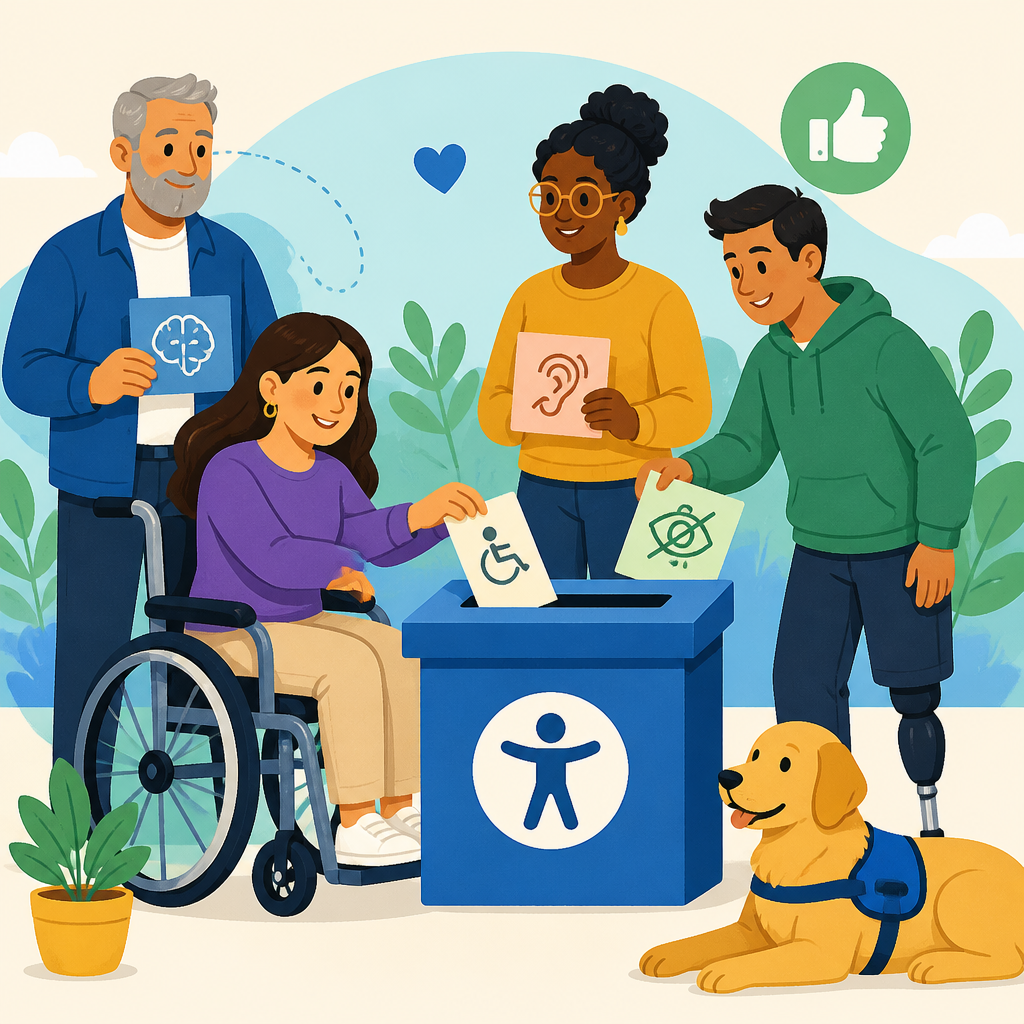
Collecting accessibility complaints effectively starts with a simple truth: if reporting a barrier feels risky, confusing, or pointless, many people will stay silent. For organizations building strong resources and support programs, that silence is expensive. It hides legal exposure, weakens community trust, and leaves disabled customers, employees, students, patients, or residents locked out of services that should work for everyone.
An accessibility complaint is any report that a person could not fully use a space, service, website, document, kiosk, event, communication channel, or policy because of a disability-related barrier. In practice, complaints can involve broken alt text, missing captions, inaccessible PDFs, poor keyboard navigation, unreadable color contrast, unclear service-animal rules, inaccessible intake forms, or staff behavior that makes accommodation requests harder than they should be. Community engagement and advanced ADA support means handling those reports as part of an ongoing relationship, not as isolated incidents. It combines reporting systems, policy design, staff training, remediation workflows, and public accountability.
I have helped teams redesign complaint processes after seeing the same pattern repeatedly: organizations say they welcome feedback, yet the form is impossible to find, requires a login, asks for legal detail most people do not have, and gives no timeline for response. That design discourages the very information decision-makers need. A good system lowers effort for the complainant while increasing internal clarity. It tells people what to report, where to report it, what will happen next, and how long it should take. It also gives staff enough structure to triage urgent barriers, document trends, and close the loop.
This matters because accessibility complaints are not merely service tickets. They are frontline data about exclusion. They show where policies fail in real conditions, where assistive technology compatibility breaks, and where frontline staff need better guidance. They also reveal whether an organization treats disabled people as valued participants in the community. A strong complaint program improves compliance, but its deeper value is operational: better digital experiences, fewer repeated failures, clearer accountability, and more trust in resources and support systems.
Why people do not report accessibility barriers
Most underreporting is caused by friction and fear, not by a lack of problems. People avoid filing accessibility complaints because they expect delay, defensiveness, retaliation, or a dead end. Some do not know whether the issue is serious enough to report. Others assume they must identify the exact rule violated, such as WCAG success criteria or ADA Title II and Title III obligations. Many simply do not have the time to explain a barrier repeatedly after they have already struggled to complete a task. If the process demands screenshots, account numbers, legal language, or perfect chronology before anyone will listen, reporting rates drop.
There is also a trust problem. Communities remember when organizations ignored prior feedback or replied with boilerplate. Disabled people, especially those with intersecting language, income, race, age, or immigration barriers, often calculate whether reporting will cost more than it helps. In employee settings, people may worry that complaints will affect performance evaluations or advancement. In schools and universities, students may fear being labeled difficult. In healthcare, patients may avoid raising barriers if they think it could complicate access to treatment. An effective complaint system acknowledges these realities directly and removes every unnecessary point of resistance.
Build low-friction intake channels people can actually use
The best accessibility complaint process offers multiple intake options because no single channel works for everyone. At minimum, provide a public web form, a monitored email address, a phone number, and a mailing option. If you serve the public in person, train frontline staff to accept complaints verbally and enter them into the same system used for digital submissions. For larger organizations, text messaging, relay-friendly lines, video relay information, and event-based QR codes can increase reach, but only if each path routes into a centralized workflow.
Keep the intake form short. Ask only for information needed to understand the barrier and follow up. A useful structure is: what happened, where it happened, when it happened, how it affected access, whether the issue is ongoing, and how the person prefers to be contacted. Make attachments optional, not required. Allow anonymous reporting, while explaining that anonymous reports may limit follow-up. Avoid mandatory account login unless the complaint relates to a secure service. If identity verification is necessary, separate it from initial submission so people can report first and verify later.
Accessibility of the reporting channel itself is nonnegotiable. Test forms with keyboard-only navigation, screen readers such as JAWS, NVDA, and VoiceOver, zoom up to 400 percent, speech input, mobile screen readers, and common browser combinations. Use clear labels, error prevention, focus indicators, descriptive buttons, and status messages that announce successfully. If your complaint page includes PDFs or policy documents, provide accessible versions or equivalent web content. In my work, one of the fastest credibility wins has been fixing the complaint form before publishing the policy. Nothing undermines trust faster than an inaccessible page for reporting accessibility problems.
Write complaint policies that reduce fear and set clear expectations
A strong policy answers the questions people silently ask before they report: Will someone read this? Will I get in trouble? How long will this take? What if I need help completing the form? The policy should state that complaints are welcome, that retaliation is prohibited, and that assistance is available for people who need another reporting format. It should explain whether complaints can be anonymous, what information is most helpful, and which issues qualify for expedited handling, such as barriers affecting medical care, employment deadlines, exams, or time-sensitive government services.
Set service levels that are realistic and measurable. For example, acknowledge receipt within two business days, complete initial triage within five, and provide either a resolution or a status update within fifteen. If remediation will take longer, say why and provide interim access when possible. Interim access is often overlooked but essential. If a PDF application is inaccessible, give a staffed phone alternative or an accessible web version while remediation is underway. If livestream captions fail during an event, provide corrected recordings quickly and explain how future events will be monitored.
Plain language matters. Replace defensive phrasing like “alleged accessibility issue” with neutral language such as “reported barrier.” Explain the difference between a complaint, an accommodation request, and a technical bug report, but do not force users to classify perfectly before submitting. Internally, you can route the issue later. The policy page should also connect to related resources and support materials: accommodation procedures, digital accessibility standards, event accessibility guidance, interpreter request processes, and contact information for ADA coordinators or equivalent roles. That internal linking architecture helps users find answers and helps your broader support content work as a coherent hub.
Triage complaints using severity, impact, and recurrence
Once complaints enter the system, triage determines whether the program creates confidence or backlog. I recommend classifying reports across three dimensions: severity of access loss, number of people likely affected, and recurrence. A checkout page that cannot be used with a keyboard is high severity because it blocks task completion. Missing captions on a widely viewed training library affects many people and should move quickly even if no deadline is attached. A recurring barrier reported across multiple channels signals a process failure, not a one-off defect.
Use a standardized taxonomy so teams can compare patterns over time. Categories typically include digital content, software interface, document accessibility, communication access, built environment, event access, transportation, policy barrier, and staff conduct. Tag by system owner, location, product line, assistive technology involved, and customer journey stage. This lets you identify whether the root cause is a template, procurement gap, content governance problem, or training issue. In one case, repeated complaints about inaccessible invoices looked unrelated until tagging showed they all came from the same PDF generation tool purchased years earlier.
| Priority level | Typical example | Recommended response | Target timeline |
|---|---|---|---|
| Critical | Barrier prevents access to healthcare, safety information, payroll, exams, or core transactions | Immediate escalation, interim access, owner assignment, daily tracking | Same day to 72 hours |
| High | Core webpage unusable by keyboard or screen reader, captions missing from required training | Rapid remediation plan, status update to complainant, root-cause review | 3 to 10 business days |
| Moderate | Inaccessible archived document, low-traffic page with labeling error | Queue with defined owner, fix in next release or content cycle | 10 to 30 business days |
| Low | Minor usability friction with workaround available | Document, monitor, bundle with scheduled improvements | Next planned maintenance cycle |
Urgency does not always equal complexity. Some high-impact fixes, such as adding alt text, repairing form labels, or publishing a transcript, can be completed quickly. Others, like replacing an inaccessible scheduling platform, require procurement, budget, and vendor pressure. Triage should separate immediate user support from long-term corrective action so the person reporting the issue receives access even if the permanent fix takes time.
Close the loop with respectful communication and visible accountability
People are more willing to report barriers when they believe their effort will lead somewhere. That requires communication at every stage. Start with a confirmation message that restates what was submitted in plain language, gives a case number, and explains next steps. Then send a meaningful human update, not only automated notices. If you need more information, ask focused questions. If you cannot replicate the issue, explain how you tested and invite additional detail such as browser, device, or assistive technology. This approach respects the complainant’s lived experience while improving diagnostic accuracy.
When a fix is made, describe it concretely. “We updated the form” is weak. “We corrected unlabeled fields on the payment form, tested keyboard navigation, and verified error messages with NVDA and VoiceOver” builds trust. If the issue cannot be fixed immediately, offer a workaround and a date for the next update. Public reporting also matters. Aggregate dashboards, annual accessibility reports, or support-center summaries can show complaint volume, common barrier types, average closure time, and major improvements completed. Use ranges and percentages if privacy or sample size is a concern.
Visible accountability should never become performative. The goal is not to boast about complaints; it is to demonstrate that feedback changes systems. Organizations with mature community engagement programs often create advisory councils, usability panels with disabled participants, or recurring listening sessions linked directly to complaint trends. Those mechanisms should complement, not replace, formal complaint channels. People need both a way to report individual harm and a way to shape broader priorities in resources and support planning.
Use complaint data to improve training, procurement, and governance
The most valuable accessibility complaints are the ones that prevent future complaints. To get there, analyze reports for root causes beyond the immediate defect. If many issues come from documents, your publishing workflow may lack templates, remediation capacity, or author training. If barriers cluster around third-party platforms, procurement requirements may be weak. Strong contracts should require conformance targets, testing evidence, bug-fix timelines, and accessibility contact paths. A VPAT can be useful during procurement, but it is not proof of real-world usability; validate claims through product demos and scenario-based testing.
Training should be role specific. Content authors need to know heading structure, link purpose, alt text, tables, captions, and color contrast basics. Developers need semantic markup, ARIA discipline, focus management, accessible forms, and testing workflows. Customer-facing staff need scripts for receiving complaints respectfully and routing them without delay. Managers need escalation criteria, documentation expectations, and budget responsibility. When complaint themes are shared back to each audience, training becomes grounded in actual operational failures rather than abstract rules.
Governance turns isolated improvements into durable practice. Assign owners for standards, exception handling, remediation review, and executive reporting. Track leading indicators, not just complaint counts. A drop in complaints can mean improvement, but it can also signal that reporting feels futile. Pair complaint data with audit findings, usability testing, accommodation request patterns, help-desk logs, and customer satisfaction comments. This broader picture helps leaders invest in the right support resources, prioritize advanced ADA support work, and measure whether community engagement is actually reducing barriers over time.
Design the hub page so it supports the whole accessibility support ecosystem
As a sub-pillar hub under Resources and Support, this page should orient readers and connect them to deeper guidance. That means summarizing the complaint lifecycle clearly while linking to specialized articles on digital accessibility reporting, event accessibility feedback, accommodation escalation, vendor management, complaint metrics, and ADA coordinator responsibilities. The hub should answer the immediate question and then guide users toward the next level of detail. In practice, that structure improves discoverability for both humans and search systems because each supporting page reinforces a distinct topic cluster.
The strongest hub pages also speak to multiple audiences without becoming vague. Public users need simple reporting instructions. Compliance teams need process design. Communications teams need language standards. IT, procurement, and operations leaders need governance and remediation models. Bringing those needs together under community engagement and advanced ADA support helps organizations avoid fragmented ownership. Accessibility complaints do not stay in one department; they move across content, code, policy, procurement, facilities, events, and frontline service. Your hub should reflect that operational reality and make support pathways obvious.
Collect accessibility complaints without discouraging them by removing friction, reducing fear, and proving that reporting leads to action. Offer accessible intake channels, short forms, anonymous options, clear timelines, and no-retaliation language. Triage by impact, provide interim access when needed, and communicate with specificity until the issue is resolved. Then use the resulting data to strengthen training, procurement, governance, and community relationships. That is how complaint handling becomes a core part of resources and support rather than a reactive afterthought.
The main benefit is practical and measurable: more reporting quality, faster remediation, fewer repeated barriers, and stronger trust with the people you serve. A thoughtful process helps disabled community members participate fully while giving your organization better information for decision-making. Review your current complaint pathway today, test it with disabled users, and update the policy, intake channels, and follow-up standards where they create hesitation instead of help.
Frequently Asked Questions
What makes people hesitate to file accessibility complaints in the first place?
Most people do not stay silent because the barrier was minor. They stay silent because the reporting process feels unsafe, exhausting, or unlikely to lead to change. If a complaint form is hard to find, uses confusing language, asks for too much information, or requires the same inaccessible system that caused the problem, it immediately signals that the organization is not prepared to listen. People may also worry about retaliation, embarrassment, being labeled difficult, or having to repeatedly prove that their access issue is real. For employees, students, patients, tenants, or customers, that fear can be especially strong when the organization controls something important in their lives.
Another major reason is learned futility. Many disabled people have reported barriers before and received no response, a generic acknowledgment, or a defensive explanation instead of a fix. When that happens often enough, reporting starts to feel like unpaid labor with no benefit. Organizations that want more honest feedback should assume hesitation is rational. The goal is not to persuade people to complain more aggressively. The goal is to reduce the personal cost of reporting by making the process easy, respectful, confidential where possible, and clearly connected to action.
How can an organization make accessibility complaints easier to submit without creating more barriers?
The strongest approach is to offer multiple simple reporting paths and let people choose what works for them. That usually means a short web form, a dedicated email address, a phone option, and when relevant, in-person or paper-based alternatives. Every channel should be easy to locate from high-traffic pages, service areas, help centers, and physical spaces. Instructions should be written in plain language and explain exactly what a person can report, what details are helpful, and what will happen next. If the form is long, technical, or requires creating an account, many people will abandon it.
The reporting system itself should follow accessibility best practices. Forms should work with screen readers, keyboard navigation, captions, zoom, mobile devices, and clear error handling. Questions should focus on what happened, where it happened, when it happened, and how to follow up if the person wants a response. Avoid forcing users to identify a legal standard or classify the issue perfectly. It is the organization’s job to interpret the complaint, not the complainant’s job to diagnose the technical failure. A well-designed process lowers friction, reduces confusion, and communicates that the organization takes accessibility seriously from the very first interaction.
Should accessibility complaints be anonymous, and how should confidentiality be handled?
Anonymous reporting is often worth offering because it reduces fear and increases the likelihood that people will speak up, especially in environments with power imbalances such as workplaces, schools, healthcare settings, and housing. Some people will only report a barrier if they know they do not have to reveal their identity. Anonymous complaints can still provide valuable information about patterns, broken workflows, inaccessible locations, and recurring staff behavior. Even when anonymity limits follow-up, it is usually better to receive partial information than no information at all.
At the same time, organizations should be transparent about the limits of anonymity and confidentiality. If a complaint includes details that make the person identifiable, or if an investigation requires sharing information internally to fix the problem, that should be stated clearly. The best practice is to explain what information is collected, who can access it, how it will be used, and whether the reporter can request no direct contact. Avoid making promises you cannot keep. A trustworthy complaint process gives people meaningful choices: anonymous reporting, named reporting, confidential handling to the extent possible, and a clear explanation of how the organization protects people from retaliation.
What should happen after someone submits an accessibility complaint?
Follow-up is where trust is either built or lost. At minimum, the organization should confirm receipt promptly, explain the review process, and provide a realistic timeline for next steps. Even an automated acknowledgment can help, as long as it is clear and useful rather than cold and generic. People want to know that their report reached a real system, not a dead inbox. If more information is needed, the request should be focused and respectful, not burdensome. The tone matters: the organization should assume good faith and avoid implying that the complainant must defend their experience.
Internally, complaints should be routed to staff who can assess urgency, coordinate remediation, and identify whether the issue reflects a one-time failure or a broader systemic problem. Some barriers require immediate action, such as inaccessible emergency information, blocked entrances, or critical digital tasks that prevent access to essential services. Others may need investigation and planning. In either case, the organization should communicate progress when possible and close the loop with a plain-language update. Even if a full fix takes time, people are far more likely to report future issues when they see evidence that the organization listens, prioritizes, and acts.
How can accessibility complaints be used to improve systems without discouraging future reporting?
Organizations should treat complaints as operational intelligence, not as isolated inconveniences. A single complaint may point to a broken procurement process, poor content governance, staff training gaps, inaccessible vendor tools, or a physical design problem that affects many people who never reported it. To learn from complaints, track them in a structured way: where the barrier occurred, who owned the issue, what interim support was offered, how long resolution took, and whether the same problem appears repeatedly. Trend analysis helps organizations move from reactive fixes to prevention.
Just as important, leaders should shape a culture in which reporting is welcomed rather than resented. If staff respond defensively, minimize the issue, or blame the user, people notice. If leaders thank reporters, correct problems visibly, and share lessons learned, the complaint process becomes a source of trust. That does not mean publicizing private details. It means showing that feedback drives change through updated policies, better training, accessible design reviews, stronger testing, and clearer accountability. When people believe their complaint can lead to practical improvement without creating personal risk, they are much more likely to speak up early, which gives the organization a better chance to solve barriers before they become bigger legal, reputational, and service failures.


