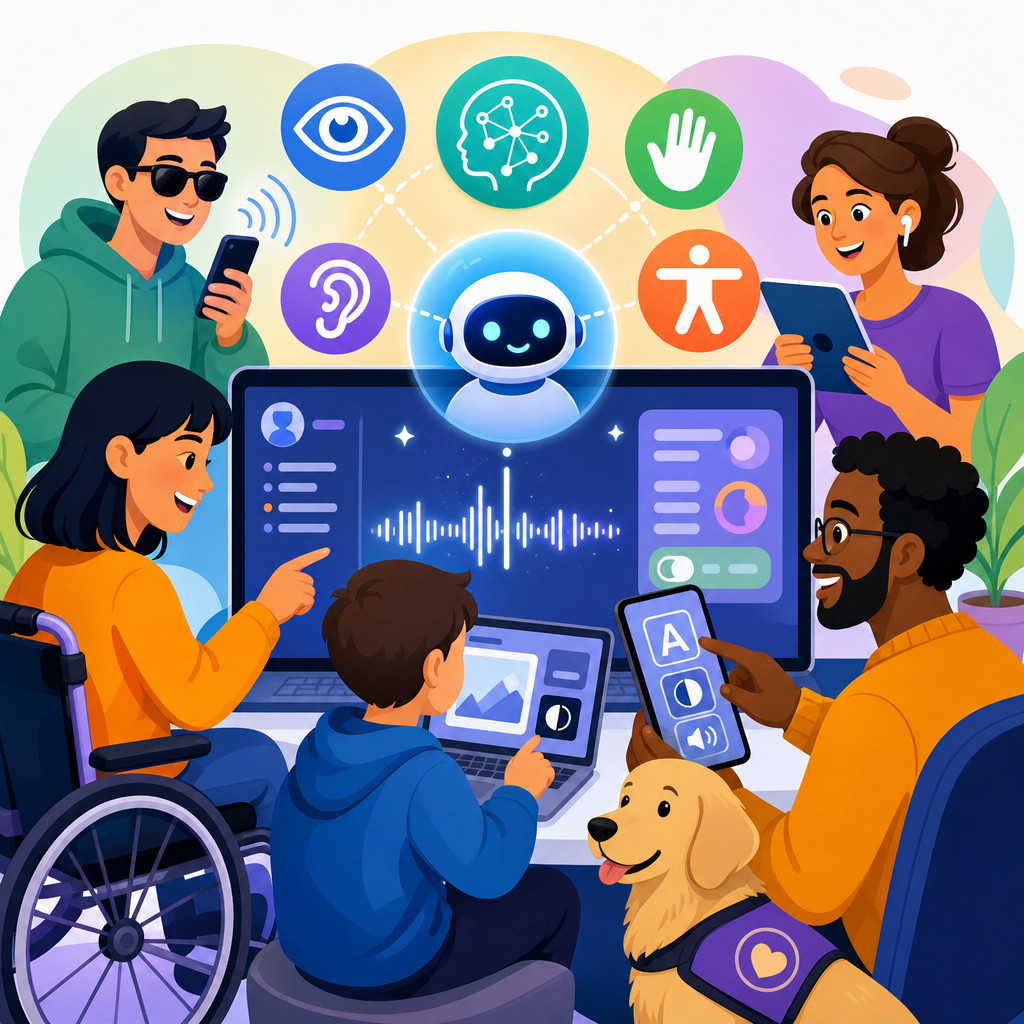
Accessibility expectations for AI features in consumer software are rising fast because users now encounter machine-generated recommendations, summaries, image tools, voice assistants, and predictive interfaces in nearly every mainstream app. In the technology sector, accessibility means people with disabilities can perceive, understand, navigate, and operate AI-powered experiences with comparable effectiveness, privacy, and independence. Consumer software includes mobile apps, desktop platforms, web products, operating systems, gaming environments, smart home interfaces, and subscription services used at scale. When AI enters those products, the accessibility baseline does not reset. It expands.
That expansion matters because AI features often change how software behaves, not just how it looks. A search box becomes a conversational assistant. A photo editor starts auto-labeling images. An email client drafts responses. A customer support flow routes users through a chatbot before they can reach a person. In product reviews and accessibility audits I have worked on, the most common failure is assuming the underlying application is accessible, so the new AI layer must be accessible too. In practice, dynamic outputs, probabilistic errors, unlabeled controls, voice dependence, and hidden personalization settings create new barriers that standard interface checks alone do not catch.
For technology companies, this topic is commercially and legally important. Accessibility expectations are shaped by the Web Content Accessibility Guidelines, platform-level human interface standards from Apple, Google, and Microsoft, and disability rights laws such as the Americans with Disabilities Act and the European Accessibility Act. While those frameworks were not written solely for generative AI, they still apply when a feature affects task completion, customer service, communication, purchasing, or media access. A consumer product team that launches AI without accessible interaction models risks exclusion, complaints, remediation cost, and reputational damage.
This hub article explains what accessible AI features should deliver in consumer software, where common failures occur, and how technology companies can set standards across product, design, engineering, procurement, trust and safety, and support. It covers practical expectations for input, output, transparency, testing, and governance so teams can build AI features that work for more people from the start.
What accessibility means when AI is embedded in consumer products
Accessible AI in consumer software means more than adding alt text or keyboard support after release. The expectation is that every user can initiate, monitor, correct, and exit an AI-supported task using the assistive technology and input methods they already rely on. That includes screen readers, screen magnification, switch access, voice control, captions, transcripts, high contrast settings, reduced motion preferences, and alternative keyboards. It also includes cognitive accessibility needs such as predictable flows, plain language, manageable memory load, and clear error recovery.
In the technology sector, AI is typically embedded in five product layers: discovery, creation, automation, support, and safety. Discovery features include conversational search and recommendation feeds. Creation features include text drafting, image generation, coding help, and media editing. Automation features summarize, classify, prioritize, and trigger actions. Support features use chatbots, voice assistants, and agent copilots. Safety features moderate content, detect fraud, and flag risky behavior. Each layer affects accessibility differently. A recommendation feed may shape what content a user can find; a support bot may determine whether someone can access account recovery at all.
The critical expectation is equivalence of outcome, not identical interaction. A blind user does not need the same visual preview workflow used in an AI image editor, but they do need an alternative route to understand generated results, adjust settings, and complete the same publishing task. A user with limited speech should not be forced into voice-only interaction with a smart assistant. A Deaf user should not lose information because an AI note taker summarizes a meeting without speaker labels or transcript access. Product teams should measure whether users can finish key jobs, not whether an accessibility checklist was technically attached to the feature.
Core expectations for inputs, outputs, and control
Consumers expect AI tools to accept multiple input methods and present outputs in multiple formats. This is the first operational rule for accessible AI. If a feature can be prompted by typing, it should not require speech. If it returns a chart, it should also provide structured text. If it creates a summary, the user should still be able to access the source material. In audits, I treat modality flexibility as a foundational requirement because AI products too often optimize for the most marketable demo, usually voice or visual generation, while making fallback pathways weak or invisible.
Controls must be programmatically labeled and stateful. Buttons such as “regenerate,” “improve,” “rewrite,” “try again,” and “explain” need clear accessible names that communicate scope. Focus order must remain logical as AI responses stream in. Status updates should use appropriate live region behavior without flooding screen readers. Timeouts need extension options. Confidence indicators, content warnings, and personalization settings must be discoverable without relying on color alone. If a model changes output based on prior interactions, users need a simple way to reset context and understand that memory exists.
Outputs should preserve structure. Summaries need headings or bullet logic when the source contains separate themes. Captions need punctuation and synchronization. Image descriptions should distinguish between generated certainty and uncertainty. Code suggestions should remain navigable line by line. Translation features should expose the original text and the translated result. These details directly affect usability with assistive tools. A polished AI answer that collapses all formatting into one announcement is often functionally inaccessible even if the surrounding page passes automated scans.
| AI feature type | Accessibility expectation | Common failure | Better implementation |
|---|---|---|---|
| Chat assistant | Keyboard access, labeled controls, transcript retention | Streaming response steals focus | Persistent input focus with optional status announcements |
| Voice assistant | Text alternative for all commands and replies | Voice-only account actions | Parallel typed workflow with confirmation history |
| Image generator | Text description, adjustable parameters, result metadata | Visual thumbnails only | Structured result list with descriptive labels |
| Auto-summary | Source access, heading structure, clear omissions | Summary replaces original content | Expandable summary linked to full source |
| Support chatbot | Human escalation, predictable steps, transcript export | No accessible path to live agent | Visible escalation control in every state |
Designing for disability-specific use cases in the technology sector
Different disability groups encounter different AI barriers, so consumer software teams should design around concrete use cases rather than generic personas. For blind and low-vision users, visual AI outputs need text equivalents with enough specificity to support decisions. For example, a shopping app that uses AI to recommend clothing should not return “stylish casual option” as the only description. It should expose color, cut, fabric, pattern, brand, price, and confidence cues in text. In photo libraries, automatic image captions should be editable because model descriptions can miss socially important context such as who appears in the image or what event is happening.
For Deaf and hard-of-hearing users, speech features must include robust captioning, transcripts, and non-audio notifications. Smart assistants in televisions, phones, and home devices often fail here by delivering spoken confirmations without synchronized on-screen text. Meeting tools do better when they combine live captions, downloadable transcripts, speaker attribution, and searchable summaries. However, AI summaries can flatten nuance. In enterprise-to-consumer crossover products, I have seen accessibility complaints when action items were extracted but the exact spoken wording was unavailable for verification. The fix is simple: never make the summary the only record.
For users with mobility disabilities, conversational interfaces can help by reducing complex navigation, but only if they support keyboard, switch, and dwell input. Drag-based prompt editors, tiny token sliders, or press-and-hold recording interactions create unnecessary barriers. For neurodivergent users and people with cognitive disabilities, the main concerns are predictability, interruption control, and language clarity. AI that changes menus, auto-applies recommendations, or rewrites text without explicit confirmation increases cognitive load. The best consumer products make AI assistance optional, reversible, and clearly scoped, with plain-language explanations of what happened and what to do next.
Transparency, trust, and explainability users can actually use
Accessibility expectations include usable transparency. Consumers need to know when AI is involved, what data it used, how much confidence to place in the result, and what alternatives exist if the output is wrong. In accessible design terms, this information must be perceivable and actionable, not buried in a policy page. A label such as “AI-generated summary” should be attached to the content itself. If a recommendation is personalized, the user should be able to inspect or reset the preference signals driving it. If an image description was generated automatically, the interface should say so and invite correction where appropriate.
Explainability must also be concise. Lengthy technical disclosures are not accessible if they overwhelm users or interrupt task flow. The strongest pattern is layered disclosure: a short plain-language statement in context, followed by expandable details. For example, a parental control app using AI to classify messages could state, “This alert was generated automatically based on language patterns and may be inaccurate,” then offer “How this works” and “Review source messages” actions. That gives users control without forcing them through legalistic text. It also supports people using screen readers, who benefit when the essential warning appears before secondary detail.
Trust is reinforced when products acknowledge uncertainty and provide correction loops. I advise teams to treat correction as an accessibility feature, not just a model quality feature. If a caption is wrong, the user should be able to flag and edit it. If a generated response is biased or nonsensical, there should be clear reporting mechanisms and a route to complete the task another way. This is especially important in account access, health-adjacent wellness apps, education software, and financial tools, where AI mistakes can have material consequences for disabled users who already face higher friction.
Testing, standards, and governance across the product lifecycle
Accessible AI is not achieved through one audit before launch. It requires governance from concept through maintenance. In the technology sector, mature teams map AI features to user journeys, identify disability-related failure points, and test with assistive technology before public release. Automated tools such as axe, Accessibility Insights, Lighthouse, and platform accessibility scanners are useful, but they are insufficient for AI interactions because they cannot judge whether summaries preserve meaning, whether streaming output is understandable, or whether a chatbot traps users in inaccessible loops. Manual testing remains essential.
Use recognized standards as anchors. WCAG 2.2 provides criteria relevant to focus appearance, dragging alternatives, consistent help, error prevention, target size, reauthentication, and more. Native platform guidance from Apple, Google, and Microsoft covers screen reader semantics, motion, contrast, input support, and notification behavior. For voice interfaces, consumer products should also align with captioning, transcript, and multimodal interaction expectations established in mainstream media and operating systems. When procurement teams license third-party models or SDKs, accessibility requirements should appear in contracts, conformance requests, and acceptance criteria, not just in a vendor questionnaire.
Real-world governance means assigning ownership. Product managers define accessible outcomes for AI features. Designers specify interaction alternatives and disclosure patterns. Engineers implement semantic controls, event handling, and fallback states. Data and model teams document limitations, confidence behavior, and retraining implications. Quality teams build scenario-based test plans that include disabled users. Customer support teams need scripts and escalation paths when AI-generated assistance fails. The strongest consumer software organizations also monitor telemetry for abandonment, repeated retries, and agent escalations by feature, because these signals often reveal hidden accessibility barriers after launch.
Building the technology sector hub: priorities for consumer platforms
As a hub for the technology sector, this topic connects multiple sub-areas of consumer software. Mobile apps need accessible on-device assistants, keyboard prediction, camera labeling, and notification summaries. Desktop software needs accessible copilots in productivity tools, file search, security prompts, and media creation suites. Social and content platforms need inclusive recommendation controls, moderation appeals, alt text assistance, and creator tools. Gaming platforms need speech alternatives, accessible matchmaking communication, and readable AI-generated quest or tutorial text. Smart home ecosystems need multimodal control, clear confirmations, and reliable recovery when automation fails.
The shared priority across all these environments is preserving user agency. AI should reduce effort, not remove control. Consumer software companies that meet accessibility expectations do three things consistently: they provide equivalent paths for critical tasks, keep source information available beside generated outputs, and design clear escalation when automation falls short. Those practices improve usability for everyone, including people in noisy spaces, low bandwidth conditions, temporary injury, aging-related changes, and high-stress situations. They also make future AI features easier to ship because accessibility becomes part of the product system rather than a late exception.
For teams building out this subtopic, the next step is to audit every AI-enabled customer journey in your product portfolio: discovery, creation, support, safety, and settings. Document where users need alternatives, where generated outputs need structure, and where a human fallback is mandatory. Then set release criteria that treat accessible interaction as a core quality requirement. In the technology sector, that is no longer optional. It is the standard consumers will expect, regulators will examine, and competitive products will increasingly meet.
Frequently Asked Questions
What do accessibility expectations for AI features in consumer software actually include?
Accessibility expectations for AI features now extend far beyond basic compatibility with assistive technology. Users expect AI-powered recommendations, summaries, voice tools, image generation, chat interfaces, predictive text, and automated workflows to be usable by people with a wide range of disabilities from the start, not as an afterthought. In practical terms, that means people should be able to perceive AI outputs, understand what the system is doing, navigate the feature efficiently, and operate it independently using keyboards, screen readers, switch devices, voice control, captions, magnification, and other accommodations commonly used in mobile apps and desktop platforms.
These expectations also include clarity and transparency. If an AI tool rewrites content, ranks options, makes a suggestion, or summarizes information, users should be told what happened in plain language. If the system is uncertain, that uncertainty should be conveyed accessibly as well. Accessibility in AI is not just about whether a button has a label; it is also about whether a person can interpret a generated response, correct an error, review source material, and choose alternatives without confusion or unnecessary dependence on another person.
Equally important, accessible AI should provide comparable privacy, safety, and control. A user with a disability should not have to reveal more personal data, accept weaker security, or tolerate less reliable performance just to use an AI feature. As AI becomes common in mainstream software, the baseline expectation is parity: AI experiences should work effectively for disabled users in the same real-world conditions, with the same dignity and autonomy, as they do for everyone else.
Why is accessibility especially important for AI-generated recommendations, summaries, and predictive interfaces?
AI-generated recommendations, summaries, and predictive interfaces can shape what users notice, what they choose, and how they complete tasks. That influence makes accessibility especially important. If a recommendation engine highlights products, settings, media, or actions in a way that is not clearly announced to screen readers or is difficult to review with keyboard navigation, some users may be steered toward decisions without having equal access to the surrounding context. Similarly, if an AI summary leaves out key details and there is no easy way to inspect the original content, users may be forced to trust an incomplete interpretation.
Predictive interfaces can also create barriers when they change content dynamically, move focus unexpectedly, or rely heavily on visual cues such as color, animation, or layout changes. For users with low vision, cognitive disabilities, motor disabilities, or those using assistive technology, these design choices can disrupt orientation and make interfaces feel unstable. Accessibility expectations therefore include predictable focus behavior, clear status messaging, well-labeled controls, manageable update timing, and an obvious path to dismiss, override, or refine AI suggestions.
There is also a fairness and trust dimension. If AI systems personalize information but do so in inaccessible ways, some users get less insight into why options appear or how to change them. A well-designed consumer app should let users review recommendations, understand what influenced them when appropriate, and access the same essential content whether they use the AI shortcut or the standard workflow. In short, accessibility matters here because AI is not merely decorating the interface; it is actively mediating decisions, and that mediation must remain usable, understandable, and accountable.
How should voice assistants, image tools, and multimodal AI features be designed for accessibility?
Voice assistants, image tools, and multimodal AI features should be designed with multiple input and output options so no single mode becomes mandatory. A voice assistant should not require speech as the only way to interact. Users should be able to type commands, review transcriptions, navigate responses visually and with assistive technology, and control playback, speed, and repetition. Likewise, spoken outputs should have accurate captions or text equivalents, and systems should perform well when speech is atypical, interrupted, accented, synthesized, or produced through assistive communication methods.
For image tools, accessibility means more than adding alternative text to a button. If software generates, edits, describes, or searches for images using AI, users need accessible prompts, clearly announced progress states, and understandable results. Generated images should be accompanied by descriptive metadata where relevant, especially if they are essential to completing a task. If a tool suggests visual edits or detects objects, those results should be exposed in text in a way that supports screen readers and other assistive technologies. Users should also be able to verify and correct AI-generated descriptions because automated vision output can be incomplete or wrong.
Multimodal AI features should support redundancy and user choice. Information conveyed visually should also be available in text or audio; information conveyed through audio should also be available in text or captions. Interfaces should avoid assuming that users can drag, gesture, see subtle previews, hear tones, or interpret rapidly changing visual states. Strong accessible design gives people several reliable ways to complete the same task, while preserving equal quality of information and control across those methods.
What are the biggest accessibility risks when AI is added to mainstream mobile apps and desktop platforms?
One major risk is that AI gets layered onto an existing product without going through the same accessibility review expected for core features. Teams may focus on model performance or novelty while overlooking fundamentals such as semantic structure, keyboard access, screen reader announcements, focus order, color contrast, error prevention, and understandable language. This often leads to AI panels, chat widgets, floating assistants, and suggestion overlays that are technically present but difficult or impossible for many users to operate effectively.
Another common risk is opacity. AI can introduce hidden logic into everyday tasks by auto-filling content, prioritizing options, or suppressing information based on predictions. When that behavior is not explained accessibly, users may not know why something appeared, disappeared, or changed. This is especially harmful in areas like settings, purchasing, messaging, healthcare, finance, and education, where misunderstandings can have real consequences. Accessible design should make automation visible, reversible, and easy to inspect, rather than burying it behind vague labels or transient interface changes.
There are also risks related to error handling and overreliance. AI outputs can be inaccurate, biased, or poorly timed. If a user cannot easily detect mistakes, compare alternatives, or recover from a bad prediction, the feature becomes less usable and less safe. On mobile apps, small screens and gesture-heavy patterns can make this worse. On desktop platforms, complex layouts and multi-pane interfaces can create separate navigation burdens. The most resilient approach is to treat accessibility as part of product quality assurance for AI itself: test with disabled users, support multiple modes of interaction, expose AI actions clearly, and ensure every AI-assisted path has a reliable non-AI fallback when needed.
How can software teams meet rising accessibility expectations for AI features in a practical way?
Software teams can meet rising expectations by integrating accessibility into AI product planning, design, engineering, testing, and governance rather than treating it as a final compliance check. The first practical step is to define what equal access means for each AI feature. For example, if an app offers AI summaries, teams should ask whether screen reader users can access the summary and the source, whether users can request a simpler or more detailed version, whether confidence or limitations are communicated clearly, and whether the feature can be used without precise gestures, time pressure, or visual interpretation alone.
Teams should then build accessibility requirements directly into acceptance criteria. That includes semantic labeling, keyboard support, clear focus management, captioning and transcripts where relevant, accessible status updates, controllable motion and audio, understandable error messaging, and support for assistive technology on both mobile and desktop environments. It also means documenting how the AI behaves: when it activates, what data it uses, how users can correct outputs, and how they can disable or bypass it. Accessibility and transparency work best together because people need both access to the interface and comprehension of the automation.
Finally, the most effective teams validate their work with real users with disabilities and with task-based testing, not just automated scans. AI features should be evaluated in realistic scenarios involving recommendations, conversation flows, image generation, predictive input, and personalized content. Monitoring should continue after launch because AI behavior and user expectations evolve over time. In consumer software, the standard is increasingly clear: accessible AI is not a premium enhancement. It is part of shipping a trustworthy, mainstream product that works for everyone.





