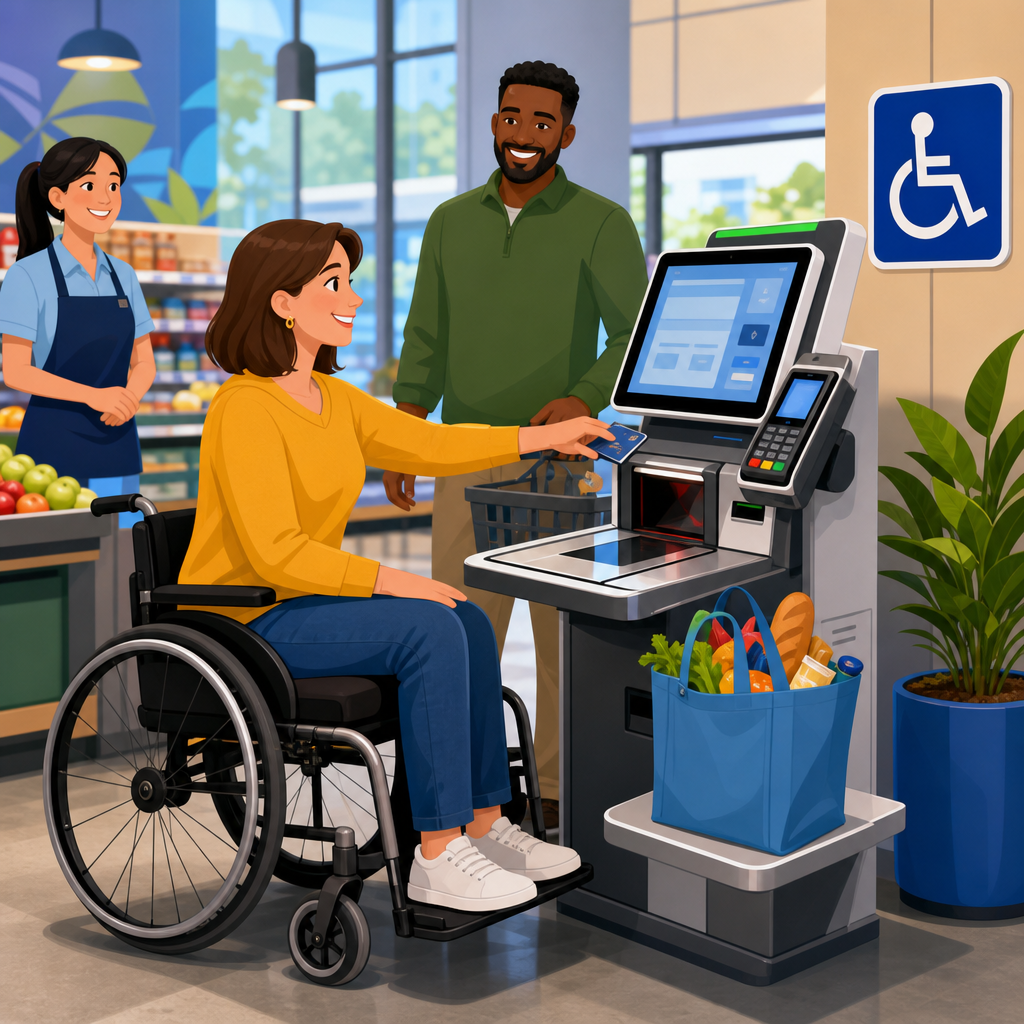
Self-checkout kiosks and the ADA are now a core retail compliance issue because checkout is not a side feature; it is a primary customer transaction. In physical stores, a self-checkout kiosk includes the touchscreen, payment terminal, scanner, bagging area, software prompts, audio output, and physical approach space that together let a shopper complete a purchase without cashier assistance. The ADA, or Americans with Disabilities Act, is the federal civil rights law that prohibits discrimination on the basis of disability in places of public accommodation, including retail stores. For retailers, that means self-service technology must be evaluated as part of the customer experience, not treated as an isolated hardware purchase.
I have worked with store operators during kiosk rollouts, remodels, and complaint responses, and the pattern is consistent: teams often focus on speed, shrink, and labor models first, then discover accessibility gaps after installation. That sequence is expensive. Retrofitting kiosk height, payment terminal reach ranges, headphone jacks, software timing, or floor clearance costs more than building accessibility into procurement and design. It also creates operational risk. A kiosk that cannot be used independently by a blind shopper, a wheelchair user, or a customer with limited dexterity can trigger complaints, demand letters, state enforcement, or litigation, especially when self-checkout becomes the default path for small basket transactions.
This retail compliance guide explains what matters, where the legal and technical standards intersect, and how retailers should organize governance across stores and e-commerce teams. That broader retail and e-commerce connection matters because omnichannel brands increasingly link loyalty accounts, digital receipts, mobile wallets, and online returns to self-service stations in stores. If the physical kiosk is inaccessible, the customer journey breaks even when the website or app is well designed. Retail leaders need a practical framework that covers physical access, interface design, procurement language, staff support, maintenance, testing, and documentation so accessibility becomes measurable and repeatable across the estate.
What the ADA requires from retail self-checkout
The central compliance question is straightforward: can a customer with a disability access the same core checkout service with substantially equivalent privacy, independence, and convenience? Under Title III of the ADA, retailers must provide full and equal enjoyment of goods and services. The 2010 ADA Standards for Accessible Design set enforceable requirements for elements such as floor space, reach ranges, operable parts, and clear width. Those standards do not contain a self-checkout chapter, but they still apply to the built environment around kiosks. In practice, that means the route to the kiosk, the turning space, the height and operability of controls, and the placement of payment devices all matter.
Retailers should also evaluate communication access and auxiliary aids. If a kiosk relies on visual prompts only, a blind or low-vision customer may not be able to complete the transaction. If it depends on precise touchscreen gestures, customers with limited dexterity may be blocked. If card insertion, PIN entry, coupon redemption, age verification, or attendant override happens in ways that require sight or fine motor control, the checkout path is not functionally accessible. The legal standard is not satisfied merely because an employee can step in occasionally. Staff assistance can be part of an accommodation strategy, but it is not a complete substitute when the self-service model is the normal method offered to the public.
Department of Justice enforcement and private lawsuits have reinforced this principle across self-service technologies such as kiosks, point-of-sale devices, ticketing systems, and restaurant ordering screens. The issue is not only whether some checkout exists somewhere in the store. It is whether the retailer has deployed inaccessible technology in a way that limits equal participation. A chain that routes disabled shoppers to a staffed lane while all other customers use a faster self-checkout area may create a separate and unequal experience, especially during peak periods when open cashier lanes are reduced.
Technical standards retailers should use
The ADA establishes legal obligations, but compliance programs need technical benchmarks. For physical configuration, retailers commonly map kiosk installations against the 2010 ADA Standards, especially provisions addressing clear floor space, protruding objects, and operable parts. Reach range analysis is critical. If a payment terminal, scanner bed, receipt dispenser, or bagging prompt sits outside accessible forward or side reach limits, some customers cannot use it independently. Height alone is not enough; depth, obstruction, and angle affect reach in real conditions.
For software and digital interface expectations, I advise retailers to use Web Content Accessibility Guidelines as the baseline even when the kiosk does not run in a browser. WCAG 2.1 Level AA is widely recognized and gives concrete criteria for text alternatives, contrast, focus order, error identification, timing, and input assistance. Kiosk software often includes custom components, but the underlying principles remain valid. A self-checkout interface should support screen reader style output, visible focus, consistent navigation, clear labels, error recovery, and alternatives to drag, swipe, or timed responses.
Payment acceptance adds another layer. Card readers should provide tactilely discernible keys, private audio output through a standard headphone jack when appropriate, and understandable nonvisual prompts. Contactless payments can help some users but do not solve all barriers; many shoppers still need accessible chip, PIN, EBT, or gift card workflows. Vendors may claim accessibility based on one feature, such as a larger screen, while failing on complete transaction support. Retailers should demand end-to-end conformance evidence, not marketing language.
| Compliance area | What to verify | Retail example |
|---|---|---|
| Physical access | Clear floor space, turning room, accessible route, reach ranges | A wheelchair user can approach, scan, pay, and bag without obstruction |
| Visual access | Text size, contrast, glare control, readable prompts | A low-vision shopper can read produce lookup and error messages |
| Nonvisual access | Audio guidance, tactile controls, headphone support | A blind customer completes card entry and payment privately |
| Motor access | Operable parts usable without tight grasping or twisting | A customer with limited dexterity can press assistance and payment controls |
| Cognitive access | Simple steps, consistent navigation, clear recovery from mistakes | A shopper can correct item quantity without restarting the transaction |
Design and hardware decisions that create risk
Most self-checkout accessibility failures come from ordinary design choices made too early and reviewed too late. One common problem is mounting the screen and payment terminal for standing users only. Another is placing the bagging area or scanner so far from the accessible approach that a wheelchair user must overreach or twist. I have also seen kiosks installed on decorative platforms that looked polished in concept drawings but eliminated compliant floor clearance once cable guards and queue rails were added.
Touch-first interaction is another major risk. If the kiosk requires tapping small targets, dismissing pop-ups, or following animations without audio guidance, blind shoppers and customers with tremors will struggle. Audio output must be more than an afterthought. It should announce controls, totals, item confirmation, errors, and payment prompts in a logical sequence. Privacy matters as well. If nonvisual access depends on a staff member reading card prompts aloud, the customer loses independence and confidentiality.
Retailers also underestimate timing issues. Self-checkout software often cancels transactions, clears prompts, or triggers attendant messages after short inactivity periods to keep lanes moving. Those defaults can disadvantage customers who need more time to position items, review totals, or enter information. Accessible design requires adjustable or extended timing where feasible, plus clear warnings before a timeout occurs. Age verification, coupon validation, and security interventions should be examined too. If the system pauses in a state that only visual inspection can resolve, the shopper may not know what happened or what to do next.
Operations, staffing, and store policy
Compliance does not end with kiosk specifications because stores operate in live conditions. Queue management, maintenance, employee training, and fallback procedures determine whether an accessible design works on a Tuesday night in a busy location. A compliant kiosk becomes unusable if baskets, promotional bins, or line stanchions block approach space. A headphone jack feature is meaningless if the audio port is broken for weeks. Store walks should include accessibility checks just as they include pricing, cleanliness, and loss prevention checks.
Staff training should be practical and scripted. Associates need to know which kiosks have accessibility features, how to activate them, how to offer assistance without taking over the transaction, and how to preserve payment privacy. In my experience, the best programs use short scenario drills: assisting a blind shopper with audio mode, repositioning a handheld scanner for a seated user, or extending time without canceling the order. Training should also cover respectful communication. Employees should address the customer directly, ask before helping, and avoid steering disabled shoppers automatically to a manned lane unless that is the customer’s choice.
Policy language matters. If a retailer uses self-checkout as an express channel, it should still ensure an equivalent accessible option is available when cashier lanes are reduced. If stores lock mobility baskets near the front end or require customers to request assistance for basic checkout tasks, the policy itself can create barriers. Incident logging is equally important. Complaints about kiosk access, recurring equipment failures, and requests for accommodation should feed into corrective action, vendor management, and future design standards.
Procurement, testing, and documentation for chain-wide compliance
Retailers with dozens or hundreds of stores need a repeatable compliance process, not one-time review. Procurement is the best control point. Requests for proposal should require vendors to identify applicable accessibility standards, provide a current accessibility conformance report, describe assistive features in detail, disclose known gaps, and commit to remediation timelines. I prefer contract language that ties payment milestones to accessibility acceptance testing, because unresolved issues otherwise drift into post-launch backlog.
Testing should combine expert evaluation and real-user validation. An accessibility specialist can measure reach ranges, inspect hardware operability, review software against WCAG-based criteria, and test payment devices. But real-world testing with blind users, low-vision users, wheelchair users, deaf users, and people with limited dexterity exposes practical friction that checklists miss. For example, a scanner may be technically reachable yet awkward to aim from a seated position during a full basket transaction. A voice prompt may exist yet speak too quickly to support error recovery.
Documentation completes the program. Maintain installation drawings, product specifications, test results, store exception logs, maintenance records, and remediation plans. If a complaint arises, contemporaneous records show that the retailer has an active accessibility process rather than a paper policy. This hub should also connect to related retail and e-commerce topics: accessible point-of-sale systems, digital receipts, buy online pick up in store workflows, mobile app payment features, and accessible returns kiosks. The same governance model should cover every customer touchpoint where self-service technology mediates a transaction.
How to prioritize improvements across retail and e-commerce
For most retailers, the fastest path forward is to rank barriers by transaction impact and deployment scale. Start with the core checkout flow: approach, item scan, total review, payment, receipt, and exit. Then evaluate linked omnichannel functions such as loyalty sign-in, digital coupon redemption, gift cards, order pickup, and returns. If your website and app support accessible account management but the in-store kiosk cannot use saved benefits or issue accessible prompts, the customer still encounters a broken journey. Accessibility should therefore be governed as a commerce system, not as separate store and digital projects.
Focus first on issues that prevent independent completion, affect many stores, or create repeat complaints. Typical high-priority fixes include reachable payment terminals, dependable audio guidance, accessible attendant workflows, and queue layouts that preserve clear floor space. Medium-priority work may include visual refinements, improved error messaging, and better support for mixed payment methods. Low-priority items are cosmetic unless they interfere with use. Retail teams that apply this triage model usually improve compliance faster because they stop debating edge cases and fix the barriers that determine whether a customer can actually buy the product.
Self-checkout kiosks and the ADA should be treated as an ongoing retail operations discipline. The legal requirement is equal access, but the commercial benefit is broader: fewer complaints, lower retrofit cost, better customer retention, and stronger consistency across stores and e-commerce channels. Build accessibility into procurement, design, testing, training, and maintenance. Review stores in the field, not just in drawings. Ask vendors hard questions and document the answers. If you manage retail technology, use this guide as the hub for your compliance roadmap, then audit your current kiosks and linked customer journeys before the next rollout.
Frequently Asked Questions
1. Do self-checkout kiosks have to comply with the ADA?
Yes. In most retail settings, self-checkout kiosks should be treated as a core point of customer service and a primary way the public completes a transaction, which means ADA compliance is a serious legal and operational issue. The ADA prohibits discrimination in places of public accommodation, including retail stores, and that obligation extends beyond ramps and doorways. When a store asks customers to use a self-checkout station to browse prices, scan items, respond to software prompts, pay, and finish a purchase, the kiosk is part of the store’s goods and services. If a customer with a disability cannot independently use that system because of inaccessible hardware, inaccessible software, inadequate clear floor space, missing audio guidance, or an unusable payment terminal, the retailer may be creating a barrier to equal access.
That is why businesses should not view checkout accessibility as optional or as a minor usability preference. Checkout is the final step in obtaining goods, and if that step is inaccessible, the customer may effectively be denied the benefit of the retail experience. A self-checkout kiosk is not just a screen. It is the full transaction environment: touchscreen, card reader, scanner, bagging area, prompts, receipt delivery, PIN entry, and the physical approach space around the unit. Compliance analysis should consider the entire process from approach to payment completion. Retailers that deploy self-checkout at scale should assume accessibility obligations apply and should evaluate both ADA requirements and related accessibility standards as part of design, procurement, installation, and ongoing maintenance.
2. What parts of a self-checkout kiosk need to be accessible?
Accessibility must be considered across both the physical and digital components of the kiosk. Physically, the station should provide an accessible route and adequate clear floor or ground space so a shopper using a wheelchair or other mobility device can approach, position, and operate the kiosk. Reach ranges matter as well. If the touchscreen, scanner, card slot, tap area, receipt printer, cash acceptor, or bagging platform are mounted too high, too low, too deep, or at an awkward angle, the kiosk may be difficult or impossible for some customers to use independently. Knee and toe clearance, obstructions beneath counters, and the force required to press controls or insert payment should also be reviewed.
Digitally, the software interface should be usable by people with vision, hearing, dexterity, and cognitive disabilities. That often includes clear visual contrast, readable text, logical navigation, consistent prompts, sufficient time to complete steps, and alternatives to touch-only interaction where appropriate. If the kiosk relies on visual prompts alone, customers who are blind or have low vision may be excluded. If it relies only on audio without captioning or visual reinforcement, customers who are deaf or hard of hearing may face barriers. Payment workflows are especially important. PIN entry, card selection, loyalty prompts, coupon selection, and receipt choices should all be accessible, not just the main product scanning screen.
Retailers should also think about integrated devices that are sometimes overlooked. The barcode scanner must be usable by customers who cannot easily lift or orient products. The bagging area should not require excessive reach or force. Audio jacks, tactile controls, speech output, and privacy features may be necessary depending on the kiosk design. In short, accessibility is not limited to one feature. The kiosk must support an accessible end-to-end transaction experience.
3. Is offering employee assistance enough if the self-checkout kiosk itself is not accessible?
Usually, no. Staff assistance can be helpful and may be part of an effective customer service approach, but it is not always a substitute for accessible design. The ADA is aimed at providing people with disabilities equal access and, where appropriate, the ability to use goods and services in an independent, integrated manner. If non-disabled customers can complete transactions privately and independently at self-checkout, while disabled customers must wait for an employee, disclose personal payment information, or rely on someone else to finish the purchase, that may not provide equivalent access.
There are practical reasons this matters. Assistance may not always be immediately available, especially in understaffed stores or during peak hours. Employees may be inconsistently trained, may not understand how to assist appropriately, or may unintentionally compromise privacy and dignity during payment. For example, a customer entering a PIN, selecting benefits, reviewing prices, or choosing receipt preferences may reasonably expect independence and confidentiality. Requiring staff intervention for these steps can create unequal treatment even when the employee is well-intentioned.
That said, staff support still plays an important role. Employees should be trained to assist promptly, respectfully, and effectively, and stores should have procedures for handling temporary equipment outages or accessibility feature failures. But from a compliance perspective, retailers should focus first on making the kiosk itself accessible to the greatest extent required, rather than assuming human assistance will solve structural accessibility problems. A strong compliance strategy combines accessible technology, accessible physical setup, and trained staff backup.
4. How can a retailer evaluate whether its self-checkout kiosks are ADA compliant?
The best approach is a structured accessibility review that covers procurement, design, installation, testing, and ongoing operations. Retailers should begin by identifying every component involved in the self-checkout experience: the kiosk enclosure, touchscreen software, payment terminal, scanner, audio output, printer, bagging area, and surrounding floor space. Then they should assess both physical accessibility and interface accessibility using applicable ADA requirements, recognized accessibility standards, vendor documentation, and real-world user testing. A paper certification from a vendor is not enough by itself. Retailers should verify how the kiosk actually performs in a live store environment.
An effective audit typically includes measurements of approach space, counter height, reach ranges, and operability of all controls. It should also review software behavior in common transaction flows, such as item scanning, produce lookup, age-restricted item handling, coupon acceptance, loyalty enrollment, payment selection, cash payment if offered, digital wallet use, PIN entry, and receipt options. Accessibility features should be tested for consistency. For example, if speech output is available on the welcome screen but fails during payment prompts, the transaction may still be inaccessible. Temporary popups, error messages, and timeout warnings should also be evaluated because these are often the points where customers encounter the greatest barriers.
Retailers should involve qualified accessibility professionals and, ideally, users with disabilities in testing. Internal legal, compliance, IT, store operations, procurement, and facilities teams should all be part of the review because kiosk accessibility spans multiple business functions. Documentation is equally important. Maintain records of vendor representations, audit findings, remediation efforts, employee training, maintenance logs, and accessibility complaints. If a problem is identified, act quickly to fix it and track completion. ADA compliance is not a one-time installation issue; it is an ongoing operational responsibility that should be monitored over the life of the kiosk system.
5. What are the biggest compliance risks for retailers using self-checkout kiosks?
The biggest risk is treating self-checkout as a convenience feature instead of a primary transaction channel. Once self-checkout becomes a standard or heavily promoted method of purchase, accessibility failures become much more consequential. Common risk areas include touch-only interfaces with no effective alternative for blind users, payment terminals placed outside accessible reach, screens with poor contrast or small text, inaccessible scanner placement, inaccessible receipt retrieval, lack of usable audio guidance, and store layouts that block wheelchair approach. These issues can lead not only to customer complaints, but also to demand letters, regulatory scrutiny, litigation, remediation costs, and reputational damage.
Another major risk is incomplete responsibility allocation. Retailers sometimes assume the kiosk manufacturer, software vendor, or payment provider is fully responsible for accessibility. In reality, compliance risk is shared across the technology stack, and the retailer is still exposed if the installed solution is inaccessible to the public. Problems often arise at integration points: a compliant payment terminal may be mounted in an inaccessible location; accessible software may be paired with a kiosk cabinet that blocks approach; audio features may exist but be disabled in deployment; updates may introduce new barriers after launch. Accessibility can fail because of maintenance lapses as easily as because of bad initial design.
The most effective way to reduce risk is to build accessibility into the full kiosk lifecycle. Set accessibility requirements in purchasing contracts. Require testing before rollout. Train store teams to recognize and respond to barriers. Establish a repair and escalation process when accessibility features stop working. Review complaints and incident patterns across locations. Most importantly, understand that ADA compliance is not just about avoiding lawsuits. It is about ensuring that customers with disabilities can complete the same essential retail transaction as everyone else with comparable ease, privacy, and independence.





