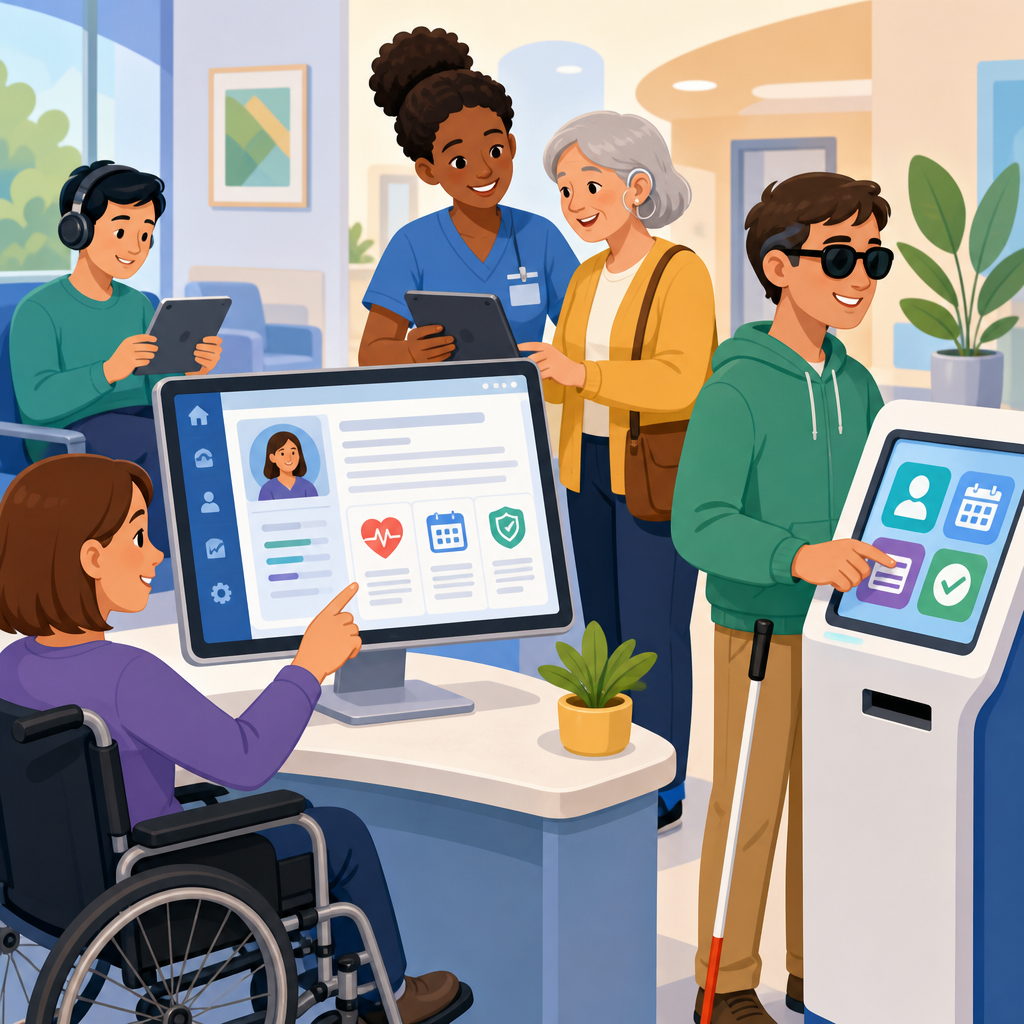
Accessibility requirements for EHR interfaces and medical kiosks determine whether patients, clinicians, and caregivers can use digital health tools safely, independently, and with dignity. In healthcare, accessibility means more than adding larger text or a screen reader label after launch. It means designing, procuring, configuring, testing, and maintaining software and hardware so people with disabilities can complete essential tasks such as registration, consent, scheduling, chart review, medication reconciliation, telehealth check-in, and payment. EHR interfaces include clinician-facing and patient-facing screens inside electronic health record platforms, patient portals, mobile companion apps, and embedded workflows such as e-prescribing or after-visit summaries. Medical kiosks include self-service check-in stations, intake tablets, payment terminals, wayfinding displays, and specialty devices used in clinics, hospitals, imaging centers, pharmacies, and emergency departments.
This topic matters because inaccessible health technology creates clinical risk, legal exposure, operational delays, and avoidable inequity. I have seen registration lines stall because a kiosk timed out before a patient using switch access could finish entering insurance information. I have also seen clinicians miss allergy details because an EHR color indicator was the only alert mechanism and the user had low vision. Those failures are not edge cases. They directly affect patient safety, documentation quality, revenue cycle performance, and patient trust. A strong accessibility program improves completion rates, reduces staff workarounds, and supports compliance with requirements tied to disability rights, civil rights, and digital service standards. As a hub for implementing and advancing accessible technology, this article explains the baseline rules, the practical design requirements, the testing methods that work in real healthcare environments, and the governance practices that keep systems accessible as products evolve.
Core standards, legal duties, and procurement expectations
The foundation for accessible EHR interfaces and medical kiosks is a mix of legal obligations, technical standards, and contractual controls. In the United States, healthcare organizations usually evaluate digital accessibility against the Americans with Disabilities Act, Section 504 of the Rehabilitation Act, Section 1557 of the Affordable Care Act, and, for federal agencies and many public-sector entities, Section 508. The most commonly used technical benchmark for web and software content is WCAG 2.1 Level AA, and many teams now align new work with WCAG 2.2 because it adds clearer expectations for focus appearance, dragging alternatives, target size, and consistent help. For kiosks and hardware, requirements also touch physical reach ranges, operable parts, tactile controls, privacy, audio output, and compatibility with assistive technology.
Procurement is where accessibility succeeds or fails. If a health system buys an EHR module, patient intake tablet, or payment kiosk without documented accessibility conformance, remediation later becomes expensive and politically difficult. The practical control is to require a current accessibility conformance report, often using the VPAT format, during vendor selection and renewal. That document is not proof of accessibility by itself, but it gives a structured statement of support gaps and exceptions. Mature organizations go further: they require test evidence, sample user flows, roadmaps for remediation, and language in the master services agreement covering timelines, severity levels, and retesting. Internal teams should score accessibility alongside security, interoperability, and clinical usability, not as an optional add-on.
Healthcare leaders should also understand that conformance and usability are different. A portal may technically meet many success criteria yet still frustrate a blind patient if appointment details are buried in poorly named links. A kiosk may offer audio guidance yet be mounted too high for wheelchair users. Accessibility requirements therefore need both standards-based review and task-based validation. Good governance connects policy, design systems, procurement checklists, issue tracking, and release management so accessibility defects are handled like security defects: visible, prioritized, assigned, tested, and closed with evidence.
Design requirements for accessible EHR interfaces
EHR accessibility starts with the basics of perceivable, operable, understandable, and robust interface design, but clinical software adds specialized demands. Every meaningful control must have a programmatic name, role, and value so screen readers can identify fields, buttons, toggles, dialogs, lab tabs, and timeline elements. Headings must reflect clinical structure, not just visual styling. Focus order must follow the task sequence during order entry, chart review, medication administration, and discharge workflows. Keyboard access is mandatory because many users cannot rely on a mouse, and because clinicians themselves often work faster with the keyboard. If keyboard traps appear inside date pickers, popovers, embedded PDFs, or signature components, the interface fails in a way that blocks care tasks.
Color cannot be the sole carrier of meaning. In several EHR builds I have audited, overdue items were shown only in red and completed items only in green. That pattern excludes users with low vision or color vision deficiency and can create charting errors under time pressure. Status should also be expressed with text, icons that have accessible names, and clear placement. Forms need explicit labels, instructions before entry, and error messages that identify the problem and the fix. If an insurance ID field rejects punctuation, the message should say so directly. If a dosage field requires a numeric range, the user should hear or see that requirement before submitting, not after losing context.
Readable content matters as much as code semantics. Clinical systems are full of abbreviations, but patient-facing interfaces should minimize jargon, expand acronyms on first use, and present instructions at a plain-language reading level whenever possible. Timeouts need careful handling. Security is important, yet abrupt session expiration during consent or symptom intake can force users to restart, especially users who need more time. The better pattern is to warn before timeout, allow extension, and preserve entered data securely. Responsive reflow, zoom up to 200 percent, sufficient contrast, visible focus indicators, and support for speech input all improve access without reducing efficiency for other users.
Requirements specific to medical kiosks and self-service hardware
Medical kiosks create a different accessibility profile because they combine software, hardware, environment, and privacy constraints. The software still needs WCAG-aligned interaction patterns, but hardware choices often determine whether a patient can even begin. Reach range and screen angle must work for seated and standing users. Interactive elements must be large enough to activate accurately, and touch-only controls should be avoided when a physical keypad, headphone jack, tactile navigation, or alternative input method is needed. Audio output should be available without forcing public playback, which means a standard headphone connection or a secure equivalent. If the kiosk captures signatures, scans IDs, reads cards, or prints receipts, those actions must be operable by users with limited dexterity, low vision, or one-handed use.
Environmental factors are often overlooked. Glare from lobby lighting can make a compliant display unusable. Wheelchair clearance may be blocked by decorative furniture. Speech privacy may vanish if the kiosk announces medical questions in a crowded waiting room. I have found that the best kiosk deployments include adjustable volume, a privacy screen, clear floor space, anti-glare positioning, multilingual support, and a staffed alternative path that does not require patients to disclose disability details publicly. Accessible technology never means forcing self-service. It means offering equivalent service quality through multiple channels.
| Requirement area | EHR interface example | Medical kiosk example | Practical test |
|---|---|---|---|
| Keyboard operation | Clinician can complete medication reconciliation without a mouse | Patient can navigate check-in with keypad or assistive input | Run the full task using Tab, Shift+Tab, Enter, arrows, and Escape only |
| Screen reader support | Problem list headings, alerts, and buttons are announced correctly | Audio prompts identify each field and action in order | Test with JAWS, NVDA, or VoiceOver through core workflows |
| Visual accessibility | Lab trends remain readable at 200 percent zoom with strong contrast | On-screen buttons are large, high contrast, and glare resistant | Check contrast ratios, zoom behavior, and lobby viewing conditions |
| Error recovery | Insurance form explains missing fields and preserves entries | Kiosk payment flow lets users correct mistakes without restarting | Trigger validation errors and confirm clear guidance |
| Physical access | Not typically hardware limited | Screen, card reader, and printer are reachable from seated position | Measure reach ranges and verify wheelchair clearance on site |
Testing methods that reflect real healthcare use
Accessibility testing in healthcare cannot rely on automated scans alone. Automated tools such as axe, WAVE, Lighthouse, and Accessibility Insights are useful for catching missing labels, contrast failures, empty buttons, and structural issues, but they will not tell you whether a nurse can chart vitals efficiently with a screen reader or whether a patient can complete a kiosk intake while anxious, in pain, or under time pressure. Effective testing combines automated checks, manual code inspection, assistive technology testing, and moderated task-based sessions with disabled users. That last step is where hidden barriers usually appear.
Define critical workflows first. For EHRs, that often means login with multifactor authentication, patient search, chart navigation, allergies, orders, medication reconciliation, results review, documentation, and discharge instructions. For kiosks, focus on language selection, identity verification, insurance capture, consent, copay payment, after-visit printing, and escalation to staff. Each workflow should have success criteria: can the user complete the task independently, accurately, within a reasonable time, and without losing data? Capture severity using a transparent rubric tied to patient safety, task blockage, frequency, and workaround quality.
Assistive technology coverage should reflect actual usage patterns. On Windows, JAWS and NVDA remain essential for enterprise clinical environments. On Apple devices, VoiceOver and Switch Control matter for many patients and some staff. Dragon NaturallySpeaking or built-in speech recognition should be tested where hands-free input is relevant. Magnification, high-contrast modes, closed captions, and reduced motion settings also deserve coverage. For kiosks, include headset testing, external keyboard compatibility where supported, and tactile discoverability of controls. The goal is not theoretical compatibility; it is reliable task completion in the environment where care happens.
Implementation strategy, governance, and continuous improvement
Implementing accessible technology across EHR interfaces and medical kiosks requires a program, not a one-time project. Start with an inventory of systems, owners, vendors, user groups, and high-risk workflows. Then set a standard baseline for design and procurement, usually anchored to WCAG 2.1 or 2.2 Level AA plus device-specific hardware requirements. Create reusable design patterns for forms, dialogs, alerts, tables, calendars, authentication, and error handling so teams do not reinvent accessibility with every release. In my experience, a design system with coded components is the fastest path to consistent improvement because it moves accessibility upstream into the building blocks.
Governance should include executive sponsorship, product ownership, clinical input, disability inclusion expertise, and a documented exception process. Accessibility issues need the same operational rigor as cybersecurity findings: intake, triage, remediation target dates, verification, and reporting. Training is equally important. Developers need to know ARIA patterns, semantic structure, and keyboard interaction models. Designers need competence in contrast, zoom, focus management, content clarity, and mobile responsiveness. Procurement teams need to read VPATs critically and ask for demonstrations. Help desk and front-desk staff need scripts and procedures for alternate assistance that preserve privacy and respect.
Advancement means moving beyond compliance toward measurable equity. Track abandonment rates on kiosk flows, portal message completion, telehealth join success, and form error frequency by channel. Review complaints and incident reports for accessibility signals. Include disabled participants in pilot testing and governance councils. When remediation is needed, publish realistic timelines and prioritize blocked tasks first. Accessible technology is not a niche upgrade inside healthcare IT. It is infrastructure for safe care, inclusive service, and dependable operations. Organizations that treat it that way build better digital experiences for everyone. The next step is simple: audit your highest-risk EHR and kiosk workflows, fix the barriers that block core tasks, and make accessibility a standing requirement for every future release and purchase.
Frequently Asked Questions
What accessibility standards apply to EHR interfaces and medical kiosks?
Accessibility requirements for EHR interfaces and medical kiosks usually come from a combination of civil rights laws, technical standards, procurement rules, and healthcare-specific risk management expectations. In the United States, organizations often start with the Americans with Disabilities Act, Section 504 of the Rehabilitation Act, and Section 1557 of the Affordable Care Act, all of which shape the obligation to provide equal access to digital services in healthcare settings. For technology purchased or used by public entities or organizations working under federal requirements, Section 508 may also be relevant. On the technical side, the most widely used benchmark is WCAG, typically WCAG 2.1 Level AA or newer, because it provides practical criteria for making interfaces perceivable, operable, understandable, and robust for people with visual, auditory, motor, speech, cognitive, and neurological disabilities.
For kiosks, accessibility goes beyond on-screen software. Physical hardware matters too. Height, reach range, clear floor space, privacy, audio output, tactile controls, alternative input methods, and compatibility with assistive technology can all affect whether a kiosk is actually usable in a clinic or hospital. A kiosk might have a compliant website interface but still be inaccessible if a wheelchair user cannot reach the scanner, a blind patient cannot activate audio guidance independently, or a patient with limited dexterity cannot complete registration without a precise touch gesture. In healthcare, that gap between technical compliance and real-world usability is where many failures occur.
The most practical approach is to treat accessibility as a system requirement rather than a checklist applied late in the project. That means defining standards in contracts, requiring conformance documentation from vendors, validating claims through testing, and making sure local configuration does not undo accessible defaults. It also means recognizing that legal compliance and clinical usability are connected. If a patient cannot independently review consent information, a caregiver cannot navigate a portal, or a clinician using assistive technology cannot document safely in the EHR, the issue is not just inconvenience. It can affect privacy, safety, workflow, and quality of care.
Why is accessibility especially important in healthcare software and self-service medical kiosks?
Accessibility matters in every industry, but in healthcare the stakes are much higher because digital barriers can interfere with essential care tasks. Patients use kiosks and EHR-connected tools to register, verify identity, update demographics, review forms, provide consent, schedule appointments, check test results, pay bills, and communicate with care teams. Clinicians and staff rely on EHR interfaces for documentation, order entry, medication review, decision support, and care coordination. If those systems are not accessible, people may be prevented from completing tasks that directly affect diagnosis, treatment, billing, and continuity of care.
There is also a dignity and independence issue that healthcare organizations should take seriously. A patient who cannot privately use a kiosk may be forced to disclose personal information to a stranger. A blind patient may need assistance to review consent text that should have been available through screen reader support or audio output. A Deaf or hard-of-hearing user may miss critical instructions if the kiosk relies only on audio. A clinician with low vision or limited hand mobility may face slower workflows, more fatigue, and a higher risk of documentation errors if the EHR is cluttered, poorly structured, or dependent on drag-and-drop interactions. Accessibility is not a courtesy feature in these scenarios. It is part of safe, equitable access to care.
Healthcare environments also introduce stress, time pressure, and cognitive load that make good accessible design even more important. Patients may be in pain, anxious, medicated, fatigued, or unfamiliar with medical terminology. Caregivers may be multitasking. Clinical staff may be under severe workflow pressure. Interfaces that are clear, consistent, keyboard accessible, readable, forgiving of errors, and compatible with assistive technologies help everyone, not only users with formally recognized disabilities. In practice, accessibility improves resilience and usability across the board, which is why leading organizations treat it as a core quality requirement rather than a specialized add-on.
What are the most common accessibility problems found in EHR interfaces and medical kiosks?
Some of the most common issues are basic but highly disruptive: poor keyboard navigation, missing form labels, weak color contrast, unlabeled buttons, inaccessible pop-ups, focus order problems, timeout warnings that cannot be extended, and screen reader announcements that are incomplete or confusing. In EHR interfaces, dense layouts, inconsistent headings, ambiguous icons, and workflows that require too many clicks or precise motor actions are also frequent problems. These issues become serious when they affect medication review, chart navigation, allergy documentation, orders, alerts, or other safety-critical functions. Even when every field technically exists, users can still be blocked if they cannot tell where they are, what action is required, or whether the system accepted their input.
Medical kiosks have additional hardware and environment-related barriers. Touch-only input is a major one, especially when there is no tactile keypad, no headphone jack, no private audio guidance, or no alternative for users who cannot use gestures accurately. Screen glare, fixed font sizes, low speaker volume, inaccessible card readers, and scanners placed outside comfortable reach are also common. Another problem is relying on timed workflows with no practical way to pause, repeat instructions, or recover from mistakes. A patient who misses one step may be forced to start over, and that can be especially difficult for people with cognitive disabilities, low literacy, limited English proficiency, or anxiety in clinical settings.
A less obvious but very important problem is inaccessible configuration and maintenance after deployment. An EHR module may have accessible templates, but local teams may customize colors, labels, or workflow components in ways that break screen reader support or remove visible focus indicators. A kiosk may launch with an accessible mode, but staff may disable headphones, block ports, change privacy screens, or install updates without retesting. Accessibility often degrades over time unless organizations govern content, configuration, procurement, and change management carefully. That is why successful programs combine technical standards with ongoing operational oversight.
How should healthcare organizations test accessibility for EHR systems and medical kiosks?
Effective accessibility testing should combine automated scanning, expert manual review, assistive technology testing, and real-world user validation. Automated tools are useful for catching certain issues quickly, such as missing alt text, low contrast, duplicate IDs, or obvious form problems, but they only identify part of the picture. In healthcare workflows, manual testing is essential because teams need to verify focus order, keyboard support, screen reader announcements, error handling, timeout behavior, modal dialogs, data tables, dynamic content updates, and whether a complete task can be finished without barriers. Testing should cover the actual scenarios that matter: patient registration, consent, scheduling, portal access, chart review, payment, check-in, and clinician documentation workflows.
Assistive technology compatibility is especially important. That includes screen readers, screen magnifiers, voice input, switch devices, alternative keyboards, browser zoom, captioning, and audio support where appropriate. For kiosks, testing should also evaluate physical reach, orientation, glare, headphone use, tactile discoverability, privacy, and whether a first-time user can independently start and complete the session. In many cases, a system appears accessible in a lab setting but fails in the clinic because ambient noise, lighting, network delays, cramped placement, or staff assumptions create practical barriers. Accessibility testing should therefore happen in realistic environments, not only in development environments.
The strongest programs include people with disabilities in usability testing because conformance alone does not guarantee successful task completion. User testing can reveal confusion, fatigue, navigation friction, and workarounds that technical reviewers may miss. Organizations should document findings by severity, tie them to affected workflows, define remediation timelines, and retest after fixes. It is also wise to build accessibility checks into procurement reviews, design reviews, release cycles, and content governance so problems are prevented earlier. In healthcare, waiting until go-live to assess accessibility is expensive and risky. Continuous testing is the safer and more sustainable model.
What should organizations include in procurement, implementation, and maintenance plans to keep EHR interfaces and kiosks accessible over time?
Accessibility should be written into every stage of the technology lifecycle. During procurement, organizations should require clear accessibility commitments in RFPs, contracts, and vendor evaluations. That often includes requesting a current accessibility conformance report, asking which WCAG version and level the vendor supports, reviewing known gaps, and requiring remediation plans for any exceptions. Buyers should also ask how accessibility is handled in mobile views, patient portals, embedded documents, third-party integrations, and kiosk hardware. For medical kiosks, procurement should cover both software and physical design requirements, including audio output, tactile controls, reach range, and alternative interaction methods. The goal is to avoid purchasing a product that looks modern but cannot be used safely and independently by all intended users.
Implementation is where many organizations either preserve or undermine accessibility. Local branding, workflow customization, templates, content uploads, and security settings can all create new barriers. Teams should validate accessibility after configuration, not just rely on the vendor’s general claims. Staff training is also critical. Registration teams, IT teams, clinical informatics leaders, content owners, and frontline support staff need to understand how accessible features work and how to assist users without compromising privacy or independence. If a kiosk has an accessible mode, staff should know how users activate it without requiring help. If an EHR has keyboard shortcuts, zoom support,


