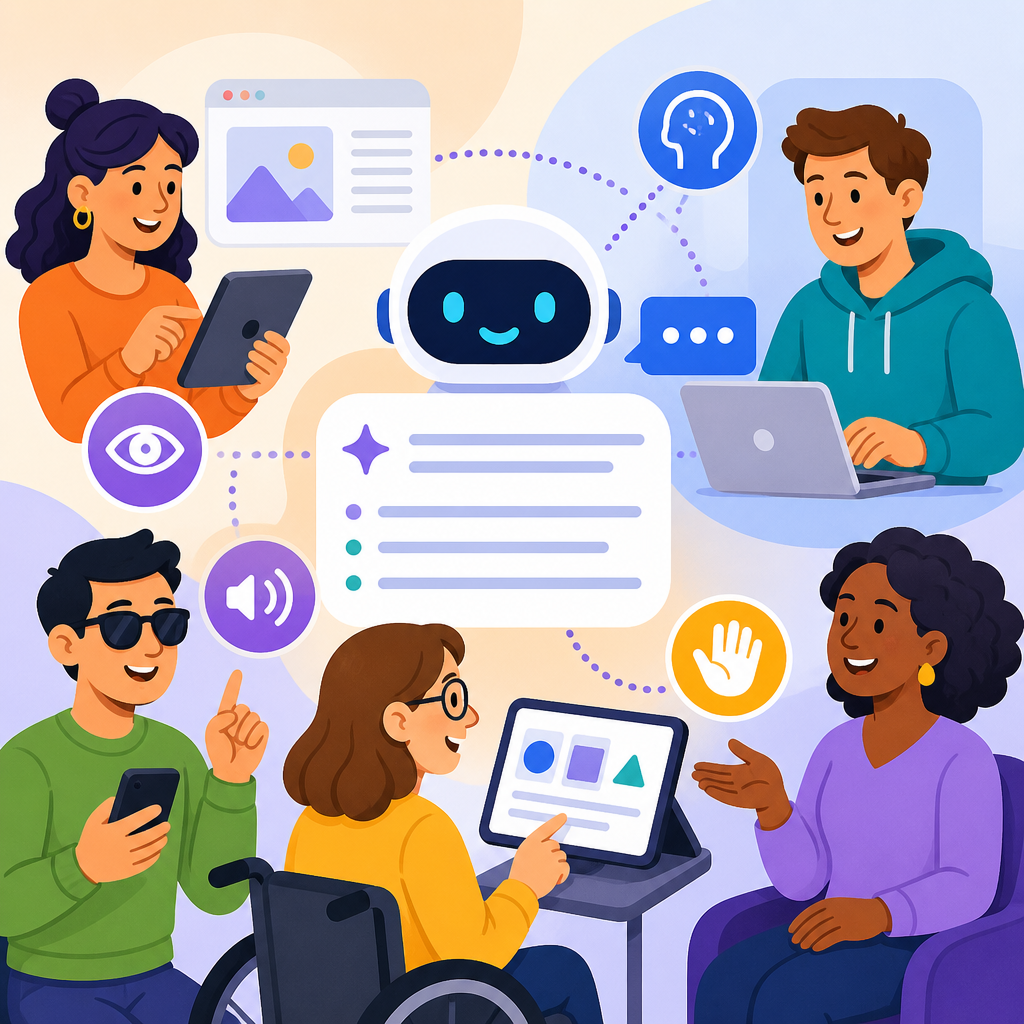
Artificial intelligence summary tools and chat interfaces are reshaping how people find information, complete tasks, and interact with digital services, but their accessibility implications are more complex than many product teams realize. In this context, AI summaries are machine-generated overviews that condense longer content into short answers, while chat features are conversational interfaces that let users ask follow-up questions, refine requests, and receive dynamically generated responses. Both are now appearing in search engines, customer support systems, productivity software, healthcare portals, educational platforms, and public sector websites. Because these features increasingly sit between users and the underlying content, they directly affect whether people with disabilities can perceive, operate, understand, and trust digital experiences. That makes them central to ADA developments in technology and accessibility.
The Americans with Disabilities Act was enacted before modern web platforms and certainly before generative AI, yet its nondiscrimination requirements apply to digital experiences offered by many businesses, employers, schools, and public entities. In practice, organizations usually translate those obligations into technical and design work by aligning digital products with the Web Content Accessibility Guidelines, currently WCAG 2.1 and, increasingly, WCAG 2.2. I have worked with teams auditing AI-assisted search, chatbot widgets, and summarization layers, and the same pattern appears repeatedly: the base website may be accessible, but the AI layer introduces new barriers. A keyboard user loses focus inside a floating chat window. A screen reader user hears a changing answer with no status announcement. A user with a cognitive disability receives a compressed summary that omits the exact step needed to complete a task. These are not edge cases; they are predictable product risks.
This article serves as a hub for ADA developments in technology and accessibility by explaining how AI summary and chat features affect compliance, usability, and equal access across digital environments. It also frames the subtopics organizations need to understand as they build or buy AI-powered experiences: legal exposure, technical standards, content governance, procurement, testing, and human support. The key point is straightforward. Accessibility is no longer limited to page templates, alt text, and color contrast. If an AI system becomes the doorway to information, navigation, customer service, or decision support, that doorway must be accessible in its own right and must not distort access to the source content behind it.
Why AI summaries and chat interfaces create new accessibility risks
AI tools can improve access when they are designed well. They can explain dense information in plain language, surface relevant headings quickly, and reduce navigation effort for people who struggle with large information spaces. However, those benefits are never automatic. Summary and chat features often change the interaction model from static reading to dynamic, stateful conversation. That shift introduces issues that standard page-level audits may miss.
First, AI interfaces are often rendered inside modals, side panels, or embedded widgets that rely heavily on JavaScript. If focus order, labeling, escape behavior, and reading order are not implemented correctly, keyboard and assistive technology users can become trapped or disoriented. Second, generated responses update asynchronously. Without proper ARIA live region handling or clear status messages, screen reader users may not know that new content has appeared. Third, summaries are selective by design. A shortened answer may remove qualifiers, deadlines, exceptions, or warnings that are essential for users who rely on exact language. In government benefits, healthcare, education, employment, and finance, that omission can materially affect equal access.
Another common problem is discoverability. Many interfaces privilege the AI answer while visually de-emphasizing the original source, full navigation, or accessible document version. That creates a barrier for users who need to verify, print, translate, magnify, or review information in a different format. In my audits, I have also seen chat tools that timeout too quickly, fail to preserve conversation history, or block browser zoom and text spacing adjustments. These may sound like implementation details, but under disability access analysis, implementation details are where exclusion often occurs.
How ADA obligations apply to AI-mediated digital experiences
The ADA does not provide a special exemption for newer technologies simply because they are innovative. When an organization offers information, goods, services, programs, or employment processes through an AI summary panel or chat assistant, that feature becomes part of the user experience subject to accessibility obligations. For public entities and many federally funded contexts, Section 504 and updated Title II requirements sharpen this expectation. For private businesses, litigation and settlements have consistently pushed digital accessibility toward WCAG conformance as the practical benchmark.
That matters because AI mediation changes the legal and usability question from “Is the page accessible?” to “Can a disabled user achieve the same result with substantially equivalent ease, privacy, independence, and accuracy?” A customer support chatbot that is keyboard accessible but repeatedly misunderstands dictated speech from a user with a speech disability may still create unequal access. An AI summary that omits accommodation instructions available on the full page may likewise fail in practical terms. Equal access depends on outcomes as well as interface mechanics.
Organizations should therefore evaluate AI experiences across the same functional areas that have long mattered in accessibility programs: perception, operation, comprehension, error prevention, and recovery. They should also examine whether AI outputs create inconsistent treatment. If the system gives shorter, less precise, or more confusing guidance to certain users because of language patterns, assistive technology input, or disability-related communication styles, that is not just a quality issue. It is an accessibility and civil rights issue.
Technical accessibility issues teams must test before launch
Teams implementing AI chat and summary features should test the interaction layer with the same rigor used for checkout flows, forms, and media players. In practical audits, the highest-risk failures usually cluster around focus management, labels, announcements, and structured output. Every control in the interface needs an accessible name that reflects its function. Buttons such as “send,” “stop generating,” “copy response,” “regenerate,” and “open sources” must be exposed correctly to assistive technologies. Focus should move predictably when the widget opens, remain contained only when appropriate, and return logically when the user exits.
Dynamic updates require special care. Loading indicators should be programmatically conveyed. Streaming responses should not constantly interrupt screen readers. Errors such as “network issue” or “prompt too long” should be announced clearly and remain visible long enough to review. Generated content also needs semantic structure. If the AI produces steps, FAQs, citations, or comparisons, that output should render as proper headings, lists, links, and tables rather than as an undifferentiated text block. This matters for screen reader navigation, voice control, reflow, and cognitive processing.
| Issue | Typical failure | Accessibility impact | Recommended fix |
|---|---|---|---|
| Focus management | Chat drawer opens without moving focus | Keyboard and screen reader users lose context | Send focus to the chat heading or first interactive control |
| Status updates | Answer appears silently after loading | Users do not know new content is available | Use polite live regions and explicit loading messages |
| Control labeling | Icon-only buttons lack accessible names | Assistive technology cannot identify functions | Provide programmatic labels and visible tooltips where helpful |
| Output structure | Generated response is one long paragraph | Navigation and comprehension become harder | Render headings, lists, and links semantically |
| Source access | Summary hides original content links | Users cannot verify or reach accessible source material | Expose sources prominently and preserve direct navigation |
Mobile testing is equally important. Chat controls often overlap system zoom, virtual keyboards, or screen magnification. On touch devices, hit targets must be large enough, gestures must have alternatives, and orientation changes should not break the conversation panel. Products should also be tested with common assistive technologies, including NVDA, JAWS, VoiceOver, TalkBack, Dragon, switch access tools, and browser zoom up to at least 200 percent. Automated tools such as axe, WAVE, and Accessibility Insights help identify code issues, but they do not replace manual scenario testing.
Content accuracy, cognitive accessibility, and the risk of misleading summaries
Accessibility is not only about whether an element can be reached; it is also about whether the information delivered is understandable and reliable. AI summary tools can help users with cognitive disabilities by reducing complexity, but they can also create a false sense of simplicity. A summary may compress policy language so aggressively that exceptions disappear. It may restate a deadline without the timezone, omit a prerequisite document, or merge two separate processes into one. For a disabled user who depends on the summary because it is easier to parse, that distortion can be more harmful than a difficult original page.
Plain language is beneficial, but plain language is not the same as incomplete language. Strong implementations preserve critical details, show where the answer came from, and let users expand into the full source without friction. They also distinguish factual extraction from generative explanation. For example, if a university disability services page lists four documentation pathways, an AI summary should identify all four or explicitly state that it is providing a short overview rather than the complete policy. If a healthcare portal explains medication side effects, an AI answer should never replace the authoritative clinical content or downplay risks.
This is especially important for ADA developments in technology and accessibility because legal rights, accommodation procedures, and complaint steps often hinge on precise wording. A flawed summary of return-to-work accommodations, website accessibility statements, event access policies, or grievance procedures can steer users away from the support they are entitled to receive. Human review, source citation, and clear escalation options are therefore core accessibility safeguards, not optional editorial improvements.
Bias, language variation, and disability-related communication patterns
AI chat systems are trained on broad language data, which means they can struggle with disability-related communication patterns, dialects, augmentative input, and nonstandard phrasing. In customer service testing, I have seen chat tools perform well with polished written English yet fail when a user asks for help in short fragments, dictated sentences, or repetitive clarifying questions. That matters because many disabled users interact with technology in precisely those ways, whether due to motor limitations, cognitive fatigue, speech differences, or assistive technology constraints.
Bias also appears in intent recognition and response prioritization. A system may interpret “I cannot hear the video” as a device issue rather than an accessibility issue requiring captions or transcripts. It may treat “I need more time to complete this form” as a generic support request instead of recognizing a possible accommodation context. These failures are not always malicious, but they are consequential. They delay resolution, increase user effort, and can force disclosure of disability information multiple times.
Mitigation requires representative testing data, disability-inclusive prompt libraries, and escalation pathways to trained staff. Teams should test how the model handles terms such as captioning, screen reader, magnification, seizure-safe animation, plain language, service animal, communication access real-time translation, and alternative format requests. They should also review transcripts for patterns of breakdown by user group, not just average satisfaction scores. Accessibility work becomes stronger when product analytics are paired with qualitative review of real conversations.
Governance, procurement, and responsible deployment across organizations
As a hub topic, ADA developments in technology and accessibility must include governance because many organizations do not build these tools from scratch. They procure chat platforms, search overlays, summarization services, and foundation model integrations from vendors. Accessibility risk often enters through contracts that mention innovation goals but omit enforceable requirements for WCAG conformance, remediation timelines, audit rights, data handling, and human fallback support.
Procurement teams should require an up-to-date accessibility conformance report, preferably using the Voluntary Product Accessibility Template format, while understanding that a VPAT is only a starting point and not proof of actual usability. Contracts should specify testing obligations after configuration, because an accessible platform can become inaccessible through custom theming, poorly labeled prompts, or bad source integrations. Governance should also define who owns prompt design, content review, incident response, legal review, and model update monitoring.
Responsible deployment includes publishing accessible help content that explains what the AI feature can do, what its limitations are, how user data is handled, and how to reach a human. It also means retaining non-AI paths to complete important tasks. A chatbot may speed triage, but it should not be the only route to request accommodations, access tax documents, file complaints, or receive emergency instructions. The most resilient organizations treat AI as an assistive layer for service delivery, not as a replacement for accessible service design.
Building an accessible roadmap for future ADA technology updates
Organizations that want durable compliance should move beyond one-time audits and create an operational roadmap. Start by inventorying every AI summary and chat feature across web, mobile, intranet, and kiosk environments. Map each feature to user journeys such as account access, benefits enrollment, learning support, telehealth messaging, and customer service. Then assign risk based on task criticality, disability impact, and traffic volume. High-risk flows deserve manual accessibility testing before and after each major model or interface update.
Next, establish design and content standards for AI outputs: semantic structure, source visibility, response length controls, plain-language rules, escalation copy, and error handling. Train designers, engineers, content strategists, and support staff together, because accessibility failures in AI systems rarely belong to one discipline alone. Finally, monitor outcomes. Track abandonment, repeat contacts, unresolved accessibility complaints, and time to human escalation. Those metrics reveal whether the feature is truly improving access or merely appearing innovative.
The accessibility implications of AI summary and chat features are significant because these tools increasingly mediate access to information, services, and rights. When designed well, they can reduce friction, clarify complex material, and expand independence for many users. When designed poorly, they can hide source content, create technical barriers, and deliver incomplete or biased guidance at the exact point a user needs precision. For organizations following ADA developments in technology and accessibility, the lesson is clear: evaluate AI interfaces as core access points, not optional add-ons. Audit them, govern them, test them with disabled users, and preserve human alternatives. If your organization is deploying AI-powered summaries or chat now, make accessibility review part of the release process before those tools become your users’ primary doorway.
Frequently Asked Questions
1. Why do AI summaries and chat features create unique accessibility challenges compared with traditional search and navigation?
AI summaries and chat features change both the format of information and the way people are expected to interact with it. Traditional websites usually present content in stable layouts with visible headings, links, buttons, and navigation patterns that assistive technologies can interpret reliably. By contrast, AI summaries often condense complex material into a short, machine-generated response that may remove structure, omit nuance, or hide the original source context. For users with disabilities, that can create barriers to comprehension, verification, and trust. A summary that sounds clear on the surface may still be inaccessible if it leaves out essential qualifiers, skips steps in a process, or fails to expose where the information came from.
Chat interfaces introduce a second layer of complexity because they are dynamic, stateful, and often unpredictable. New content may appear without a full page reload, messages may be inserted or updated automatically, and follow-up suggestions may shift focus visually without being announced properly to screen readers. Users who rely on keyboard navigation, screen magnification, voice input, or cognitive supports can encounter problems if the interface does not clearly indicate where they are, what changed, and how to move through the conversation. In many cases, the challenge is not just whether the AI can generate useful text, but whether the product communicates that text in a perceivable, operable, understandable, and robust way. That is why accessibility for AI features must be evaluated as both a content quality issue and an interface design issue.
2. What are the biggest risks AI-generated summaries pose for users with disabilities?
The biggest risks usually fall into four categories: loss of context, accuracy problems, inconsistent structure, and overreliance on simplified outputs. When an AI summary condenses a longer article, policy, medical explanation, or service instruction, it may strip out the detail some users need in order to make decisions confidently. This can be especially harmful for users with cognitive disabilities, learning disabilities, or memory-related conditions who may benefit from concise language but still need key definitions, examples, and step-by-step guidance. A summary that is too compressed can become misleading rather than helpful.
Accuracy is another major concern. If a summary misstates a deadline, eligibility rule, dosage instruction, or legal requirement, the harm is not distributed evenly. Users who depend on the summary because it is easier to process than the original material may be placed at greater risk. Accessibility is not only about whether information is technically readable by assistive technology; it also includes whether the information is dependable enough to support equal access. If users with disabilities are funneled toward AI-generated shortcuts that are less accurate than the primary source, that creates an inequitable experience.
Structure matters as well. Some summaries are presented as plain blocks of text without headings, lists, source links, or clear distinctions between verified facts and generated interpretation. That can make them harder to scan with a screen reader, more difficult to review with magnification, and less manageable for people who need information broken into predictable chunks. Finally, organizations sometimes design summaries as the default or most prominent pathway, while making the full content harder to access. That creates a dangerous pattern in which users are encouraged to depend on a potentially incomplete representation of the source. An accessible implementation should support summarization as an aid, not as a substitute for transparent access to the original material.
3. How should chat interfaces be designed so they work better with screen readers, keyboards, and other assistive technologies?
Accessible chat design starts with predictable interaction patterns. Users should be able to navigate the full interface by keyboard alone, including the message history, text input, send button, attachment controls, suggested prompts, and any settings or feedback tools. Focus order should be logical, visible, and stable. When a new AI response is added, the interface should not unexpectedly pull keyboard focus away from the input unless the user has initiated an action that clearly requires it. Screen reader users in particular need meaningful announcements when content is added, when a response is still generating, and when generation has completed. Appropriate live region behavior can help, but it must be implemented carefully to avoid excessive or repetitive announcements that overwhelm users.
The conversation itself also needs semantic structure. Messages should be grouped and labeled in ways that make sense when read linearly by assistive technology. Users should be able to tell who sent each message, when content is updated, and where one response ends and another begins. Long responses benefit from headings, lists, tables with proper markup, and linked references where relevant. If the chat includes streaming text, loading indicators, collapsible sections, or citations that open overlays, those elements must be fully operable and announced correctly. The input field should have a clear label, instructions should be persistent rather than placeholder-only, and error states should be conveyed programmatically as well as visually.
It is also important to support user control. People should be able to pause, review, copy, revisit, or restart a conversation without losing orientation. If the system remembers context across turns, that state should be understandable to the user rather than hidden behind vague behavior. For users with cognitive or speech-related disabilities, the interface should avoid unnecessary timeouts, ambiguous icons, and unexplained model behavior. In practice, a well-designed accessible chat experience feels calm, legible, and navigable. It does not require users to guess what changed or where to go next.
4. Can AI summaries and chat tools improve accessibility when they are implemented well?
Yes, they can provide meaningful accessibility benefits when they are designed responsibly and positioned as supportive tools rather than replacements for accessible content. AI summaries can help users quickly grasp the main point of a long document, simplify jargon, extract action items, or present information in a more digestible form. For some users with cognitive disabilities, attention-related conditions, fatigue, or limited time, that can reduce the effort required to begin engaging with content. Chat tools can also lower barriers by letting users ask follow-up questions in plain language instead of forcing them to hunt through complex navigation structures or dense documentation.
These benefits become more credible when the system offers multiple pathways. For example, a user might read a short summary, expand into the full source, ask clarifying questions, and then receive a step-by-step explanation tailored to their needs. That layered approach can support different reading styles and access preferences without locking anyone into a single mode of interaction. AI can also assist with transformation of content into alternate formats, such as simplified explanations, translated summaries, or task-oriented guidance, though each of these outputs still requires quality controls and clear limitations.
The key is that accessibility gains only count if they are real, reliable, and inclusive across disability groups. A feature that helps one user but blocks another is not inherently accessible. Product teams should validate whether AI-generated assistance actually improves comprehension, task completion, and confidence for people using screen readers, keyboards, magnifiers, switch devices, voice control, captions, and other supports. When AI features are transparent, testable, and paired with direct access to the original content, they can extend usability. When they are treated as magical shortcuts, they often introduce new barriers under the appearance of convenience.
5. What should product teams do to evaluate the accessibility of AI summary and chat features effectively?
Product teams should evaluate these features as end-to-end experiences, not just interface components. That means testing the visible design, the semantic markup, the dynamic behavior, the quality of generated content, and the user’s ability to recover when the system is wrong or unclear. A strong evaluation process begins with established accessibility standards such as WCAG, but it should not stop there. Teams need to ask practical questions: Can a screen reader user understand the summary and trace it back to the source? Can a keyboard-only user move through a long conversation efficiently? Can a user with a cognitive disability tell what the AI knows, what it inferred, and what they should do next? Can users identify errors, request clarification, and reach a non-AI alternative if needed?
Testing should include both automated and manual methods. Automated checks can catch some structural issues, color contrast problems, missing labels, and obvious ARIA misuse, but they cannot determine whether an AI summary is misleading, whether live announcements are helpful or disruptive, or whether the conversation flow makes sense under real assistive technology use. Manual testing with screen readers, keyboard navigation, magnification, and voice control is essential. Even more important is usability testing with people with disabilities, because many of the highest-risk failures show up in comprehension, trust, fatigue, and error recovery rather than in code alone.
Teams should also build governance around content transparency. AI-generated outputs should be identifiable as such, source attribution should be easy to find, confidence should not be overstated, and critical information should not depend exclusively on generated text. If the system summarizes policies, health content, financial information, or public services, escalation paths and human-reviewed alternatives matter. Finally, accessibility review should be ongoing. AI features evolve continuously, and model updates can change response length, formatting, interaction patterns, and error profiles overnight. Treating accessibility as a one-time compliance task is not enough. The most effective teams monitor these systems over time and refine them based on direct feedback from disabled users.


