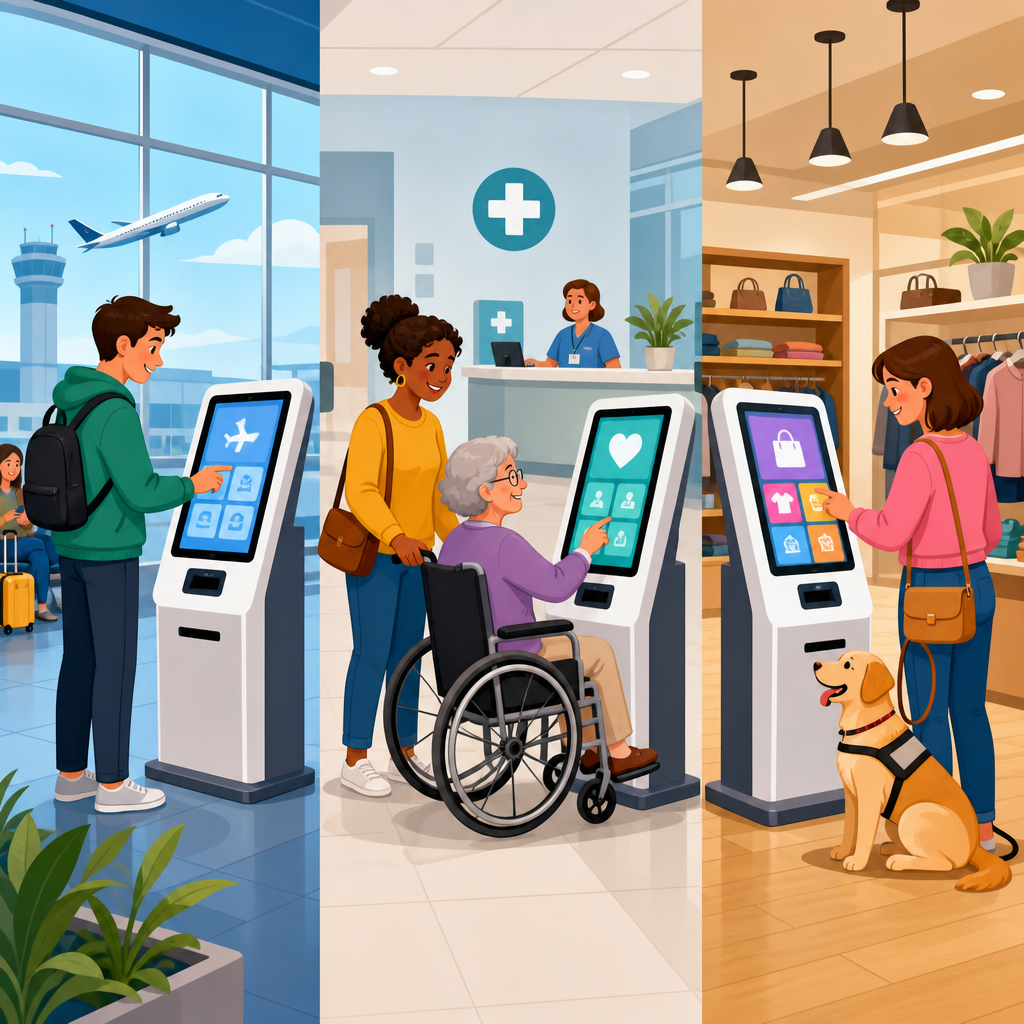
Kiosk accessibility in airports, hospitals, and retail stores is no longer a niche design concern; it is a core requirement for modern service delivery, customer satisfaction, and legal compliance. A kiosk is any self-service digital terminal that lets people complete tasks without direct staff assistance, from checking in for a flight to printing a prescription label or paying for groceries. Accessibility means those tasks can be completed by people with disabilities, including users who are blind, have low vision, are deaf or hard of hearing, have limited dexterity, use wheelchairs, have cognitive disabilities, or experience temporary impairments such as an injured arm or a noisy environment. When organizations get kiosk accessibility right, they reduce friction, shorten queues, improve privacy, and make advanced technology for accessibility practical in daily life.
In my work evaluating self-service systems, I have seen the same pattern across sectors: teams invest heavily in sleek hardware, cloud software, and analytics dashboards, then discover that a screen mounted a few inches too high or a missing audio prompt excludes a significant portion of users. Accessible kiosks are not simply standard kiosks with a bigger font. They are carefully engineered systems that combine physical reach ranges, tactile controls, screen-reader style guidance, plain-language workflows, accessible payment devices, reliable networking, and maintainable software. They also sit within a broader technology and accessibility ecosystem that includes mobile wayfinding, remote assistance, voice interfaces, digital signage, hearing support, AI-powered translation, and interoperable identity tools.
This hub article explains how kiosk accessibility works in airports, hospitals, and retail stores, why standards matter, which technologies deliver the best results, and where organizations commonly fail. It also connects the topic to advanced technology for accessibility more broadly, so readers can use this page as a foundation for deeper implementation work. The most important principle is straightforward: an accessible kiosk must allow independent, equivalent, and dignified use. If a blind traveler must disclose private information to a stranger for help, or a wheelchair user cannot reach the payment reader, the system is not truly accessible even if a regulation checkbox was marked during procurement.
What makes a kiosk accessible
An accessible kiosk combines hardware, software, and environmental design. Hardware includes screen height, viewing angle, glare control, headphone jacks, tactile keypads, card readers, NFC tap zones, printers, document scanners, and shelf space for bags or mobility aids. Software includes screen magnification, high-contrast themes, text-to-speech, logical focus order, timeout controls, error prevention, multilingual support, and clear confirmation screens. Environmental design includes floor space for wheelchair maneuvering, lighting that does not wash out the display, manageable background noise, and placement that preserves privacy.
The baseline technical references most teams use are the Americans with Disabilities Act for physical access in the United States, Section 508 for certain federal technology contexts, and the Web Content Accessibility Guidelines as the primary benchmark for digital interaction patterns. WCAG was originally written for web content, but its success criteria are widely applied to kiosk software because kiosks run on web stacks, app frameworks, or hybrid systems with similar interaction models. In practice, I advise teams to map every user journey against perceivable, operable, understandable, and robust design principles, then validate them through field testing with disabled users, not just lab reviews.
Key accessibility features should not be optional extras hidden three menus deep. A user should be able to start audio guidance immediately, usually through a tactile button or headphone insertion. Visual instructions should be large and concise. Critical actions such as cancel, back, help, and repeat instructions should be consistently placed. Payment workflows should support chip, tap, and accessible PIN entry. Timeouts should be generous and extendable. Receipts, boarding passes, or medication labels should be easy to retrieve from reachable output slots. These details determine whether a kiosk is empowering or frustrating.
Airport kiosks: speed, security, and independent travel
Airports rely on kiosks for check-in, bag tagging, wayfinding, immigration processing, lounge access, and retail transactions. The environment is fast moving, noisy, multilingual, and stressful even for experienced travelers. For disabled passengers, inaccessible kiosks can break the trip before security screening even begins. An airport kiosk must therefore support quick independent use while accounting for lighting glare, rolling luggage, queue pressure, and strict identity verification requirements.
The best airport kiosks use a multimodal interface. A blind traveler can plug in headphones and receive step-by-step spoken guidance from the welcome screen onward. A passenger with low vision can switch to high contrast and larger text without losing layout stability. A wheelchair user can approach the terminal head-on with enough knee clearance and reach the passport scanner and printer slot comfortably. A deaf traveler can rely on clear captions, visual progress indicators, and plain text alerts rather than solely audio chimes. These are not theoretical features; major airport deployments from vendors such as Embross, SITA, and NCR commonly support some combination of audio navigation, tactile controls, and accessible check-in workflows.
Security introduces complexity. Document scanning, facial capture, and identity confirmation are sensitive processes. If the camera is fixed too high, a seated passenger may struggle to align their face. If spoken prompts are the only cue during biometric capture, deaf users may miss instructions. Good design solves this with adjustable framing guides, on-screen alignment markers, synchronized text and audio prompts, and staff override protocols that preserve dignity. Another critical issue is baggage tag application. Many travelers can print a tag but need the loop and adhesive design to be manageable one-handed or with limited dexterity. Airports that pair kiosks with accessible bag-drop counters and roving trained staff create a more complete experience than those treating the kiosk as an isolated device.
Hospital kiosks: privacy, urgency, and inclusive patient intake
Hospital and clinic kiosks handle check-in, insurance verification, appointment confirmation, consent forms, copay collection, visitor management, and navigation. The stakes are high because users may be in pain, fatigued, medicated, anxious, or unfamiliar with the facility. In healthcare, kiosk accessibility is tied not only to convenience but also to patient safety, privacy, and equitable care.
One repeated failure point in hospitals is cognitive overload. Patients are often asked to verify demographics, read policy statements, update medical history, and sign forms in a single session. Accessible design in this setting means breaking tasks into short steps, using plain language, presenting one decision at a time, and clearly explaining why information is needed. For users with low literacy, limited English proficiency, or memory challenges, these choices significantly improve completion rates. I have seen completion times drop when facilities replaced dense paragraphs with short prompts, icon-supported choices, and progress indicators that reduced uncertainty.
Privacy is especially important. Audio output is useful, but healthcare kiosks must prevent sensitive information from being broadcast. Headphone support, screen privacy filters, and transaction layouts that avoid exposing diagnosis-related details on waiting-room displays are essential. For deaf or hard-of-hearing patients, video remote interpreting integration and clear visual calls for assistance can complement the kiosk. For blind patients, accessible signature capture remains a challenge. Some organizations solve it by allowing alternative confirmation methods through patient portals, staff-assisted secure workflows, or reusable consent profiles linked to health system accounts. The right answer depends on clinical policy, but the wrong answer is forcing inaccessible signature pads with no equivalent option.
Wayfinding is another major hospital use case. Advanced technology for accessibility extends beyond the kiosk itself to indoor mapping, Bluetooth beacons, QR-triggered mobile directions, and integration with appointment systems. A patient can check in at a kiosk, receive spoken or printed directions, and continue on a mobile device with turn-by-turn accessible navigation. That connected flow is where hospitals see the biggest gains, because accessibility improves across the whole visit rather than at a single touchpoint.
Retail kiosks: self-checkout, endless aisle, and payment access
Retail stores use kiosks for self-checkout, product lookup, loyalty enrollment, returns, gift registries, photo printing, and order pickup. Accessibility in retail has immediate commercial impact because a failed kiosk interaction often results in cart abandonment, staff intervention, or customers leaving the store. Retail also has the broadest user base, which means solutions must work for children, older adults, tourists, and people with permanent or temporary disabilities.
Self-checkout is the most visible retail kiosk category. An accessible self-checkout station needs a reachable touchscreen or tactile keypad, weight scales that do not trigger unnecessary errors, voice guidance for scanning and payment, and enough counter space for mobility devices and bags. Payment terminals are often the weakest link. Even when the main screen is accessible, the card reader may have a tiny display, poor tactile marking, or an awkward angle. Retailers should treat the payment device as part of the kiosk, not a separate afterthought. Vendors such as Verifone and Ingenico offer accessibility-oriented features, but deployment quality varies significantly by mounting position, software configuration, and whether audio PIN entry is enabled correctly.
Product discovery kiosks also benefit from accessible design. A customer searching for shoe sizes, pharmacy items, or out-of-stock products should be able to filter results using large touch targets, plain labels, and voice output. In grocery and big-box settings, integrating kiosk accessibility with mobile apps can reduce friction further. A shopper might scan a QR code on the kiosk to continue the interaction on their own device using preferred accessibility settings. This is a strong example of advanced technology for accessibility: the accessible experience is not locked to one screen but follows the user across channels.
| Setting | Primary kiosk tasks | Most important accessibility features | Common failure point |
|---|---|---|---|
| Airport | Check-in, bag tag, identity verification | Audio guidance, reachable scanners, high contrast, clear camera prompts | Biometric capture designed only for standing users |
| Hospital | Patient intake, consent, wayfinding, payment | Plain language, privacy controls, headphone support, accessible alternatives for signatures | Long dense forms under stress |
| Retail | Self-checkout, lookup, returns, loyalty enrollment | Accessible payment devices, tactile controls, voice prompts, generous space | Accessible screen paired with inaccessible card reader |
Advanced technology for accessibility beyond the kiosk screen
Kiosk accessibility improves dramatically when organizations view the device as one node in a broader accessible service architecture. The strongest programs connect kiosks to mobile applications, customer identity systems, indoor navigation, AI-assisted support, and remote human help. This creates redundancy, which is essential because no single interface works best for every user in every situation.
Voice technology is one example. Voice prompts help many users, but open-air speech input can be unreliable in airports and inappropriate in healthcare settings. A better model is optional voice guidance paired with tactile and visual controls. Computer vision can support document alignment, camera framing, and item recognition, but it must be implemented carefully and tested across wheelchair users, varying lighting conditions, and diverse faces. AI-driven translation can make kiosk workflows more inclusive for multilingual users, yet translations must be reviewed for medical and travel terminology accuracy. In practice, advanced technology for accessibility works when it extends choice, not when it replaces core accessible design with experimental features.
Remote assistance is also valuable. Some kiosks now support live video or audio help with trained agents who can see the interface state and guide the user securely. That can reduce abandonment in complex hospital intake or disrupted airport operations. However, remote help is a supplement, not a substitute for independent use. If every blind customer must call an agent, the kiosk has not solved the access problem. The design standard should be independent completion first, rapid assistance second.
Procurement, testing, and maintenance: where accessibility succeeds or fails
Most accessibility problems are introduced long before a kiosk reaches the floor. They begin in procurement documents that ask for “ADA compliant” hardware without defining task-level outcomes, or in pilot tests that involve only employees. Effective procurement specifies measurable requirements: screen and peripheral reach ranges, support for private audio, nonvisual navigation from startup, WCAG-based software conformance, accessible payment integration, and compatibility with assistive technologies used during maintenance or remote support.
Testing must include disabled participants in real environments. Lab conformance scans catch only part of the problem. A kiosk that passes interface review can still fail when sunlight hits the screen, when a printer door is too stiff, or when airport announcements drown out audio prompts. I recommend scenario-based usability testing for each sector: check in with luggage, verify insurance while fatigued, complete self-checkout during peak hours. Measure completion rates, time on task, error recovery, and whether users can preserve privacy without staff intervention. Those results drive better design decisions than generic pass-fail reports.
Maintenance matters just as much as launch quality. Headphone jacks break, printers jam, audio settings reset after updates, and adhesive labels cover tactile markers. Organizations need inspection checklists, software regression testing, and frontline staff training. Staff should know how to activate accessibility features, clean devices without obscuring controls, and offer assistance without taking over unnecessarily. Accessibility is an operational discipline, not a one-time installation.
Building an accessibility roadmap across industries
For organizations treating this page as a hub for advanced technology for accessibility, the roadmap is clear. Start with the highest-volume kiosk journeys and document where users encounter physical, sensory, cognitive, and language barriers. Standardize accessible design requirements across hardware, software, payments, and placement. Integrate kiosks with mobile and remote support channels so users can switch modes without restarting. Establish governance involving operations, IT, facilities, compliance, procurement, and disability advocates. Then test continuously with real users and update based on evidence.
The business case is strong across airports, hospitals, and retail stores. Accessible kiosks reduce queue friction, lower avoidable staff intervention, support privacy, and improve completion rates for critical tasks. More importantly, they let people move through essential environments with greater independence and confidence. That is the real promise of technology and accessibility: not adding special features at the margins, but designing mainstream systems that work in the real world for more people. Use this article as the foundation for your kiosk strategy, audit your current deployments, and make accessibility a requirement from the first sketch to the final software update.
Frequently Asked Questions
1. What does kiosk accessibility mean in airports, hospitals, and retail stores?
Kiosk accessibility means a self-service terminal is designed so people with a wide range of disabilities can use it independently, effectively, and with dignity. In practical terms, that includes users who are blind or have low vision, people who are deaf or hard of hearing, individuals with limited dexterity or reach, wheelchair users, and people with cognitive or speech-related disabilities. An accessible kiosk does not assume every user can see a touchscreen, hear audio prompts, stand for long periods, reach high controls, or complete a transaction quickly without assistance.
In airports, this may involve accessible check-in, boarding pass printing, baggage tagging, and wayfinding. In hospitals, it can include patient registration, appointment check-in, payment collection, prescription pickup, and visitor sign-in. In retail stores, accessibility often applies to self-checkout, endless aisle kiosks, loyalty enrollment, product lookup, and returns processing. The common goal across all environments is to ensure that customers can complete essential tasks without being blocked by the interface or physical setup.
True accessibility includes both physical and digital design. Physically, kiosks should be installed at usable heights with sufficient clear floor space and reachable controls. Digitally, they should provide features such as screen reader support, tactile keypads, headphone jacks for private audio, high-contrast visuals, resizable text, plain-language instructions, and enough time to complete tasks. Accessibility is not just about adding one feature; it is about creating a complete user experience that works for real people in real environments.
2. Why is accessible kiosk design especially important in airports, hospitals, and retail settings?
These environments handle high-volume, high-stakes interactions, which makes accessibility especially important. In an airport, a kiosk may be the first step in catching a flight. If a traveler cannot independently check in, print documents, or confirm flight details, the result can be stress, delays, missed connections, and a poor customer experience. In a hospital, an inaccessible kiosk can interfere with appointment check-in, identity verification, payment, or intake forms, directly affecting care delivery and patient confidence. In retail, inaccessible self-service systems can prevent customers from completing purchases, using loyalty benefits, or getting product information, which creates frustration and may drive them away entirely.
Accessibility also matters because these organizations increasingly rely on self-service to reduce lines, streamline staffing, and improve operational efficiency. When kiosks are not accessible, they shift the burden back onto customers and employees. Staff may need to intervene for tasks that should be simple and independent, creating bottlenecks and undermining the business case for self-service technology. In contrast, accessible kiosks expand usability for everyone, including older adults, non-native speakers, and people dealing with temporary limitations such as injury, fatigue, or carrying luggage, children, or shopping bags.
There is also a reputational and legal dimension. Public-facing organizations are expected to provide equal access to services, and inaccessible kiosks can lead to complaints, discrimination claims, or regulatory scrutiny. More importantly, accessible design demonstrates that the organization values inclusion as part of the customer experience. In settings where convenience, trust, and speed are essential, that is not a minor benefit; it is a competitive advantage.
3. What features should an accessible kiosk include?
An accessible kiosk should combine physical access, interface usability, and assistive functionality. On the physical side, the unit should be positioned so wheelchair users and people of different heights can approach and operate it comfortably. That means considering reach ranges, knee and toe clearance where relevant, screen angle, glare reduction, and adequate surrounding space. Input controls should be easy to activate and not require fine motor precision. If the kiosk includes a keypad, buttons should be tactile and clearly distinguishable.
For users who are blind or have low vision, accessible kiosks often need a non-visual mode that can be started independently, typically through a tactilely identifiable button or keypad and a standard headphone jack for audio output. The interface should work with text-to-speech, announce instructions clearly, and guide users step by step through the transaction. Visual content should offer strong color contrast, readable fonts, scalable text, and layouts that do not rely on color alone to communicate information. Touch targets should be large enough to select accurately, and the workflow should be simple and predictable.
For users who are deaf or hard of hearing, all essential audio information should be available visually through on-screen text, captions, or other non-audio cues. For people with limited dexterity or cognitive disabilities, the kiosk should avoid unnecessary complexity, allow extra time, offer clear error recovery, and minimize multi-step confusion. Consistent navigation, straightforward language, progress indicators, and confirmation screens all make a major difference. In many cases, multilingual support is also valuable because accessibility overlaps with usability and comprehension more broadly.
The best accessible kiosks are designed with privacy, security, and independence in mind. Audio should be available privately through headphones rather than broadcast publicly. Payment flows should remain usable for customers who cannot sign on glass or who need alternative confirmation methods. Error messages should be specific and helpful rather than vague. Ultimately, the right feature set depends on the task, but the principle is constant: every core function should be available to users with disabilities without requiring special staff intervention.
4. Are there legal or standards-based requirements for kiosk accessibility?
Yes. While the exact legal framework depends on the country, industry, and deployment context, kiosk accessibility is closely tied to disability rights laws, equal access obligations, and technical accessibility standards. In the United States, organizations often look to the Americans with Disabilities Act, Section 504 and Section 508 in certain contexts, and technical guidance such as the Web Content Accessibility Guidelines and relevant hardware accessibility criteria. Airports, healthcare providers, and retailers may all face different compliance expectations, but the central legal idea is the same: if a kiosk is used to provide an important service to the public, that service must be accessible.
It is important to understand that compliance is not only about the software screen. A kiosk can fail accessibility even if the interface looks modern and polished, simply because the controls are out of reach, there is no non-visual access, the audio mode cannot be initiated independently, or the transaction times out before a user can complete it. Accessibility standards typically address both hardware and software, including operable parts, tactile controls, privacy for assistive features, readable content, and compatibility with assistive technologies or built-in accessible modes.
For organizations, the safest and smartest approach is to treat accessibility as a design and procurement requirement from the beginning, not as a retrofit after installation. Vendors should be asked for accessibility documentation, conformance statements, test results, and evidence of usability testing with people with disabilities. Legal compliance matters, but it should not be the only goal. A kiosk can technically meet a checklist and still frustrate users if the design is confusing or inconsistent. The strongest programs combine standards compliance with real-world user testing and ongoing maintenance.
5. How can organizations evaluate and improve kiosk accessibility over time?
The most effective approach is to view accessibility as a lifecycle responsibility rather than a one-time feature. It starts during planning and procurement, when organizations define accessibility requirements alongside security, functionality, and branding. Before buying or building a kiosk, decision-makers should identify the tasks users need to complete, the environments in which the kiosks will operate, and the disability-related barriers that may arise in those settings. A busy airport concourse, a quiet hospital lobby, and a crowded retail checkout area all create different accessibility challenges.
Testing is essential. Organizations should not rely only on vendor claims or internal reviews. Accessibility evaluations should include technical audits, physical measurements, software assessments, and hands-on usability testing with people who have different disabilities. That means observing whether a blind user can start and complete the transaction independently, whether a wheelchair user can comfortably reach all necessary controls, whether a customer with low vision can read the screen under real lighting conditions, and whether users with cognitive disabilities can understand prompts and recover from errors. Real-world testing often reveals issues that are invisible in a lab or checklist.
Improvement also depends on ongoing updates and support. Software changes, payment integrations, new workflows, and branding refreshes can all introduce accessibility problems if they are not reviewed carefully. Organizations should establish maintenance procedures that include accessibility regression testing, staff training, and clear reporting channels for customer feedback. If a kiosk has an accessible mode, employees should know it exists and understand how to assist without taking over or compromising independence.
Finally, the best accessibility strategies are proactive and measurable. Organizations should track completion rates, abandonment points, support requests, and disability-related complaints to identify patterns. They should also revisit kiosk placement, surrounding signage, queue design, and environmental conditions such as glare and background noise. Accessibility is not limited to the device itself; it includes the full service experience around it. When airports, hospitals, and retailers commit to continuous improvement, accessible kiosks become more than a compliance obligation. They become a practical tool for better service, broader reach, and stronger customer trust.


