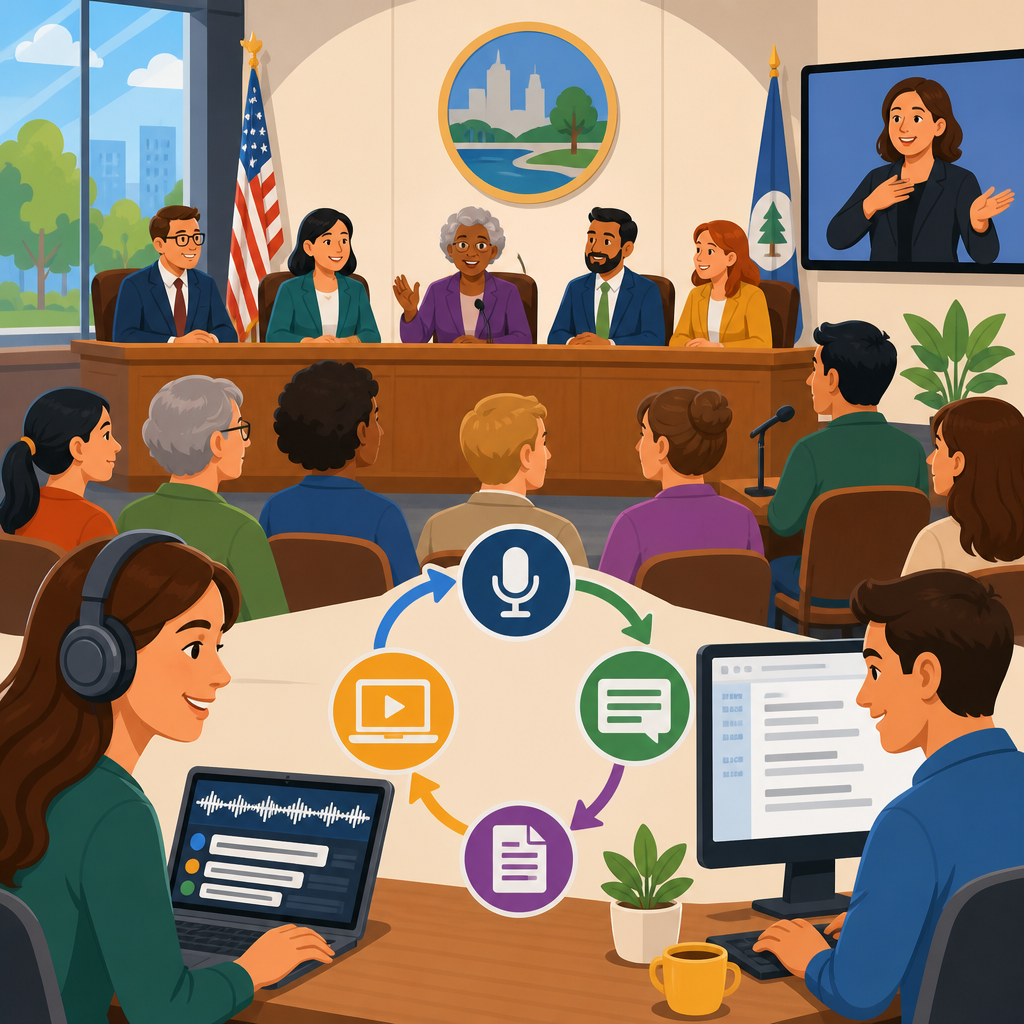
Captioning and transcription workflows for public meetings are the operational backbone of accessible civic communication, turning spoken discussion into readable, searchable, and reviewable records for every resident. In practice, this work sits at the intersection of technology, policy, procurement, and service design. Captioning usually refers to time-synced text displayed during or alongside audio and video, while transcription refers to the full text record produced from a meeting, hearing, workshop, or briefing. Public meetings include city council sessions, planning commission hearings, school board meetings, transit authority briefings, emergency updates, and hybrid town halls. Each setting brings different risks, timelines, and legal expectations, but the accessibility goal is consistent: people must be able to understand, participate in, and revisit public business regardless of hearing status, language background, internet conditions, or device constraints.
Accessible technology matters here because meetings are where governments explain proposals, take testimony, record votes, and establish the public record. When captions are delayed, inaccurate, or absent, deaf and hard of hearing residents lose access in real time. When transcripts are poorly formatted, buried in PDFs, or never published, journalists, advocates, staff, and community members cannot efficiently verify what happened. I have worked on meeting pipelines where a small setup error, such as selecting the wrong audio bus in Zoom or feeding room microphones into a noisy camera track, ruined both live captions and the archive transcript. The lesson is simple: accessibility is not an add-on at the end of a broadcast. It is a workflow that starts with agenda planning, hardware configuration, speaker management, platform selection, quality control, publishing standards, and long-term retention.
As a hub within Technology and Accessibility, this article explains how to implement and advance accessible technology across the full meeting lifecycle. It covers live captioning, automated speech recognition, communication access realtime translation, remote and in-room audio capture, transcript editing, speaker identification, multilingual support, website publishing, searchable archives, privacy controls, and procurement. It also points to the broader ecosystem that supports accessible meetings, including content management systems, streaming platforms, video players, assistive technology testing, staff training, and governance. If an organization wants one practical framework for accessible public meetings, the answer is this: capture clean audio, generate live text, verify quality, publish usable records quickly, and continuously improve through standards, metrics, and resident feedback.
Build the workflow around access, not around the meeting room
The most effective captioning and transcription workflows begin by mapping user needs before selecting tools. In public settings, those users include deaf and hard of hearing attendees, residents joining by phone, nonnative English speakers, people using screen readers, staff writing minutes, legal reviewers, and reporters searching for a quote after adjournment. A meeting workflow should answer direct questions: How will a resident read captions live? How will someone request accommodations? Where will the transcript be posted? How quickly will it appear? Can a user search by speaker, agenda item, or timestamp? Can the archive work on mobile? These are service questions first and technical questions second.
Standards and legal duties shape the answer. In the United States, Title II of the Americans with Disabilities Act, Section 504 of the Rehabilitation Act, and the Web Content Accessibility Guidelines all influence public entity practice. WCAG 2.1 success criteria around captions, prerecorded media, adaptability, keyboard access, and robust structure are especially relevant when meetings are streamed or archived online. For emergency communications, timeliness is critical; for quasi-judicial hearings, accuracy and speaker attribution matter even more because the transcript may be referenced later. Good programs write these requirements into policy so accessibility does not depend on who is producing the webcast that day.
In operational terms, the workflow should be designed backward from publication. If the final deliverable is a searchable video page with synchronized captions, downloadable transcript, clear agenda links, and accessible attachments, then upstream choices become clearer. Staff need agenda metadata, reliable event IDs, naming conventions, and retention rules. Production teams need a checklist for microphones, interpreters, and streaming destinations. Web teams need templates that support headings, transcript placement, and player accessibility. Procurement teams need service-level agreements for turnaround and correction windows. This is how accessible technology advances: not through a single app, but through connected decisions across departments.
Choose the right captioning model for the meeting type
There is no single captioning method that fits every public meeting. Automated speech recognition works well for routine internal briefings and low-risk community updates when audio is clean and staff can edit the output quickly. Human captioning, including CART, remains the strongest option for high-stakes sessions such as council votes, budget hearings, disciplinary proceedings, and public comment periods with unpredictable names, acronyms, and emotional speech. Hybrid models are increasingly common. An agency may use live ASR on the stream, route the transcript to an editor during the meeting, and publish a corrected version within hours. That approach balances cost, speed, and quality if staffing is reliable.
The key decision factors are accuracy, latency, volume, and budget. ASR engines from Zoom, Microsoft Teams, Google Meet, AWS Transcribe, and other platforms have improved substantially, but they still struggle with crosstalk, strong accents, room echo, specialized vocabulary, and public comment spoken far from the microphone. CART providers typically deliver higher accuracy and better punctuation because a trained professional can resolve context in real time, but availability and cost are limiting factors, especially for small jurisdictions with frequent meetings. The practical approach is to classify meetings by risk tier and assign the captioning model accordingly.
| Meeting type | Recommended live method | Archive method | Main reason |
|---|---|---|---|
| City council regular session | CART or monitored ASR | Edited transcript with timestamps | High public impact and formal record needs |
| Planning commission hearing | CART | Speaker-labeled transcript | Technical terms and legal sensitivity |
| Community workshop | ASR with staff monitoring | Lightly edited transcript | Lower risk and broader frequency |
| Emergency briefing | Fast live captions on primary stream | Rapid corrected transcript | Timeliness outweighs perfect formatting |
| Internal staff update published later | ASR | Reviewed transcript before posting | Cost efficiency with controlled speakers |
When I set these programs up, I also insist on a fallback. If the remote captioner drops, staff should know how to enable platform captions immediately. If the stream fails, the meeting recorder should still preserve isolated audio tracks for later transcript repair. Redundancy is essential because accessible communication cannot pause when a vendor portal times out.
Audio quality determines transcript quality
The fastest way to improve captions is to improve audio. Public entities often focus on software while overlooking microphone placement, room acoustics, gain staging, and routing. Yet word error rate rises sharply when microphones are shared, ceiling mics are too distant, HVAC noise is loud, or remote participants join through laptop speakers in echoing rooms. A clean signal path should start with close microphones for every regular speaker, a mixer or DSP that manages levels, echo cancellation for hybrid calls, and a dedicated feed sent separately to the streaming or meeting platform. Shure, Yamaha, Biamp, QSC, and similar systems can all work well if they are configured for speech intelligibility rather than room loudness alone.
Speaker behavior matters just as much. Chairs should require speakers to identify themselves, wait to be recognized, and speak into a microphone before starting. Public comment stations should have visible instructions. Remote participants should be admitted muted, then prompted to unmute one at a time. These are governance habits, not technical luxuries. In one board room I supported, captions improved dramatically after staff replaced a roaming handheld microphone with two fixed goosenecks and a lectern mic for commenters. No software changed; only signal discipline changed.
For hybrid meetings, separate the in-room mix from the stream mix whenever possible. A room reinforced for the audience often is not ideal for transcription because soft voices, side comments, and remote returns may be inconsistent. Feeding a dedicated mix-minus to the platform gives captioners and ASR engines cleaner material. Recording isolated tracks is even better. If a later dispute arises over a statement, editors can review the relevant speaker track instead of trying to decipher a compressed program mix. Accessible technology advances when agencies treat audio engineering as an accessibility function, not merely an AV concern.
Manage live production, editing, and post-meeting publishing
A mature workflow divides responsibilities clearly across before, during, and after the meeting. Before the meeting, staff prepare the agenda, import vocabulary lists, confirm speaker names and titles, test the caption feed, verify accommodation requests, and ensure the public webpage includes access instructions. During the meeting, one person monitors the stream and captions, another handles platform administration, and a clerk or producer logs agenda transitions and notable corrections. After the meeting, the transcript is edited, synchronized, published, and linked to minutes, video, agendas, and supporting documents. When roles are vague, accessibility gaps appear immediately.
Editing should be systematic rather than cosmetic. At minimum, correct names, acronyms, motions, votes, agenda item references, and obvious ASR substitutions. Preserve the substance of remarks without rewriting for style. If a resident says a street name, parcel number, or agency title that matters to the record, verify it against source documents. Speaker identification should follow a consistent format, especially when transcripts are searched later. Timestamps should align with agenda changes and major actions. For long meetings, chaptering by item number can make the archive dramatically more usable than a single uninterrupted text block.
Publishing also needs accessibility discipline. Post captions in a player that supports keyboard navigation and screen reader labeling. Provide the transcript as an accessible web page whenever possible instead of only as a scanned PDF. If a PDF is necessary for official filing, tag it properly and offer an HTML version for usability. Include the meeting date, governing body, agenda, revision date, and contact method for correction requests. Search should index both titles and transcript text. The public should not need to download a large file just to confirm a vote or quote. A well-published archive reduces staff inquiries, supports accountability, and extends participation beyond live attendance.
Advance the program with multilingual support, metrics, and procurement
Implementing accessible meetings is the starting line, not the finish. Advancing accessible technology means improving inclusion, reliability, and scale over time. Multilingual access is a major next step. In communities where Spanish, Chinese, Vietnamese, Arabic, or other languages are widely used, agencies should evaluate interpretation channels, translated agendas, and post-meeting transcript translation. Machine translation can speed publication, but it should be reviewed for public-facing legal or policy content. A practical model is to publish the authoritative source transcript in the meeting language, then provide reviewed translations for priority sections such as summaries, actions, and public guidance.
Metrics are equally important. Track caption availability rate, transcript turnaround time, correction volume, user complaints, accommodation response time, and percentage of videos with searchable transcripts. Review a sample of meetings for accuracy trends by room, vendor, and platform. If one chamber consistently produces poor results, the issue may be mic placement or training rather than the caption engine. If corrections cluster around local place names, add a custom vocabulary list. Data makes accessibility sustainable because it turns anecdotal frustration into operational priorities.
Procurement should reflect that same maturity. Contracts for streaming, meeting management, transcription, and web publishing should specify accuracy expectations, uptime, security, API access, export formats, ownership of transcripts, and support for WCAG-conformant interfaces. Ask vendors whether captions can be embedded and exported as WebVTT or SRT, whether transcripts preserve speaker labels and timestamps, and whether corrections can flow back into the public archive. Also clarify privacy boundaries. Closed sessions, protected student information, and sensitive testimony may require redaction workflows and retention controls. The strongest public meeting programs combine human process, good infrastructure, and enforceable vendor requirements. Review your current meeting pipeline, document the gaps, and improve the next meeting before those gaps become barriers.
Frequently Asked Questions
What is the difference between captioning and transcription in public meetings?
Captioning and transcription serve related but distinct roles in public meeting accessibility. Captioning is the process of converting speech into text that appears in sync with live or recorded audio and video. In a council meeting, planning commission hearing, school board session, or public forum, captions help attendees follow along in real time, especially people who are deaf or hard of hearing, people joining from noisy environments, and residents who process written language more easily than spoken language. Captions may also include speaker changes, meaningful non-speech audio, and timing information that helps viewers understand who said what and when it was said.
Transcription, by contrast, produces a full written record of the meeting. That transcript may be verbatim, lightly edited for readability, or formatted into speaker-labeled sections depending on the organization’s policy, legal requirements, and publication standards. Transcripts are valuable because they make meetings searchable, reviewable, and easier to reference later for minutes preparation, records requests, policy analysis, legal review, and public transparency. Residents often rely on transcripts to locate specific agenda items, public comments, motions, and decisions without rewatching an entire meeting.
In a well-designed workflow, captioning and transcription are not treated as interchangeable deliverables. Live captions support immediate access during the meeting, while transcripts support long-term access after the meeting ends. Many public bodies use a combined workflow in which live captioning feeds into a draft transcript, followed by editing, quality review, speaker identification, and publication in an accessible format. That integrated approach improves efficiency while ensuring the final record is accurate, usable, and compliant with accessibility expectations.
How does a typical captioning and transcription workflow for public meetings work from start to finish?
A typical workflow starts well before the meeting begins. Staff first identify which meetings require live captioning, CART services, post-event transcription, translation, or all of the above. That decision may be driven by legal obligations, agency policy, public expectations, meeting type, or accommodation requests. Procurement and scheduling are also part of the early workflow. The organization may use in-house tools, a contracted accessibility vendor, or a hybrid model. At this stage, it is important to share meeting dates, start times, expected duration, agenda topics, speaker lists, acronyms, and any specialized vocabulary so the captioner or transcription team can prepare in advance.
During the meeting, the workflow depends heavily on audio quality and platform setup. If the meeting is in person, remote, or hybrid, organizers should ensure microphones are used consistently, speakers identify themselves, and audio is routed clearly to any streaming or recording platform. A live captioner, automatic speech recognition system, or combination of both generates captions in real time. Staff may monitor those captions to catch technical failures, timing issues, or repeated terminology errors. If the meeting is streamed or recorded, the live caption output may also be captured as source material for later transcript production.
After the meeting, the post-production phase begins. The audio or video recording is reviewed, and a transcript is created or refined. If automatic transcription is used, human editors typically correct names, public comments, agenda terminology, timestamps, punctuation, formatting, and speaker attribution. The transcript may then go through quality assurance, legal or clerical review, and accessibility checks before publication. Final outputs often include caption files for recorded video, a downloadable transcript in an accessible format, and metadata that supports indexing and search. The strongest workflows also include retention practices, naming conventions, version control, and a documented turnaround process so staff and the public know when materials will be available.
What are the biggest quality challenges in public meeting captioning and transcription, and how can agencies reduce errors?
The most common quality issues begin with poor source audio. Public meetings often involve inconsistent microphone use, people speaking over one another, rustling paper, background noise, weak internet connections, audience comments from the room, and unfamiliar names or technical terms. Even the best captioners and speech recognition systems struggle when the audio signal is unclear. Hybrid meetings add another layer of complexity because remote participants, dais microphones, room speakers, and streaming platforms may all process sound differently. If agencies want better captions and transcripts, the single most effective step is usually improving meeting audio capture and enforcing basic speaking protocols.
Another major challenge is speaker identification. In public meetings, multiple officials, staff members, consultants, and residents may speak in rapid succession. Without clear introductions or stable microphone assignments, transcripts can become confusing or inaccurate. Captioning and transcription also suffer when agenda packets, names, ordinances, parcel numbers, or legal citations are not shared ahead of time. Specialized vocabulary matters. A prepared glossary, agenda, roster, and list of recurring terms can significantly improve both live and post-event accuracy, especially for zoning, public works, education, utilities, transportation, and public safety topics.
Agencies can reduce errors by building quality controls into the workflow rather than treating accessibility as a final add-on. Practical steps include requiring microphone use, testing audio routing before each meeting, supplying prep materials to vendors, assigning a staff liaison to monitor the live feed, and defining standards for transcript review. Many organizations also benefit from a human-in-the-loop model, where automation accelerates turnaround but trained editors verify the final record. Consistent formatting, timestamp rules, speaker labels, and correction procedures help maintain trust over time. Quality should be measured not only by word accuracy, but by whether the final captions and transcripts are understandable, navigable, and useful to the public.
How do captioning and transcription workflows support accessibility, compliance, and public trust?
Captioning and transcription are foundational to inclusive civic participation because they make public meetings more accessible to a wider range of residents. For people who are deaf or hard of hearing, captions can be essential for understanding proceedings in real time. Transcripts provide an additional layer of access by allowing residents to read the meeting afterward, search for specific topics, and revisit decisions without relying exclusively on audio or video. These tools also help non-native speakers, residents with cognitive or learning differences, people in low-bandwidth environments, and anyone who cannot attend live because of work, caregiving, or transportation barriers.
From a compliance perspective, public bodies often need to consider disability access obligations, records retention requirements, open meeting expectations, and digital accessibility standards. Exact requirements vary by jurisdiction and organization, but the operational principle is clear: meeting information should be provided in ways the public can perceive, navigate, and use. A reliable workflow supports that goal by making accessibility predictable rather than ad hoc. It ensures that captions display properly during live streams, recorded videos include synchronized caption files, and transcripts are posted in formats that work with assistive technologies rather than as inaccessible image scans or poorly structured documents.
There is also a strong public trust dimension. When residents can verify what was said, track policy discussions, and search historical records, government becomes more transparent and accountable. High-quality captions and transcripts reduce disputes about the substance of public discussion, improve the usefulness of archived meetings, and make civic engagement less dependent on being present in the room at the exact right time. In that sense, these workflows are not just technical processes. They are part of the service design of democratic participation, helping agencies communicate clearly, document decisions responsibly, and meet the public where they are.
What should agencies look for when choosing tools or vendors for public meeting captioning and transcription?
Agencies should begin by evaluating operational fit, not just price. The right solution depends on meeting volume, meeting format, required turnaround times, staffing capacity, language needs, and expected quality levels. A city with frequent evening council meetings and multilingual public comment may need a very different setup than a small board that meets once a month. Some agencies benefit from live human captioners for high-stakes meetings, while others use automatic speech recognition for routine sessions combined with post-meeting human editing. The most effective procurement decisions are tied to clear use cases and service expectations rather than a generic request for “captions” or “transcripts.”
Key evaluation criteria include accuracy, reliability, integration, and accessibility. Agencies should ask whether the tool or vendor supports live streaming platforms, hybrid audio configurations, speaker labeling, caption file exports, transcript formatting, searchable archives, and accessible publication workflows. It is also important to understand service levels: how quickly can live support be scheduled, what happens if a meeting runs late, how corrections are handled, and whether the vendor offers quality assurance for names, agenda terms, and specialized terminology. Security and confidentiality matter as well, especially for meetings that include sensitive information before public release or require careful handling of stored recordings.
Finally, agencies should assess the vendor or platform as a long-term workflow partner. Strong providers can document processes, train staff, recommend audio best practices, and adapt to changes in policy or meeting format. They should be transparent about where automation is used, where human review is applied, and what level of accuracy can realistically be expected under different conditions. It is wise to test sample meetings, compare outputs, and define measurable acceptance standards before scaling up. A successful solution is one that consistently produces accessible, accurate, and publishable records without placing an unsustainable burden on clerks, IT teams, communications staff, or meeting administrators.


