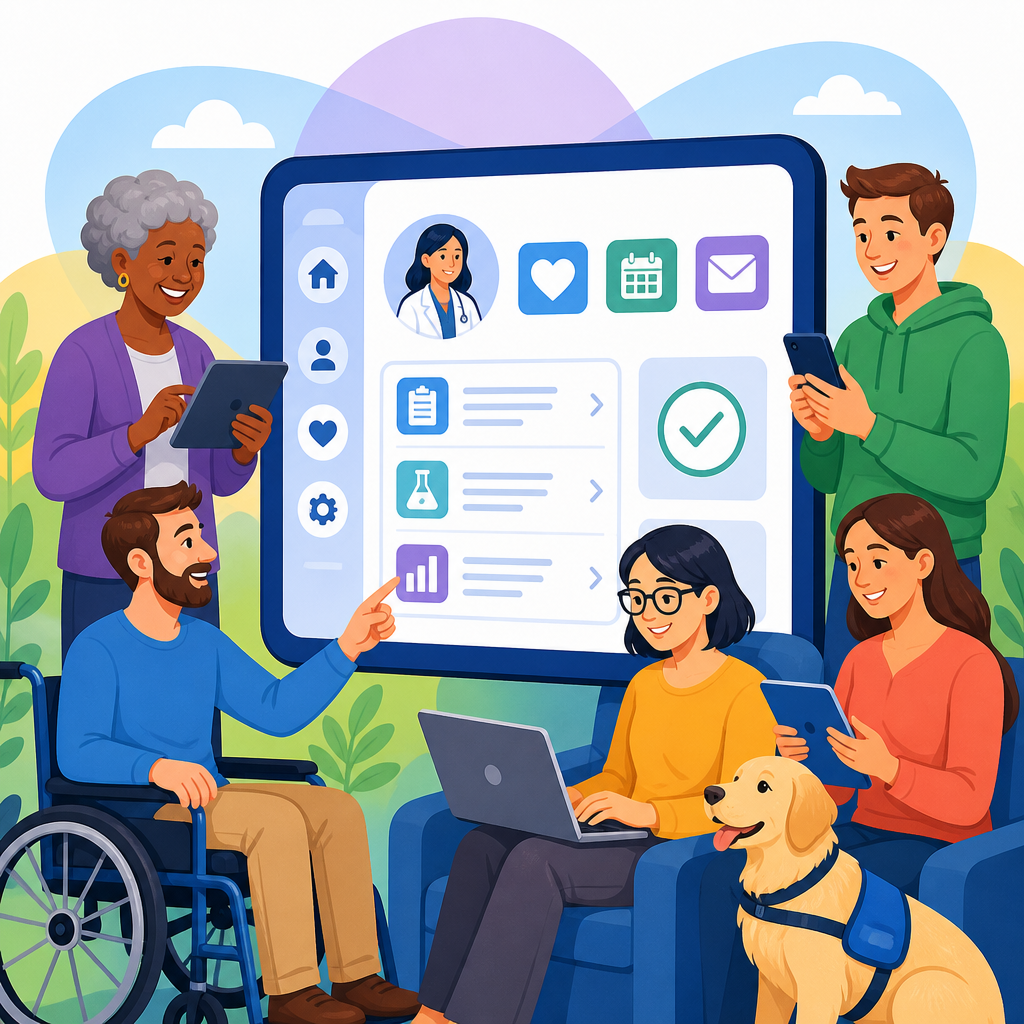
Patient portals are now a primary gateway to healthcare, yet many still exclude the very people who rely on them most. A patient portal is a secure digital platform where people can review test results, schedule appointments, message clinicians, pay bills, complete forms, and manage medications. Accessibility means those tasks can be completed by people with disabilities using assistive technologies such as screen readers, voice control, keyboard navigation, screen magnifiers, refreshable braille displays, and captions. In practice, making patient portals more accessible requires technical compliance, usable design, inclusive content, and operational support working together.
I have worked on healthcare website and portal remediation projects where a single inaccessible form field blocked appointment requests, or an unlabeled button prevented a blind user from viewing lab results. Those failures are not edge cases. They affect patient safety, continuity of care, and trust. They also create legal and financial risk under the Americans with Disabilities Act, Section 1557 of the Affordable Care Act, Section 504 of the Rehabilitation Act, and, for many organizations, state nondiscrimination requirements. If a portal is a front door to care, an inaccessible portal is a locked door.
This topic matters because portal use keeps expanding. Health systems increasingly steer patients to digital self-service for intake, consent, prescription refills, telehealth links, and post-visit summaries. Older adults, people with low vision, deaf or hard of hearing users, patients with cognitive disabilities, and people with temporary impairments all depend on these systems. Accessibility also improves the experience for everyone. Clear labels reduce errors, larger tap targets help mobile users, plain language lowers confusion, and consistent navigation shortens task time.
For healthcare leaders, this page serves as a hub for implementing and advancing accessible technology across the patient journey. The work starts with recognized standards, but it cannot end there. Teams need governance, procurement controls, accessible design systems, content rules, testing methods, support channels, and measurement. When those pieces align, portals become easier to use, safer, and more efficient to maintain.
Start with standards, risk, and the real tasks patients need to complete
The foundation for accessible patient portals is conformance to the Web Content Accessibility Guidelines, currently WCAG 2.2, at Level AA. WCAG addresses perceivable, operable, understandable, and robust experiences. For portals, that translates into basics such as text alternatives for icons, sufficient color contrast, full keyboard access, visible focus indicators, clear error identification, proper headings, form labels, and compatibility with assistive technology. Native mobile apps tied to portals should also align with iOS VoiceOver and Android TalkBack patterns, accessible name computation, Dynamic Type or scalable text, and platform contrast settings.
Compliance alone is not enough because healthcare workflows are more complex than a marketing site. Start by identifying the highest-risk, highest-volume tasks: sign in, multi-factor authentication, registration, proxy access, appointment scheduling, form completion, medication refill requests, bill payment, telehealth launch, secure messaging, and test result review. In one remediation project, the portal homepage technically met many success criteria, but patients still abandoned registration because the identity verification step timed out too quickly and the one-time passcode field did not announce errors to screen readers. Prioritizing critical paths exposed the real barrier.
Risk assessment should include patient safety implications. If a refill request button is hidden from keyboard users, medication adherence may suffer. If test results display in low-contrast charts without text equivalents, patients may misread information. If telehealth links fail on mobile screen readers, follow-up care is delayed. Accessibility defects in healthcare are not merely usability annoyances; they can interrupt treatment. That is why remediation roadmaps should rank issues by clinical impact, legal exposure, user volume, and engineering complexity, rather than by visual severity alone.
Organizations should also define ownership early. Product, UX, engineering, compliance, digital accessibility specialists, patient experience teams, and frontline support all need roles. Without clear accountability, defects recur release after release. An accessibility statement, internal policy, and escalation path make expectations concrete and signal that portal access is part of quality of care.
Design portal interfaces that work with assistive technology and human limitations
Accessible portal design begins with structure. Every page should have one clear heading, logical subheadings, consistent navigation, skip links, and meaningful page titles. Screen reader users rely on this structure to move quickly between sections such as upcoming appointments, medications, and messages. Buttons and links need specific names. “View result for A1C test dated May 12” is better than repeated generic links reading “View details.” For touch users and patients with tremor or limited dexterity, tap targets should be large enough and spaced to prevent accidental activation.
Forms deserve special attention because portals are form-heavy. Labels must be programmatically associated with inputs, required fields clearly marked, instructions placed before the field, and validation messages announced in text, not color alone. Address lookups, insurance details, consent checkboxes, and date pickers often fail here. I have seen inaccessible date pickers block pre-visit registration because they trapped keyboard focus and offered no typed-entry alternative. The fix was simple: support manual date entry, preserve semantic labeling, and provide error examples such as “Use MM/DD/YYYY.”
Cognitive accessibility is equally important. Patients may be stressed, in pain, medicated, or unfamiliar with medical terminology. Use plain language, chunk long tasks into steps, show progress indicators, and avoid unnecessary time limits. When timeouts are required for security, warn users and let them extend the session. Results pages should separate normal administrative language from urgent clinical instructions. For example, a biopsy report should not appear beside payment reminders in a visually cluttered dashboard. Accessible design supports comprehension as much as navigation.
Authentication can be one of the biggest barriers. Multi-factor authentication should offer accessible options, including authenticator apps, SMS with clear instructions, voice calls where appropriate, and device remembering that does not weaken security policy. CAPTCHA alternatives are essential. Invisible risk-based controls, logic questions with accessible markup, or vendor solutions that avoid puzzle-based image tests reduce friction for blind users and people with cognitive disabilities. Security and accessibility are not opposites; in mature portals, they are designed together.
Build accessible content, documents, and multimedia across the full portal ecosystem
Even a well-coded interface becomes inaccessible if the content inside it is poorly written or delivered in inaccessible formats. Portals often contain after-visit summaries, PDFs, lab explanations, billing statements, scanned referrals, educational videos, and intake instructions. Each asset must meet accessibility requirements. PDFs need proper tagging, reading order, headings, alt text, table markup, form fields, and bookmarks when lengthy. Scanned image-only documents should be replaced with OCR-corrected, tagged files or converted to accessible web pages. Videos need accurate captions, and audio-only instructions need transcripts.
Medical language should be translated into patient-friendly explanations without losing clinical accuracy. A portal can present the official test name while also adding a plain-language note, such as explaining that HbA1c reflects average blood sugar over roughly three months. This approach helps users with cognitive disabilities, limited health literacy, and patients reading in a second language. It also reduces message volume to support staff. Content governance matters here: establish reading level targets where appropriate, define terminology rules, and train content owners to avoid ambiguous link text like “click here.”
Localization is another core accessibility practice. Many patient populations use languages other than English, and translated content must remain accessible. That means preserving headings, labels, alt text, error text, and focus order in every language version. Some teams translate only visible body text while leaving ARIA labels, form instructions, or PDF tags in English, creating a broken experience for screen reader users. A multilingual portal should be tested with language attributes set correctly so pronunciation works properly in assistive technology.
Data visualization deserves caution. Portals increasingly show trend lines for blood pressure, glucose, weight, and cholesterol. Charts must never be the only way to access information. Provide text summaries, accessible tables, and clear statements of direction, such as “LDL decreased from 142 to 118 over six months.” Color should not be the sole indicator of high or low values. In a clinical context, accessible alternatives are not optional decoration; they are the usable version of the information.
Operationalize accessibility through testing, procurement, and continuous improvement
Accessible technology does not stay accessible without process. The strongest portal programs combine automated scanning, expert manual audits, assistive technology testing, and feedback from patients with disabilities. Automated tools such as axe, WAVE, ARC Toolkit, and Lighthouse can catch missing labels, contrast failures, and structural issues, but they cannot judge task completion, screen reader announcements, or whether error recovery makes sense. Manual testing should include keyboard-only use, screen readers such as JAWS, NVDA, and VoiceOver, zoom at 200 percent, reflow on mobile widths, speech input, and reduced motion settings.
Usability testing with disabled participants is where assumptions break. In one study, blind participants could technically reach the secure messaging area, but they struggled to distinguish conversation threads because timestamps and sender names were announced inconsistently. In another, users with low vision abandoned bill pay because the third-party payment iframe ignored browser zoom settings. These findings rarely appear in automated reports. A realistic test script should cover common scenarios from sign-in through task completion and include mobile devices because many patients access portals primarily on phones.
| Portal area | Common accessibility failure | Better implementation |
|---|---|---|
| Login and MFA | Image CAPTCHA, timeout without warning, unlabeled code fields | Accessible verification options, timeout extension, labeled inputs and error text |
| Appointments | Calendar traps keyboard focus, tiny tap targets | Typed date alternative, large controls, logical tab order |
| Lab results | Charts without text equivalents, low contrast status colors | Accessible tables, trend summaries, text labels for status |
| Billing | Third-party iframe not zoom friendly, vague button labels | Vendor accessibility review, responsive payment flow, specific actions |
| Documents | Scanned PDFs, missing tags and headings | Tagged PDFs or accessible web pages, OCR correction |
Procurement is often the hidden driver of portal accessibility. Many defects originate in EHR modules, telehealth integrations, payment processors, identity vendors, and document platforms. Contracts should require current accessibility conformance reports using the Voluntary Product Accessibility Template, remediation timelines, testing evidence, and notification of regressions. Ask vendors which WCAG version they support, how often they test with screen readers, whether mobile components are included, and how quickly critical defects are fixed. If accessibility is not a buying requirement, organizations end up paying for remediation twice.
Continuous improvement needs metrics. Track defect backlog by severity, time to remediate, percentage of releases with accessibility review, task completion rates for key workflows, support tickets related to access barriers, and patient satisfaction from disabled users. Pair these with governance rituals: design reviews, code review checklists, content publishing standards, and release gates. Training is part of the system. Designers should know semantic patterns, developers should understand ARIA use and misuse, content teams should create accessible documents, and support staff should know how to respond when a patient reports a barrier. Accessibility advances when it becomes part of routine delivery, not a one-time cleanup project.
Make support, policy, and organizational culture part of accessible care
Technology alone will not solve portal access. Patients need reliable support when they encounter barriers, and staff need procedures that protect access to care. Every portal should provide an easy-to-find accessibility help path with multiple contact methods, including phone, email, and relay-friendly options. Support staff should know how to document issues, route urgent clinical access problems, and offer equivalent assistance without forcing patients into lower-quality alternatives. If a deaf user cannot access a telehealth join link, the response should be immediate troubleshooting or a viable backup, not a vague promise to “try another browser.”
Policy matters because accessibility decisions are often fragmented across digital, compliance, and clinical operations. A strong program sets enterprise standards for design systems, third-party reviews, content publishing, document remediation, captioning, and mobile app releases. It also connects portal accessibility to broader initiatives such as inclusive procurement, health equity, language access, and patient experience. This is especially important for large health systems where different departments may publish their own forms, educational libraries, and specialty scheduling flows under one patient portal brand.
Culture is the long-term differentiator. Teams that advance accessible technology treat disabled patients as core users, not exceptions. They recruit advisory groups, compensate research participants, review complaints for patterns, and celebrate fixes that remove friction from care. Over time, that mindset changes product decisions. Instead of asking whether accessibility can be added later, teams ask whether a new feature is safe and usable for everyone before release. That shift reduces rework and improves trust because patients can see the difference in everyday interactions.
Making patient portals more accessible requires more than passing a checklist. It means aligning standards, design, content, vendor management, testing, support, and culture around one goal: equal digital access to care. The most effective organizations start with high-impact tasks, fix barriers that affect safety and independence, and build accessibility into every release cycle. The payoff is tangible: fewer abandoned tasks, better patient understanding, lower support burden, stronger compliance posture, and a portal people can actually use when health needs are urgent.
As a hub for implementing and advancing accessible technology, this topic connects every related effort, from accessible forms and documents to mobile app design, procurement controls, and assistive technology testing. If you manage a patient portal, begin with an audit of login, scheduling, messaging, results, billing, and documents, then turn findings into a prioritized roadmap with clear ownership. Accessible patient portals are not a niche improvement. They are a measurable part of safe, modern, equitable healthcare. Start fixing the front door today.
Frequently Asked Questions
What does accessibility mean in a patient portal, and why is it so important?
Accessibility in a patient portal means that every essential task—reading test results, requesting appointments, completing intake forms, sending messages, paying bills, reviewing medications, and signing documents—can be completed by people with disabilities without unnecessary barriers. In practical terms, that means the portal works well with screen readers, keyboard-only navigation, voice control software, screen magnifiers, captions, color contrast adjustments, and refreshable braille displays. It also means content is understandable, navigation is predictable, forms are labeled clearly, and important actions do not depend on a single sensory or physical ability, such as using a mouse, seeing color differences, or hearing audio prompts.
This matters because patient portals are no longer optional conveniences. For many people, they are the front door to care. If a portal is difficult or impossible to use, patients may miss critical lab results, struggle to refill medications, fail to complete pre-visit forms, or lose access to secure communication with their care team. Accessibility therefore affects safety, independence, privacy, and health outcomes—not just user experience. It also supports aging populations, people with temporary impairments, users with limited digital literacy, and anyone accessing healthcare under stress. In healthcare, inaccessible design is more than a technical flaw; it can become a barrier to treatment itself.
What are the most common accessibility barriers found in patient portals?
Many patient portals fail in the same predictable ways. One of the most common issues is poor support for keyboard navigation. If a patient cannot move through menus, tabs, forms, date pickers, modals, and buttons using only a keyboard, then users with motor disabilities and many screen reader users are effectively blocked. Another major barrier is missing or incorrect labels on form fields and buttons. When screen readers announce “button” or “edit field” without context, users cannot tell what action they are taking or what information is required.
Other frequent problems include low color contrast, tiny text, fixed layouts that break under zoom, and error messages that are shown visually but not announced to assistive technology. Complex tables for lab results may be unreadable to screen readers if they are not structured properly. PDFs linked from the portal are often inaccessible, especially consent forms, after-visit summaries, or billing documents. Time-limited sessions can also create barriers for users who need more time to read, type, or navigate. In addition, some portals rely on inaccessible third-party tools for identity verification, payments, e-signatures, scheduling, or telehealth check-in, which means even a partially accessible portal can still fail patients at critical points in the journey. These issues compound quickly, especially when users are sick, anxious, or trying to complete urgent healthcare tasks.
How can healthcare organizations make patient portals more accessible in a practical, measurable way?
The most effective approach is to treat accessibility as an ongoing operational requirement rather than a one-time compliance project. Start by adopting recognized standards such as WCAG and applying them across the full portal experience, including web, mobile, embedded tools, and linked documents. Then perform a structured accessibility audit that combines automated scanning with expert manual testing. Automated tools can help identify some missing labels, contrast issues, and markup errors, but they do not catch many of the problems that affect real users. Manual review is necessary to evaluate keyboard access, focus order, modal behavior, form usability, screen reader output, and overall task completion.
Next, prioritize fixes around high-value patient tasks. It is not enough for the homepage to be accessible if patients cannot complete registration, log in, reset passwords, schedule appointments, review test results, request medication refills, or message clinicians. Organizations should map these core workflows and test them end to end. Clear ownership is also essential. Accessibility should be built into procurement, design, development, quality assurance, content publishing, and vendor management. Teams should require accessible components, write semantic code, provide meaningful headings and labels, ensure documents are accessible, and establish regression testing before releases go live.
Measurement matters as well. Organizations can track accessibility defects by severity, monitor completion rates for critical tasks, review assistive technology support, and gather feedback from patients who use screen readers, voice navigation, magnification, and keyboard-only input. Publishing an accessibility statement and offering an easy way to report barriers can also improve accountability. Most importantly, progress should be validated by users with disabilities themselves. If real patients can independently and confidently use the portal for essential healthcare tasks, that is the clearest sign the work is moving in the right direction.
Why is user testing with people with disabilities so important for patient portal accessibility?
User testing with people with disabilities is essential because accessibility cannot be fully judged by code review, design inspection, or automated tools alone. A portal may appear compliant on paper and still be frustrating or unusable in practice. Real users reveal whether headings make sense in context, whether form instructions are understandable, whether a date selector is manageable with a keyboard, whether screen reader announcements are helpful, and whether users can recover from errors without confusion. In healthcare, these details have serious consequences because patients are often trying to complete important tasks quickly and privately.
Testing with a diverse group of users also exposes different types of barriers. A screen reader user may struggle with unlabeled controls, while a low-vision user may be blocked by poor zoom behavior or weak contrast. A patient using voice control may uncover problems with ambiguous button names. A keyboard-only user may encounter hidden focus states or traps inside pop-up windows. People with cognitive disabilities may identify unclear language, inconsistent navigation, and overwhelming page layouts. These findings are especially valuable because they reflect actual use patterns, not idealized assumptions.
For best results, testing should focus on real healthcare scenarios such as account creation, multi-factor authentication, finding a test result, paying a bill, completing forms, and sending a message to a clinician. It should be repeated as the portal evolves, especially after redesigns or vendor changes. Involving people with disabilities early and continuously helps organizations catch barriers before they affect patient care. It also leads to better design decisions for everyone, because improvements such as clearer instructions, stronger structure, and simpler workflows benefit all users, not only those using assistive technology.
Does making a patient portal more accessible also improve usability, compliance, and patient trust?
Yes—accessibility improvements usually strengthen usability, reduce legal and reputational risk, and increase trust at the same time. Many accessibility best practices overlap with good user experience: clear headings, plain language, predictable navigation, well-labeled buttons, readable text, helpful error messages, and mobile-friendly responsive design. When a portal is easier to understand and navigate, more patients can complete tasks successfully on their own. That reduces frustration, lowers support burden, and helps staff spend less time troubleshooting avoidable issues such as failed logins, incomplete forms, or missed digital check-in steps.
Accessibility also matters from a compliance and risk perspective. Healthcare organizations increasingly face expectations under disability rights laws, procurement rules, and digital accessibility standards. While legal requirements vary by jurisdiction and organization type, inaccessible patient-facing technology can create significant exposure because it may deny equal access to essential services. Addressing accessibility proactively is far less costly than reacting to complaints, remediation demands, or litigation after barriers have already affected patients.
Perhaps most importantly, accessibility builds trust. Patients are more likely to engage with a portal when it feels dependable, understandable, and respectful of their needs. For people with disabilities, an accessible portal signals that the organization values independence, dignity, and equitable access to care. That trust can influence whether patients use secure messaging, review care instructions, stay on top of medications, and remain connected to their providers between visits. In that sense, accessibility is not just a technical upgrade. It is a direct investment in patient engagement, inclusion, and better healthcare delivery.


