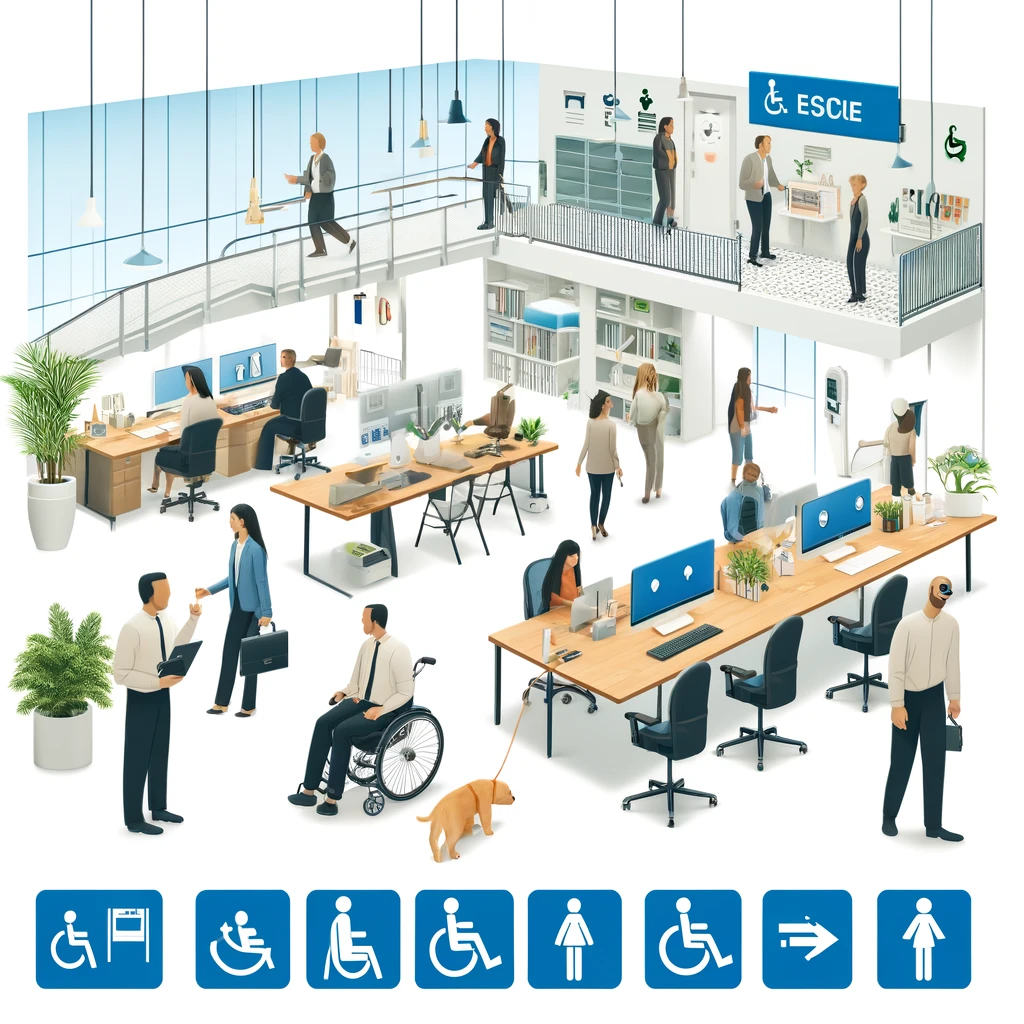
ADA compliance starts with a practical truth: most organizations do not fail because they ignore accessibility entirely, but because they never turn a broad legal requirement into a clear operational checklist. The Americans with Disabilities Act, or ADA, is a civil rights law that prohibits discrimination based on disability in employment, public services, transportation, telecommunications, and places of public accommodation. For businesses, schools, healthcare providers, nonprofits, and local agencies, the first challenge is understanding what compliance actually means in daily practice. In my work reviewing websites, intake forms, storefronts, training workflows, and procurement policies, I have seen the same pattern repeatedly: leaders want to do the right thing, but they need a starting framework that translates law into actions. That is why a checklist matters.
At its core, ADA compliance means removing barriers that prevent people with disabilities from accessing goods, services, information, and opportunities on equal terms. Those barriers may be physical, such as an entrance without a ramp, or digital, such as a booking form that does not work with a screen reader. They may also be procedural, like a policy that requires phone-only communication, or cultural, such as staff who do not know how to respond to an accommodation request. While the ADA itself is the governing law, organizations often rely on related standards and guidance to define what accessible practice looks like. For digital accessibility, the Web Content Accessibility Guidelines, commonly called WCAG, are the recognized benchmark used in settlements, audits, and remediation plans.
This topic matters because ADA compliance affects legal risk, customer trust, employee inclusion, and brand reputation all at once. Demand letters and lawsuits tied to inaccessible websites, mobile apps, and facilities have made accessibility a board-level issue, but compliance should not be treated only as a defensive exercise. Accessible organizations serve more people, reduce friction, and create stronger user experiences for everyone. Captions help users in noisy environments, ramps help parents with strollers, and clear forms help people with cognitive load. The first steps to ADA compliance are not glamorous, but they are decisive. If you build the right foundation early, every later improvement becomes faster, cheaper, and more credible.
Start with scope, ownership, and the right standard
The first step in any ADA compliance checklist is defining scope. Ask a direct question: what parts of the organization create an experience for the public, employees, students, patients, tenants, or applicants? In practice, this usually includes your facility, website, mobile app, PDFs, videos, phone systems, hiring process, service counters, customer support channels, and written policies. Without a defined scope, teams fix isolated problems while larger barriers remain untouched. I have seen companies invest in a homepage redesign while leaving inaccessible checkout flows, online forms, and confirmation emails unchanged. Real compliance starts by inventorying every touchpoint where a person may encounter a barrier.
Next, assign ownership. ADA compliance fails when everyone assumes someone else is handling it. Name a responsible lead, then connect legal, operations, HR, facilities, IT, marketing, procurement, and customer service. For digital environments, identify who owns content publishing, design systems, development standards, and quality assurance. For physical spaces, identify who manages entrances, parking, restroom access, signage, service animals, and emergency procedures. Ownership is not only about accountability; it is how accessibility becomes repeatable. A single point person can coordinate outside audits, prioritize fixes, and document decisions instead of relying on scattered email threads.
Then establish the standards you will use. For websites and apps, WCAG 2.1 Level AA is the practical baseline most organizations should follow, even when preparing for newer updates. For physical environments, use the 2010 ADA Standards for Accessible Design as your reference point. For employment-related accommodations, align process and documentation with Title I obligations and Equal Employment Opportunity Commission guidance. For state and local government services, Title II requirements add another layer of responsibility. If your team does not know which standard applies, that uncertainty itself belongs on the checklist, because undefined standards create inconsistent fixes and weak legal defensibility.
Audit your physical and digital barriers first
Once scope and ownership are set, conduct an accessibility audit. This should be broad enough to identify the most serious barriers quickly and detailed enough to support remediation. Start with high-risk, high-traffic areas. In physical spaces, review accessible parking, exterior routes, ramps, door widths, thresholds, restroom fixtures, counters, seating, signage, and emergency egress. In digital spaces, review navigation, keyboard access, image alt text, heading structure, form labels, error messaging, color contrast, video captions, transcript availability, and PDF readability. The goal of the first audit is not perfection. The goal is to reveal where a disabled person would be blocked, delayed, excluded, or forced to ask for special help.
Do not rely on automated tools alone. Automated scanners are useful, but they identify only a portion of accessibility issues. Tools such as WAVE, axe DevTools, Lighthouse, and Siteimprove can catch missing alternative text, contrast failures, empty buttons, and some structural errors. They cannot reliably determine whether alt text is meaningful, whether focus order makes sense, whether instructions are understandable, or whether a screen reader user can complete a purchase. Manual testing is essential. At minimum, test keyboard-only navigation, zoom at 200 percent, screen reader use with NVDA or VoiceOver, caption accuracy, and form completion from start to finish.
| Checklist Area | What to Review First | Common Failure | Recommended Tool or Method |
|---|---|---|---|
| Website navigation | Menus, skip links, focus states | Keyboard trap or invisible focus | Keyboard-only manual test |
| Forms | Labels, instructions, error handling | Placeholder-only labels | axe DevTools plus screen reader test |
| Video content | Captions and transcripts | Auto-captions with errors | Manual caption review |
| Facilities | Parking, entrances, restrooms | Noncompliant route to entry | ADA Standards checklist walk-through |
| Employment process | Applications and interview accommodations | No documented request process | HR policy review |
Document findings in plain language. Instead of writing “noncompliant color contrast in multiple instances,” specify which page, element, and impact are involved: “The light gray text in checkout form instructions fails WCAG contrast requirements and is difficult for low-vision users to read.” This level of detail helps teams estimate effort and helps leadership understand business impact. It also creates an audit trail showing that the organization identified barriers in good faith and began addressing them promptly.
Create a remediation plan based on risk and user impact
After the audit, turn findings into a remediation plan. This is where many organizations stall. They produce a long list of issues but no order of operations. Prioritize barriers that block core tasks: applying for a job, booking an appointment, making a payment, submitting a form, entering the building, using the restroom, or receiving customer support. If a screen reader user cannot complete checkout, that issue is more urgent than a decorative image missing alt text on a low-traffic page. If the only accessible entrance is locked or poorly marked, fix that before replacing nonessential signage. ADA compliance works best when priority is tied to user impact, not internal preference.
Group fixes into immediate, short-term, and structural actions. Immediate actions are low effort and high value, such as adding captions to current videos, publishing an accessibility contact method, adjusting obvious contrast failures, or training front desk staff on service animal rules. Short-term actions may include remediating forms, correcting inaccessible PDFs, repairing door hardware, or adding signage to an accessible route. Structural actions involve redesigning templates, replacing inaccessible vendors, revising procurement language, or renovating noncompliant spaces. This phased model gives leadership a realistic roadmap while demonstrating that accessibility is being handled systematically rather than reactively.
Budgeting matters here. Accessibility fixes are usually cheaper when completed early, but they still require funding. In digital projects, reserve budget for accessibility testing, remediation, captioning, document conversion, and vendor review. In facilities, budget for modifications that may involve contractors or architects familiar with ADA requirements. I have seen teams spend months debating whether to fund accessibility work, only to spend more after a complaint forced urgent changes. The smarter approach is to treat accessibility as part of standard operating cost, just like cybersecurity or safety.
Build accessibility into policies, training, and procurement
Compliance does not last unless it is built into policy. Every organization needs a written accessibility policy that explains commitment, scope, reporting channels, and review cadence. For digital teams, the policy should specify accessibility standards, testing expectations, content rules, and exception handling. For HR, it should define how accommodation requests are received, evaluated, documented, and implemented. For customer-facing teams, it should clarify communication access, auxiliary aids, and service animal procedures. A policy creates consistency, but more importantly, it provides staff with confidence. People are more likely to respond correctly when they know the process and can find it quickly.
Training is the second foundation. Designers should know how color contrast, focus indicators, and semantic structure affect users. Developers should understand ARIA, keyboard behavior, form validation, and screen reader compatibility. Content teams should know how to write descriptive links, meaningful alt text, plain-language instructions, and accessible headings. Frontline staff should know how to interact respectfully, offer assistance without assumptions, and escalate accommodation requests appropriately. Managers should understand confidentiality, undue hardship analysis, and the difference between preference and legally relevant accommodation needs. Annual training is useful, but role-based training tied to actual workflows is far more effective.
Procurement is where mature ADA compliance becomes visible. Many accessibility failures enter an organization through third-party software, kiosks, payment systems, learning platforms, telehealth tools, and document services. Require vendors to provide accessibility conformance information, often through a VPAT, or Voluntary Product Accessibility Template. A VPAT is not proof of accessibility, but it is a starting disclosure. Review it critically, request demos, and test the product yourself. If a vendor cannot explain keyboard access, screen reader support, captioning, or remediation timelines, that is a warning sign. Accessible procurement prevents your team from repeatedly buying barriers you later have to work around.
Publish a feedback channel and maintain ongoing review
One of the simplest and most effective first steps to ADA compliance is publishing a clear accessibility feedback channel. This can be an accessibility page on your website, an email address, a phone option, and a simple web form that is itself accessible. The statement should describe your commitment, the standards you aim to meet, and how users can report barriers or request accommodations. Keep the language plain and direct. Avoid vague promises. Users need to know how to reach you, what information to provide, and when they can expect a response. An accessibility statement does not replace compliance, but it shows intent, opens communication, and often helps identify issues audits missed.
Response handling matters as much as publication. Create an internal workflow for triaging reports, assigning fixes, documenting outcomes, and communicating with the person who raised the concern. If a customer reports that your online registration form is inaccessible, the response should not be an improvised email chain. It should trigger a defined process: acknowledge receipt, provide an alternative method, log the issue, test the barrier, set a remediation deadline, and confirm when the fix is live. This is where trustworthiness is demonstrated. Accessibility is not only about standards; it is also about how consistently and respectfully you respond when barriers appear.
Finally, treat ADA compliance as continuous governance, not a one-time project. Content changes, software updates, renovations, and staffing transitions can all reintroduce barriers. Set a review schedule for quarterly spot checks, annual audits, and prelaunch accessibility testing for major updates. Track key metrics such as issues found, issues resolved, time to remediate, training completion, and complaints received. If your organization already has governance processes for privacy, security, or quality assurance, integrate accessibility into those systems. That is the practical end goal: accessibility becomes part of how work gets done, not a separate initiative that depends on temporary urgency.
The first steps to ADA compliance are straightforward even when the work itself is complex. Define scope, assign ownership, choose the right standards, audit your barriers, prioritize remediation, formalize policy, train staff, review vendors, and maintain a visible feedback process. These actions create the operational backbone that legal compliance, inclusive design, and user trust all depend on. They also help organizations move from uncertainty to control. Instead of reacting to complaints, you begin making informed decisions based on risk, standards, and real user experience.
The main benefit of using a checklist is that it turns accessibility into a repeatable system. That system protects revenue, strengthens reputation, improves service quality, and reduces exclusion for people with disabilities. It also produces better experiences for everyone who interacts with your organization. Whether you are just starting ADA website compliance efforts, reviewing a facility, or updating HR procedures, the right first step is to write down the checklist, assign deadlines, and begin with the highest-impact barriers. Start your audit this week, document what you find, and commit to fixing the issues that matter most first.
Frequently Asked Questions
What does ADA compliance actually mean for an organization?
ADA compliance means making sure people with disabilities have equal access to your organization’s services, programs, facilities, communications, and digital experiences. The Americans with Disabilities Act is a civil rights law, so the goal is not simply to avoid complaints or lawsuits. It is to remove barriers that prevent qualified individuals from participating fully in everyday activities, whether that involves applying for a job, entering a building, scheduling an appointment, using a website, reading a document, or communicating with staff.
For most organizations, ADA compliance is not one single task. It is an ongoing operational responsibility that touches multiple areas, including physical accessibility, employment practices, customer service, communication methods, policies, procurement, and web accessibility. A business may need to evaluate entrances, restrooms, signage, service counters, and parking. A school or nonprofit may need to review event access, intake forms, classroom materials, and accommodations processes. A healthcare provider may need to look closely at communication access, appointment systems, medical equipment access, and auxiliary aids for patients with hearing, vision, or speech disabilities.
The practical takeaway is that ADA compliance becomes manageable when it is turned into a checklist with clear owners, priorities, and timelines. Instead of treating accessibility as a vague legal concept, organizations should identify what applies to them, assess current barriers, document gaps, assign responsibilities, and create a plan for improvement. That first level of structure is often what separates organizations that make real progress from those that stay stuck in uncertainty.
What are the first steps in creating an ADA compliance checklist?
The first step is to define the parts of your organization that need to be reviewed. That usually includes your physical location, website and mobile content, employment practices, customer or public communications, internal policies, and service delivery procedures. Many organizations make the mistake of starting too narrowly, such as looking only at ramps or only at website design. A useful ADA checklist begins by recognizing that accessibility issues can appear anywhere people interact with your organization.
Next, identify who will own the process. ADA compliance is rarely effective when it is treated as a side task with no clear accountability. Assign a lead person or team, and involve representatives from operations, HR, facilities, IT, marketing, legal, and customer-facing departments as appropriate. If your organization works with the public regularly, frontline staff should also be part of the conversation because they often see barriers first.
After that, conduct a baseline review. Walk through your spaces, test your web content, review hiring and accommodation procedures, inspect public-facing forms and PDFs, and evaluate how people request assistance. Document what you find in specific, measurable terms. For example, note inaccessible entrances, unlabeled online form fields, missing captioning, or unclear accommodation policies. Then organize findings by priority: urgent barriers affecting basic access should come first, followed by issues that can be resolved through scheduled improvements.
Finally, build the checklist into a working action plan. Each item should include the problem, the applicable standard or policy goal, the person responsible, the deadline, and the status. A checklist is valuable only if it helps the organization move from awareness to implementation. That is why the strongest ADA checklists are practical, cross-functional, and regularly updated rather than created once and forgotten.
Does ADA compliance include websites and digital content, or just physical spaces?
ADA compliance is not limited to buildings and parking lots. It also includes digital access in many real-world contexts because websites, online forms, mobile tools, and electronic documents are often essential ways people interact with an organization. If a customer cannot complete a purchase online, a patient cannot access medical forms, a student cannot use course materials, or a job applicant cannot submit an application because of accessibility barriers, the organization may be denying equal access in a meaningful sense.
Digital accessibility typically involves making websites and online content usable by people who rely on assistive technologies or alternative ways of navigating content. That can include screen reader compatibility, keyboard navigation, sufficient color contrast, descriptive link text, text alternatives for images, labeled form fields, accessible PDFs, captions for videos, and error messages that are understandable and programmatically connected to the right form elements. Even simple issues, such as buttons with no labels or menus that cannot be used without a mouse, can create serious barriers.
For a practical checklist, organizations should inventory all public-facing digital assets, including websites, landing pages, online forms, booking systems, HR portals, and downloadable documents. From there, they should test for accessibility, prioritize the most important user journeys, and fix barriers in a documented sequence. Digital compliance is especially important because it affects daily access at scale. A single inaccessible online feature can block many users at once, so addressing digital accessibility early is often one of the most impactful first steps an organization can take.
How can an organization prioritize ADA issues if it cannot fix everything immediately?
That is a common and realistic concern. Most organizations uncover more accessibility issues than they can address all at once, especially when they are just beginning. The best approach is to prioritize based on risk, impact, and frequency of use. Start with barriers that prevent basic access to core services, employment opportunities, public programs, or essential information. If someone cannot enter the building, complete a form, communicate with staff, or use a primary website function, that issue should usually move to the top of the list.
It also helps to separate quick wins from larger capital improvements. Some barriers can be reduced quickly through policy changes, staff training, accessible document templates, captioning practices, or website code fixes. Other improvements, such as facility renovations or major technology replacements, may require budgeting and longer timelines. A strong ADA checklist acknowledges both categories. It includes immediate interim solutions where possible while also documenting long-term corrective actions. For example, if a structural change cannot happen right away, the organization should consider alternative methods of providing access in the meantime.
Prioritization should never become an excuse for indefinite delay. The point is to create a defensible, thoughtful sequence for action. Keep records of identified barriers, decisions made, remediation steps taken, and expected completion dates. That documentation shows that the organization is approaching compliance seriously and systematically. In practice, steady, documented improvement is far more effective than waiting for a perfect all-at-once solution that never arrives.
Who should be involved in ADA compliance, and how often should the checklist be reviewed?
ADA compliance works best when it is shared across the organization instead of being assigned to one person in isolation. Leadership should be involved because accessibility decisions often affect budget, policy, and organizational priorities. Facilities teams may address physical access issues. HR typically handles employment-related policies and accommodations. IT and web teams manage digital accessibility. Communications and marketing teams influence documents, media, and public information. Program managers and frontline staff help ensure services are actually accessible in day-to-day operations. Depending on the organization, legal counsel, procurement staff, and outside accessibility consultants may also play important roles.
Just as important, organizations should listen to people with disabilities when evaluating barriers and solutions. Internal employees, clients, students, patients, customers, or community members with lived experience can offer practical insight that a checklist alone may miss. Accessibility is most effective when it is informed by real user needs rather than assumptions about what should work.
As for timing, the checklist should be reviewed regularly, not just once a year. A formal review at least annually is a strong starting point, but many organizations benefit from quarterly check-ins, especially if they are actively remediating issues or launching new services. The checklist should also be revisited whenever there are major changes, such as a website redesign, office renovation, new software implementation, updated hiring systems, or expanded public programming. ADA compliance is not a one-time project. It is an operational discipline that needs ongoing attention as the organization changes.