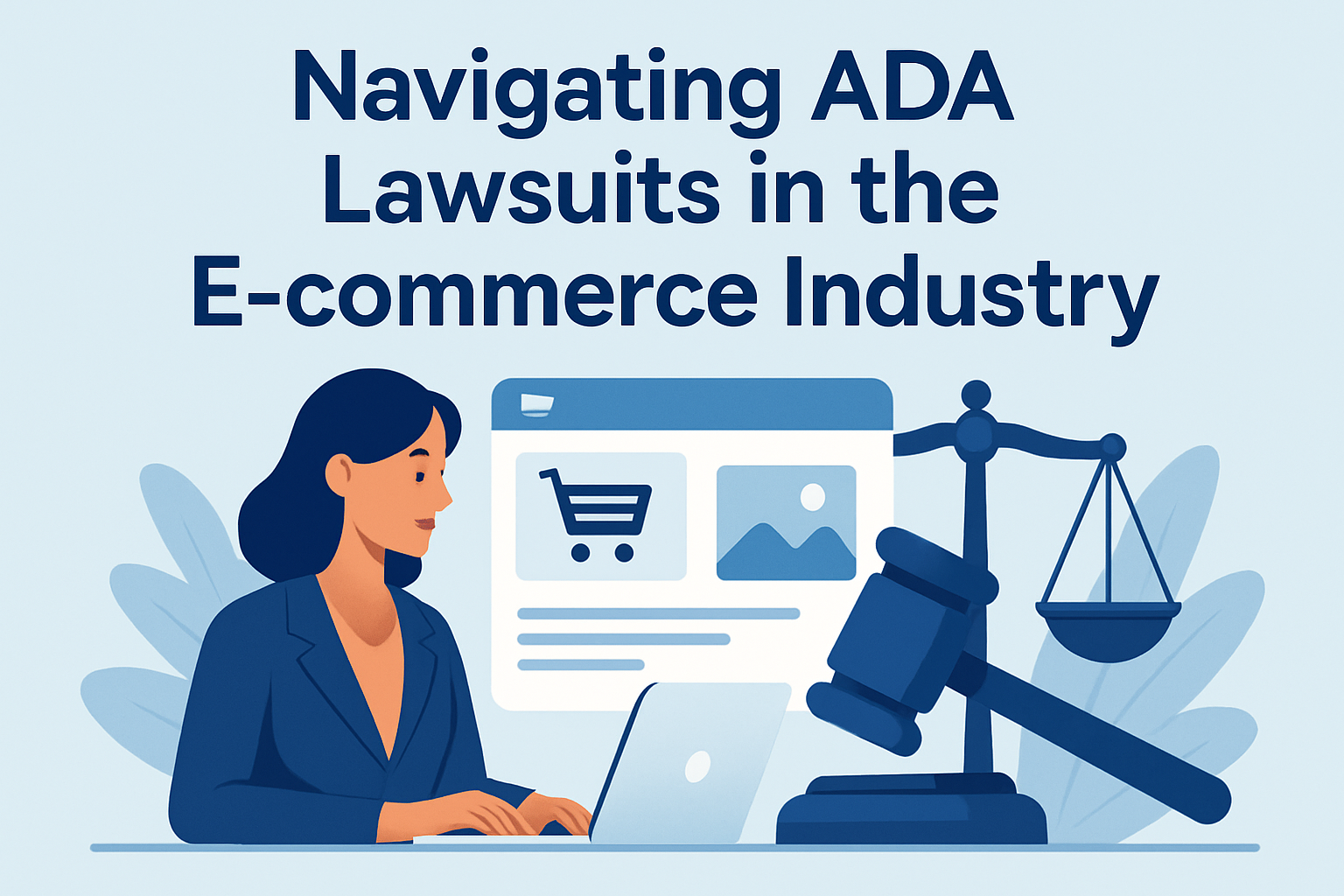
ADA lawsuits in the e-commerce industry have moved from a niche compliance issue to a board-level business risk because online stores now function as primary gateways to products, services, payments, and customer support. The Americans with Disabilities Act, or ADA, is a civil rights law that prohibits discrimination against people with disabilities, and courts increasingly examine whether commercial websites and mobile apps must be accessible to users who rely on screen readers, keyboard navigation, captions, color contrast, and other assistive technologies. In practice, accessibility means designing digital experiences so customers with visual, auditory, motor, cognitive, or speech disabilities can complete essential tasks such as browsing categories, comparing products, adding items to cart, and checking out without unnecessary barriers.
I have worked with e-commerce teams responding to demand letters after a blind customer could not complete checkout, and the pattern is consistent: the legal issue rarely starts as an abstract regulatory debate. It starts when a real user encounters unlabeled buttons, inaccessible popups, auto-rotating carousels, or coupon fields that cannot be reached by keyboard alone. Those failures create legal exposure, revenue leakage, and reputational harm at the same time. For online retailers, understanding ADA lawsuits matters because the cost of reactive fixes, attorney fees, settlement terms, and rushed remediation almost always exceeds the cost of building accessibility into design, development, content, and QA from the beginning.
The legal landscape is not perfectly uniform, which is why many executives find the topic confusing. Title III of the ADA applies to places of public accommodation, and different courts have interpreted how that concept applies to digital storefronts. Some jurisdictions require a connection between the website and a physical location, while others treat stand-alone e-commerce sites as covered. Despite that variation, one practical fact is clear: plaintiffs continue filing website accessibility claims, and businesses continue settling them. The Web Content Accessibility Guidelines, usually WCAG 2.1 Level AA, remain the most widely used technical benchmark in settlements, audits, and remediation plans because they translate broad accessibility duties into specific, testable requirements.
For search visibility and customer experience, accessibility is also tightly linked to usability and technical quality. Clear headings, descriptive link text, meaningful alt text, proper labels, and predictable navigation help people with disabilities, but they also improve crawlability, reduce friction, and support answer engine optimization. That overlap makes accessibility a legal necessity and a growth lever. Navigating ADA lawsuits in the e-commerce industry starts with understanding the claims being filed, the standards that matter, the risks hidden in typical retail workflows, and the concrete operational steps that reduce exposure while making online shopping work better for everyone.
Why e-commerce businesses face ADA lawsuits
E-commerce businesses face ADA lawsuits because digital shopping is now an essential consumer activity, and inaccessible design can deny disabled users equal access to goods and services. Plaintiffs typically allege that a website or app prevents them from independently completing core tasks. In real cases I have reviewed, the barriers were not exotic. Product images had missing alt attributes, form fields lacked programmatic labels, discount modals trapped keyboard focus, and third-party payment widgets failed to announce errors to screen readers. Each issue turned a routine purchase into a dead end.
The rise in litigation is driven by several forces at once. First, online retail volume remains high, making e-commerce sites frequent targets simply because they are heavily used. Second, testing tools have become more available, so accessibility defects are easier to identify quickly. Third, plaintiff firms often focus on repeatable patterns across retail platforms such as Shopify, Magento, WooCommerce, and custom storefronts. If one theme, plugin, or checkout component is inaccessible, many stores may share the same vulnerability. Finally, enforcement pressure grows as regulators and courts repeatedly signal that digital access is part of equal access.
Many retailers assume small size protects them, but that is a mistake. Plaintiffs do not limit claims to enterprise brands. Boutique apparel shops, specialty food sellers, subscription brands, and local businesses with online ordering all receive demand letters. The legal theory may differ by jurisdiction, yet the business impact is similar: legal review, settlement negotiation, remediation deadlines, monitoring obligations, and internal disruption.
The legal standards courts and plaintiffs rely on
The ADA itself does not contain a detailed checklist for websites, so litigants and judges often look to WCAG as the operational standard. WCAG is published by the World Wide Web Consortium and organized around four principles: content must be perceivable, operable, understandable, and robust. In e-commerce, that translates into practical requirements such as text alternatives for images, full keyboard access, sufficient color contrast, visible focus indicators, error identification, consistent navigation, and compatibility with assistive technologies.
Most settlements and consent decrees reference WCAG 2.0 AA or WCAG 2.1 AA. Increasingly, accessibility professionals also evaluate against WCAG 2.2 because it adds success criteria that strengthen focus visibility and target size expectations. Still, many legal demands continue to cite 2.1 AA because it is widely adopted and well understood. Retailers should not treat WCAG as a one-time technical checklist. It is a quality standard that must be maintained as products, campaigns, and integrations change.
State laws can intensify risk. California’s Unruh Civil Rights Act is a major example because it allows statutory damages and is commonly paired with ADA claims. That is one reason many e-commerce demand letters originate there. Plaintiffs may also invoke state consumer protection theories depending on the facts. For businesses operating nationally, jurisdiction matters, but a fragmented legal map should not be used as an excuse for delay. A national online store invites national scrutiny, and accessibility defects are usually visible regardless of where the company is headquartered.
Where accessibility failures appear in the online shopping journey
The highest-risk accessibility issues are usually found in revenue-critical flows rather than in static informational pages. Homepages matter, but lawsuits often focus on browsing, product discovery, account access, cart interaction, checkout, and post-purchase service. Based on remediation work I have seen, the most common failure points are predictable and testable.
| Shopping stage | Common barrier | Business impact |
|---|---|---|
| Navigation and search | Menus unusable by keyboard, filters without labels | Users cannot find products efficiently |
| Product detail pages | Missing alt text, variant selectors not announced | Users cannot understand or choose items |
| Cart and checkout | Form errors not identified, focus trapped in modals | Checkout abandonment and legal exposure |
| Account and support | Password resets, chat widgets, returns portals inaccessible | Users cannot manage orders independently |
| Media and promotions | Videos without captions, rotating banners without pause | Content is unusable or distracting |
Consider a fashion retailer using swatches for size and color. If the swatches are coded as unlabeled clickable div elements rather than properly labeled form controls, a screen reader user may hear only “button” or nothing meaningful at all. The shopper cannot determine whether a product is available in medium or blue. On a grocery site, inaccessible quantity controls can prevent a customer with motor impairments from adjusting an order. On a beauty brand’s checkout page, placeholder text used instead of labels often disappears when typing, leaving screen reader users and people with cognitive disabilities without reliable form context.
Third-party components deserve special attention because they frequently trigger claims. Payment processors, buy-now-pay-later widgets, loyalty overlays, reviews platforms, store locators, and chat tools are commonly inserted into storefronts with limited accessibility review. Legally and practically, the merchant usually cannot shift blame to the vendor. If the component blocks equal access on the merchant’s site, the merchant still faces the complaint.
How to reduce lawsuit risk before a demand letter arrives
The most effective way to reduce ADA lawsuit risk is to treat accessibility as an operational discipline, not a legal memo. Start with an audit that combines automated scanning and manual testing. Automated tools such as axe, WAVE, Lighthouse, and Siteimprove are useful for finding detectable issues like missing form labels, empty buttons, low contrast, and structural errors. But automation alone cannot verify reading order, meaningful alt text, keyboard usability, focus management, or whether screen reader announcements make sense. Manual testing with NVDA, JAWS, VoiceOver, keyboard-only navigation, zoom up to 200 percent, and mobile accessibility settings is essential.
After the audit, prioritize fixes by user impact and transaction criticality. In retail, the fastest risk reduction usually comes from remediating navigation, product selection, cart, checkout, authentication, and customer service paths. Publish an accessibility statement that explains your commitment, references the standard you target, identifies known limitations honestly, and provides a staffed contact method for assistance. This statement will not immunize you from claims, but it can demonstrate good faith and offer users a practical support channel.
Governance matters as much as code. Assign ownership across design, engineering, QA, merchandising, and legal. Build accessibility acceptance criteria into tickets. Require design reviews for contrast, focus order, error prevention, and component behavior. Train content teams to write descriptive alt text and link text. Add vendor accessibility requirements to procurement, including VPAT documentation, testing expectations, remediation timelines, and indemnity language where appropriate. The businesses that stay out of trouble do not rely on heroic cleanup projects; they normalize accessible releases.
What to do if your e-commerce company receives a demand letter
If your company receives an ADA demand letter, do not ignore it and do not treat it as purely technical. Involve experienced accessibility counsel early, preserve evidence, and begin a privileged assessment of the alleged barriers. I have seen retailers waste weeks arguing abstract jurisdiction points while obvious checkout defects remained live. That strategy rarely improves outcomes. A better response combines legal analysis with immediate remediation planning.
First, confirm the scope of the claim: website, mobile app, specific pages, or a broader digital ecosystem. Second, test the alleged issues quickly using both internal teams and, when needed, an external accessibility specialist. Third, document what is reproducible, what has already been fixed, and what requires vendor coordination. Fourth, establish a remediation timeline with accountable owners. If the claim proceeds to negotiation, concrete evidence of active remediation is far more persuasive than general promises.
Settlement terms often include WCAG conformance commitments, deadlines, periodic testing, training, appointment of an accessibility coordinator, and plaintiff attorney fees. Some agreements also require usability testing by people with disabilities. That can be valuable beyond litigation because disabled users often reveal friction that automated scans miss. Even if a claim is weak on jurisdiction, the underlying accessibility work still benefits conversion, SEO, and customer retention. The defensible posture is simple: fix barriers quickly, document decisions carefully, and make accessibility sustainable after the immediate dispute ends.
Accessibility as a long-term e-commerce advantage
Accessible e-commerce is not only about avoiding lawsuits; it is about building a store that more people can use successfully. The World Health Organization estimates that more than one billion people live with some form of disability worldwide. That is a large customer base with significant spending power, and accessibility improvements often help every shopper, not only disabled users. Clear error messages reduce checkout confusion. Better heading structure improves scanning on mobile. Captions help users in noisy environments. Larger click targets help anyone using a phone one-handed.
There is also a direct connection between accessibility and search performance. Semantic markup, descriptive labels, text alternatives, and logical page hierarchy make content easier for search engines and AI systems to interpret. Product pages with accessible names, structured specifications, and understandable navigation tend to generate cleaner signals for indexing and answer extraction. Accessibility does not replace technical SEO, but it strengthens the same foundation: clarity, structure, and machine-readable meaning.
For e-commerce leaders, the takeaway is practical. ADA lawsuits in the e-commerce industry are a real and ongoing risk, fueled by preventable barriers in common shopping flows. The strongest response is not fear; it is disciplined execution. Audit your site and app against WCAG, fix high-impact issues first, train your teams, hold vendors accountable, and review accessibility whenever you launch new features or campaigns. That approach reduces legal exposure, improves conversion, and creates a more trustworthy brand experience. Start with your checkout flow this week, because that is where accessibility, revenue, and legal risk most often meet.
Frequently Asked Questions
What makes e-commerce businesses especially vulnerable to ADA lawsuits?
E-commerce businesses face unique ADA risk because their websites and mobile apps often serve as the primary way customers browse products, compare options, create accounts, complete purchases, access order information, and contact support. In practical terms, that means digital platforms are no longer viewed as optional marketing tools; they function as core customer-facing services. When a shopper with a disability cannot navigate a menu by keyboard, understand product information with a screen reader, activate form fields, or complete checkout because of inaccessible design, the issue may be framed as unequal access to goods and services.
Courts have increasingly been asked to decide whether commercial digital experiences fall within the ADA’s protections, and while outcomes can vary by jurisdiction, the trend has made accessibility a serious litigation and compliance concern. Plaintiffs often focus on barriers such as missing alternative text, poor color contrast, unlabeled buttons, inaccessible pop-ups, broken heading structures, auto-advancing carousels, and checkout flows that cannot be completed without a mouse. For online retailers, these are not minor technical defects; they can become the basis for demand letters, lawsuits, settlement costs, remediation expenses, and reputational harm. That is why ADA exposure in e-commerce has become a board-level issue tied to legal risk, customer experience, and revenue protection.
Does the ADA actually apply to websites and mobile apps, or only to physical stores?
The ADA was enacted before modern e-commerce existed, so the law does not spell out detailed website rules in the way many businesses would prefer. However, that has not prevented litigation. Plaintiffs and regulators have argued that when a business offers goods or services through a website or app, those digital channels should be accessible to people with disabilities. Courts have taken different approaches, but many have been willing to entertain claims involving inaccessible online experiences, particularly when the digital platform has a connection to a physical business or serves as a primary gateway to commercial activity.
For e-commerce companies, the safest practical assumption is that websites and apps should be treated as accessibility obligations, not gray-area afterthoughts. Even where legal standards continue to evolve, businesses that wait for perfect clarity often end up reacting to complaints instead of building defensible compliance programs. In addition, accessibility risk does not exist only under the ADA. State laws, demand letters from private firms, and broader consumer protection concerns can all increase pressure. From a business standpoint, it is far wiser to design digital properties for inclusive access than to rely on uncertainty in case law as a shield.
What types of accessibility problems most commonly lead to ADA claims against online stores?
Most ADA claims in e-commerce arise from barriers that prevent users with disabilities from independently completing basic shopping tasks. Common examples include images without meaningful alternative text, navigation menus that cannot be operated with a keyboard, form fields without proper labels, error messages that are not announced to assistive technologies, and checkout buttons that screen readers cannot interpret. Video content without captions, promotional graphics that rely only on color to communicate information, and PDF documents that are not readable by assistive software also frequently create exposure.
Mobile usability issues can be just as important. If an app contains unlabeled icons, gesture-only controls, inaccessible authentication steps, or dynamic content that is not properly announced to screen readers, a user may be effectively locked out. Another recurring problem is inconsistency: a homepage may appear accessible, while product pages, account dashboards, coupon modules, chat widgets, or payment integrations break accessibility completely. In litigation, plaintiffs often emphasize the complete user journey, not just isolated pages. That means online retailers should evaluate search, filtering, product detail pages, cart functionality, checkout, returns, account management, and customer service features as part of a single accessibility ecosystem.
What should an e-commerce company do after receiving an ADA demand letter or lawsuit?
The first step is to treat the matter seriously and respond strategically, not emotionally. A demand letter or complaint should be reviewed promptly by legal counsel with experience in ADA and digital accessibility matters. Businesses should preserve relevant records, including prior accessibility audits, remediation efforts, policies, vendor agreements, and communications about website updates. At the same time, it is important not to assume the claim will disappear on its own or that a quick cosmetic website change will resolve the issue. ADA website claims often require legal assessment alongside technical review.
After involving counsel, companies should typically commission an accessibility evaluation by qualified specialists who can identify the alleged barriers and prioritize remediation. This process should include both automated and manual testing, because many serious issues are only discovered through human review using screen readers and keyboard navigation. Businesses should also coordinate internally across legal, IT, UX, marketing, and leadership teams so that remediation efforts are documented and implemented consistently. In many cases, early action can improve settlement positioning, reduce disruption, and demonstrate good-faith efforts toward compliance. The goal is not just to respond to the immediate claim, but to create a durable accessibility framework that reduces the likelihood of repeat complaints.
How can online retailers reduce the risk of future ADA lawsuits while improving customer experience?
The most effective risk-reduction strategy is to make accessibility part of normal digital operations rather than a one-time project triggered by litigation. For most businesses, that starts with aligning their websites and mobile apps to recognized accessibility standards such as the Web Content Accessibility Guidelines, commonly known as WCAG. Although WCAG is not the ADA itself, it is widely used as the practical benchmark for identifying and correcting barriers. A strong accessibility program typically includes regular audits, remediation schedules, keyboard testing, screen-reader testing, accessible design reviews, and quality assurance procedures before new features go live.
Just as important, retailers should build governance around accessibility. That means assigning internal ownership, training developers and content teams, reviewing third-party tools and plugins, including accessibility expectations in vendor contracts, and maintaining a documented process for receiving and addressing user feedback. Accessibility statements and support channels can also help customers report problems before they escalate into formal disputes. Beyond legal protection, these efforts improve usability for a broader audience, including people using mobile devices, aging consumers, and shoppers dealing with temporary impairments. In other words, accessibility is not only a compliance measure; it is a customer experience investment that can strengthen trust, expand market reach, and make the purchasing process smoother for everyone.