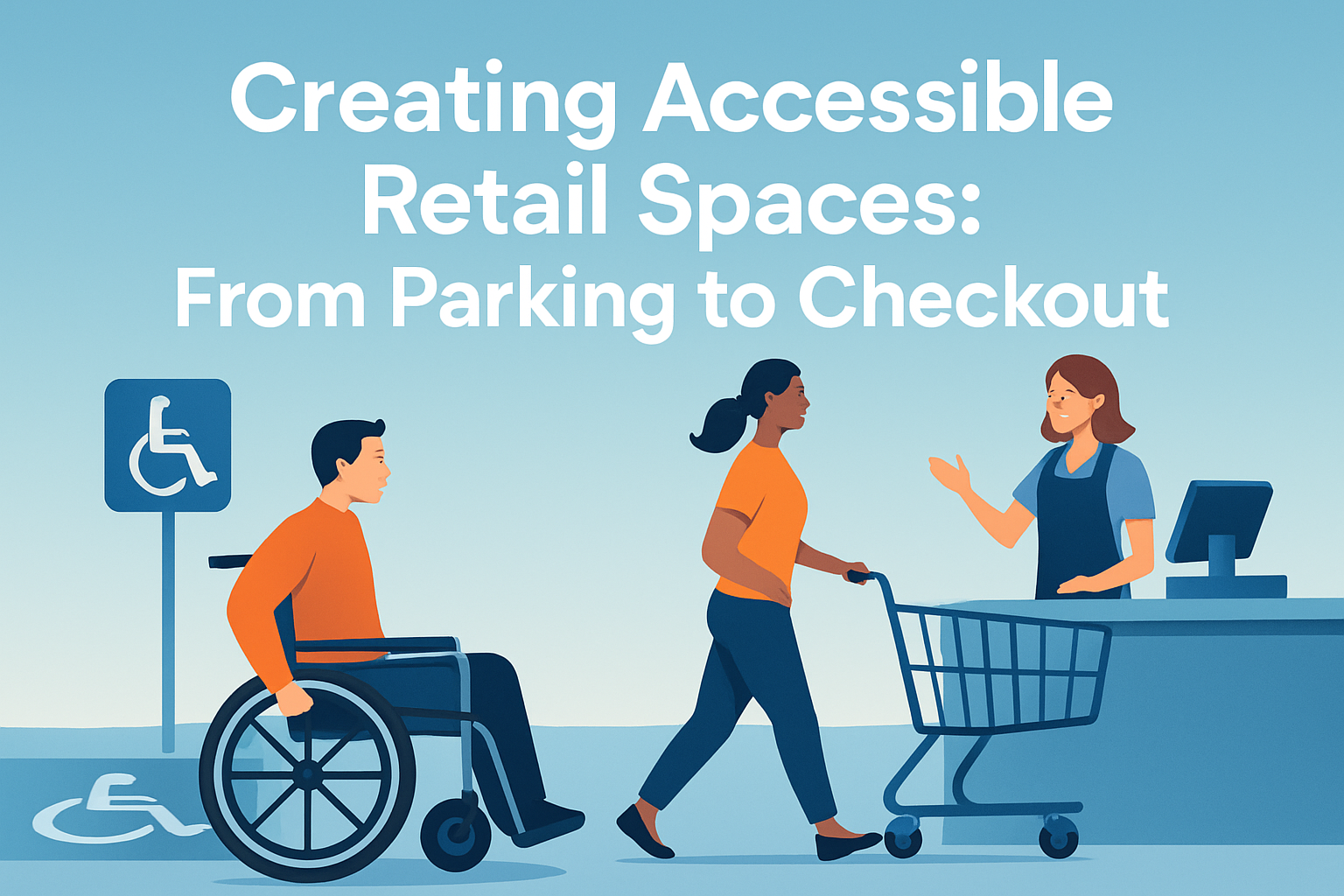
Accessible retail spaces are not a niche design concern; they are a core business, legal, and customer experience requirement that shapes whether people can enter, navigate, shop, and pay with dignity. In retail operations, accessibility means removing physical, sensory, and communication barriers across the full customer journey, from the parking lot and entrance to fitting rooms, service counters, and checkout. That includes compliance with the Americans with Disabilities Act, but strong accessibility goes beyond minimum code by addressing real use patterns I have seen repeatedly in stores: blocked aisles during restocking, inaccessible card readers, confusing wayfinding, poor lighting, and staff who want to help but have never been trained. For retailers, the issue matters because more than one in four U.S. adults lives with a disability, according to the CDC, and each of those shoppers is also part of a household, family, and community making spending decisions. An accessible store supports independence, reduces friction, lowers legal risk, improves brand trust, and often makes the space easier for every customer to use, including parents with strollers, older adults, and delivery workers. When retailers ask how to improve store accessibility, the practical answer is to examine every touchpoint, identify barriers, and design for consistent, usable access rather than isolated fixes.
Start With Arrival: Parking, Paths, and Entrances
The customer experience begins before anyone touches the front door. Accessible parking must be correctly counted, sized, marked, and located on the shortest accessible route to an entrance. In the United States, ADA Standards define the required number of accessible spaces based on total parking capacity, and van-accessible spaces need wider access aisles and proper signage. In audits I have conducted, the most common failure is not the absence of a marked accessible space but a broken route: curb ramps that are too steep, cracked pavement, pooled water, or merchandise displays placed near the entry path. A compliant parking stall is meaningless if the path from the car to the door is unsafe or blocked.
Entrances also deserve close attention. A retailer should verify door clear width, threshold height, opening force, and whether automatic door operators are functioning consistently. Revolving doors alone are not sufficient; an accessible side-hinged or sliding option is required. Good entrance design also includes visual contrast on glazed doors, weather mats that do not buckle, and lighting that helps people identify the handle, push plate, or activation button. If the accessible entrance is on a side elevation, it must be clearly signed, unlocked during business hours, and equivalent in convenience. Sending a customer around a building because the main entry is unusable communicates exclusion immediately.
Wayfinding begins outside. Exterior signs should use high contrast, plain language, and consistent symbols. Drop-off zones, pickup areas, and accessible routes for curbside service need equal consideration because omnichannel retail has expanded how people shop. If a store promotes buy online, pick up in store, then curbside procedures must account for disabled drivers, Deaf customers, and shoppers with limited mobility. A phone-only arrival system can create barriers; adding text messaging, app check-in, and clearly posted instructions creates a more equitable experience.
Design Sales Floors for Real Movement, Not Idealized Plans
Inside the store, the accessible route must continue through the sales floor, around promotional displays, and into key departments. This is where many otherwise well-designed stores fail in daily operations. Planograms may allow for compliant aisle widths on paper, but floor stacks, bins, rolling carts, ladders, and seasonal fixtures often narrow circulation below usable levels. The practical standard I use in retail reviews is simple: a wheelchair user, shopper using a walker, or customer with a service animal should be able to move independently, turn into departments, and approach merchandise without asking staff to clear a path.
Reach range is another frequently overlooked issue. If all sale items, handheld baskets, fitting room buzzers, or customer service devices are placed too high, technical compliance elsewhere does not rescue the experience. Retailers should balance merchandise vertically so core products are available within accessible reach, and associates should know when proactive assistance is appropriate without becoming intrusive. Seating is equally important. In larger stores, providing periodic benches with adjacent clear floor space helps customers with stamina limitations, older adults, and companions waiting outside fitting rooms.
Sensory accessibility deserves a place in store planning. Harsh lighting, loud music, flashing digital signage, and competing audio announcements can make retail environments difficult for customers with autism, migraines, low vision, hearing loss, or anxiety. Some national retailers now offer sensory-friendly shopping hours with dimmed lights and lower music, but the stronger approach is to build calmer design into daily operations. That may include reducing unnecessary background audio, controlling glare, using non-slip matte flooring, and avoiding abrupt transitions from dark entry vestibules to highly illuminated displays.
| Retail Area | Common Barrier | Practical Accessibility Fix |
|---|---|---|
| Parking lot | Accessible space exists, but route is cracked or flooded | Repair pavement, regrade drainage, maintain curb ramps |
| Entrance | Door is heavy or automatic opener is broken | Adjust opening force, service operators, inspect weekly |
| Sales floor | Aisles narrowed by displays and restocking carts | Set minimum clear width rules and enforce them daily |
| Merchandise access | Key products placed above accessible reach range | Keep popular items in reachable zones and train staff |
| Fitting rooms | Accessible room used as storage overflow | Protect room availability through manager checks |
| Checkout | Card reader is fixed too high and angled poorly | Use adjustable terminals with tactile keypads |
Make Product Interaction, Fitting Rooms, and Service Counters Usable
Accessible shopping is not just about moving through space; it is about being able to examine products, request help, try items on, and ask questions privately. Service counters should include a lowered accessible portion with clear knee and toe space where required, but counter design should also support conversation. In beauty, pharmacy, electronics, and customer service areas, background noise and plexiglass reflections can make speech difficult to understand. Hearing loops, portable assistive listening systems, and speech-to-text tools on tablets can significantly improve communication. For Deaf customers and many hard-of-hearing shoppers, writing back and forth is often slow and imprecise. Staff should be prepared to use typed communication without frustration.
Fitting rooms are a high-impact area because they directly affect whether a customer can complete a purchase. An accessible fitting room needs sufficient maneuvering space, usable benches, reachable hooks, and doors or curtains that can be operated without excessive force. Yet in practice, I most often find the designated accessible room filled with boxes, extra hangers, or fixtures removed from the floor. That is an operational failure, not a design accident. Managers should treat accessible fitting rooms as revenue-critical space and verify availability throughout the day, especially during floor moves and peak traffic.
Interactive displays and product information also need attention. Touchscreens should be mounted at usable heights, support simple navigation, and avoid timeouts that expire before some users can finish reading. Printed labels benefit from larger fonts, high contrast, and plain-language descriptions. In grocery and big-box settings, price scanners and self-service kiosks should have speech output or alternative staff-supported options. Retailers often ask whether every experience must be identical. The better standard is equivalent access: a customer should be able to get the same information, complete the same task, and receive the same pricing without undue delay or dependence.
Build Checkout for Independence, Speed, and Clear Communication
Checkout is where accessibility failures become most visible because the customer is trying to complete a transaction under time pressure. A truly accessible checkout supports approach, communication, payment, receipt handling, and bagging. At staffed lanes, counters should be low enough for many wheelchair users to interact comfortably, and impulse displays must not obstruct side reach to card terminals. Pin pads should be visible, tactile, and adjustable. If a terminal is mounted on a rigid post at standing height, many customers cannot independently insert a card, tap a wallet, or enter a PIN. This problem is widespread and easy to fix with movable hardware.
Self-checkout requires even more careful planning. Retailers deploy it to improve throughput, but poorly designed self-checkout can exclude customers with low vision, limited dexterity, shorter stature, or cognitive disabilities. The machine should offer speech output through a headphone jack, volume control, tactile controls where possible, clear on-screen instructions, and enough surrounding space for mobility devices. There must also be a fast, respectful path to staff assistance without forcing a customer to announce private needs publicly. In stores with multiple self-checkout units, at least one accessible station should be obvious and consistently available, not switched off to save labor.
Payment flexibility matters. Some customers use chip cards, some mobile wallets, some cash, and some benefit cards with specific workflows. A system that only works smoothly for one method is not accessible in practice. Receipts should be available in print, email, or text when possible, and loyalty enrollment should not require tiny touchscreen typing at the lane. If identity verification is required for returns or age-restricted sales, staff should know how to conduct the process respectfully when a customer has limited speech, uses a communication device, or cannot easily hand over identification.
Train Staff and Audit Operations, Because Accessibility Is a Daily Practice
Store accessibility succeeds or fails through operations. I have seen newly built stores with excellent accessible design become difficult to use within weeks because no one owned the daily details. Associates need training on disability etiquette, service animal rules, accessible feature locations, and how to offer assistance without making assumptions. They should know, for example, that grabbing a wheelchair, speaking only to a companion, or asking intrusive medical questions is inappropriate. They should also know exactly where the accessible fitting room key is, how to lower a counter gate, how to adjust a payment terminal, and how to provide an alternative when a kiosk malfunctions.
Training should be concrete, not performative. Use role-based scenarios: a customer using a walker cannot get through a promotional aisle; a blind shopper needs product location support; a nonverbal customer wants to process a return; a service animal team needs space in a crowded queue. Mystery shops and quarterly accessibility walks help leaders verify whether policy matches reality. Many retailers already do safety walks and loss prevention checks; accessibility should be built into the same routines. Digital maintenance systems like FMX, UpKeep, or ServiceChannel can track broken door operators, lighting outages, and flooring hazards so issues are documented and resolved quickly.
Finally, retailers should treat accessibility as part of customer experience strategy, not just compliance management. Review complaints, online reviews, and employee feedback for patterns. Involve disabled customers in testing remodels and prototypes. Align physical accessibility with digital accessibility so store locators, pickup instructions, and contact options are usable before the visit begins. Creating accessible retail spaces from parking to checkout is ultimately about consistency: every point in the journey should support independent use, equal service, and basic dignity. Audit the path, fix the obvious barriers, train the team, and keep improving. That is how accessibility becomes a measurable retail advantage and a standard customers can trust.
Frequently Asked Questions
Why is accessibility in retail spaces important beyond basic ADA compliance?
Accessibility in retail is about far more than checking legal boxes. While compliance with the Americans with Disabilities Act is essential, truly accessible retail design improves the full customer experience for a wide range of people, including shoppers with mobility disabilities, vision loss, hearing loss, sensory sensitivities, chronic health conditions, and age-related limitations. When a customer can park safely, enter without difficulty, move through aisles comfortably, read signs clearly, use fitting rooms independently, and complete checkout with dignity, the store becomes more welcoming, efficient, and trustworthy.
From a business standpoint, accessibility also expands your customer base and strengthens brand reputation. Shoppers notice when a space feels intuitive and respectful, and they also notice when barriers make them feel excluded. Accessible environments can reduce friction, improve dwell time, increase repeat visits, and support positive word-of-mouth. In practical terms, accessibility helps retail teams serve customers more consistently and can reduce the likelihood of complaints, disputes, and costly retrofits later. The strongest retail environments treat accessibility as a core part of operations, customer service, and design strategy from the parking lot to the point of sale.
What are the most important accessibility features to address from parking and entrances to the sales floor?
The most important accessibility features are the ones that support a smooth, uninterrupted customer journey. That starts outside the building with properly marked accessible parking spaces, access aisles, curb ramps, and a clear path of travel from parking areas to the entrance. Entrances should be easy to locate, free of obstacles, and simple to use, with doors that provide adequate clearance and manageable opening force. Any thresholds, mats, or exterior surfaces should be stable and not create tripping or rolling hazards for people using wheelchairs, walkers, canes, or strollers.
Inside the store, accessibility depends on thoughtful layout and circulation. Aisles should be wide enough to allow customers using mobility devices to navigate comfortably, turn around, and access merchandise without being forced into tight or cluttered pathways. Floor surfaces should be even and slip-resistant, and temporary displays should not block routes or create unexpected hazards. Clear signage is also critical, especially when it uses high-contrast text, logical placement, and easy-to-understand wayfinding. Good lighting helps customers read labels, navigate safely, and identify service areas. On the sales floor, reach ranges, shelf placement, and seating options matter too, because customers need practical ways to browse, rest, and request assistance without losing independence. The goal is not just access to the building, but access to the actual shopping experience.
How can retailers make fitting rooms, service counters, and checkout areas more accessible?
Accessible fitting rooms, service counters, and checkout areas are essential because these are the points where customers often need privacy, interaction, and independence the most. In fitting rooms, accessibility means more than simply making one room larger. An accessible fitting room should offer enough maneuvering space for mobility devices, accessible door hardware, seating or benches where appropriate, and hooks, mirrors, and shelves positioned at usable heights. The route to the fitting room should remain unobstructed, and staff should understand how to support customers respectfully without being intrusive.
Service counters and checkout stations should be designed so customers can approach, communicate, and complete transactions comfortably. That may include providing a lowered counter section, enough clear floor space for wheelchair users, and payment terminals that can be reached, viewed, and operated by people with different mobility and dexterity needs. Retailers should also consider communication accessibility, such as reducing unnecessary background noise, training staff to communicate clearly, and making it easier for Deaf or hard-of-hearing customers and customers with speech or cognitive disabilities to complete purchases. A truly accessible checkout experience allows people to review prices, ask questions, use payment methods, bag purchases, and exit the store without feeling rushed, overlooked, or dependent on others for basic tasks.
What operational practices help maintain accessibility after a retail space has been designed correctly?
Good design is only the starting point. Accessibility can quickly break down if store operations are not aligned with it. One of the most common problems in retail is that accessible routes become blocked by promotional displays, inventory carts, floor stacks, cleaning equipment, or misplaced furniture. Even a well-designed store can become difficult to navigate if day-to-day practices are not managed carefully. That is why regular walkthroughs, maintenance checks, and staff accountability are so important. Accessible parking, entrances, aisles, fitting rooms, restrooms, and checkout lanes should be monitored consistently, not just during inspections or renovations.
Staff training is equally important. Employees should know how to offer assistance appropriately, communicate respectfully, and respond when a customer identifies a barrier. They should also understand that accessibility includes sensory and communication needs, not just visible mobility issues. For example, clear verbal communication, patience during transactions, and flexibility when assisting customers with service animals or assistive devices all matter. Retailers benefit from building accessibility into standard operating procedures, including merchandising, cleaning, maintenance, seasonal resets, and emergency planning. When accessibility is treated as an ongoing operational standard rather than a one-time project, stores are far more likely to deliver a consistently inclusive shopping experience.
How can retailers evaluate whether their stores are truly accessible across the entire customer journey?
The best way to evaluate accessibility is to look at the store through the full experience of a customer, not just through a checklist. Start with the exterior: can someone arrive, park, and reach the entrance safely and independently? Then assess each step inside the store, including door access, wayfinding, aisle width, product reach, fitting room usability, restroom access if provided, customer service interactions, and checkout. This process should combine technical review with real-world observation. ADA-based measurements and compliance audits are essential, but they should be paired with practical testing to understand where customers may still face friction, confusion, or discomfort.
Retailers can strengthen this evaluation by seeking feedback from people with disabilities, conducting accessibility walkthroughs with trained specialists, and reviewing customer complaints or staff observations for recurring issues. It is also helpful to assess digital and communication touchpoints that affect the in-store visit, such as store hours, location details, accessibility information on websites, and how easy it is for customers to request assistance before they arrive. Accessibility should be reviewed as an ongoing performance area, especially after remodels, merchandising changes, or equipment updates. When retailers evaluate accessibility as a continuous part of customer experience management, they are better positioned to identify barriers early, prioritize improvements, and create retail spaces that are more usable, inclusive, and welcoming for everyone.