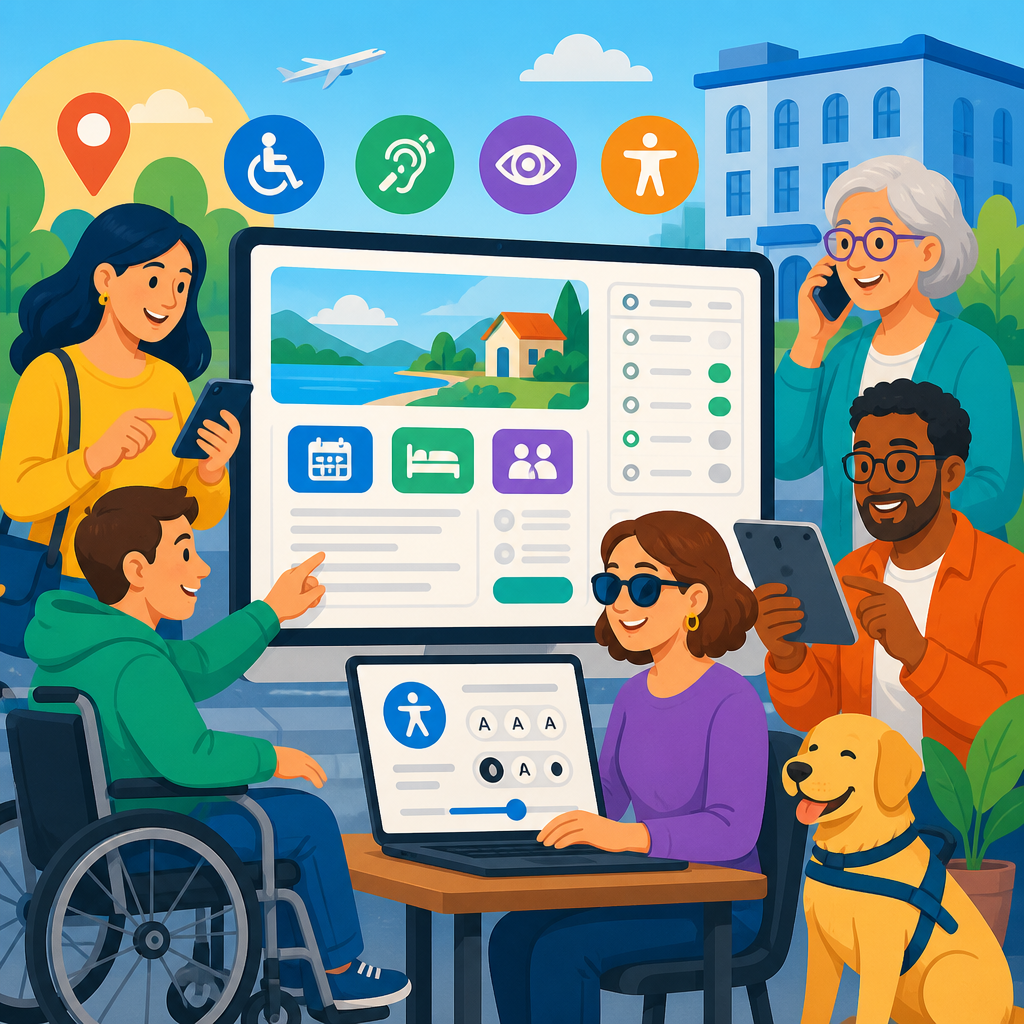
Accessible reservation systems are back in focus because recent ADA updates, enforcement actions, and digital accessibility expectations have made booking journeys a frontline compliance issue for hotels, restaurants, venues, clinics, and transportation providers. A reservation system is the set of webpages, mobile interfaces, calendars, forms, payment steps, confirmation messages, and support channels people use to find availability and complete a booking. Accessibility means people with disabilities can perceive, understand, navigate, and operate each part of that process with substantially equivalent ease and independence. In practice, that includes screen-reader compatibility, keyboard access, visible focus states, clear labels, sufficient color contrast, error identification, accessible date pickers, and accurate room or service information. I have worked with operators rebuilding booking flows after audits and complaints, and the pattern is consistent: organizations often treat accessibility as a website issue, while regulators and courts increasingly evaluate the entire reservation experience.
The issue matters for two reasons. First, the ADA and related guidance do not stop at the homepage; they apply where customers actually make decisions and transact. Second, reservation systems concentrate risk. A single inaccessible calendar widget, unlabeled form field, or missing room attribute can block a user from completing a high-intent action. That creates customer harm, lost revenue, reputational damage, and legal exposure at once. Recent ADA updates and developments have pushed businesses to revisit old assumptions, especially as online booking engines, third-party integrations, and mobile-first design have become standard. This hub article explains what has changed, what organizations should audit now, and how accessible reservation systems fit into the broader landscape of digital accessibility compliance.
What recent ADA updates and developments mean for reservation systems
Recent ADA updates and developments have not introduced one single new rule that solved every ambiguity, but they have clarified direction through federal guidance, enforcement patterns, and technical expectations. The U.S. Department of Justice has repeatedly stated that the ADA applies to websites and digital services offered by covered entities. In 2024, the Department of Justice issued a final rule under Title II requiring state and local governments to make web content and mobile apps accessible, generally aligning with WCAG 2.1 Level AA. While that rule directly targets public entities rather than private businesses under Title III, it reinforces a broader regulatory baseline: digital access is not optional, and WCAG remains the dominant technical benchmark.
For reservation systems, this matters because booking tools are often the most complex interactive parts of a website. They combine search, filtering, calendars, inventory, forms, pricing logic, and payment. Each layer creates potential barriers. I regularly see organizations that passed a basic homepage scan but failed manual testing inside the booking engine. Enforcement agencies and plaintiff firms focus on those failures because they are easy to connect to real harm. If a guest cannot identify whether a hotel room has a roll-in shower, cannot tab through a date selector, or cannot correct an input error before checkout, the system is functionally excluding that person from service.
Another important development is the declining credibility of minimal compliance arguments. Businesses once relied on phone lines, generic accommodation statements, or after-the-fact staff assistance as substitutes for accessible self-service. That position is much weaker now. If the standard customer can search and reserve online at any hour, an inaccessible process that forces a disabled user to call during business hours is usually not equivalent access. Recent ADA updates and developments therefore put pressure on both code-level accessibility and operational accessibility, including staffing, policies, and content accuracy.
Why hospitality is under particular scrutiny
Hotels remain the clearest example because ADA reservation rules have long required places of lodging to identify and describe accessible features in enough detail for independent assessment and to hold accessible rooms for people who need them under specific conditions. Those duties are not satisfied by a vague “ADA room available” label. A traveler may need to know door width, bed height, shower type, grab bar placement, visual alarms, route accessibility, or whether the room is near an elevator. When that information is buried, incomplete, or absent from the booking path, the user cannot make an informed decision.
Hospitality companies are also exposed because many depend on third-party booking engines, channel managers, online travel agencies, and property-management systems. Responsibility does not disappear when the booking flow is outsourced. In audits I have led, the most common failure was fragmentation: the main site met many accessibility basics, but the reservation widget loaded from another domain with broken keyboard navigation, inaccessible modals, or unlabeled rate filters. Plaintiffs and regulators generally look at the user’s experience, not the internal vendor map. If customers hit a barrier while reserving a room, the operator still owns the business risk.
Restaurants, event venues, and ticketed attractions face similar scrutiny. If online reservations are the primary way to secure limited inventory, inaccessible forms or confirmation flows can deny equal access to time-sensitive opportunities. A restaurant that uses a reservation platform with inaccessible CAPTCHA, a museum whose timed-entry selector cannot be used by keyboard, or a venue whose accessible seating request process is separated from the main checkout flow all create preventable barriers. As more commerce depends on advance booking, accessible reservation systems move from nice-to-have to business-critical infrastructure.
The technical barriers that most often break booking journeys
Accessible reservation systems fail in predictable ways. Date pickers are the largest source of friction. Many custom calendars trap keyboard focus, announce dates poorly to screen readers, or require drag-and-drop or pointer-specific actions. Form fields are another major issue, especially when placeholder text is used instead of programmatic labels, required fields are not announced, and errors appear only in color. Dynamic price updates, promo-code fields, availability filters, and expanding room details frequently rely on JavaScript patterns that are not communicated to assistive technologies through proper semantics and ARIA states.
Mobile accessibility introduces additional complexity. Touch target size, screen orientation, zoom behavior, and virtual keyboard interactions can make or break completion rates for users with low vision or limited dexterity. Payment steps add risk because embedded gateways may not inherit the accessibility practices of the main site. PDF confirmations, emailed receipts, and SMS links are also part of the reservation experience and should be reviewed. An accessible booking flow is not just the page where availability appears; it is every step from discovery to post-booking management.
| Common barrier | User impact | Practical fix |
|---|---|---|
| Inaccessible date picker | Keyboard and screen-reader users cannot select arrival or appointment dates | Use a semantic calendar pattern, logical tab order, and audible date announcements |
| Vague accessible room descriptions | Travelers cannot judge whether a room meets their needs | List specific features such as shower type, route details, alarms, and bed clearance |
| Unlabeled form fields | Assistive technology cannot identify guest details, payment, or special requests | Associate visible labels, instructions, and errors programmatically |
| Third-party widget conflicts | Users get blocked after leaving the main accessible site | Include accessibility requirements in procurement, QA, and vendor remediation terms |
Testing must go beyond automated scans. Tools such as axe DevTools, WAVE, Lighthouse, and Accessibility Insights are useful for catching obvious errors, but they will not reliably detect whether room descriptions are adequate, whether focus order makes sense across a multi-step checkout, or whether screen-reader announcements are understandable. Manual keyboard testing and screen-reader testing with NVDA, JAWS, and VoiceOver are essential. I also recommend testing high-magnification use, reflow at 320 CSS pixels, and speech input for users who navigate by voice. Reservation systems are interactive enough that shallow testing creates false confidence.
How recent ADA developments affect content, policy, and procurement
Code is only one part of compliance. Recent ADA updates and developments have highlighted the importance of governance around digital content and vendor management. Many booking failures begin with content teams, not developers. For example, a hotel may technically support accessible room descriptions, but property staff enter inconsistent shorthand such as “handicap room,” omit transfer-shower details, or fail to update accessibility attributes after a renovation. That makes the system misleading even if the interface itself is usable. Clear content standards are therefore part of accessibility operations.
Policies matter as well. Operators should document how accessible inventory is categorized, who verifies descriptions, how temporary outages are communicated, and how customer support handles accessibility requests without creating extra friction. If an accessible room goes out of service, staff need a defined process for substitutions and notice. If a venue offers accessible seating or companion seating, those options should be integrated into the primary reservation path rather than hidden behind separate email requests whenever possible. Equal access depends on workflow design as much as on code.
Procurement is now one of the most important control points. Many organizations do not build reservation systems internally; they license platforms. Contracts should require conformance to WCAG 2.1 AA or the current organizational standard, define remediation timelines, include testing documentation, and allow termination or fee offsets if serious defects persist. Ask vendors for recent accessibility audits, VPATs based on the current ACR format, and evidence of manual testing. A VPAT is not proof of accessibility, but it is a useful starting document. Strong procurement language prevents the familiar scenario in which a business discovers barriers but lacks leverage to get them fixed quickly.
Building a practical compliance roadmap for this hub topic
As a hub page for recent ADA updates and developments, this topic should connect the reservation-system issue to broader accessibility work across websites, apps, PDFs, kiosks, and customer communications. The practical roadmap starts with scoping. Identify every booking touchpoint: website search, embedded engine, mobile app, guest account, checkout, confirmation emails, support chat, and post-stay modification flow. Then map each touchpoint against disability scenarios, including blind users, low-vision users, deaf or hard-of-hearing users, users with motor impairments, and users with cognitive disabilities. This creates a risk-based inventory rather than a generic checklist.
Next, prioritize legal and business criticality. Pages with direct transaction value should be audited first, followed by high-traffic content that feeds users into the booking path. Remediate blockers before cosmetic issues. A missing heading level matters, but an inaccessible “Reserve Now” control matters more. After remediation, establish regression testing in release cycles so fixes do not disappear with the next redesign or vendor update. Accessibility belongs in design systems, content publishing rules, QA scripts, and executive reporting. Organizations that treat it as a one-time project usually end up paying for the same problems twice.
This subtopic also benefits from internal linking to deeper articles on hotel reservation rules, WCAG for booking engines, accessibility statements, ADA website litigation trends, and how to evaluate third-party vendors. Readers arriving on a hub page need both a clear overview and a path to specifics. The central message is straightforward: accessible reservation systems are back in focus because enforcement, user expectations, and the economics of online conversion have converged. Businesses that respond early reduce risk and improve completion rates for everyone, not just disabled users.
What organizations should do now
Start with a manual test of your live booking journey today, not next quarter. Try completing a reservation using only a keyboard. Test with a screen reader on desktop and mobile. Review whether accessible features are described in plain language that supports independent decision-making. Check your confirmation emails, cancellation flow, and customer support escalation path. Then compare findings with your vendor obligations and remediation process. If you are in hospitality, review whether accessible room inventory is held and returned according to current operating rules. If you are in restaurants, healthcare, transit, or events, verify that disability-related requests are integrated into the same pathway as standard bookings whenever possible.
Accessible reservation systems are back in focus for a simple reason: booking is where access becomes real. Recent ADA updates and developments have made that reality harder to ignore, and organizations that act now will be better positioned for compliance, customer trust, and operational resilience. Use this hub as the starting point for a broader review of digital accessibility across your customer journey, then move from policy to testing to remediation without delay.
Frequently Asked Questions
Why are accessible reservation systems getting so much attention again?
Accessible reservation systems are back in focus because booking journeys have become one of the clearest places where digital accessibility, customer experience, and legal compliance meet. Recent ADA-related updates, enforcement activity, and broader expectations around accessible digital services have pushed organizations to look closely at how people actually complete reservations online. For hotels, restaurants, event venues, medical practices, and transportation providers, the reservation flow is not a secondary feature. It is often the primary way a customer requests service, chooses options, enters personal information, and completes a transaction.
That matters because if any step in that journey is difficult or impossible for a person with a disability to use, the organization may be creating a real barrier to access. A system may look modern and polished but still fail in practical ways, such as calendars that cannot be used with a keyboard, forms with missing labels, color-only error messages, pop-ups that are not announced to screen readers, time limits that are too short, or confirmation screens that are confusing or incomplete. These issues affect whether someone can independently make a reservation, verify details, or request accommodations.
The renewed attention is also driven by the fact that reservation systems are rarely just one page. They are usually made up of search interfaces, date pickers, availability results, room or service descriptions, add-on options, account creation steps, payment forms, confirmation notices, and follow-up communications. If accessibility breaks at any point, the entire booking process can fail. Organizations are realizing that accessibility in reservations is not only about avoiding complaints or enforcement risk. It is about making sure every customer can access the same essential service with dignity, clarity, and as much independence as possible.
What exactly counts as a reservation system for accessibility purposes?
A reservation system includes far more than the final checkout page. In practical terms, it is the full set of digital tools and support channels a person uses to discover availability and complete a booking. That can include webpages, mobile apps, calendar widgets, searchable listings, filters, maps, room or service descriptions, pricing modules, user accounts, guest information forms, payment steps, confirmation emails or text messages, cancellation workflows, and customer support options connected to the reservation process.
For example, on a hotel website, the reservation system may start when a user searches dates and occupancy, then continue through room selection, accessible room details, special requests, rate rules, payment, and post-booking confirmation. In a restaurant context, it might involve selecting a location, date, time, party size, seating preferences, allergy notes, and a confirmation message. In healthcare, it can include appointment type, provider selection, patient intake questions, portal authentication, insurance information, and reminder notices. In transportation, it may involve route searches, seat selection, mobility accommodation requests, fare purchase, and service alerts.
From an accessibility perspective, all of those components matter because users do not experience them separately. They experience one continuous booking journey. If the mobile interface is accessible but the embedded third-party scheduler is not, the system as a whole still presents a barrier. If the booking form works but the confirmation email is unreadable with assistive technology, the user may still not know whether the reservation is complete. That is why accessibility reviews should examine the entire end-to-end flow, including third-party tools, transactional messages, and support pathways, not just the visible front-end pages.
What accessibility problems commonly appear in online booking and reservation flows?
Some of the most common problems appear in interactive elements that were designed for sighted mouse users but do not work well for people using keyboards, screen readers, screen magnifiers, voice control, or other assistive technologies. Date pickers are a frequent issue. They may trap keyboard focus, use unlabeled buttons, fail to announce selected dates, or require gestures that are difficult on mobile devices. Availability grids and seating charts can also be problematic if they rely on visual positioning without proper text alternatives or logical navigation.
Forms are another major source of barriers. Common problems include input fields without clear labels, required fields that are not identified programmatically, unclear instructions, error messages that only appear in color, and validation notices that are not announced to screen readers. Payment steps often add extra complexity through security timeouts, inaccessible CAPTCHA tools, or auto-formatting behaviors that confuse users. Modal windows, dropdowns, and expandable sections can create additional issues if focus does not move correctly or if content becomes hidden from assistive technology.
Content quality matters too. Users need understandable descriptions of services, policies, prices, and accessibility-related features. In lodging, for example, accessible room information must be specific enough to help users make an informed choice. Vague language can become its own barrier. Across industries, confirmation pages and follow-up communications should clearly state what was booked, when, under what conditions, and how the customer can modify or cancel the reservation. When organizations audit their systems, they often find that the biggest risk is not one dramatic failure but a chain of smaller accessibility gaps that make the experience frustrating, slow, or impossible to complete independently.
How can a business tell whether its reservation system is actually accessible?
The most reliable way to evaluate accessibility is to test the complete reservation journey, not just run a homepage scan or review design files. Automated tools can help identify some issues, such as missing form labels, low color contrast, or certain structural errors, but they cannot fully assess whether a real user can search availability, select options, complete forms, pay, and receive confirmation without barriers. A meaningful assessment should include manual testing by accessibility specialists, cross-device checks, keyboard-only navigation, screen reader testing, mobile accessibility testing, and review of any third-party reservation components.
Organizations should build test scenarios around actual user tasks. Can someone search for dates without using a mouse? Can they understand all available options and pricing? Can they request an accommodation or identify accessible features where relevant? Do errors appear in a way that is easy to detect and fix? Is there enough time to complete the transaction? Does the confirmation clearly communicate the result? These practical questions often reveal problems that technical checklists alone do not capture.
It is also important to include people with disabilities in testing where possible. Their feedback can highlight friction points that internal teams may overlook, especially around clarity, ease of navigation, and trust in the booking process. Businesses should also review vendor contracts, product roadmaps, and support responsibilities when third-party systems are involved. An accessible reservation experience is not a one-time certification. It requires ongoing monitoring, regression testing after updates, staff awareness, and a process for responding quickly when issues are reported. The goal is not merely to pass a review once. It is to maintain a booking experience that remains usable as technology, content, and compliance expectations evolve.
What should organizations do now if they want to reduce risk and improve booking access?
The best next step is to treat reservation accessibility as an operational priority rather than a narrow technical fix. Start by mapping the full booking journey across web, mobile, email, and support channels. Identify every point where a user searches, selects, enters information, makes payment, receives confirmation, or requests help. Then assess those steps for accessibility barriers, including any third-party platforms embedded in the experience. This creates a realistic picture of where risk exists and where improvements will have the greatest impact.
From there, organizations should prioritize the most critical blockers first. Issues that prevent users from finding availability, choosing options, submitting forms, or completing payment should be addressed immediately. At the same time, businesses should improve content clarity, especially where customers need precise information to make decisions, such as accessible room details, seating arrangements, transportation accommodations, clinic intake requirements, or cancellation terms. Clear support channels are also essential. If a user encounters difficulty, there should be an accessible way to get assistance without starting over or losing access to available inventory.
Longer term, accessibility should be built into procurement, design, development, QA, and content publishing workflows. Teams should set expectations for accessible components, require accountability from vendors, train staff on accessibility basics, and establish regular testing schedules. This approach reduces compliance risk, but it also improves conversion, lowers abandonment, and builds customer trust. When people can complete reservations smoothly and confidently, the business benefits alongside the user. That is why accessible reservation systems are not just back in focus. They are increasingly recognized as a core part of delivering equal access in modern digital service environments.


