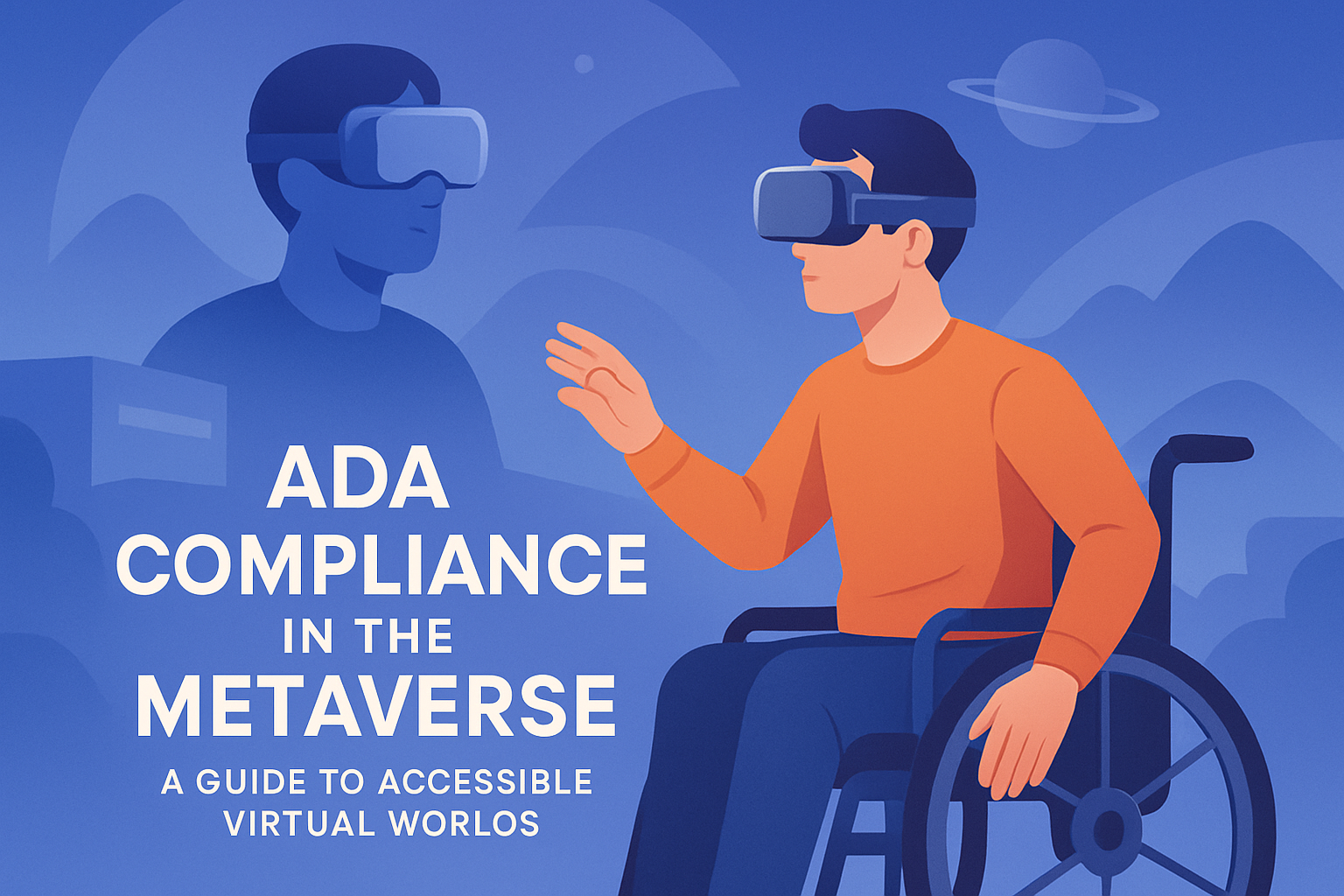
ADA compliance in the metaverse is becoming a serious business, legal, and design issue as virtual worlds evolve from entertainment platforms into workplaces, classrooms, retail environments, and public gathering spaces. In practice, the question is simple: if people use immersive digital spaces to work, learn, socialize, and buy products, those spaces must be accessible to people with disabilities. The harder part is execution. I have worked on accessibility reviews for complex digital products, and the same pattern keeps appearing in immersive environments: teams focus on graphics, engagement, and monetization first, then discover that navigation, communication, and interaction exclude users with visual, auditory, cognitive, or motor disabilities. That creates risk and weakens the product itself.
The Americans with Disabilities Act, or ADA, is a U.S. civil rights law that prohibits discrimination based on disability in public life. Although the ADA was written before today’s immersive platforms existed, its core principle applies broadly: equal access matters. In digital settings, organizations often look to the Web Content Accessibility Guidelines, known as WCAG, as the clearest operational benchmark for accessible design. WCAG was built for web content, but its principles of perceivable, operable, understandable, and robust experiences are highly relevant in virtual reality, augmented reality, mixed reality, and persistent 3D environments. Courts, regulators, and enterprise buyers increasingly treat these standards as practical evidence of accessibility diligence.
The metaverse, despite the buzzword fatigue surrounding it, generally refers to persistent, shared virtual spaces where users interact through avatars, digital objects, and spatial interfaces. That can include VR collaboration platforms, virtual retail stores, training simulations, gaming ecosystems, and digital twins used in industry. Accessibility in these environments means far more than adding captions after launch. It includes readable text in 3D space, alternatives to gesture-based controls, compatibility with assistive technologies, sensory-safe settings, understandable onboarding, and communication features that do not depend on one sense or one type of movement. For organizations investing in virtual worlds, accessibility is not just a compliance checklist; it is part of product quality, audience reach, procurement readiness, and brand credibility.
What ADA compliance means in virtual worlds
ADA compliance in the metaverse means designing and operating virtual environments so people with disabilities can participate in a substantially equivalent way. There is no single metaverse-specific ADA rulebook today, but the compliance logic follows familiar digital accessibility principles. If a company offers services, education, events, customer support, or commerce in a virtual environment, it should assume accessibility obligations apply. Title I may affect workplace tools, Title II can affect public entities, and Title III can affect places of public accommodation and customer-facing services. In enterprise procurement, accessibility obligations may also arise through Section 508, contractual terms, and vendor due diligence.
In real projects, I advise teams to stop asking whether the law has named every immersive feature explicitly and start asking whether a disabled user can actually complete the task. Can a user join the space without motion-intensive setup? Can they understand spoken content without hearing it? Can they interact without precise hand tracking? Can they avoid flashing effects, sensory overload, or disorienting movement? If the answer is no, the risk is both practical and legal. Accessibility analysis should therefore center on user journeys: account creation, onboarding, navigation, communication, transactions, meetings, training tasks, and support.
WCAG remains the best starting framework because it provides testable criteria and shared language for design, engineering, and legal teams. For immersive products, teams often combine WCAG 2.2 with platform-specific guidance from Microsoft, Meta, Unity, Apple, and XR Access. That combination works because WCAG covers text alternatives, input flexibility, timing, contrast, labels, error prevention, and predictable interactions, while XR guidance addresses spatial audio, field of view, locomotion, haptics, and simulator sickness. A defensible accessibility program maps immersive features back to recognized standards rather than treating accessibility as subjective preference.
Core accessibility barriers users face in the metaverse
Virtual worlds introduce barriers that traditional websites do not. Users with low vision may struggle when menus float in low-contrast 3D space, text scales poorly, or critical indicators are color-dependent. Blind users may be blocked entirely when environments rely on visual exploration without meaningful audio cues, semantic structure, or screen reader interoperability. Deaf and hard-of-hearing users often encounter voice-chat-first spaces with no accurate live captions, no transcripts, and no visual indication of who is speaking. Users with limited mobility may be unable to complete tasks that require sustained arm movement, dual-controller coordination, fast reaction times, or standing play.
Cognitive accessibility is just as important. I have seen immersive onboarding sequences overwhelm first-time users with floating prompts, moving objects, ambient audio, and unexplained gestures all at once. That design increases abandonment, especially for users with attention, memory, processing, or vestibular challenges. Motion sickness is another major barrier. Smooth locomotion, rapid camera acceleration, forced perspective shifts, and cluttered visual effects can make an environment unusable within minutes. Accessibility in the metaverse therefore overlaps strongly with comfort design and usability engineering.
| Barrier | Common metaverse example | Accessible design response |
|---|---|---|
| Auditory dependence | Voice-only meetings | Live captions, transcripts, speaker indicators |
| Visual dependence | Menu icons without labels | Text labels, audio cues, high contrast, scaling |
| Motor intensity | Gesture-only object manipulation | Controller, keyboard, switch, and dwell alternatives |
| Cognitive overload | Complex onboarding in 3D space | Step-by-step tutorials, plain language, replayable guidance |
| Vestibular discomfort | Smooth movement with rapid turns | Teleportation, snap turns, motion reduction settings |
These barriers are not edge cases. They affect broad user groups, including older adults, temporary impairments, neurodivergent users, and people in noisy or low-bandwidth settings. Accessibility improvements often benefit everyone. Captions help non-native speakers and users in shared offices. Simplified navigation helps new users. Adjustable contrast and text size help users on lower-quality displays. Reduced motion helps users who are tired or prone to nausea. That is why accessible virtual design should be treated as mainstream product strategy, not accommodation for a small minority.
How to design accessible virtual environments from the start
The most effective way to achieve accessibility in the metaverse is to build it into product requirements, design systems, and QA processes before content scales. Start with multimodal interaction. No essential task should depend on one input method or one sensory channel. If users can grab an object with hand tracking, they should also be able to select it with a controller, keyboard, voice command, or simplified interface. If instructions are spoken, they should also appear as readable text. If alerts are visual, they should have sound or haptic equivalents where appropriate.
Readable interface design matters even more in 3D than on flat screens. Keep text large enough to read comfortably, use high contrast ratios, avoid placing critical UI against busy backgrounds, and anchor menus consistently so users do not have to hunt for them. In collaboration spaces, identify speakers visually and provide synchronized captions. In retail or training simulations, label objects clearly and offer guided modes that reduce exploration demands. For users with limited dexterity, expand target sizes, allow remapping of controls, and avoid timed interactions that punish slower input speed.
Movement settings deserve their own design review. Good immersive products offer teleportation, snap turning, seated mode, height adjustment, reduced motion, and the option to slow transitions. They also avoid unnecessary flashing, strobing, and persistent particle effects that can trigger discomfort or seizures. I recommend usability testing with disabled participants at prototype stage, not after launch. Teams routinely miss barriers that become obvious within ten minutes of observed testing. Accessibility acceptance criteria should be written into user stories, and defects should be tracked with the same seriousness as security or payment bugs.
Legal, policy, and procurement considerations for organizations
Many leaders ask whether metaverse accessibility is legally required now or merely advisable. The practical answer is that waiting for a perfect, XR-specific regulation is a mistake. U.S. enforcement trends, private litigation, and procurement standards already point toward an expectation of accessible digital experiences. If a university hosts instruction in a virtual campus, if an employer runs onboarding in VR, or if a retailer sells through an immersive storefront, exclusion can trigger legal complaints, reputational damage, and failed contracts. Government buyers and large enterprises increasingly request VPAT documentation, accessibility roadmaps, and evidence of testing against WCAG-based criteria.
Policy teams should document how immersive accessibility is governed across design, development, content publishing, and support. That includes an accessibility statement, reporting channels for barriers, remediation timelines, and procurement requirements for third-party platforms. If your organization relies on a metaverse vendor, do not assume the platform’s claims are enough. Ask how captions work in live sessions, whether controls are remappable, how text scaling functions, what seizure-safety safeguards exist, and whether disabled users were included in testing. Strong contracts define responsibilities for fixes, updates, and support.
Risk management also requires understanding limits. Some immersive hardware still has accessibility gaps that software teams cannot fully solve, such as poor compatibility with certain assistive technologies or hand-tracking limitations. A trustworthy compliance strategy acknowledges those constraints while providing alternative access paths. For example, if a VR training module is not fully accessible to a user today, the organization should provide an equivalent desktop version or instructor-led alternative rather than denying participation. Equal access is the goal, and alternative formats remain an important part of compliance planning.
Testing, governance, and continuous improvement
Accessible virtual worlds are not achieved through a one-time audit. They require continuous testing, governance, and iteration as content, devices, and user behaviors change. A mature program combines automated checks where possible, expert review, and moderated user testing with people who have diverse disabilities. In practice, immersive accessibility testing should examine onboarding, social interaction, object manipulation, media playback, purchases, help flows, safety tools, and exit paths. Test across devices, because what works on a desktop mirror view may fail inside a headset or on a mobile companion app.
Teams should establish measurable standards: caption accuracy targets, contrast requirements for floating UI, supported input methods, maximum task times, and thresholds for motion reduction options. Bug triage should classify accessibility defects by user impact, not by how easy they are to reproduce internally. I also recommend creating design patterns for common components such as menus, tooltips, avatars, modals, and presentation screens, so each new world or event does not reinvent accessibility from scratch. Governance works best when legal, product, engineering, and customer support share ownership instead of treating accessibility as one specialist’s job.
The business payoff is substantial. Accessible virtual worlds reach more users, reduce abandonment, support enterprise sales, and strengthen trust. They also produce better experiences overall because they force clarity, flexibility, and resilience into the product. The path forward is straightforward: apply ADA principles, use WCAG and XR guidance as operational standards, test with disabled users, and document continuous improvement. If your organization is building or buying immersive experiences, review them now, fix barriers early, and make accessibility a release requirement rather than a retrofit.
Frequently Asked Questions
1. Does the ADA actually apply to the metaverse and other virtual worlds?
Yes, in many situations accessibility obligations are likely to apply, even though the legal framework is still catching up to immersive technology. The Americans with Disabilities Act was written before today’s virtual environments existed, but its core purpose is to prevent people with disabilities from being excluded from spaces where important activities happen. As virtual worlds increasingly function as workplaces, classrooms, retail spaces, entertainment venues, healthcare settings, and community hubs, the argument that accessibility is optional becomes much harder to defend. If a business uses a metaverse platform to deliver services, sell products, host events, train employees, or interact with the public, that virtual environment starts to look a lot like a digital extension of a public-facing service.
In practice, organizations should not wait for a perfect court ruling or explicit metaverse-specific regulation before taking action. Accessibility risk is already real from legal, reputational, and operational perspectives. Courts and regulators have repeatedly signaled that digital experiences can trigger accessibility obligations, especially when they are tied to public accommodations, employment, education, or government services. For employers, accessibility issues may also implicate reasonable accommodation duties. For schools and universities, inaccessible immersive learning environments can raise significant compliance concerns. The safest and smartest approach is to treat virtual worlds the way responsible organizations now treat websites, apps, and software platforms: as environments that should be designed to include users with a wide range of disabilities from the start.
2. What makes a virtual world inaccessible to people with disabilities?
Inaccessibility in the metaverse usually happens when designers assume every user can see, hear, speak, move, read, process information, and tolerate sensory input in the same way. That assumption quickly breaks down in immersive environments. A virtual world can become inaccessible if navigation requires fine motor precision, if key information is delivered only through audio or only through visuals, if menus are unreadable to people with low vision, if avatars or interactions require speech without text alternatives, or if fast-moving visuals trigger vestibular issues, migraines, or sensory overload. Even basic tasks such as logging in, customizing an avatar, joining a meeting, purchasing a product, or moving through a digital room can become barriers if accessibility has not been built in.
There are also more subtle barriers that are easy to overlook during development. Complex gestures may exclude users who rely on keyboards, switches, adaptive controllers, or voice input. Poor color contrast, tiny interface elements, and fixed text sizes can make interfaces unusable. Lack of captions, transcripts, or visual indicators can block access for deaf and hard-of-hearing users. Timed tasks may disadvantage users with cognitive disabilities. Environments with flashing effects, rapid motion, crowded interfaces, or no sensory controls can create real access problems for neurodivergent users and people with photosensitivity or motion sensitivity. Accessibility in virtual worlds is not just about one feature such as captions; it is about whether the full experience can be perceived, understood, navigated, and operated by people with different abilities using different assistive technologies and interaction methods.
3. What accessibility features should organizations prioritize when building metaverse experiences?
Organizations should start with the features that most directly affect whether a user can enter, navigate, communicate, and complete essential tasks in the environment. That includes captions for live and recorded audio, text chat alternatives for voice-based interactions, screen-readable interface components where possible, keyboard and alternative input support, clear navigation cues, scalable text, strong color contrast, and customizable sensory settings such as motion reduction, volume control, and visual effect adjustments. If users attend events, meetings, classes, or training sessions in virtual spaces, then accessible communication features should be considered foundational rather than optional add-ons.
It is also important to design for flexibility. Users should be able to remap controls, pause or slow interactions where appropriate, choose seated or standing modes, and access information in more than one format. Audio cues should have visual equivalents. Visual prompts should have text or spoken support. Social and collaborative features should not depend exclusively on speech, gestures, or spatial audio. For commerce-related environments, every step of the user journey should be accessible, from account setup and product exploration to checkout and customer support. In enterprise and educational environments, organizations should review whether onboarding, identity verification, training modules, virtual whiteboards, presentations, and collaboration tools are usable by employees and learners with disabilities. The priority should always be practical usability: can a person with a disability independently accomplish the same core goals as other users with comparable ease and dignity?
4. How can companies test metaverse accessibility effectively?
Effective testing requires more than a quick checklist review or automated scan. Accessibility in immersive environments is highly experiential, so companies need a structured testing process that combines technical review, standards-based evaluation, and real-world usability testing with people with disabilities. Start by identifying the most important user journeys, such as joining a virtual meeting, moving through a retail environment, participating in a classroom discussion, interacting with objects, completing a transaction, or accessing customer support. Then test those flows across devices, control methods, and disability scenarios. This should include users who are blind or low vision, deaf or hard of hearing, neurodivergent, mobility-impaired, speech-disabled, and sensitive to motion or sensory overload.
Manual testing is critical because many accessibility issues in 3D and immersive environments cannot be captured by automated tools. Organizations should review control schemes, interaction timing, readability, captions, audio alternatives, compatibility with assistive technologies, and the physical comfort demands created by VR or AR hardware. Just as important, they should observe where users struggle, get stuck, or are forced into workarounds. Accessibility audits should happen early in design, continue during development, and be repeated after updates, because even small interface or interaction changes can introduce major barriers. The most reliable way to improve is to involve disabled users as testers, advisors, and stakeholders throughout the product lifecycle rather than bringing them in only at the end.
5. What are the business benefits of making virtual worlds ADA-compliant and accessible?
The business case is strong. Accessible virtual environments reach more users, reduce legal exposure, improve user satisfaction, and create better experiences for everyone. When companies invest in accessibility early, they avoid the much higher cost of retrofitting complex systems later. They also lower the risk of complaints, lawsuits, contract issues, and public criticism. For brands entering the metaverse for retail, events, training, or customer engagement, accessibility supports trust. Users notice when an organization has considered different needs and removed unnecessary friction. That can directly affect retention, participation, conversion rates, and brand reputation.
Accessibility also drives innovation and design quality. Features such as captions, flexible controls, simplified navigation, readable interfaces, and sensory customization often benefit a much broader audience than the disability community alone. In workplace and education settings, accessible design can improve productivity, participation, and inclusion across distributed teams and diverse learner populations. It also helps organizations future-proof their digital strategy as immersive platforms become more integrated into mainstream operations. The companies that treat accessibility as a core design and governance issue, rather than a late-stage compliance exercise, will be better positioned to build virtual spaces that are usable, scalable, and credible in the long term.