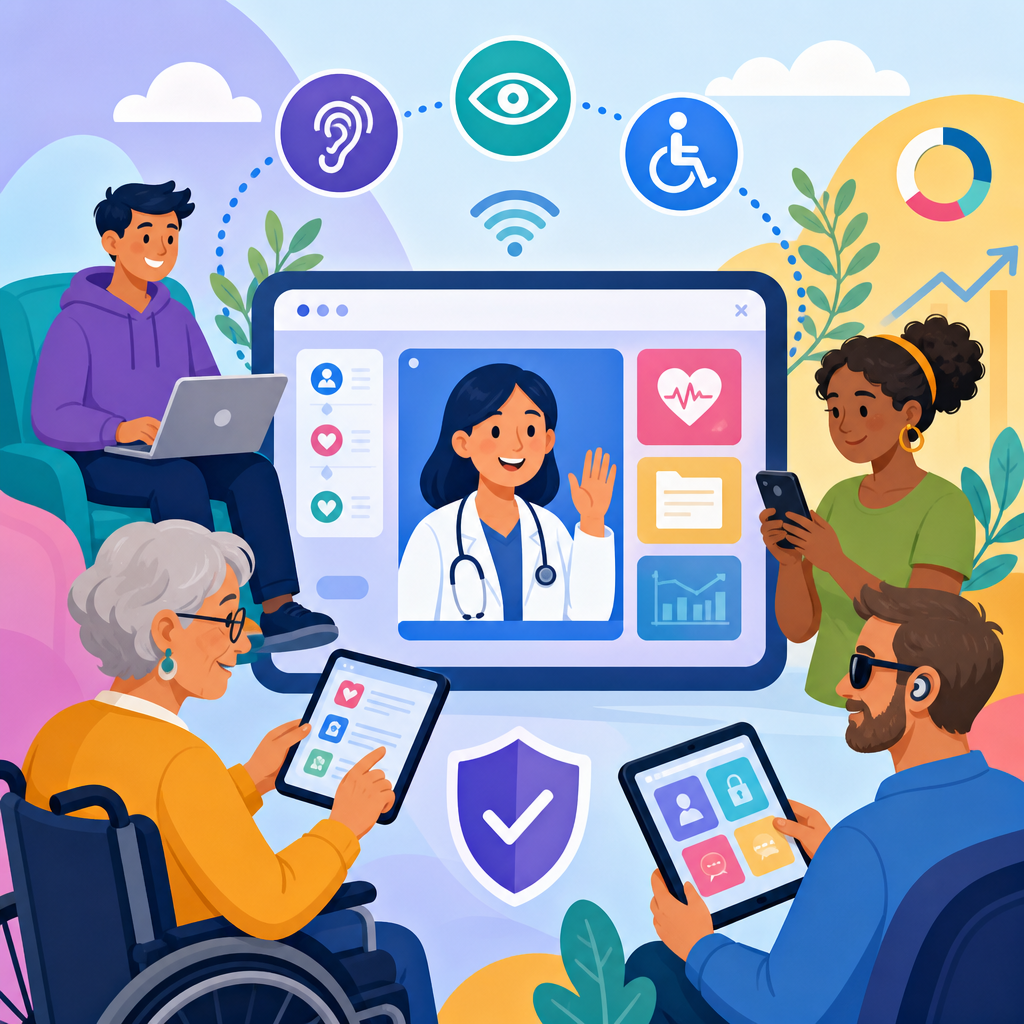
Accessibility trends in telehealth and patient portals are reshaping how healthcare organizations meet patient needs while responding to fast-moving ADA developments in technology and accessibility. In practical terms, accessibility means people with disabilities can perceive, understand, navigate, and interact with digital health tools without unnecessary barriers. Telehealth includes video visits, remote monitoring platforms, secure messaging, digital intake, and virtual triage. Patient portals are the web and mobile systems patients use to review records, schedule appointments, request refills, pay bills, and communicate with clinicians. When these systems exclude users with visual, hearing, cognitive, speech, or mobility disabilities, access to care is reduced, legal risk increases, and clinical outcomes can suffer.
I have worked with healthcare websites, portals, and digital intake systems long enough to see a clear shift: accessibility is no longer treated as a narrow compliance checklist. It is now a core operational issue tied to patient safety, equity, reimbursement, and brand trust. The ADA remains a foundational civil rights law, but digital accessibility expectations are also shaped by Section 504, Section 1557, state consumer protection rules, OCR enforcement activity, and technical standards such as WCAG 2.1 and the newer WCAG 2.2. For covered entities and business associates, HIPAA intersects with accessibility because secure communication that patients cannot use is not meaningfully accessible communication.
This topic matters because telehealth is now embedded in routine care. A missed caption, an unlabeled form field, or a portal that times out too quickly can prevent a patient from understanding discharge instructions, consenting to treatment, or attending a specialist visit. Health systems are also under pressure to consolidate vendors, modernize legacy EHR-connected portals, and support aging populations. The result is a new accessibility landscape: one where procurement language, inclusive design, assistive technology testing, multilingual communication, and AI-driven features all influence whether digital care is truly usable. As a hub article, this guide explains the main accessibility trends, the legal and technical context, and the practical steps healthcare leaders should prioritize.
The legal and standards landscape shaping digital healthcare accessibility
ADA developments in technology and accessibility are increasingly interpreted through the reality that healthcare services are delivered digitally as well as in person. Courts and regulators have not always used identical language, but the direction is consistent: if a patient portal or telehealth workflow is part of accessing care, it must be accessible. In healthcare, the most important legal anchors are the ADA, Section 504 of the Rehabilitation Act for federally funded programs, and Section 1557 of the Affordable Care Act, which prohibits discrimination in health programs and activities. The Department of Justice and the Department of Health and Human Services have both pushed organizations toward recognized technical standards rather than vague promises of equal access.
In practice, WCAG has become the benchmark most compliance teams use to translate legal duty into testable requirements. WCAG 2.1 Level AA remains the most commonly specified target in healthcare contracts, settlement terms, and remediation plans, while WCAG 2.2 adds important updates around focus appearance, target size, drag alternatives, and authentication. These details matter. A patient with low vision may rely on visible keyboard focus to refill medication. A user with tremors may need larger touch targets in a mobile portal. A patient with a cognitive disability may struggle if a telehealth login flow uses complex memory tasks without accessible alternatives.
Another major development is the move from reactive remediation to enforceable governance. Leading health systems now maintain accessibility policies, assign executive ownership, require VPATs during procurement, and write conformance obligations into vendor agreements. That shift is crucial because many barriers originate in third-party products: scheduling modules, payment gateways, consent tools, chatbots, and embedded video platforms. If the contract does not require accessibility, the organization inherits avoidable risk. The strongest programs treat accessibility as a quality attribute, similar to privacy and security, and measure it through audits, issue severity ratings, and documented remediation timelines.
What patients actually need from telehealth and portals
Accessible digital healthcare starts with understanding common barriers from the patient perspective. Patients who are blind or have low vision often use screen readers such as JAWS, NVDA, or VoiceOver, along with browser zoom and high-contrast settings. Their success depends on semantic headings, labeled controls, alt text for meaningful images, properly announced errors, and predictable navigation. Deaf and hard-of-hearing patients may need accurate live captions, transcripts, relay-friendly calling options, and video platforms that support qualified interpreters. Patients with limited dexterity may navigate by keyboard, switch control, or voice input, making focus order, form design, and button spacing essential.
Cognitive accessibility is now getting more attention, and rightly so. Many patient portal tasks involve memory, sequencing, and comprehension under stress: entering insurance details, reviewing after-visit summaries, authorizing proxy access, or responding to a medication message. Dense language, unexplained abbreviations, auto-advancing carousels, and abrupt timeouts can turn routine care into a failure point. Accessible design in healthcare therefore includes plain-language instructions, progressive disclosure, clear status indicators, and recovery paths when something goes wrong. I have seen completion rates improve simply by rewriting a portal error message from technical jargon into a direct next step.
Accessibility also overlaps with language access, device limitations, and broadband constraints. A low-income patient may access a portal only through a mobile phone with assistive technology enabled. An older adult may depend on magnification and struggle with multifactor authentication. A rural patient may need audio-only fallback when video bandwidth fails. The strongest telehealth programs recognize that accessibility is not a single disability category or a single technical fix. It is the practical discipline of making sure a broad range of patients can complete real clinical tasks reliably, privately, and with dignity.
Key accessibility trends changing digital care delivery
Several trends now define accessibility in telehealth and patient portals. First, health systems are moving accessibility earlier in the product lifecycle. Instead of waiting for annual audits or legal complaints, teams are reviewing wireframes, design systems, and component libraries before development. This reduces cost because fixing an inaccessible date picker during design is far cheaper than replacing it across a live portal after release. Second, organizations are testing with disabled users, not just automated tools. Axe, WAVE, Lighthouse, and ARC Toolkit are useful, but they cannot confirm whether a blind patient can complete eCheck-in or whether captions are clinically accurate during a specialist consultation.
Third, mobile accessibility has become central. Patient engagement increasingly happens in apps, responsive portals, text reminders, and embedded payment experiences. Mobile accessibility requires attention to dynamic type, orientation support, screen reader gestures, voice control labels, and target size. Fourth, healthcare organizations are scrutinizing authentication flows. Security teams often prefer stricter controls, but inaccessible CAPTCHAs, timeout rules, and identity-proofing steps can block patients from care. The best implementations use accessible multifactor options, passkeys where available, and authentication methods that do not rely only on visual puzzles or memory burden.
Fifth, organizations are starting to treat virtual care as a multimodal accessibility environment. A telehealth visit may involve intake forms, reminder emails, SMS links, the live video platform, shared documents, post-visit summaries, and follow-up messaging. If any one of those stages fails, the care journey fails. Accessibility programs are therefore mapping end-to-end patient flows rather than auditing isolated pages. Sixth, AI features are entering portals and telehealth systems, especially chat assistants, visit summaries, transcription, and symptom navigation. These tools can help, but they must be tested carefully for screen reader output, plain language, bias, and error recovery.
| Trend | What it looks like in practice | Why it matters |
|---|---|---|
| Shift-left accessibility | Design reviews, accessible components, pre-release testing | Prevents recurring defects and lowers remediation cost |
| Live communication support | Captions, interpreter workflows, transcripts, audio fallback | Improves clinical comprehension and visit completion |
| Mobile-first portal design | Large touch targets, dynamic text support, simple navigation | Matches how many patients actually access care |
| Accessible authentication | Passwordless options, screen-reader-friendly MFA, fewer visual puzzles | Reduces login abandonment and access barriers |
| Vendor accountability | VPAT review, contract language, remediation SLAs | Addresses risk in third-party tools and integrations |
| AI feature review | Testing summaries, chat tools, and transcription for usability | Prevents new barriers from emerging inside modern workflows |
Telehealth-specific barriers and the fixes that work
Video visits create accessibility issues that differ from standard web pages. Caption quality is a common problem. Automatic captions may perform reasonably in routine conversation but degrade with accents, medical terminology, poor microphones, or crosstalk. For high-stakes visits, organizations need a process for qualified interpreters and CART services, not just default machine captions. The video interface itself must support keyboard navigation, visible focus, accessible mute and camera controls, and compatibility with screen readers. If a patient cannot find the “join visit” button or authorize browser permissions independently, the clinical appointment may never start.
Document sharing inside telehealth can also break accessibility. Clinicians often upload PDFs, aftercare instructions, consent forms, or educational handouts during or after a visit. If those documents are image-based, poorly tagged, or written at an advanced reading level, the visit remains incomplete for many users. The most effective organizations standardize accessible document templates and train staff to avoid scanned-image PDFs when digitally native alternatives exist. Browser-based telehealth generally performs better than downloadable client software because it reduces installation barriers, but browser workflows still need rigorous assistive technology testing across Chrome, Safari, Edge, iOS, and Android.
Remote patient monitoring introduces another layer. Devices such as glucometers, blood pressure cuffs, pulse oximeters, and connected scales may pair with apps that use small text, color-only alerts, or inaccessible Bluetooth setup screens. If home monitoring is prescribed, the entire ecosystem must be usable, including setup instructions, alert acknowledgments, and escalation pathways. The best programs combine accessible apps with human support, such as call-center assistance trained to handle relay calls and accessibility accommodations. Technology alone is not enough; operational design is part of accessibility.
Patient portal modernization and the move beyond basic compliance
Many healthcare organizations still run patient portals layered onto older EHR architectures. That creates persistent issues: rigid templates, inaccessible embedded widgets, duplicated navigation, and inconsistent behavior between desktop and mobile views. Modernization efforts are therefore focusing on design systems, API-driven experiences, and more modular front ends. When done properly, this helps accessibility because shared components can be tested once and reused widely. For example, an accessible appointment card, medication refill form, or lab-results table can become a trusted building block across the portal.
Portal modernization also supports personalization, which can improve accessibility when implemented carefully. Patients may benefit from larger text defaults, simplified dashboards, saved communication preferences, or reminders delivered in their preferred channel. Proxy access and caregiver workflows are especially important. Many older adults, people with intellectual disabilities, and patients with complex conditions rely on family members or aides to manage appointments and medications. If proxy setup is hidden or confusing, care coordination suffers. Accessible portal design therefore includes clear role management, transparent permission settings, and straightforward explanations of what a caregiver can and cannot do.
Another rising expectation is continuous monitoring. Mature teams do not rely on one audit every year. They use automated scanning in CI/CD pipelines, manual regression testing for critical journeys, and issue tracking tied to release management. They also prioritize defects by patient impact, not only by code severity. A missing decorative alt attribute is worth fixing, but an inaccessible refill request form or unreadable radiology result deserves immediate attention. This is where healthcare differs from generic ecommerce: barriers can interfere with treatment adherence, diagnosis follow-up, and informed decision-making.
Procurement, governance, and measurement for sustained progress
Accessible telehealth and patient portals depend on governance more than isolated fixes. Procurement is the starting point. Every RFP for digital health technology should require a current VPAT, identify the WCAG level expected, ask which assistive technologies are supported, and demand evidence from recent testing. I advise teams to go further and require sample user journeys during demos: schedule a visit by keyboard only, complete intake with a screen reader, join a visit on mobile with captions enabled, and recover from an authentication error. Vendors that cannot demonstrate this live usually create downstream problems.
Governance also means assigning ownership across product, compliance, security, legal, patient experience, and clinical operations. Without a named decision structure, accessibility issues bounce between departments and remain unresolved. Effective programs maintain an issue backlog, define severity criteria, set remediation service levels, and publish internal guidance for content authors and developers. Training matters as much as policy. Front-line staff need to know how to book interpreters, send accessible documents, and support patients who use relay services or assistive technology. Accessibility failures often occur not because tools are unavailable, but because teams do not know the process.
Measurement should connect technical conformance to patient outcomes. Useful metrics include successful task completion rates, login abandonment, caption utilization, average time to complete eCheck-in, support-call categories, and complaint resolution timelines. Qualitative feedback is equally important. A short post-visit survey asking whether the patient could access forms, hear or read the clinician clearly, and complete follow-up tasks independently can reveal more than an automated dashboard. Organizations that listen to this feedback improve faster and build trust with patients who have historically been excluded from digital systems.
Where ADA developments in technology and accessibility are heading next
The next phase of ADA developments in technology and accessibility will likely focus on enforceable digital standards, broader attention to mobile health tools, and deeper scrutiny of third-party ecosystems. Healthcare leaders should expect less tolerance for vague accessibility statements and more demand for measurable conformance, documented testing, and timely remediation. They should also expect accessibility to merge with health equity strategy. When telehealth platforms support captions, keyboard use, plain language, interpreter workflows, and mobile access on low bandwidth, they do more than reduce legal exposure. They expand access to care for patients who are often underserved.
The central lesson is straightforward: accessibility in telehealth and patient portals is not a side project. It is a clinical access requirement, an operational discipline, and a durable indicator of digital quality. Organizations that act early can modernize portals more effectively, negotiate stronger vendor terms, and reduce patient friction across the full care journey. Start by auditing critical tasks, reviewing vendor obligations, and involving disabled users in testing. Then build accessibility into design, procurement, content, and support operations so improvement continues with every release.
Frequently Asked Questions
What does accessibility mean in telehealth and patient portals?
In telehealth and patient portals, accessibility means patients with disabilities can use digital health tools effectively, independently, and with dignity. That includes being able to perceive content, understand instructions, navigate workflows, complete forms, communicate with providers, and receive care without avoidable barriers. In practice, accessibility applies to video visit platforms, online scheduling, digital intake forms, secure messaging, lab result pages, prescription refill tools, remote monitoring dashboards, and virtual triage systems. A platform is not truly accessible if a patient can log in but cannot activate captions, use a screen reader to review test results, navigate by keyboard, or understand time-sensitive alerts because they rely only on color or audio cues.
Accessibility also covers a wide range of needs, including blindness or low vision, deafness or hard of hearing, limited mobility, speech disabilities, cognitive disabilities, learning differences, seizure sensitivity, and age-related impairments. For example, patients may need compatibility with screen readers, high color contrast, resizable text, plain-language instructions, visible focus indicators, captioned video, transcripts, speech-to-text support, and error messages that clearly explain how to fix a problem. In healthcare settings, these details matter because inaccessible technology can delay treatment, interfere with medication management, limit informed consent, and create unequal access to care. As telehealth and patient portals become central to healthcare delivery, accessibility is increasingly understood as both a compliance issue and a patient safety, patient experience, and health equity priority.
Why are accessibility trends becoming so important in digital healthcare right now?
Accessibility trends are gaining urgency because digital healthcare is no longer optional. Telehealth, patient portals, remote monitoring, online registration, automated reminders, and digital follow-up tools have become standard parts of the patient journey. As healthcare organizations rely more heavily on these systems, the legal, operational, and reputational risks of inaccessible design increase. At the same time, ADA expectations around digital access continue to evolve, and organizations are paying closer attention to how disability rights principles apply to websites, mobile apps, third-party platforms, and patient-facing technology. Healthcare providers are recognizing that accessibility cannot be treated as a side project after launch; it has to be built into product selection, design, procurement, testing, and ongoing maintenance.
There is also a strong business and care-delivery case behind the trend. Accessible tools reduce friction for all users, not just people with disabilities. Clearer navigation, simpler forms, better mobile usability, captions, readable content, and flexible communication options improve completion rates and reduce support burdens across the board. For healthcare organizations, that can mean fewer abandoned appointments, more successful portal adoption, better patient satisfaction scores, and fewer administrative workarounds. Accessibility is also becoming more visible in vendor evaluations, cybersecurity planning, patient engagement strategies, and quality improvement efforts. In short, the current trend reflects a broader shift: digital access is now a core expectation in healthcare, and organizations that ignore accessibility risk falling behind both legally and operationally.
What accessibility features should healthcare organizations prioritize in telehealth platforms and patient portals?
Healthcare organizations should prioritize features that remove common barriers across the full patient journey, from account creation to follow-up care. A strong foundation starts with keyboard accessibility, screen reader compatibility, sufficient color contrast, meaningful headings and labels, descriptive link text, and forms that clearly identify required fields and explain errors in plain language. Patients should be able to schedule appointments, complete intake forms, sign consent documents, review visit summaries, and send messages without relying on a mouse or guessing what a button does. Mobile accessibility is equally important, since many patients access portals and telehealth tools primarily through smartphones or tablets.
For telehealth specifically, accessible audio and video experiences are essential. Platforms should support live captions, compatibility with interpreters, adjustable volume, clear visual layouts, and controls that are easy to locate and activate. If pre-visit instructions are provided, they should be available in accessible formats and written in understandable language. Remote monitoring tools should present readings, alerts, and trends in ways that do not depend solely on color, sound, or complex charts. For patient portals, organizations should pay close attention to readability of lab results, medication lists, billing sections, and after-visit summaries. Secure messaging should be easy to compose and review with assistive technologies.
Another major priority is consistent testing with real users and assistive technology. Accessibility is not just a checklist of technical settings; it is about whether patients can actually complete healthcare tasks. Organizations should evaluate workflows using screen readers, keyboard-only navigation, magnification software, voice input tools, and mobile accessibility settings. They should also look beyond the main portal login page to PDFs, embedded vendor tools, chatbot interfaces, symptom checkers, online payment pages, and identity verification steps. The most effective accessibility programs prioritize end-to-end usability, not isolated compliance fixes.
How do ADA developments affect telehealth and patient portal accessibility efforts?
ADA developments matter because they reinforce the principle that people with disabilities must have equal access to services, including services delivered through digital channels. In healthcare, that means organizations cannot assume accessibility obligations stop at the physical clinic door. When appointment scheduling, provider communication, intake paperwork, post-visit instructions, and ongoing care management move online, digital barriers can function just like physical ones. While legal interpretations and enforcement details can vary, the broader direction is clear: healthcare organizations are expected to provide accessible digital experiences and to take accessibility seriously in both internally developed and vendor-provided tools.
For healthcare leaders, the practical takeaway is that accessibility should be treated as an ongoing governance issue rather than a one-time technical upgrade. That includes setting accessibility requirements in procurement contracts, documenting testing practices, maintaining remediation processes, training content editors and developers, and giving patients a clear way to report barriers. It also means paying attention to changes in guidance, industry standards, and enforcement trends that influence what “reasonable access” looks like in digital health environments. Organizations that wait for a complaint before acting often discover that retrofitting accessibility into complex telehealth and portal ecosystems is far more expensive and disruptive than planning for it early.
Importantly, ADA-related accessibility work should not be framed only as legal risk management. In healthcare, inaccessible technology can affect clinical outcomes, continuity of care, and informed participation in treatment decisions. That raises the stakes considerably. When organizations align telehealth and portal design with accessibility expectations, they are not just reducing exposure; they are improving the fairness and reliability of care delivery for patients who increasingly depend on digital tools.
What are the biggest challenges organizations face when improving accessibility in digital health tools?
One of the biggest challenges is that digital healthcare ecosystems are rarely simple. A patient may move through a hospital website, a scheduling tool, a patient portal, a third-party telehealth platform, an e-signature workflow, automated text reminders, downloadable PDFs, and a billing interface all within a single episode of care. Even if one part of that journey is accessible, another part may break the experience. Organizations often discover that accessibility gaps are spread across legacy systems, purchased software, custom integrations, and content created by different teams with different levels of training. This fragmentation makes it difficult to assign ownership and maintain a consistent standard.
Another challenge is the misconception that accessibility can be solved by installing an overlay or running an automated scan. Automated tools can help identify some issues, but they do not catch everything that affects real patient usability. They cannot fully evaluate whether form instructions make sense, whether a telehealth workflow is confusing for screen reader users, whether captions are accurate, or whether a patient can recover from an error during digital intake. Meaningful accessibility improvement requires cross-functional coordination among compliance teams, IT, UX designers, developers, marketing teams, clinical operations, patient experience leaders, and outside vendors. It also requires budget, leadership support, and a willingness to fix root causes instead of surface symptoms.
Finally, healthcare organizations must balance urgency with sustainability. It is tempting to focus only on high-visibility fixes, but accessibility needs to be integrated into design systems, content standards, software procurement, QA testing, and release management to prevent recurring problems. The organizations making the most progress are the ones that treat accessibility as part of digital quality and patient-centered care. They prioritize the highest-impact patient tasks first, involve people with disabilities in testing, and build repeatable processes that improve accessibility over time rather than relying on one-time remediation projects.


